Student engagement strategies are practical methods teachers use to keep students active, focused, and involved in learning. In today’s US classrooms, that often means using technology with purpose, not just adding screens for the sake of it.
Technology can distract students when it is used without structure. Phones, tablets, laptops, and online tools can easily pull attention away from the lesson. But when teachers use the right tools at the right moments, technology can help students respond, collaborate, ask questions, and take part in class more often.
In this article, we’ll explain how teachers can use classroom technology to support better participation in in-person, online, and hybrid learning environments.
What do student engagement strategies mean?
Student engagement strategies are teaching methods that help students participate mentally, emotionally, and behaviorally in class.
In simple terms, engagement means students are not just sitting through a lesson. They are answering questions, discussing ideas, creating work, asking for help, giving feedback, and showing signs that they understand the material.
Strong classroom engagement strategies often include:
- Short checks for understanding
- Group activities
- Visual learning materials
- Student choice
- Real-time feedback
- Collaborative tasks
- Interactive assignments
- Reflection activities
The goal is not to make every lesson entertaining. The goal is to make learning easier to join, easier to follow, and easier to apply.
Why does technology matter for classroom engagement?
Technology in the classroom matters because it can make participation easier for more students. A quiet student may not raise a hand, but they may answer an anonymous poll. A remote student may not speak during class, but they can add ideas to a shared whiteboard.
The US Department of Education’s 2024 National Educational Technology Plan points to three major issues in educational technology: digital access, digital design, and digital use. That matters because technology only helps engagement when students can access it, teachers can design strong learning experiences with it, and schools use it for active learning instead of passive screen time.
Good technology use should help students do something meaningful, such as:
- Share an answer
- Build an idea
- Solve a problem
- Review a concept
- Give feedback
- Work with classmates
- Reflect on what they learned
A tool is only useful when it supports the lesson. If the tool does not improve participation, understanding, or feedback, it may just add noise.
What student engagement strategies work with classroom technology?
The best student engagement strategies use technology to make learning more active. Teachers do not need dozens of tools. They need a few simple methods that fit the lesson, the students, and the classroom format.
Below are practical strategies that work in online, hybrid, and physical classrooms.
Use live polls and online quizzes to check understanding
Live polls and online quizzes help teachers see what students understand in real time. They work well because students can answer quickly, and teachers can adjust the lesson based on the results.
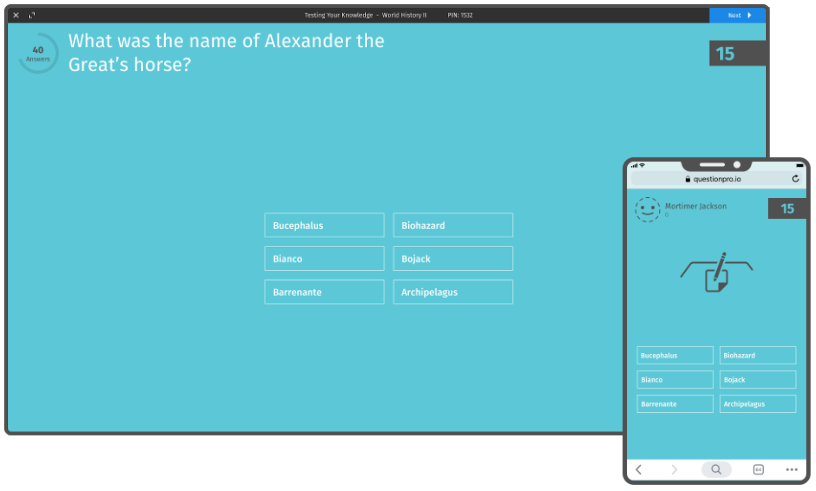
Teachers can use live polls in the classroom to:
- Start a lesson with a warm-up question
- Check understanding after a new concept
- Ask students to vote on discussion topics
- Collect anonymous opinions
- Run short review quizzes
- Use exit tickets at the end of class
This is especially useful in large classrooms, where not every student has the chance to speak. A quick poll gives every student a way to respond without putting them on the spot.
For example, after explaining a new math concept, a teacher can ask students to choose the correct solution from four options. If many students choose the wrong answer, the teacher knows the class needs another explanation before moving forward.
Use online whiteboards for collaboration
Online whiteboards help students work together in one shared space. They are useful for brainstorming, mapping ideas, solving problems, and organizing group projects.
In a physical classroom, students can use an online whiteboard to contribute ideas from their own devices. In a remote or hybrid classroom, the same tool gives everyone a common workspace.
Online whiteboards can support student participation by allowing students to:
- Add sticky notes
- Group ideas by theme
- Draw diagrams
- Comment on classmates’ work
- Build project outlines
- Save class activities for later review
The biggest benefit is visibility. Students can see how ideas develop, and teachers can see who is participating. The saved board also helps students revisit the activity after class.
Turn visual content into quick learning moments
Visual content can make lessons easier to understand, especially when students are learning complex or unfamiliar topics. Infographics, diagrams, charts, and short videos can help students process information faster than long blocks of text.
A good visual should not replace instruction. It should support it.
Teachers can use visuals to:
- Explain a process
- Compare two ideas
- Summarize a reading
- Show cause and effect
- Introduce a new topic
- Review key points before a quiz
For example, instead of asking students to read a long paragraph about the water cycle, a teacher can show a simple diagram, then ask students to label each stage or explain the process in their own words.
This turns passive viewing into active learning.
Add online resources that support self-paced learning
Online resources help students learn at different speeds. Some students need extra practice. Others are ready for more advanced material. Digital resources can support both groups without stopping the whole class.
Teachers can add links to:
- Reading materials
- Short videos
- Practice quizzes
- Class notes
- Research sources
- Assignment instructions
- Review guides
This works best when the resources are organized and limited. Too many links can overwhelm students. A better approach is to give students two or three useful resources that match the lesson goal.
For US classrooms with mixed learning levels, self-paced resources can help students catch up, review, or go further without feeling singled out.
Give students flexible ways to participate
Not every student participates in the same way. Some students like speaking in class. Others prefer writing, voting, drawing, or working in small groups.
Technology can create more entry points for participation.
Teachers can offer flexible options such as:
- Answering a live poll
- Writing in a shared document
- Recording a short video response
- Submitting questions anonymously
- Adding ideas to a whiteboard
- Completing a short online quiz
- Joining a group chat for discussion
This does not mean every assignment needs multiple formats. It means teachers can vary participation methods throughout the week, so more students have a fair chance to contribute.
Make assignments more interactive
Interactive assignments can increase student interest because they feel more connected to how students already communicate and create.
Instead of only assigning a written report, teachers can ask students to create:
- A short blog post
- A video explanation
- A slide presentation
- A podcast-style response
- A digital poster
- A collaborative timeline
- A quiz for classmates
The format should match the learning goal. If the goal is research, a blog-style assignment may work well. If the goal is explanation, a short video may help students show understanding in their own voice.
The key is to avoid using technology as decoration. The assignment should still measure learning clearly.
Use quick feedback checks during class
Quick feedback checks help teachers understand how students feel about the pace, clarity, and difficulty of a lesson.
This can be as simple as asking:
- “What part of today’s lesson was most confusing?”
- “How confident do you feel about this topic?”
- “Which example helped you most?”
- “What should we review next class?”
A classroom response system, poll, or short survey can collect this feedback fast. Teachers can then use the results to adjust the next lesson.
This strategy also shows students that their feedback matters. When students see teachers respond to their input, they are more likely to participate again.
Support hybrid and remote participation when needed
Hybrid learning is now a normal part of many schools, colleges, and training programs in the USA. Even when most classes are in person, students may still need remote access because of illness, travel, weather, or scheduling issues.
Technology can support engagement in hybrid settings by helping students:
- Watch recorded lessons
- Join live discussions
- Submit work online
- Access class materials
- Participate in polls
- Collaborate with classmates
- Review missed activities
Recorded lessons are especially helpful when used carefully. They should not replace live participation, but they can help students review difficult concepts or catch up after missing class.
How can teachers use technology without distracting students?
Teachers can reduce technology distractions by setting clear rules, choosing simple tools, and using tech only when it supports the lesson.
A practical classroom technology rule is this: every tool should have a job.
Before adding a tool, teachers can ask:
- Does this help students participate?
- Does this help me check understanding?
- Does this make the lesson clearer?
- Does this support collaboration?
- Does this save time without lowering quality?
If the answer is no, the tool may not be needed.
Teachers should also explain when devices should be open, when they should be closed, and what students are expected to do with them. Clear routines make technology feel like part of the lesson instead of a break from it.
How QuestionPro can support classroom engagement
QuestionPro can support classroom engagement when teachers need simple ways to collect responses, run quick checks, or gather student feedback.
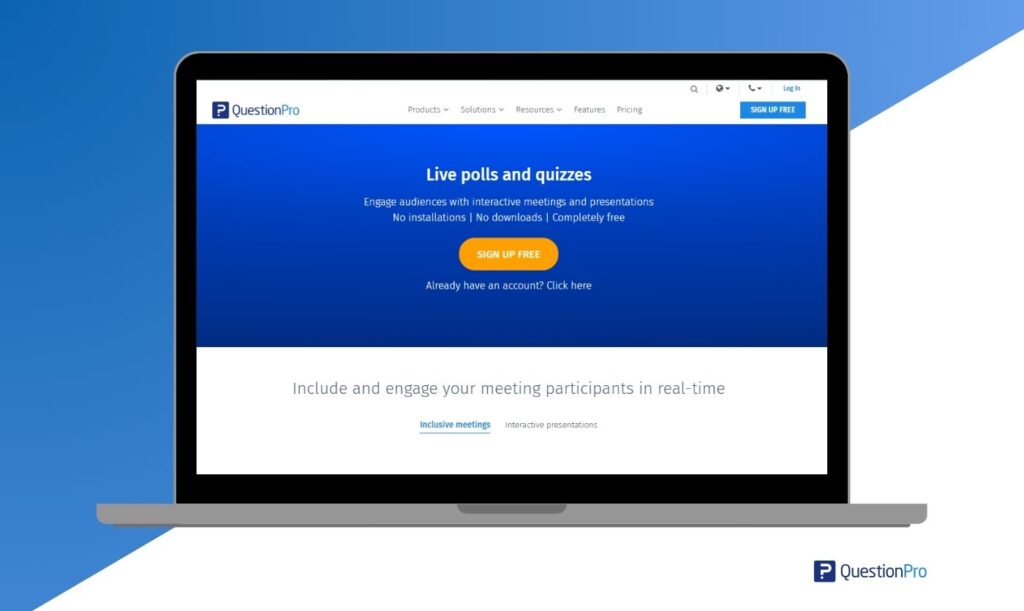
For example, QuestionPro LivePolls can be used for real-time classroom questions, short quizzes, and instant feedback. Teachers can use it during lectures, workshops, remote sessions, or hybrid classes.
For broader academic use, QuestionPro also offers student survey software that can help schools and universities collect feedback from students, run academic research, and analyze responses.
The best use case is not to add more surveys to a busy classroom. It is to ask short, useful questions at the right moment, then use the answers to improve learning.
Final thoughts on student engagement strategies
Student engagement strategies work best when they are simple, intentional, and tied to the lesson goal. Technology can help, but only when it gives students a clearer way to participate.
Live polls, online quizzes, whiteboards, visual materials, flexible assignments, and quick feedback checks can make classrooms more interactive without making them more complicated.
For teachers in the USA and beyond, the real question is not whether technology belongs in the classroom. The better question is how each tool helps students think, respond, collaborate, and learn.
Frequently Asked Questions (FAQs)
The most effective student engagement strategies include live questions, group work, quick feedback checks, visual learning, interactive assignments, and student choice. These methods work because they ask students to participate instead of only listening to the teacher.
Technology can improve student participation by giving students more ways to respond. Polls, quizzes, online whiteboards, and shared documents help students contribute through writing, voting, drawing, or discussion, which is useful for both quiet and remote learners.
Yes, online quizzes can support classroom engagement when they are short and tied to the lesson. They help teachers check understanding, review key ideas, and identify where students need more support before moving to the next topic.
Teachers can avoid technology distractions by setting clear device rules, using one tool at a time, and explaining the purpose of each activity. Technology should support participation, feedback, or learning, not compete with the lesson.
Student engagement strategies are important in US classrooms because students learn in different formats, including in-person, online, and hybrid settings. Strong engagement methods help teachers support participation, attention, and understanding across different learning environments.
A simple way to increase engagement quickly is to ask a live poll question during the lesson. It gives every student a chance to answer, helps the teacher check understanding, and creates a natural moment for discussion.