


Survey Stack
Survey Stacks is a data management feature that empowers users to seamlessly integrate data from multiple surveys into a single, cohesive dataset. This centralized repository of information facilitates streamlined reporting, in-depth analysis, and the generation of actionable insights. By merging data from various surveys, Survey Stacks eliminates the need for manual data consolidation and enables a holistic view of respondent feedback and behavior.
This feature is particularly valuable for clients that conduct multiple surveys over time, across different departments, or for varying target audiences. With Survey Stacks, users can identify trends, compare results, and track changes in respondent sentiment over time. This comprehensive understanding of data can inform strategic decision-making, drive process improvements, and enhance overall organizational performance.
- Data Consolidation: This involves merging responses from multiple surveys into a unified dataset, allowing for a comprehensive analysis of collected information.
- Efficiency and Automation: Streamlining the data cleaning and merging process saves valuable time and reduces the need for manual intervention, minimizing the risk of errors and improving overall efficiency.
- Standardization: Ensuring consistency across different reporting systems enables seamless integration and facilitates accurate and reliable comparisons of data, leading to more informed decision-making.
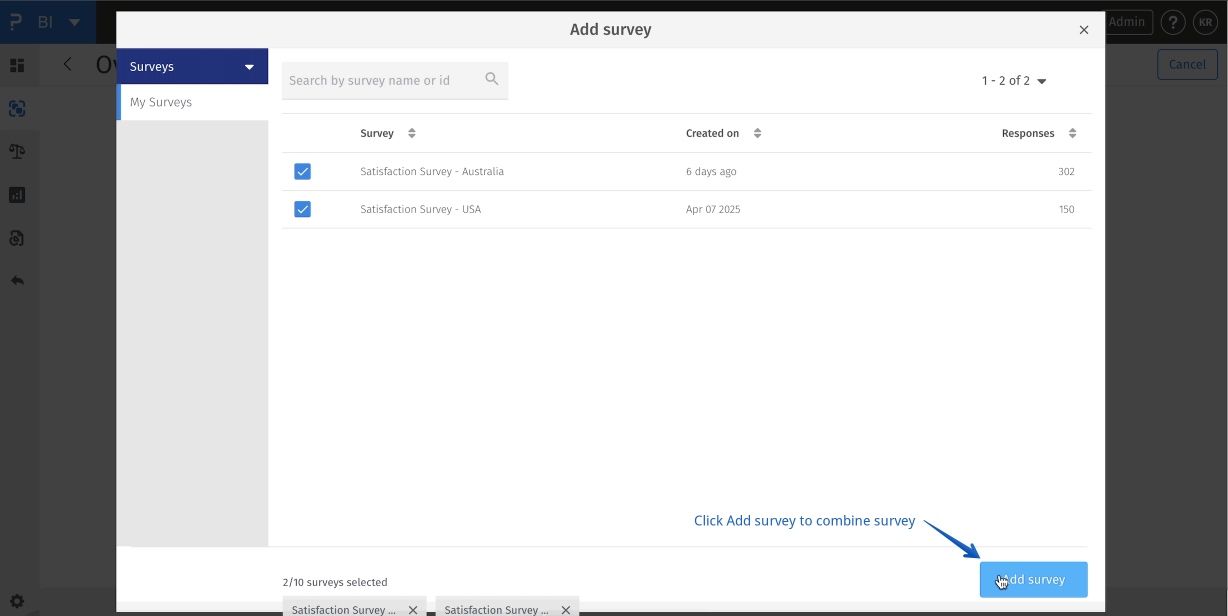
- Browse and Select: Allows you to navigate through and choose the specific survey(s) that you want to include in your data merging process. It may display survey titles, creation dates, or other relevant information to help you identify the correct survey.
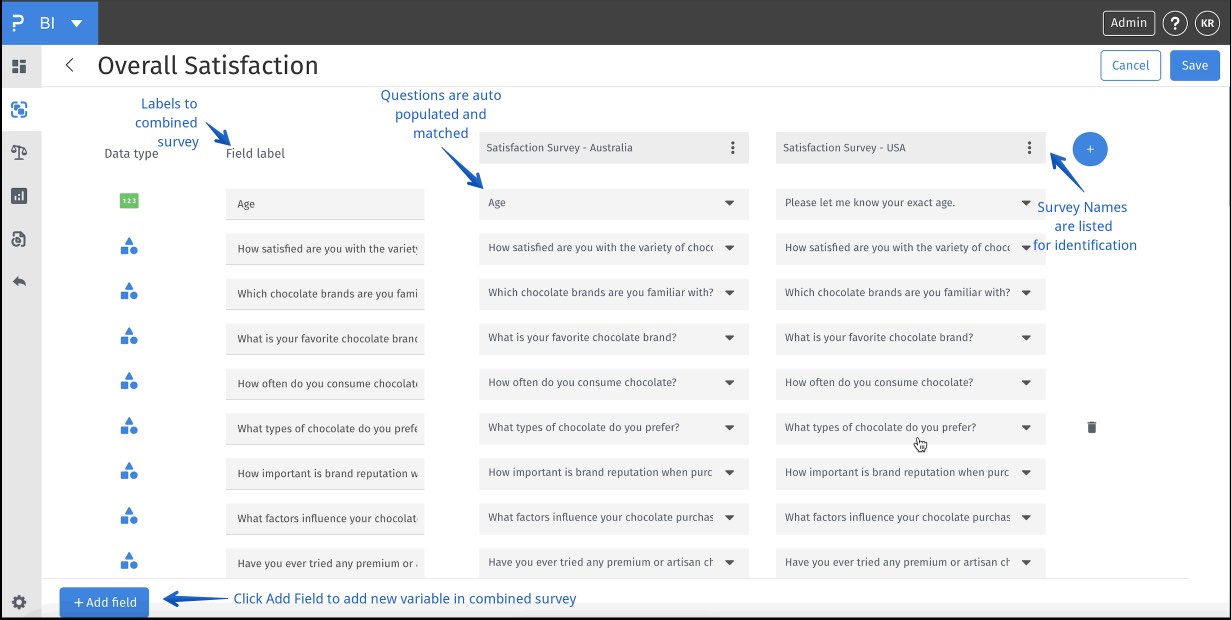
- Auto-Match Identical Fields: The system can automatically recognize and match fields that have the same name in different surveys, streamlining the merging process.
- Manual Field Name Override: If the automatic matching is incorrect or if you need to combine fields with different names, you can manually adjust and specify how the fields should be mapped.
Coming Soon
- BI -> Survey Stacks

- BI -> Survey Stacks
- BI -> Survey Stacks ->Add Your Survey
- BI -> Survey Stacks ->Add Your Survey -> Select Survey
- BI -> Survey Stacks ->Add Your Survey -> Select Survey -> Add Survey
- BI -> Survey Stacks ->Add Your Survey -> Select Survey -> Add Survey-> Autopopulated combined fields from survey
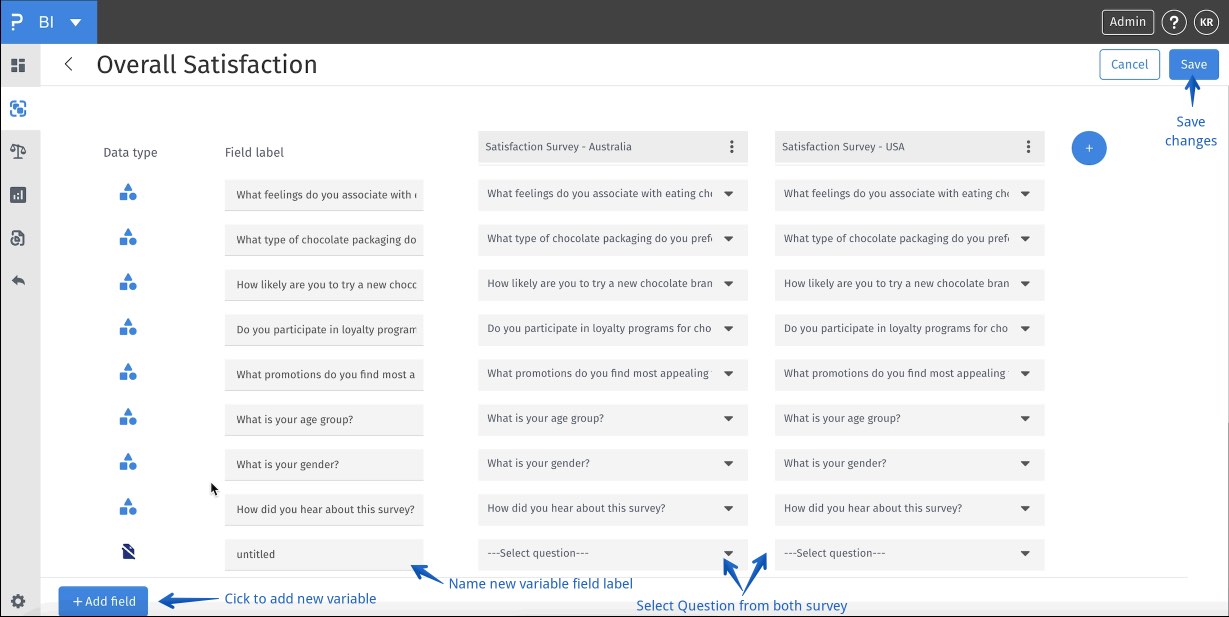
- BI -> Survey Stacks ->Add Your Survey -> Select Survey -> Add Survey-> Add New combined fields (optional)
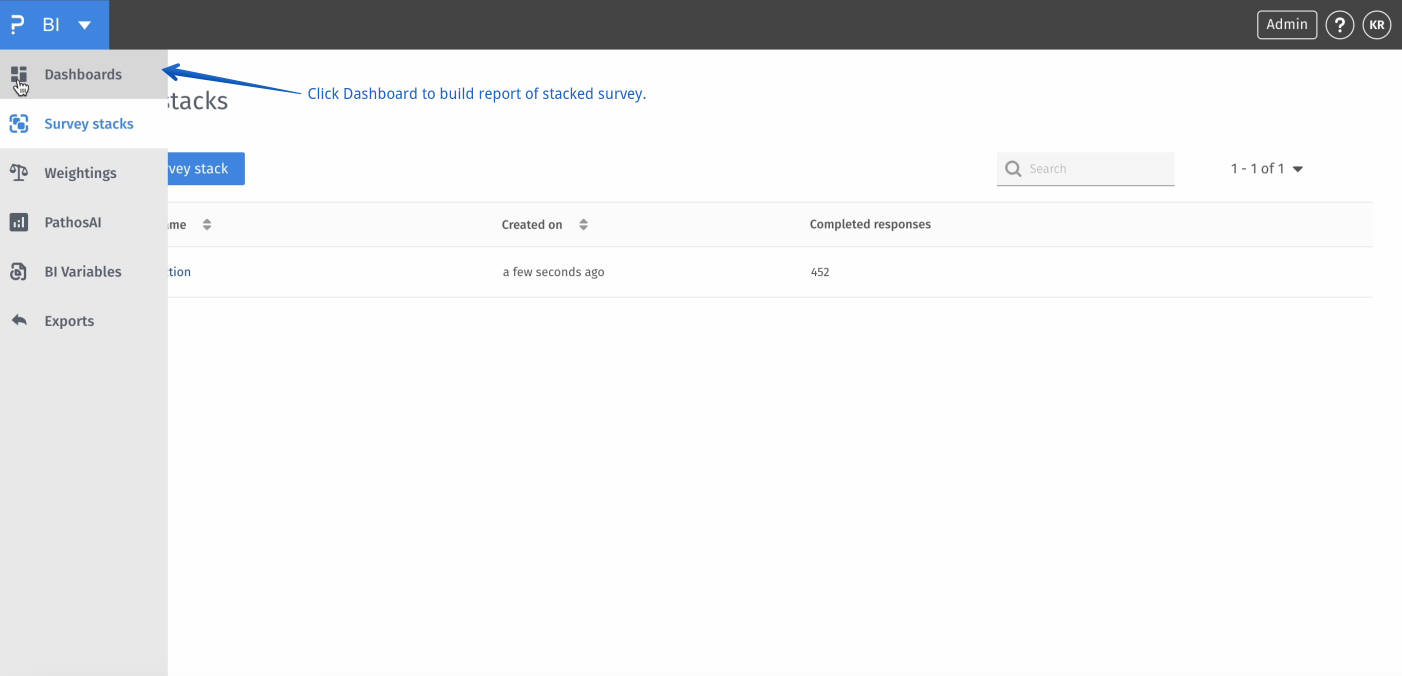
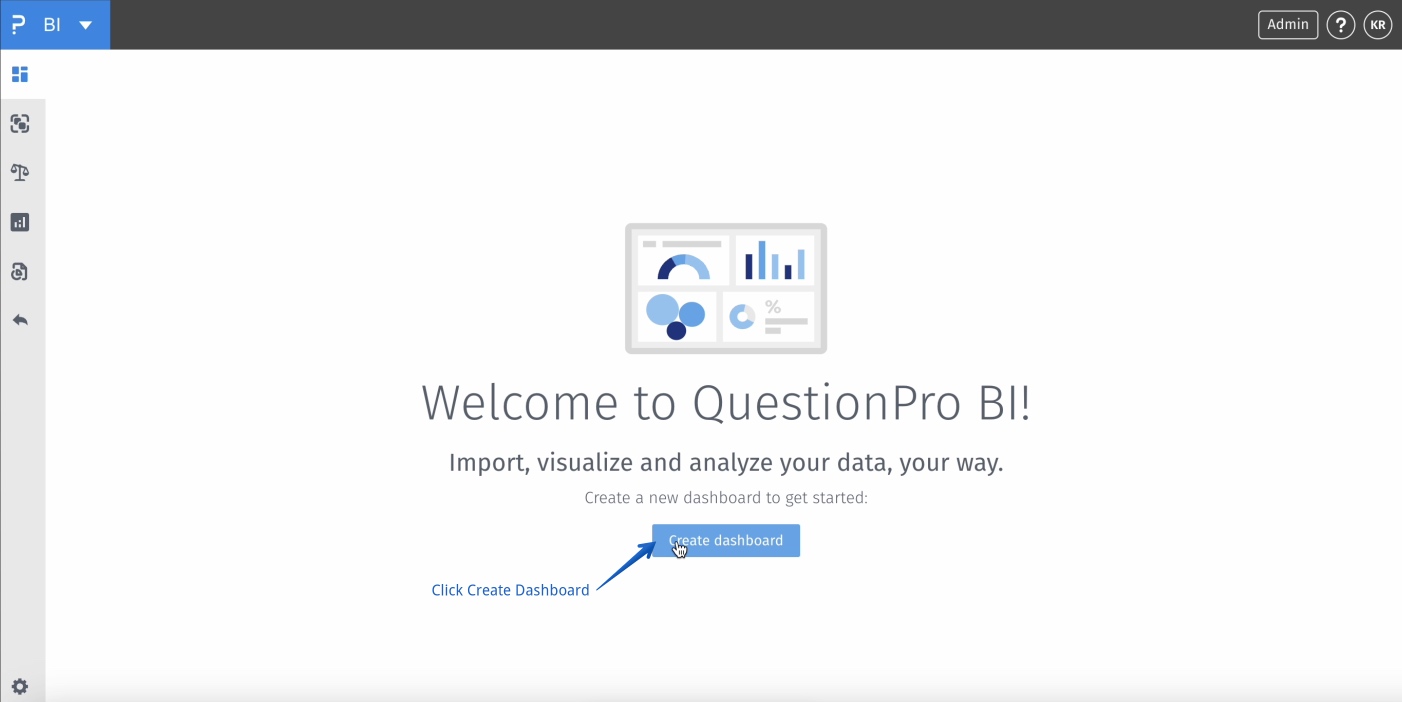
- BI -> Dashboard
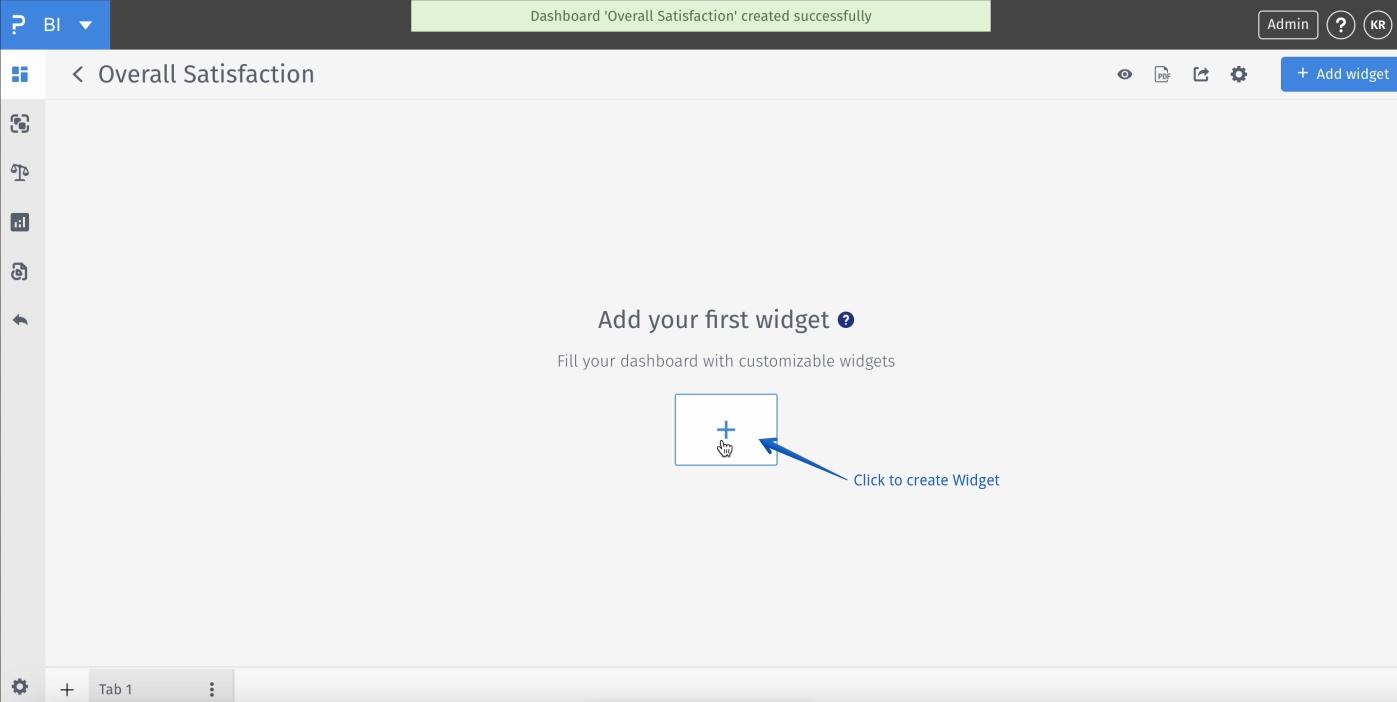
- BI -> Dashboard-> Create Dashboard
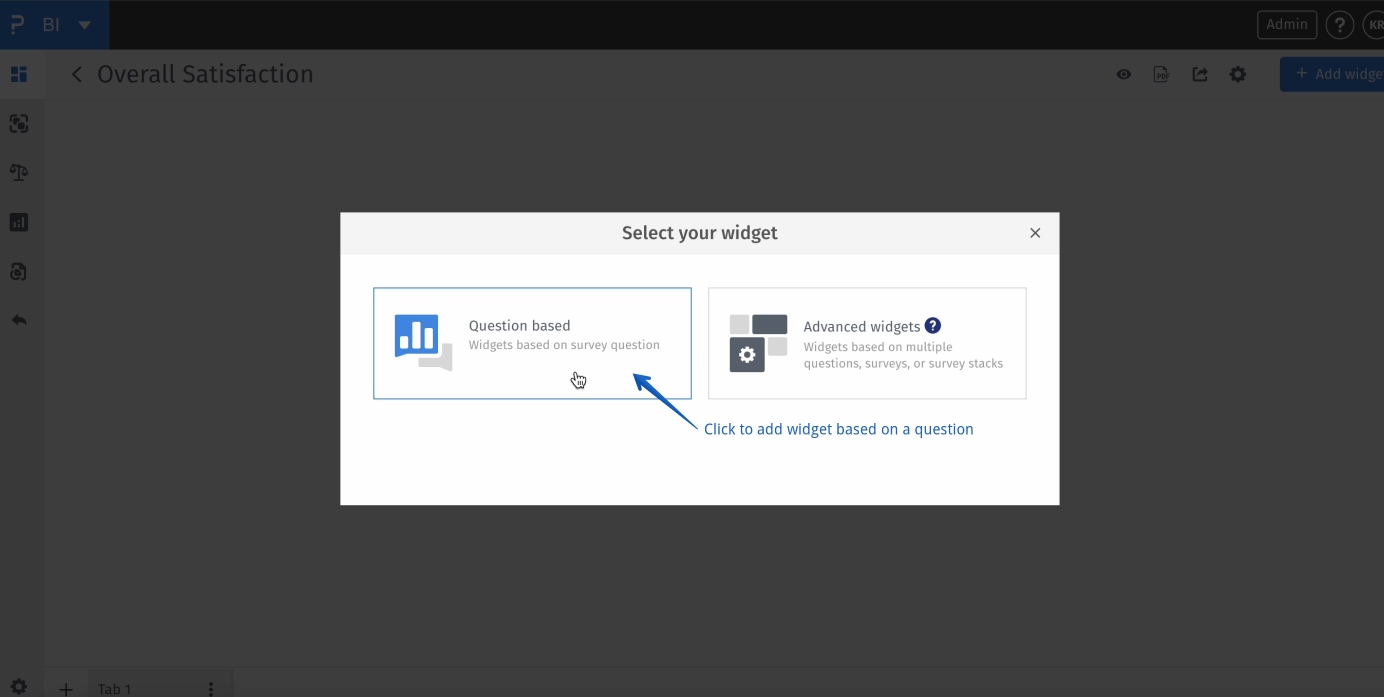
- BI -> Dashboard-> Create Dashboard -> Add Widget
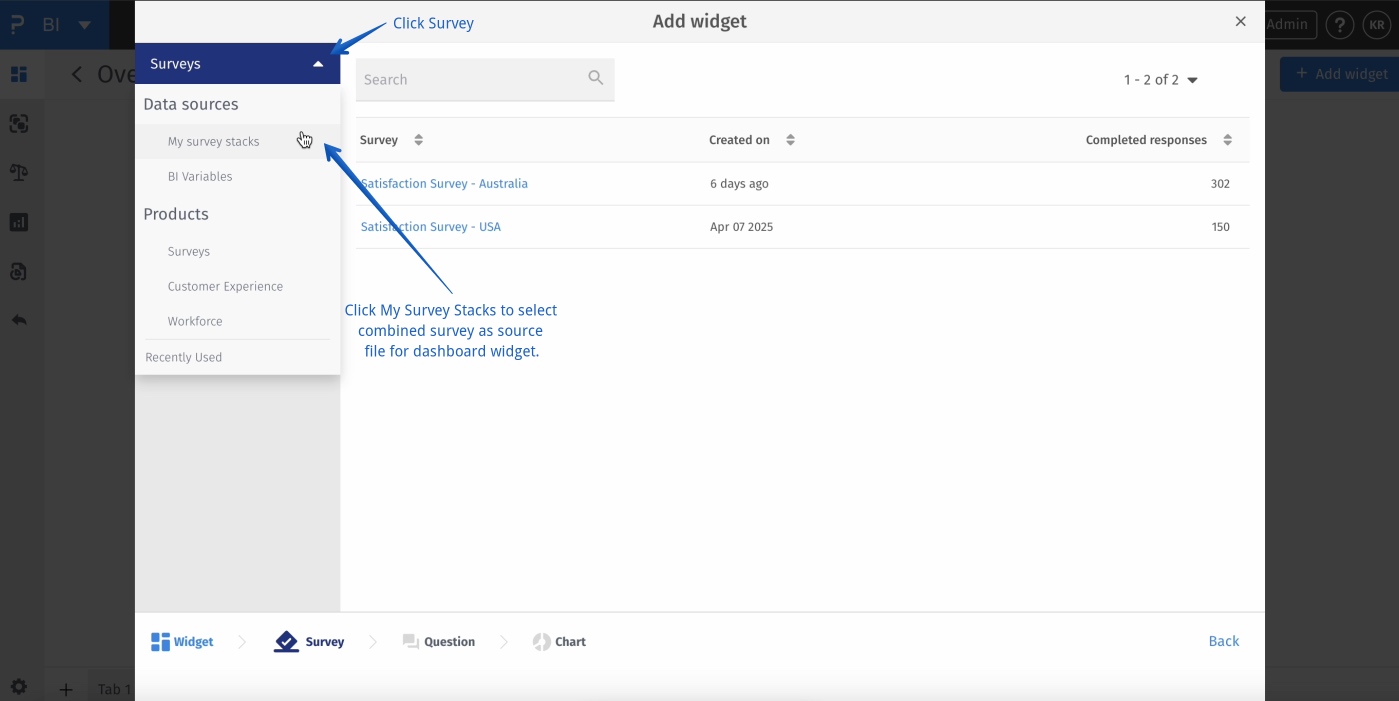
- BI -> Dashboard-> Create Dashboard -> Add Widget -> Question based
- BI -> Dashboard-> Create Dashboard -> Add Widget -> Question based -> Data Source
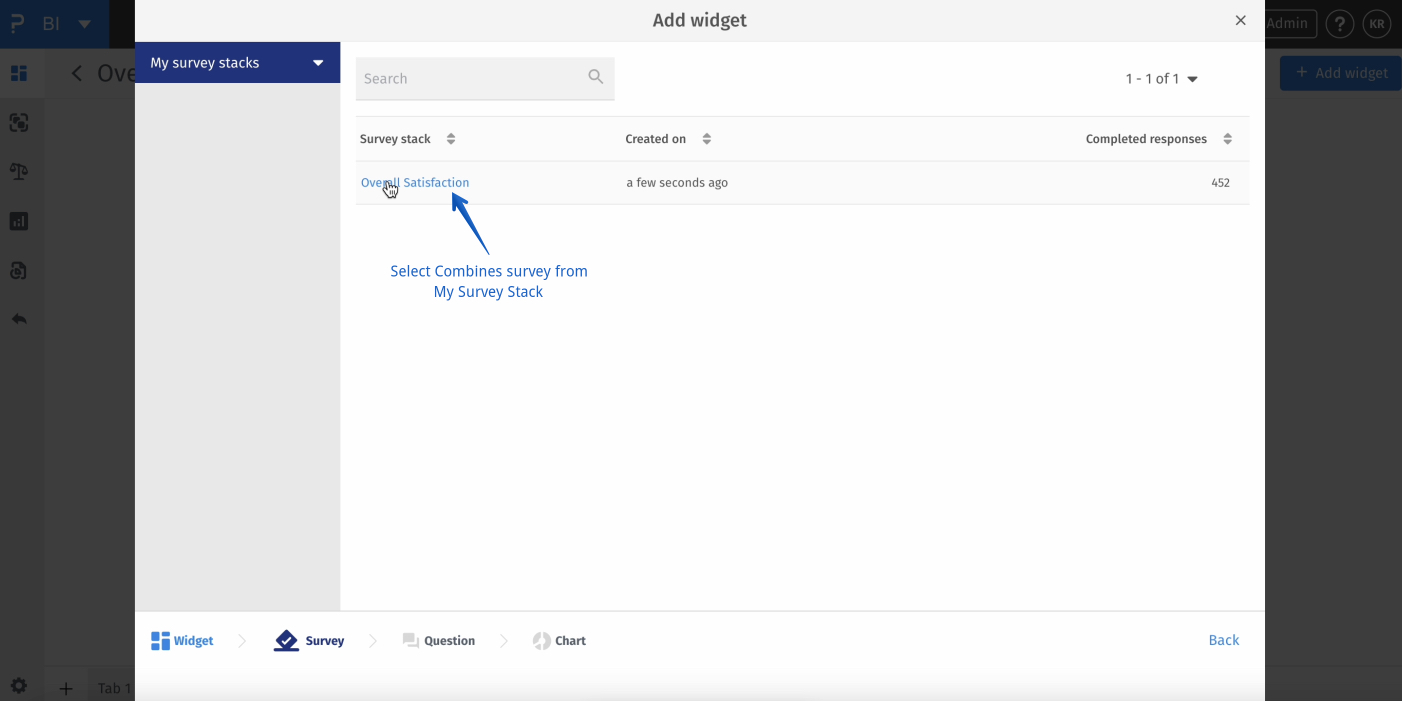
- BI -> Dashboard-> Create Dashboard -> Add Widget -> Question based -> Data Source -> Stacked Survey
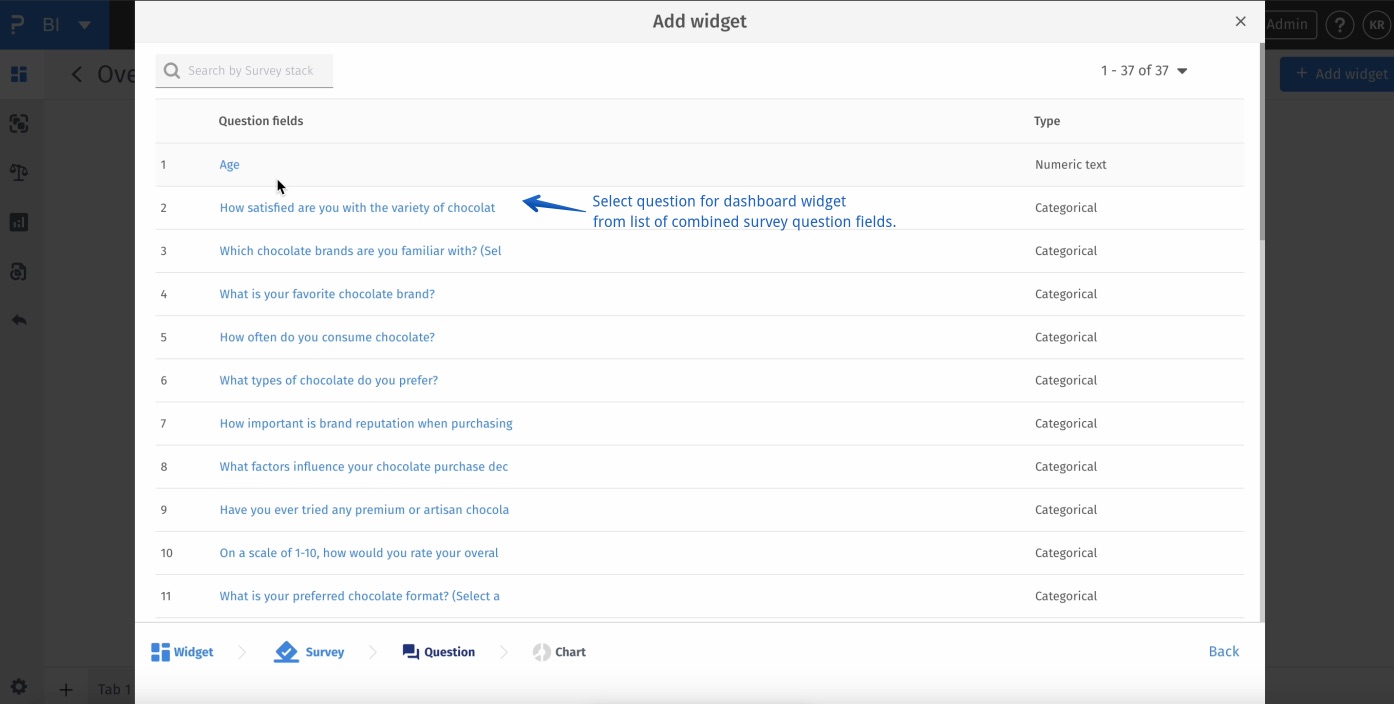
- BI -> Dashboard-> Create Dashboard -> Add Widget -> Question based -> Data Source -> Select Question
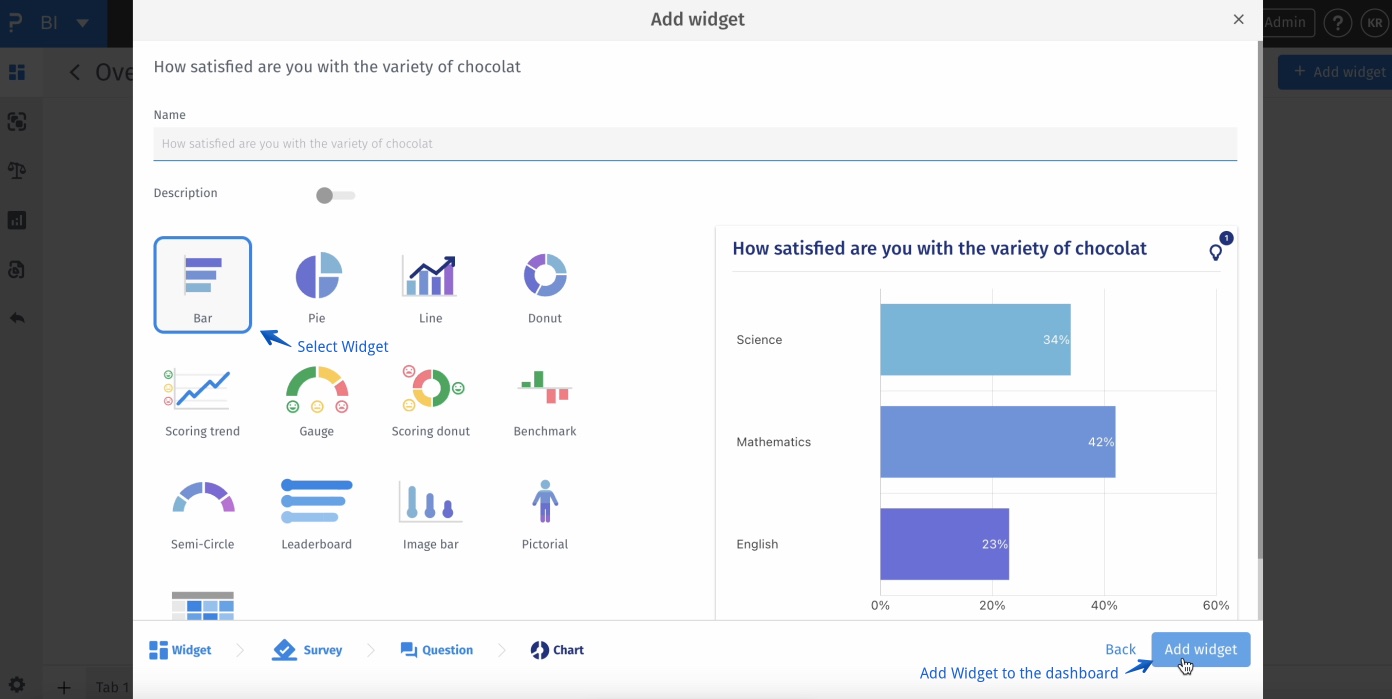
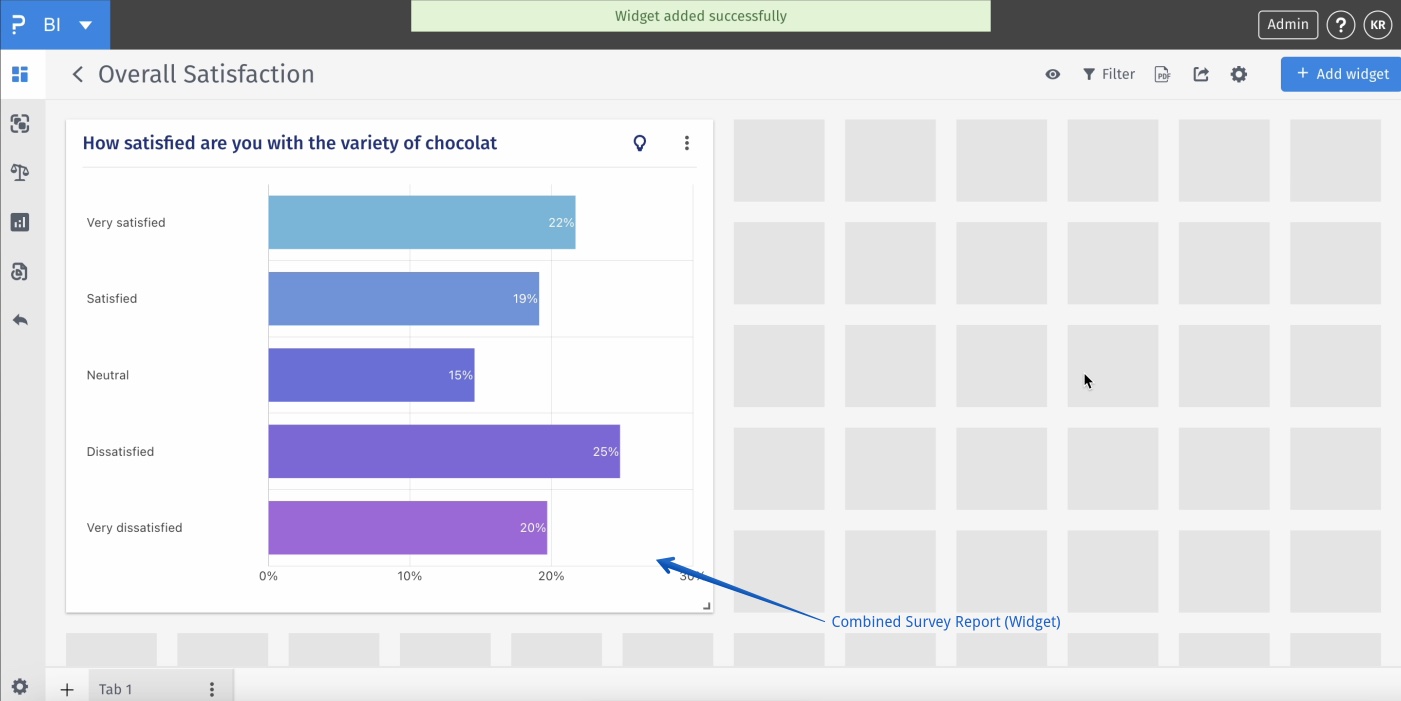
- BI -> Dashboard-> Create Dashboard -> Add Widget -> Question based -> Data Source -> Select Question -> Select Widget -> Add Widget
-
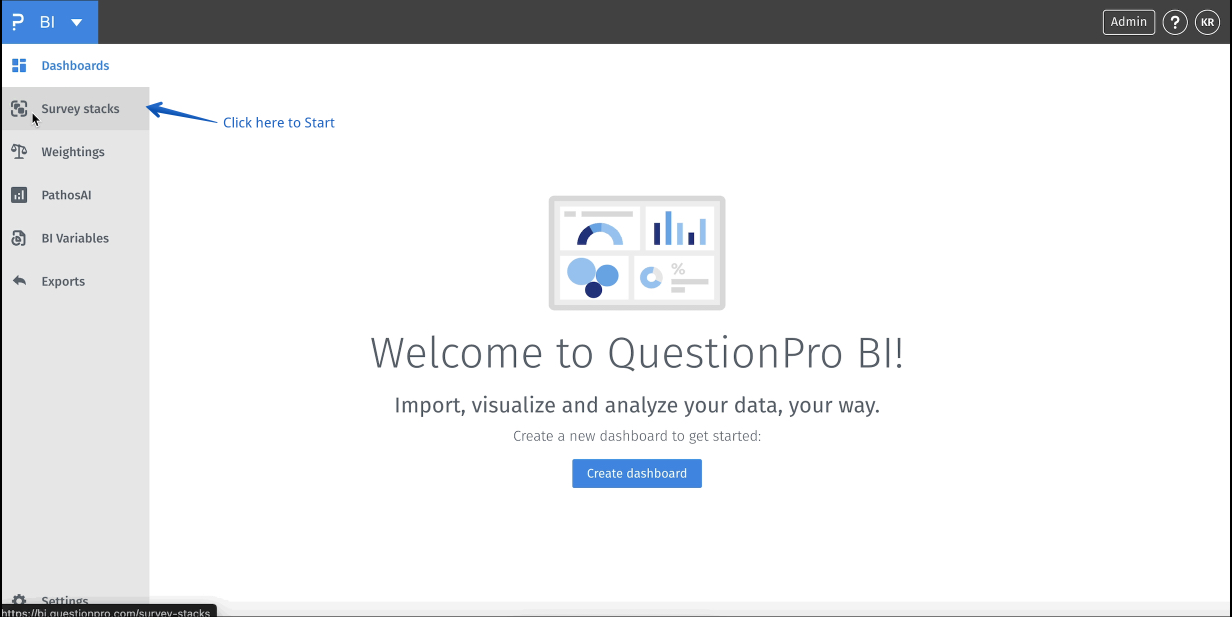
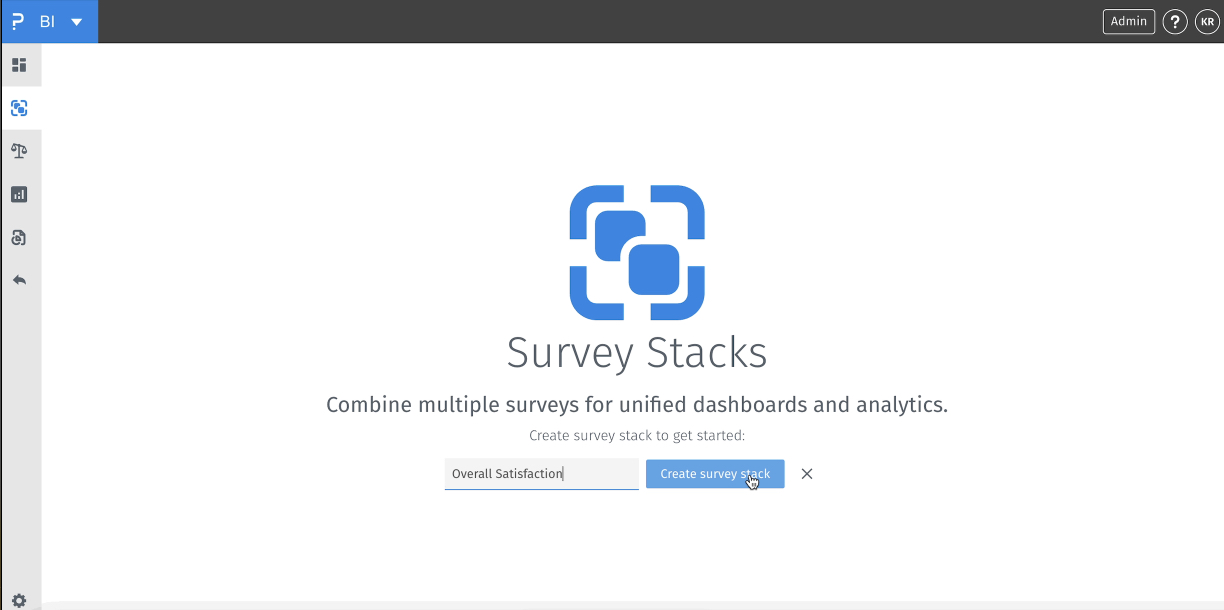
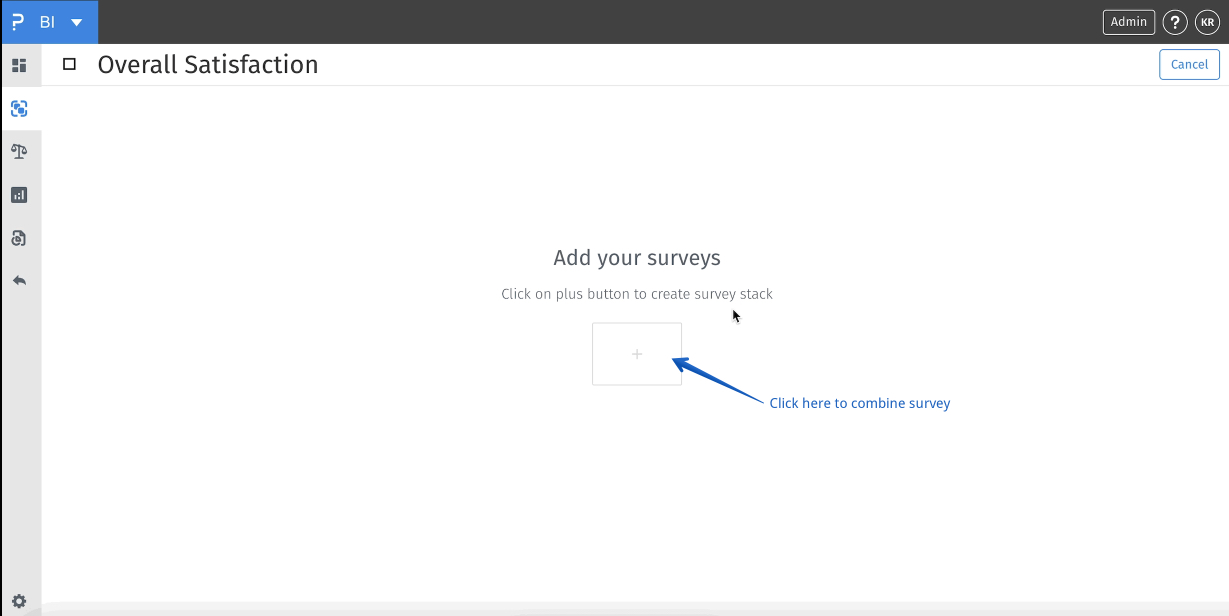
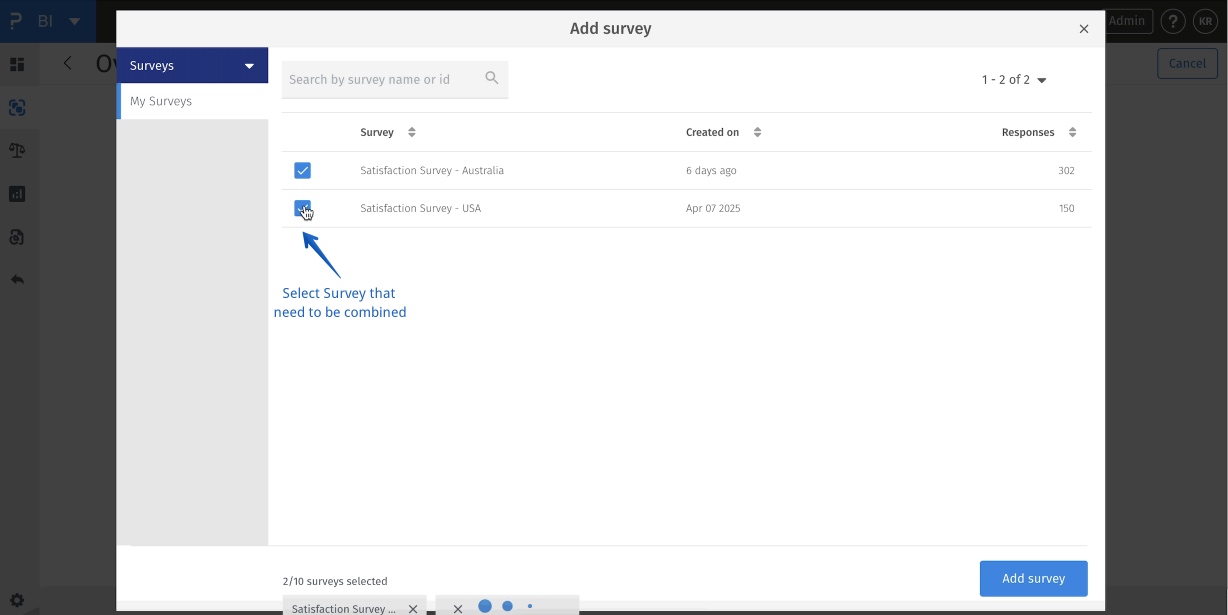
- Stack: A stack is a dataset that merges data from multiple surveys, allowing you to combine and analyze responses from different sources as if they were part of a single, unified dataset. This is particularly useful when you're conducting similar surveys over time, across different regions, or with different demographic groups, and want to compare or track trends across these variations.
- Field Mapping:Field mapping is a crucial aspect of creating a stack. Since different surveys might use different names or labels for similar questions or variables, field mapping involves aligning these fields so that they can be combined and compared accurately. This ensures that data from different surveys is organized consistently and that you're not comparing apples to oranges.
- Auto-Stack:Auto-Stack is an automated feature that streamlines the process of stacking new data as it comes in. Based on pre-saved rules and field mappings that you define, Auto-Stack can automatically merge new survey data into your existing stack, saving you time and effort on manual data integration. This allows you to keep your stacked dataset up-to-date and analyze trends in real time as new responses are collected.
How do I map answers from different surveys into the same stack?
First map compatible source questions to the same stack field. Expand that field's answer-mapping section using its arrow, then align the corresponding source answer options with the stack's answer categories. Review the mappings for each survey and click Update to save your changes.
What is the difference between field mapping and answer mapping?
Field mapping identifies which questions from different surveys represent the same variable. Answer mapping aligns the categories within those questions. Both matter when studies use different labels for the same concept, such as differently named purchase channels.
Can I combine questions with incompatible data types?
The mapping picker offers compatible questions for the stack field's data type. If no compatible question is available, the field can show No question to select. Choose comparable source questions rather than treating unrelated or incompatible variables as the same field.
Will mapping rename the questions in my original surveys?
The field labels and mappings define how data is organized in the survey stack. They do not rename the original survey questions. Review the stack's labels and mappings when you want consistent reporting across studies.
This feature is available with the following licenses :
Research Edition Communities Customer Experience Employee Experience
