


Codebook in Advanced Text Analytics
A codebook defines the themes and sub-themes TextAI uses to classify open-ended responses in an Advanced Text Analytics dashboard. It gives the analysis structure, so responses are grouped consistently and the resulting dashboard is easier to interpret.
When creating an Advanced Text Analytics dashboard, you can let QuestionPro AI generate the codebook automatically, upload a prepared template file, or reuse a codebook from an existing report. Choose the method that best matches how much control you need over the theme structure before TextAI begins analyzing responses.
Use Generate with QuestionPro AI when you want TextAI to review the selected open-ended responses and create the codebook automatically. This option is useful when you do not already have a fixed theme structure and want QuestionPro AI to identify the themes and sub-themes from the response data.
The generated codebook gives the dashboard a starting classification structure without requiring a prepared file or an existing report.
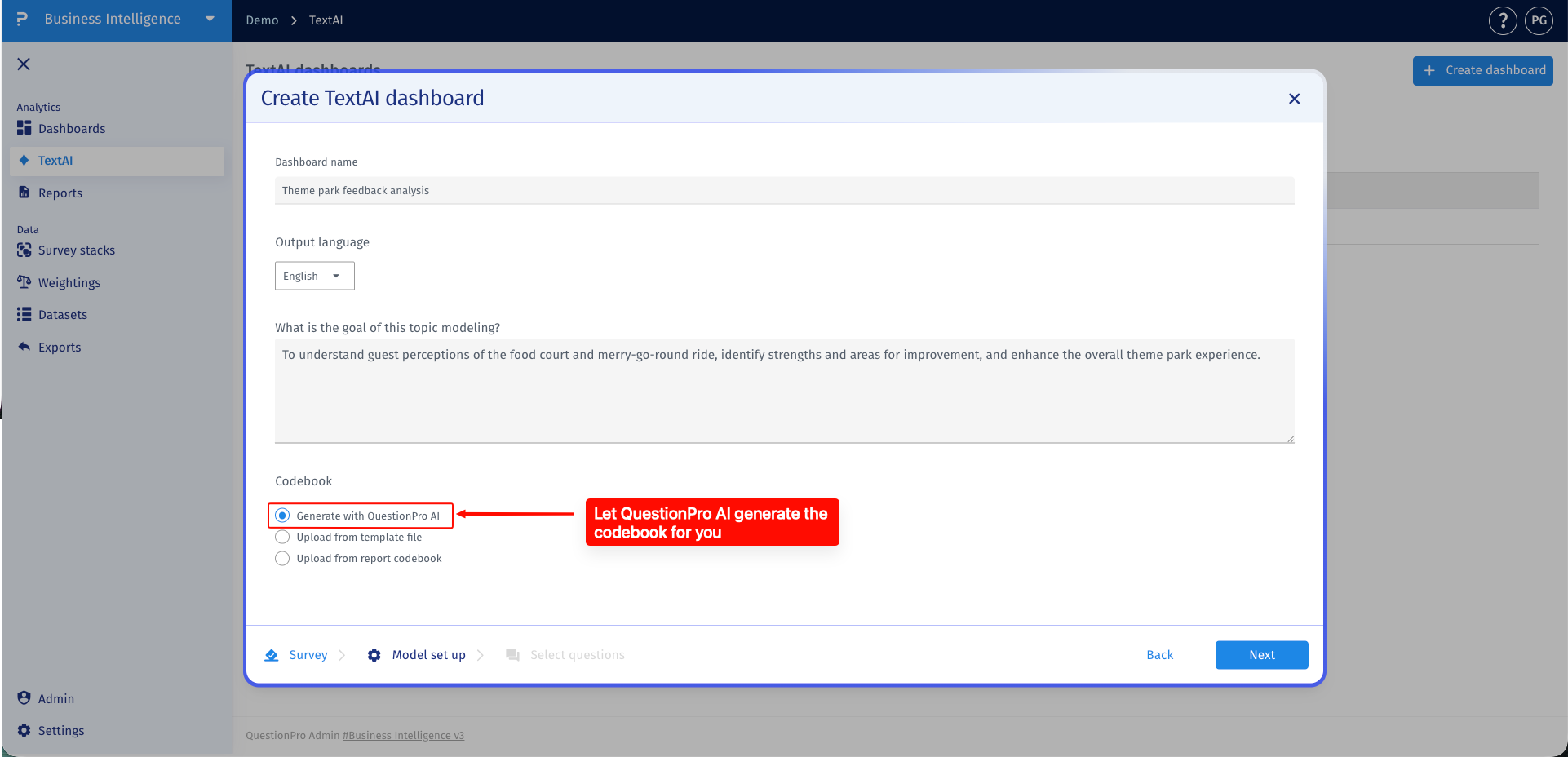
Use Upload from template file when you already have a code frame prepared and want TextAI to follow that structure. This gives you more control over how responses are grouped because the uploaded file defines the themes and sub-themes that TextAI should use when tagging responses.
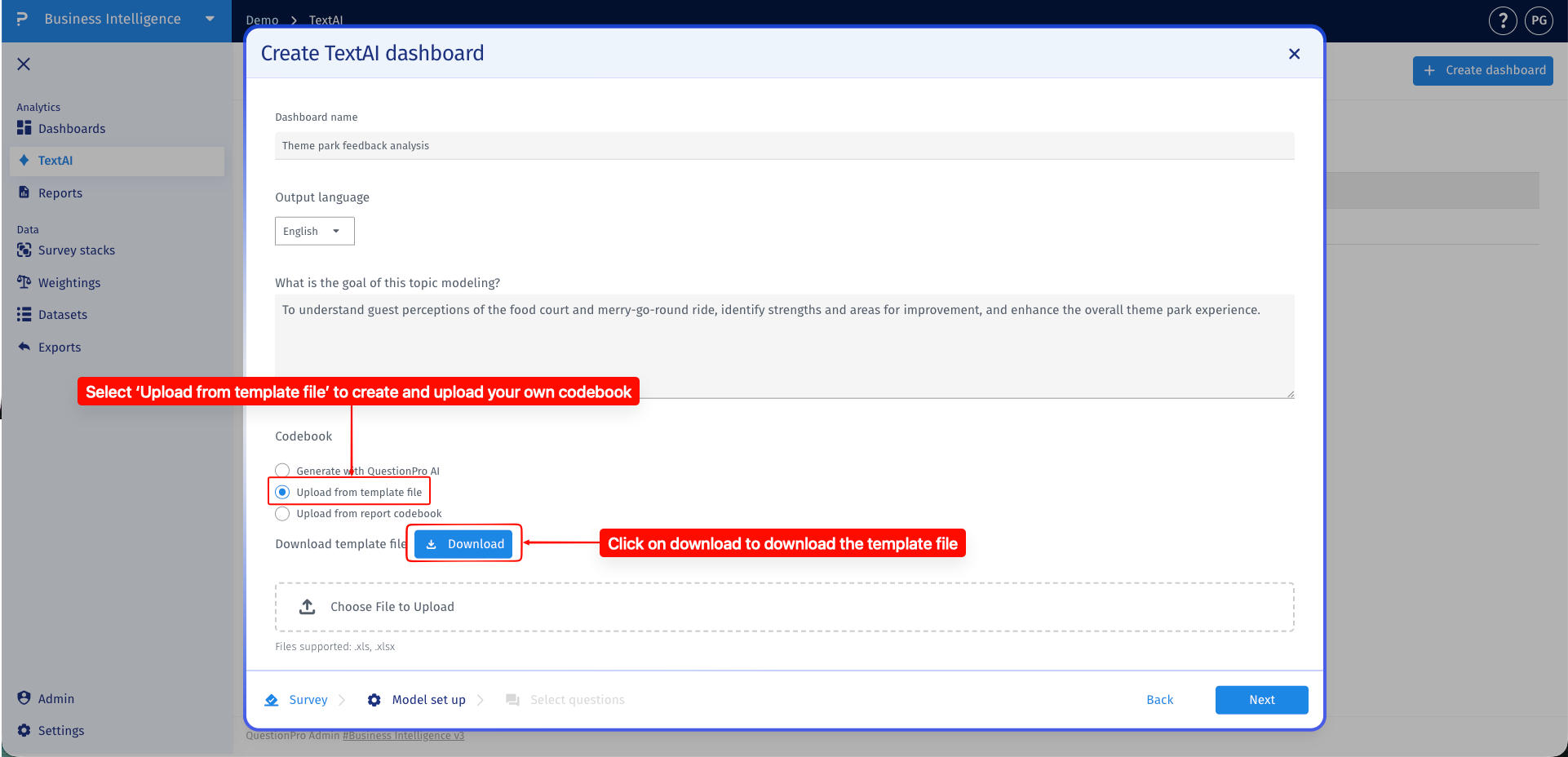
In the template file, each row should represent a single theme and sub-theme combination. The Theme column should contain the corresponding theme for each sub-theme, while the Sub-theme column should contain only one sub-theme per row. If a theme has multiple sub-themes, include the theme again on a separate row for each sub-theme.
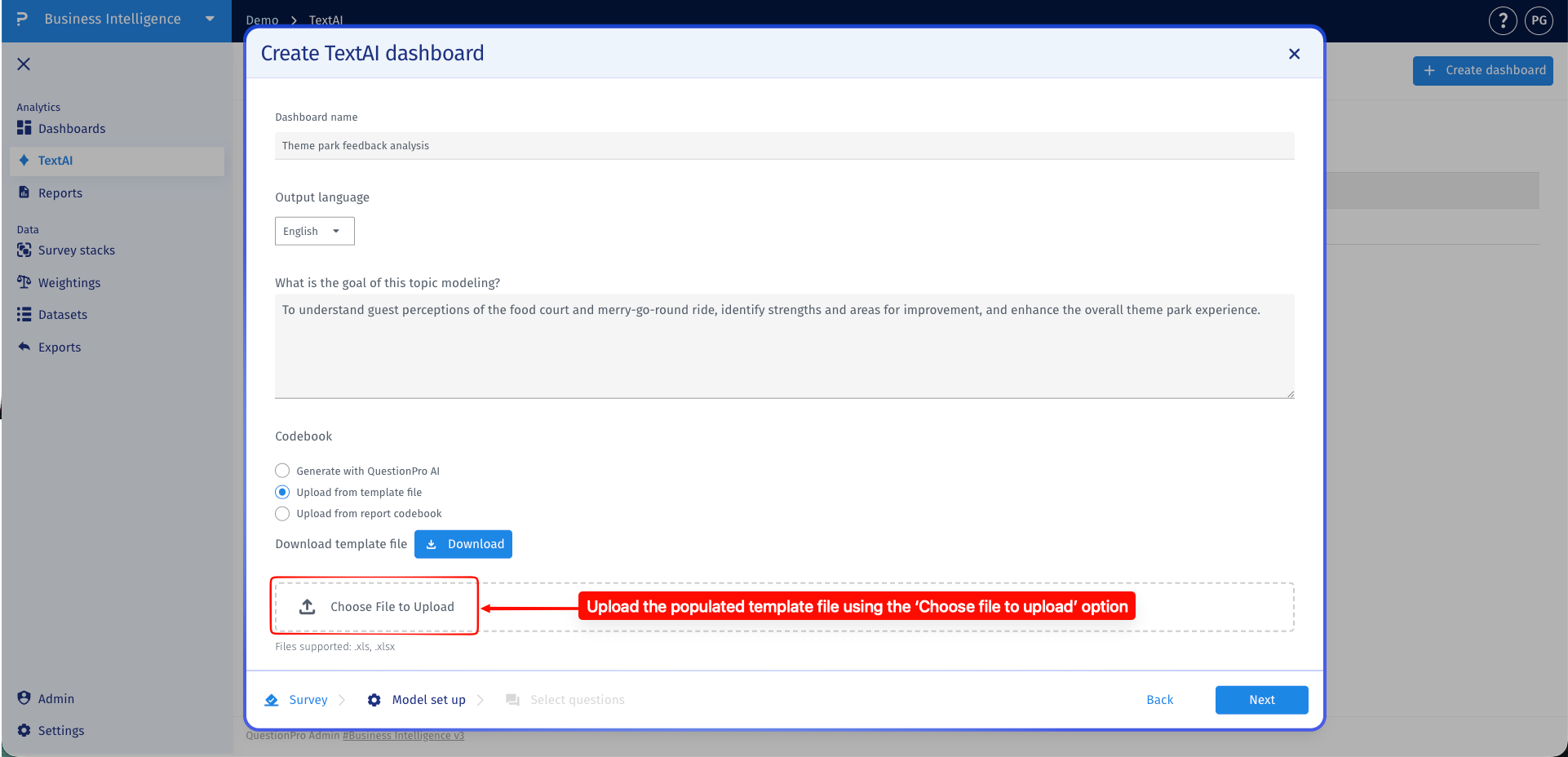
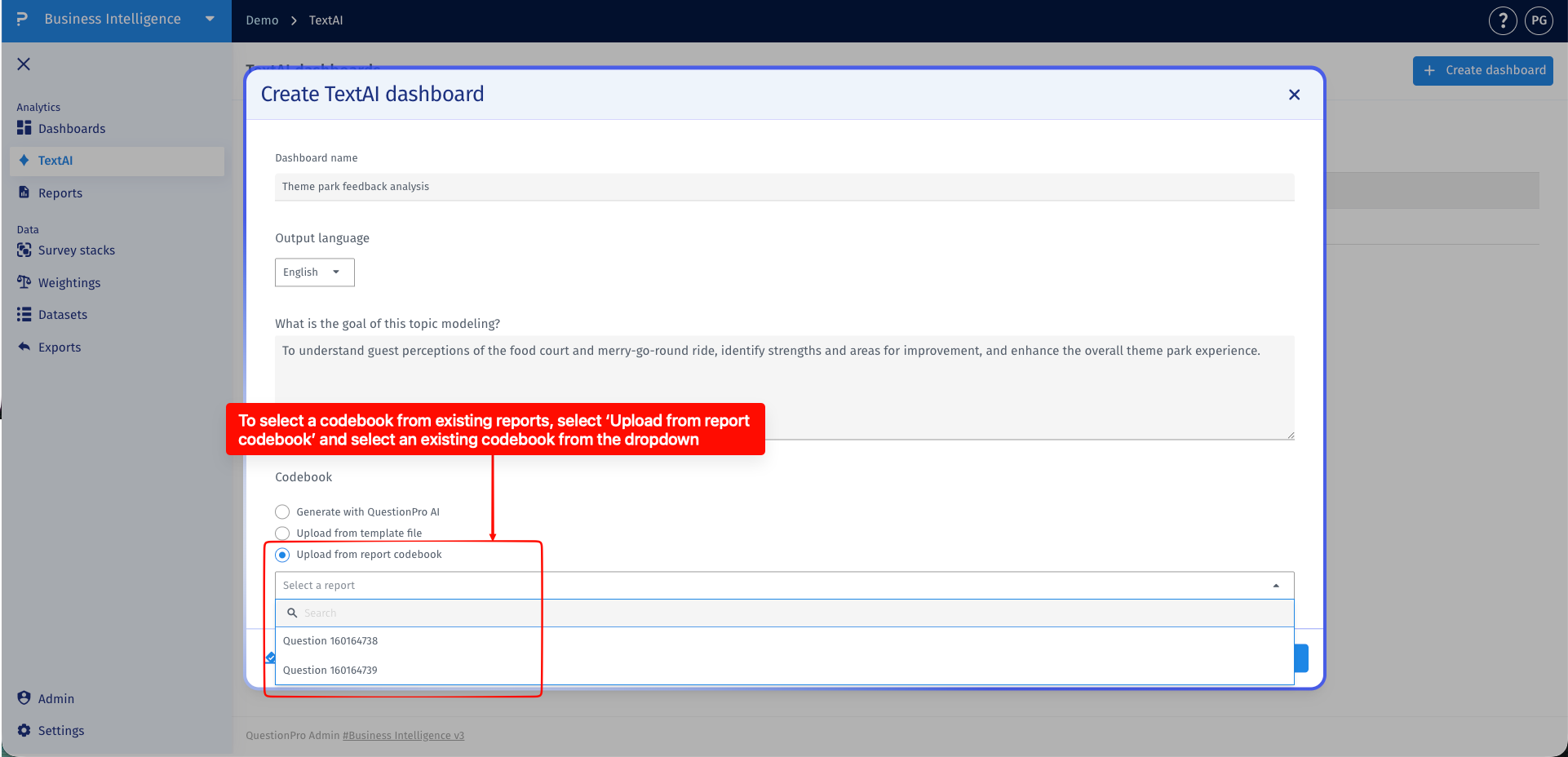
Use Upload from report codebook when you want the new Advanced Text Analytics dashboard to follow a codebook that already exists in another dashboard or report. This is helpful when teams need consistent theme classification across related analyses.
Reusing a report codebook keeps the theme structure aligned with previous work and avoids rebuilding the same codebook for each new dashboard. Select the existing report codebook, then continue with the dashboard setup so TextAI can apply that structure to the selected responses.
Where can I review the full codebook after creating a dashboard?
Open the dashboard's Theme Configuration to review the themes and their sub-themes. A chart that displays only a selected number of sub-themes is a reporting view, not the complete codebook.
Does a Top N chart remove other sub-themes from my codebook?
No. Number of sub-themes to display controls the Sub-theme comparative chart's presentation. It does not delete the remaining themes, sub-themes, or their response assignments from the codebook.
How should I format a codebook upload?
Use the template provided in the upload workflow. Put one theme and sub-theme combination on each row. If a theme has several sub-themes, repeat that theme on separate rows and include only one sub-theme per row.
Can I reuse a codebook from an existing report?
Yes. Select Upload from report codebook during Model set up and choose the relevant existing report. Review the codebook's themes and descriptions to make sure they fit the new questions and feedback context.
