


Emerging themes
Emerging themes in QuestionPro TextAI provide candidate themes and sub-themes for review in Theme configuration. Candidates are labeled Pending approval. Reviewing these candidates helps you assess topics that may not be adequately represented by your existing codebook.
Read the responses behind a candidate alongside its description and response percentage before deciding whether it is useful. Selecting a pending sub-theme filters the raw-response view to its associated comments and makes the Approve action available. Review outlier responses too, rather than relying only on the candidates presented.
The Pending approval label identifies a candidate available for review in Theme configuration. Check the sub-theme description and associated responses before deciding whether the candidate represents a coherent and useful topic.
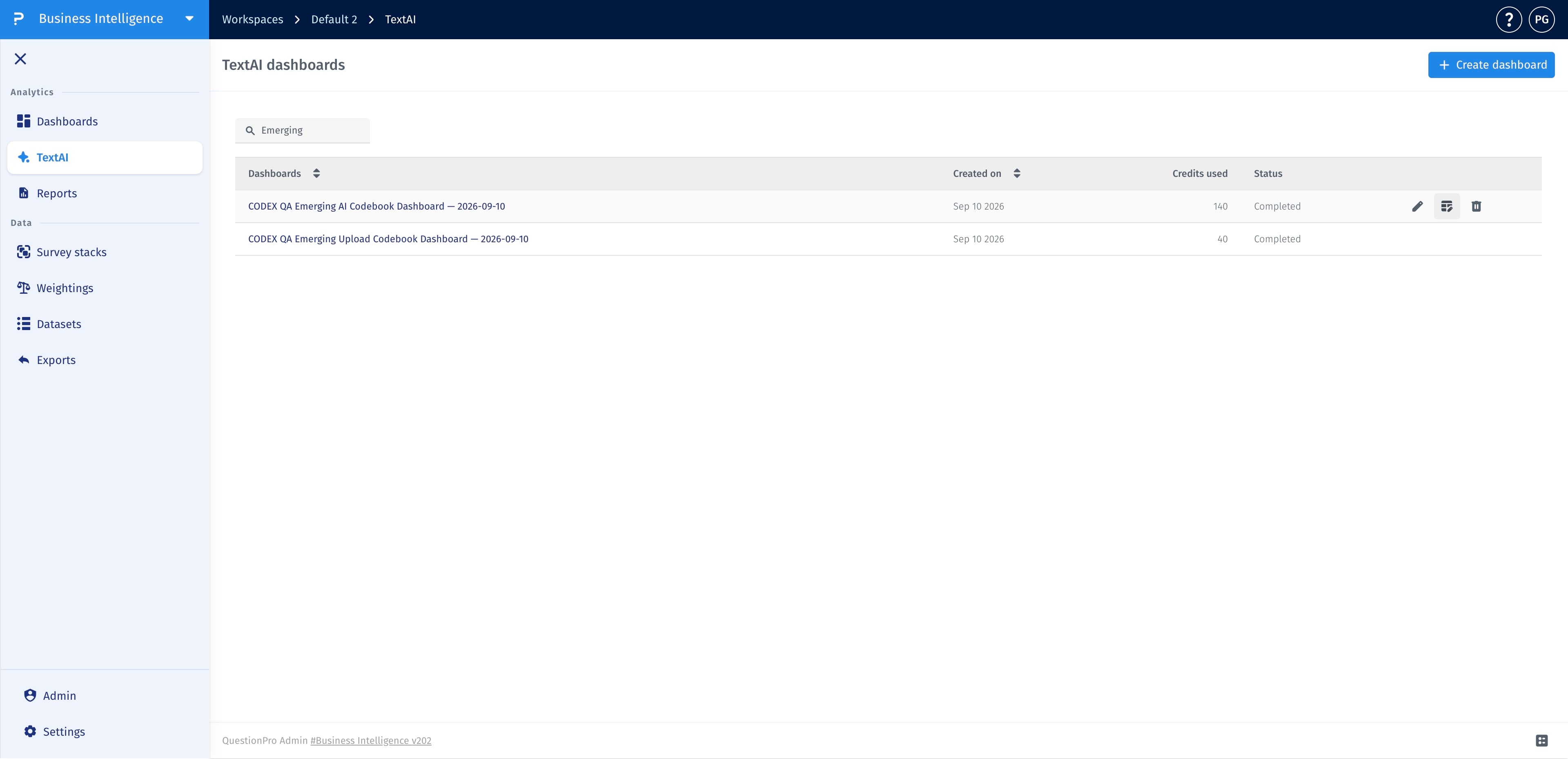
- Go to TextAI, hover over the dashboard you want to review, and click its Theme configuration icon.
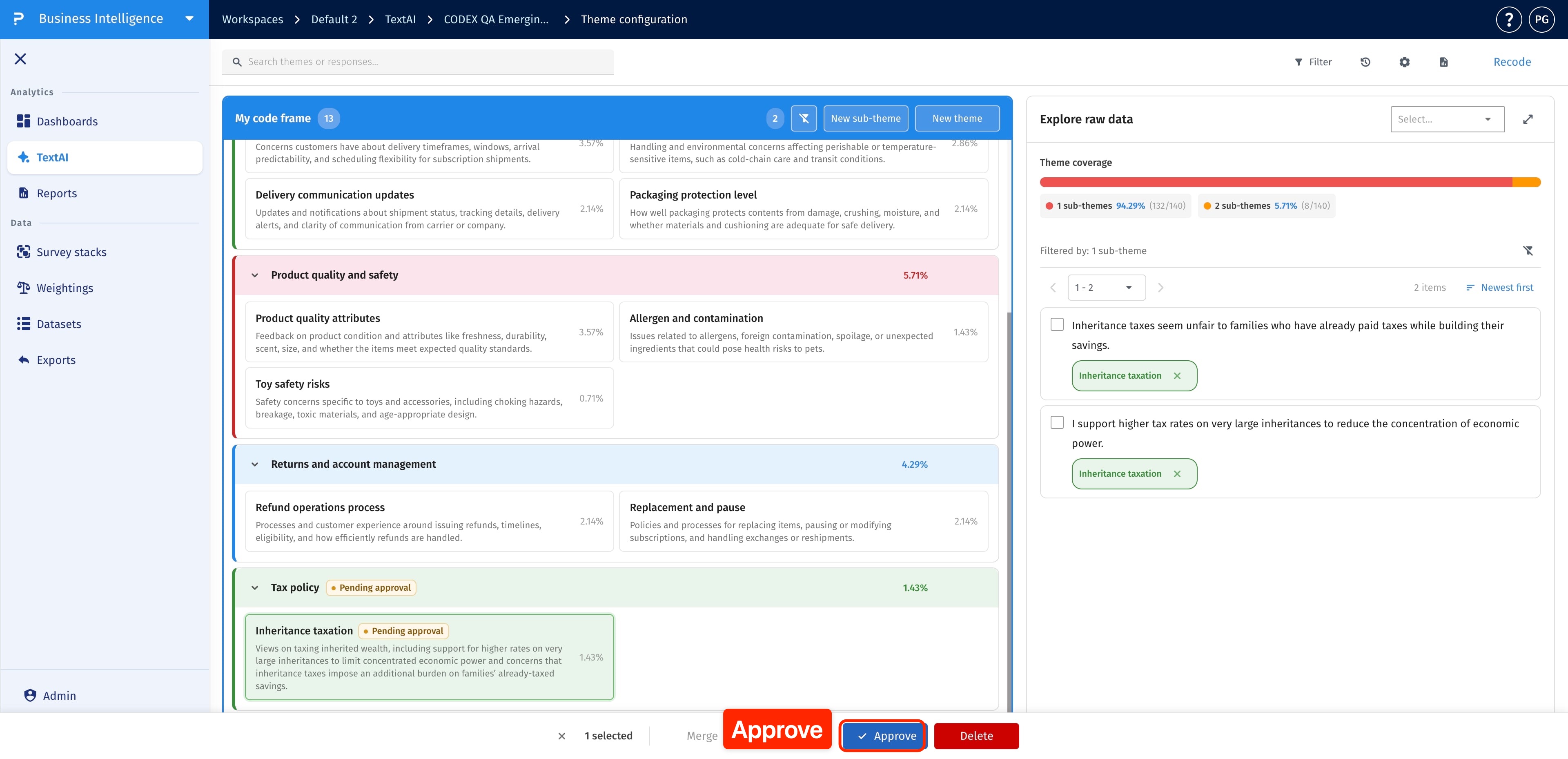
- Locate sub-themes labeled Pending approval and choose the ones you want to review.
- Select a pending sub-theme to view its associated comments in the raw-response panel.
- Read the comments alongside the sub-theme description and response percentage.
- Check that the sub-theme groups related feedback, has an accurate name, and is distinct from existing categories.
- To approve the selected sub-theme, click Approve in the selection bar.
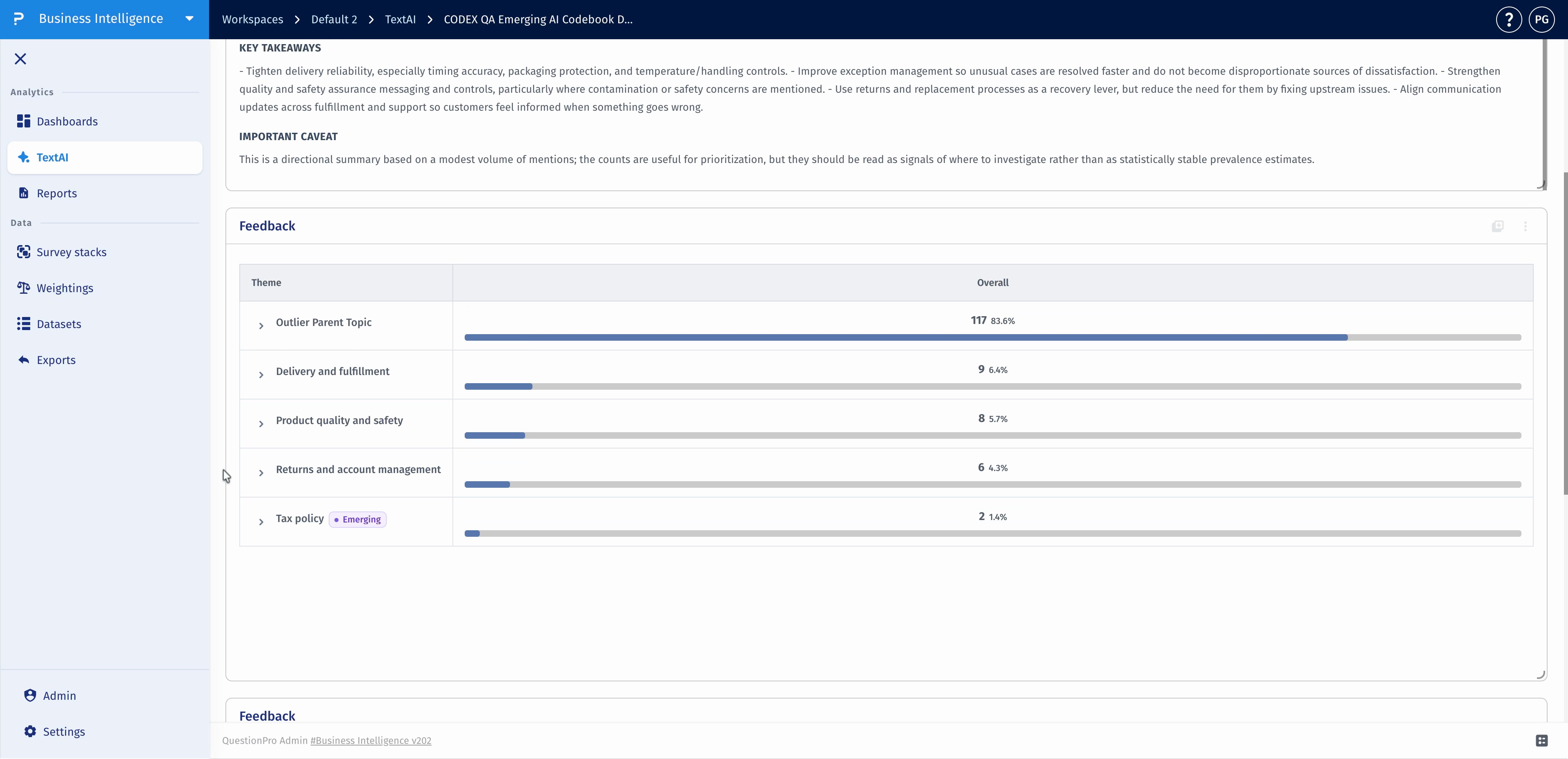
Approved themes and sub-themes are labeled Emerging in dashboard widgets.
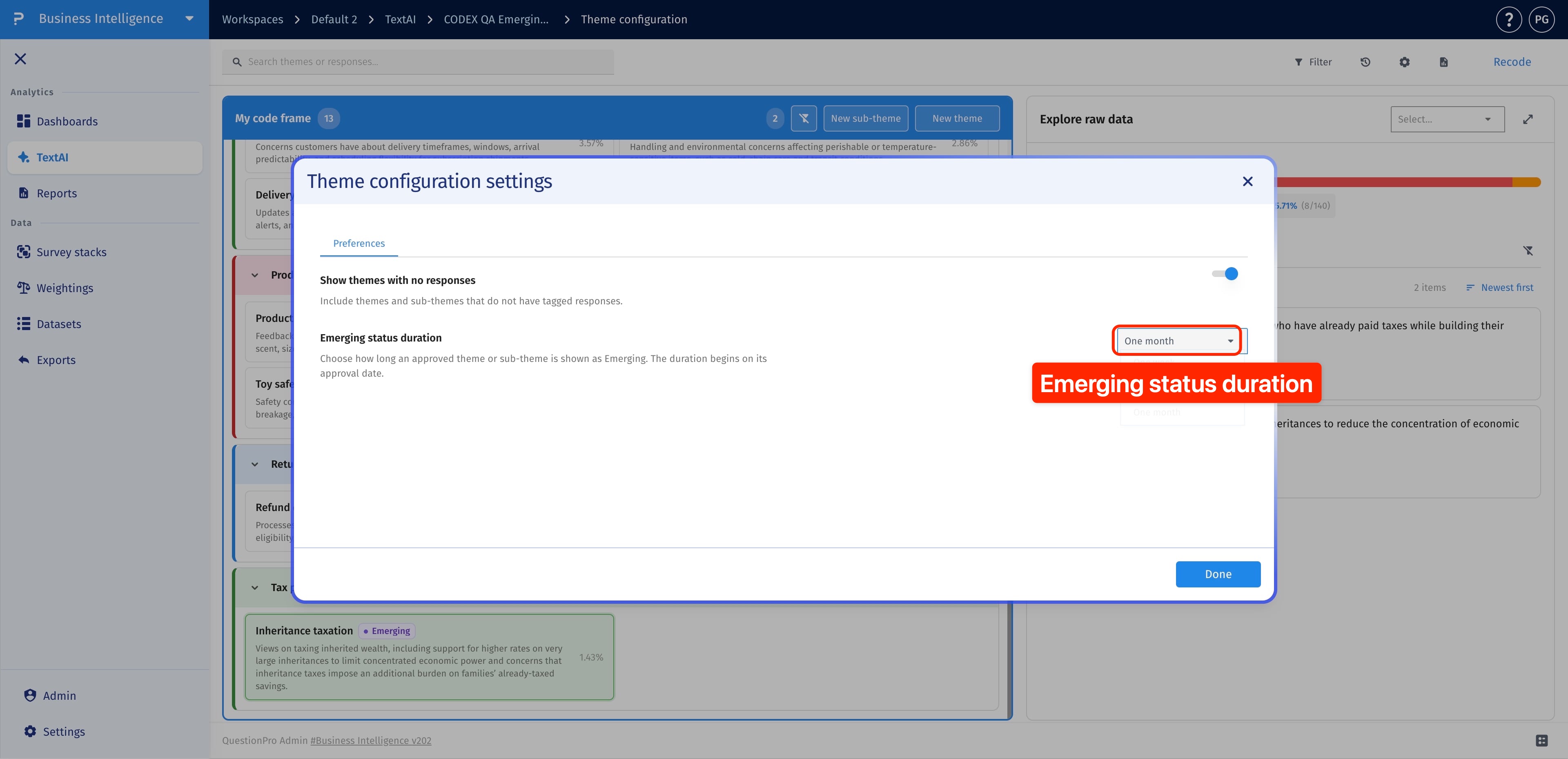
- In Theme configuration, click the settings icon to open Theme configuration settings.
- Under Preferences, open the Emerging status duration dropdown.
- Choose how long approved themes and sub-themes should be labeled Emerging.
- Click Done to save your selection.
The duration starts on the approval date. It controls how long the Emerging label is displayed, not how often TextAI checks for new themes.
- Add the new responses to the source used by the TextAI dashboard.
- Open the dashboard and use Process now when new responses are available.
- Wait for processing to complete, then open Theme configuration.
- Review any Pending approval candidates and their supporting responses. Check outliers as well.
Adding source responses and approving a candidate are different actions. Use Process now to analyze new responses. Use Recode when you need to update coding for existing analysis; choose the scope carefully because recoding all sub-themes can overwrite manual assignments.
No. New or different feedback does not guarantee a new candidate. Review outlier responses and the existing codebook after processing completes. TextAI uses the Outlier category for responses that do not match a taxonomy topic.
A candidate's presence alone does not establish its importance. Read the supporting comments and consider their context before drawing conclusions.
This feature is available with the following licenses :
Research Edition Communities Customer Experience Employee Experience University - Research Edition
