


Dashboard sharing
The dashboard Sharing feature lets you securely distribute your BI dashboards to internal or external stakeholders using a shareable link. With flexible sharing controls, you can decide exactly what viewers can see, whether it’s insights, comments, or interactive filters. You also have the option to apply a base filter before sharing, giving viewers a curated version of the dashboard without exposing sensitive or internal data.
Once sharing is enabled, you can further tailor the viewer experience by choosing which filters are available and whether viewers can interact with them. This ensures you maintain full control over the data while still allowing stakeholders to explore it meaningfully.
Inside the dashboard, click the “Share dashboard” button at the top-right. This opens the sharing configuration panel.
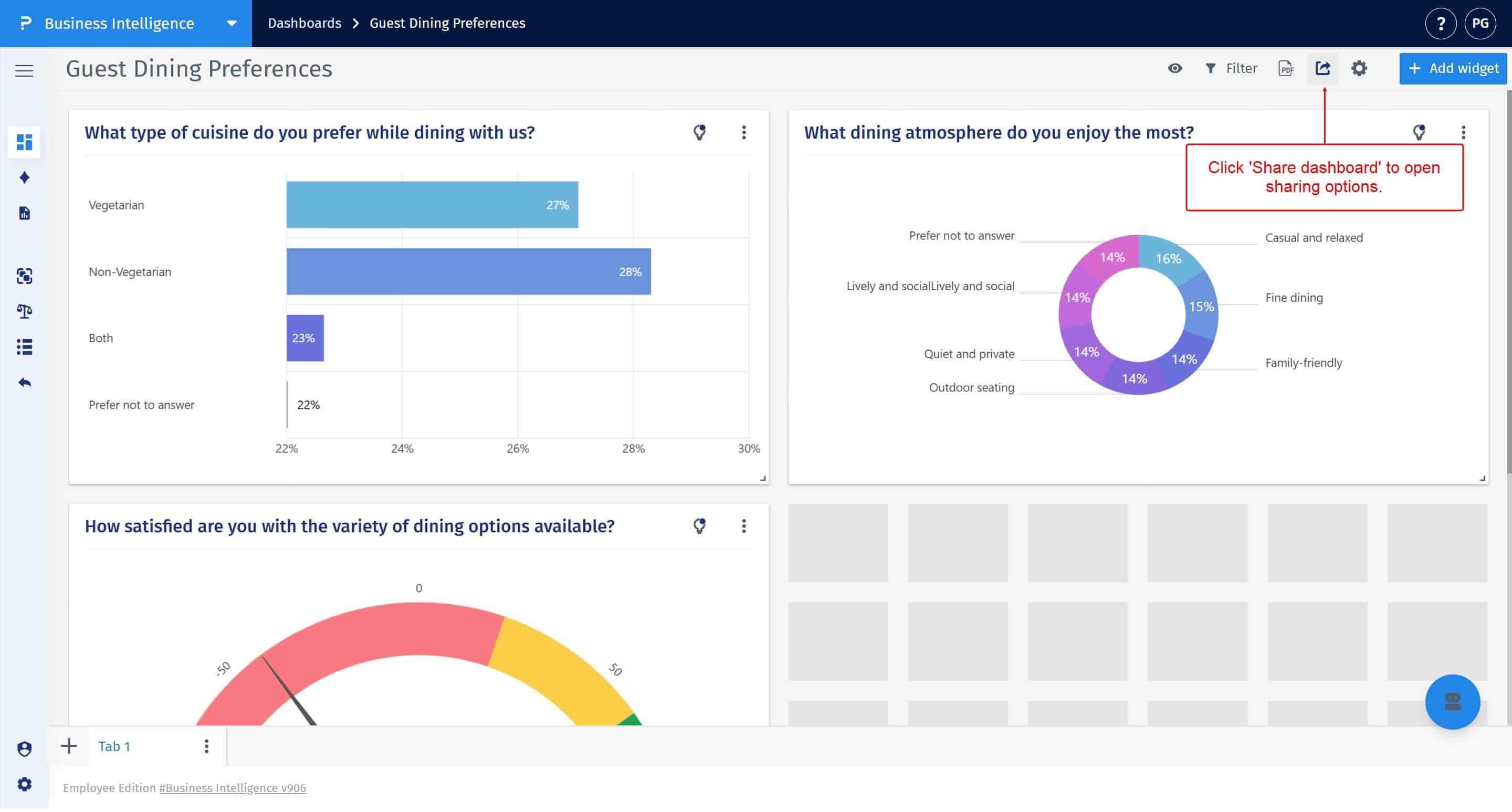
Turn on the dashboard sharing toggle. Once enabled, a unique shareable link appears, which you can copy and share with your viewers.
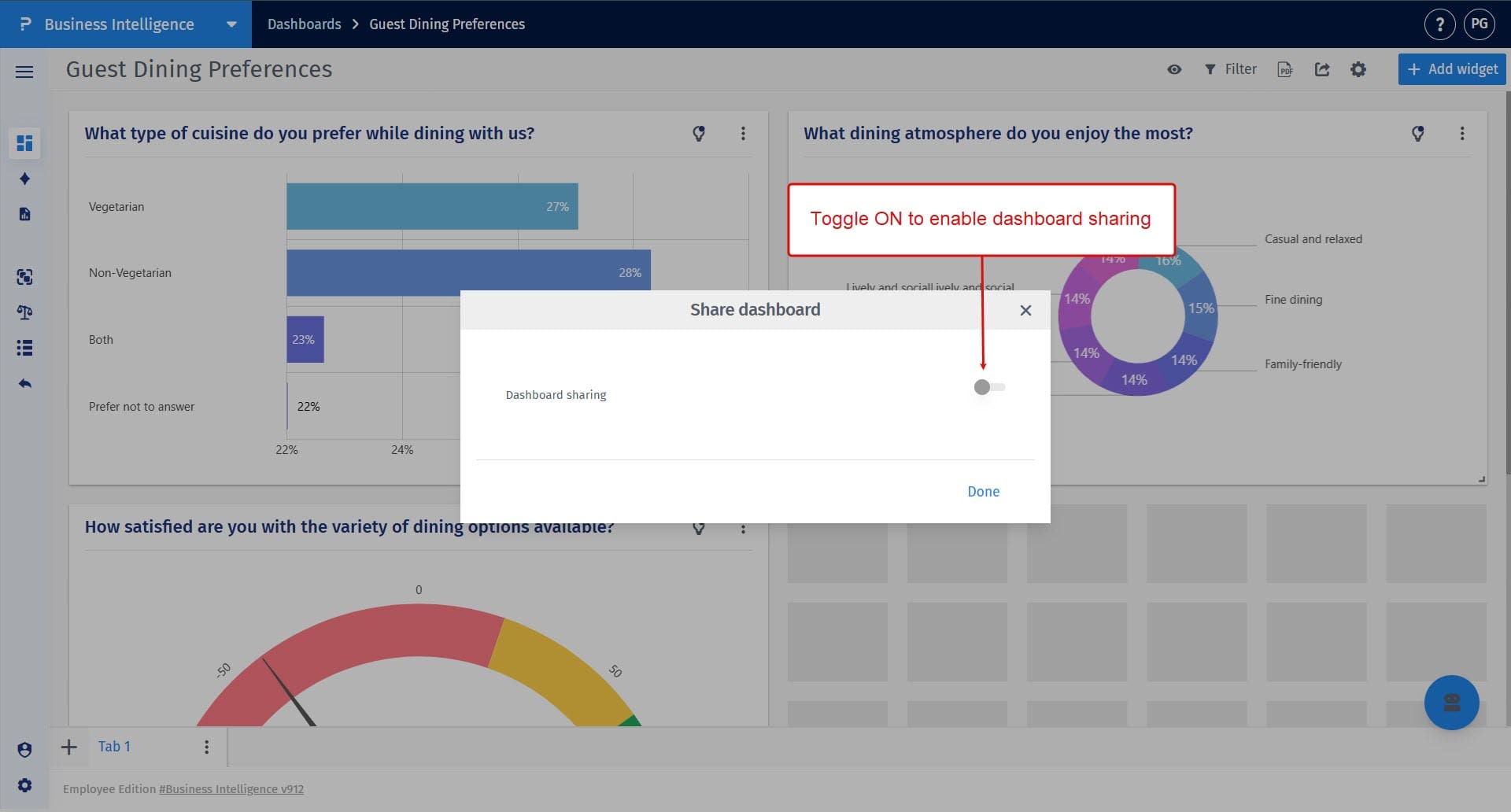
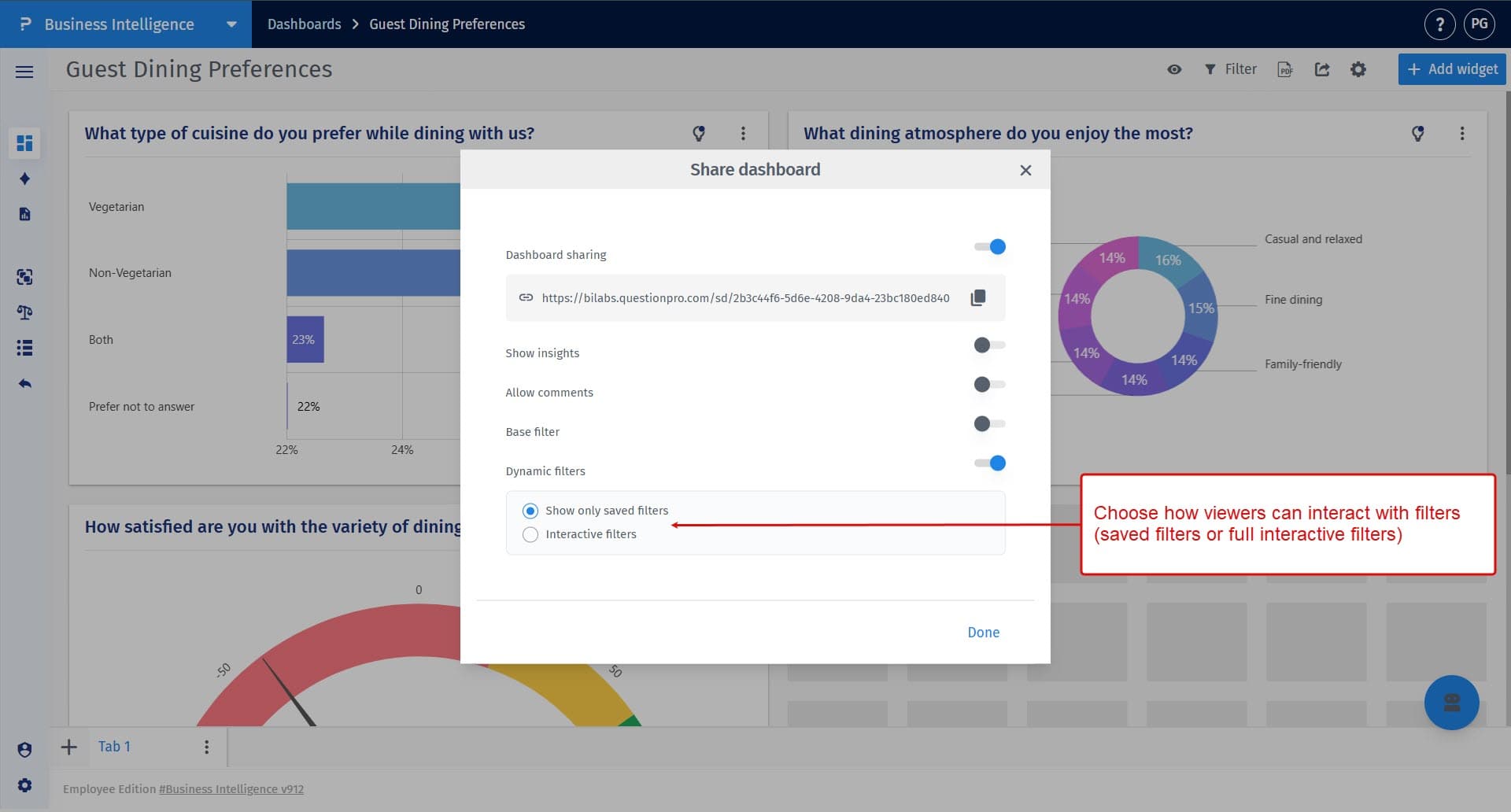
After enabling sharing, you can choose what viewers can access, including insights, comments, a base filter, and dynamic filters. These settings help tailor the viewer experience and control what data they can interact with.
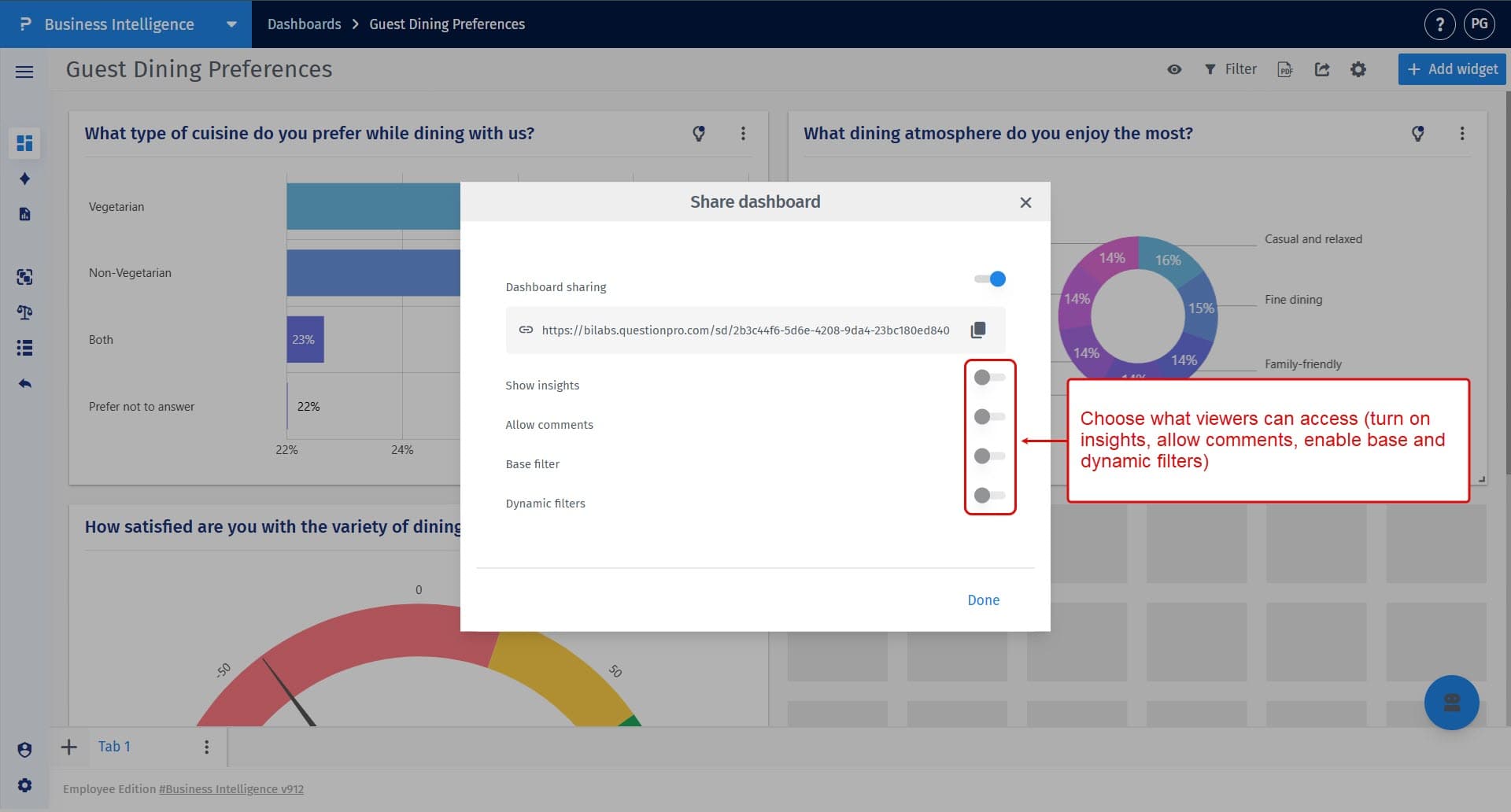
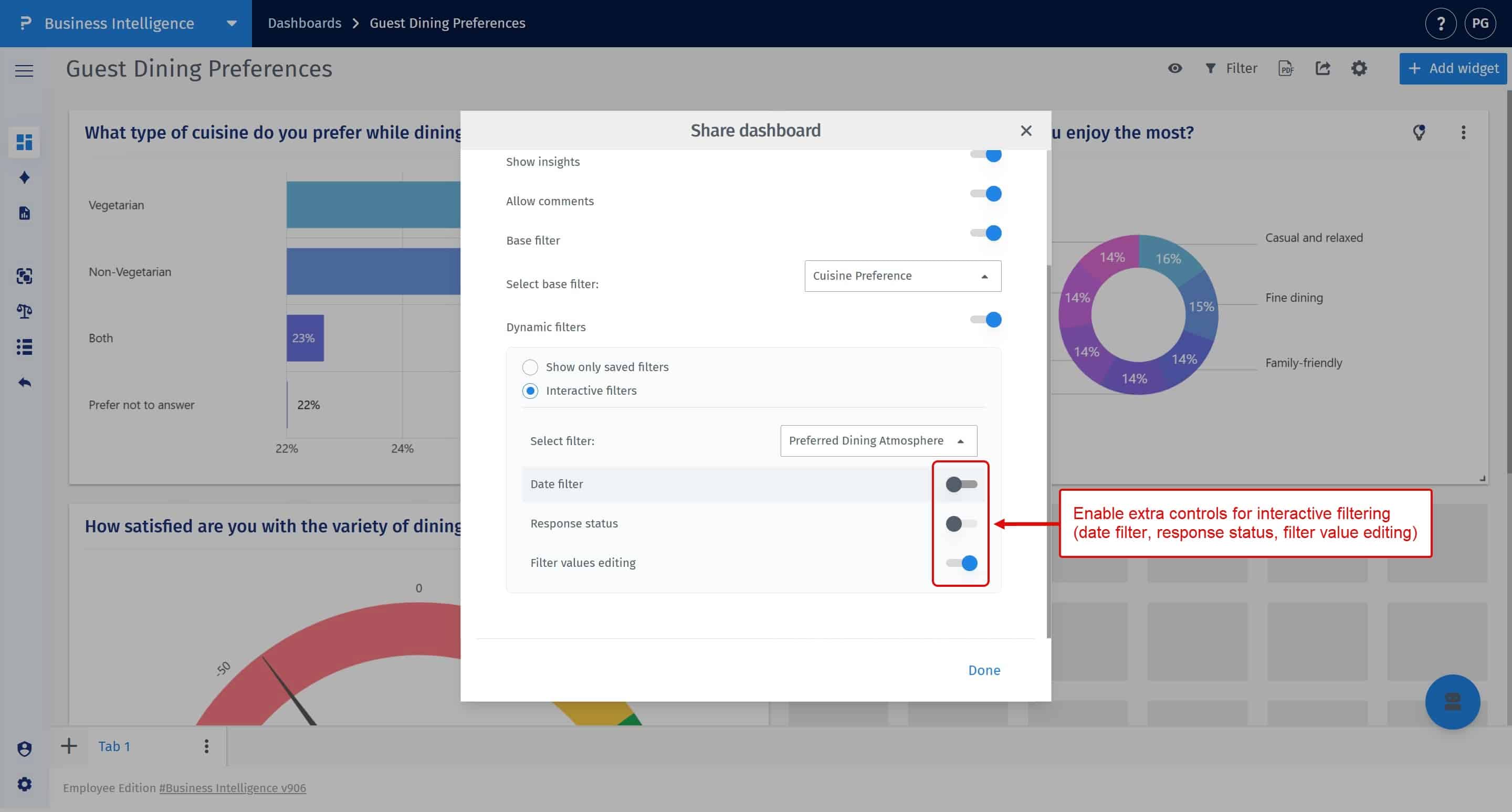
When you enable the base filter, you can select a saved filter that defines the default data context for the shared dashboard. This ensures viewers see only a curated and predefined subset of the data. The base filter you apply remains hidden from viewers and is applied silently in the background to prevent exposure of sensitive or internal information.
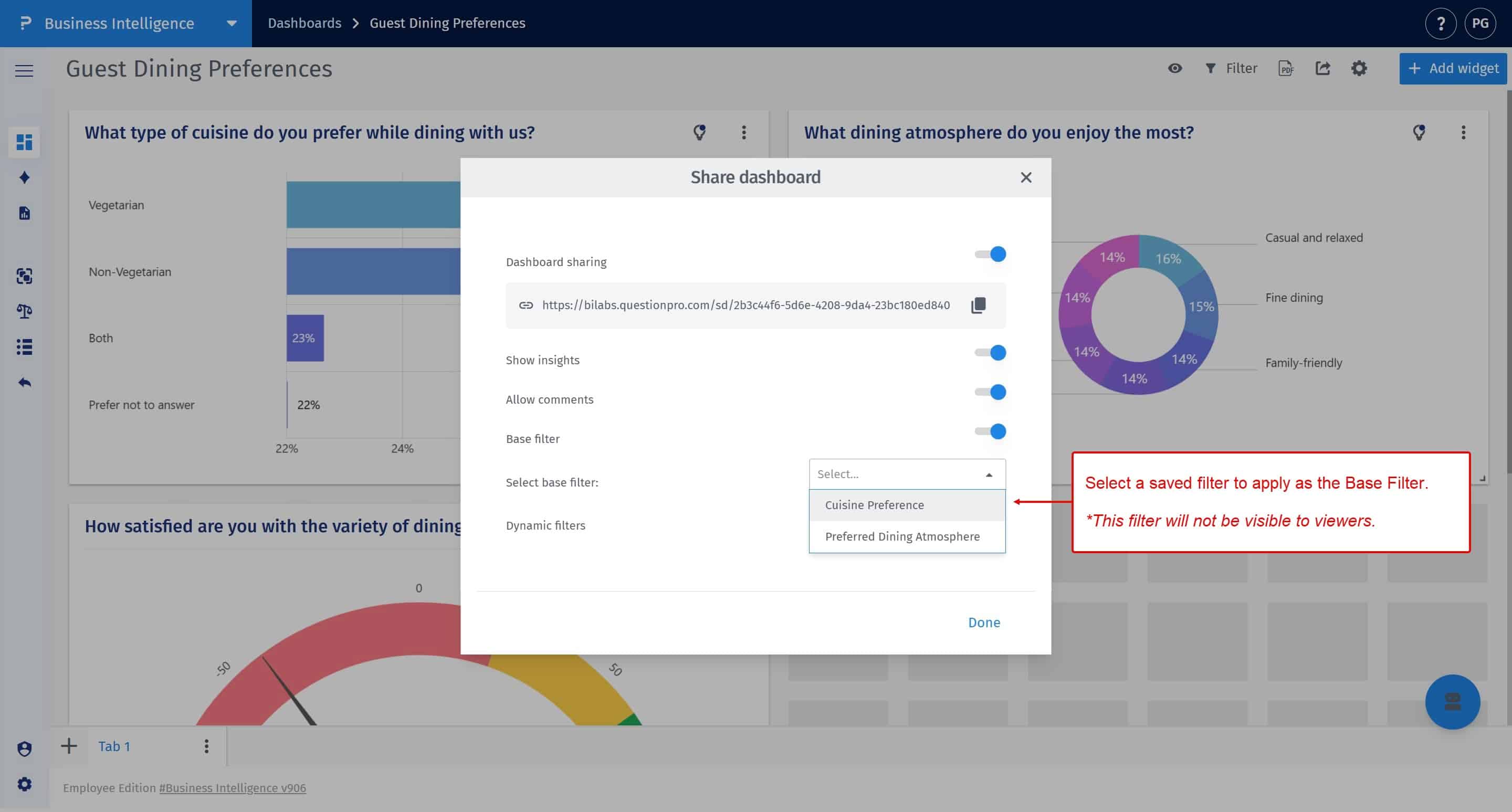
Dynamic filters give viewers the ability to interact with the data. You can choose to allow only saved filters or enable fully interactive filters where viewers can adjust filter values themselves.
When using interactive filters, you can enable additional controls such as date filtering, response status filtering, and filter value editing to give viewers more flexibility in exploring data.
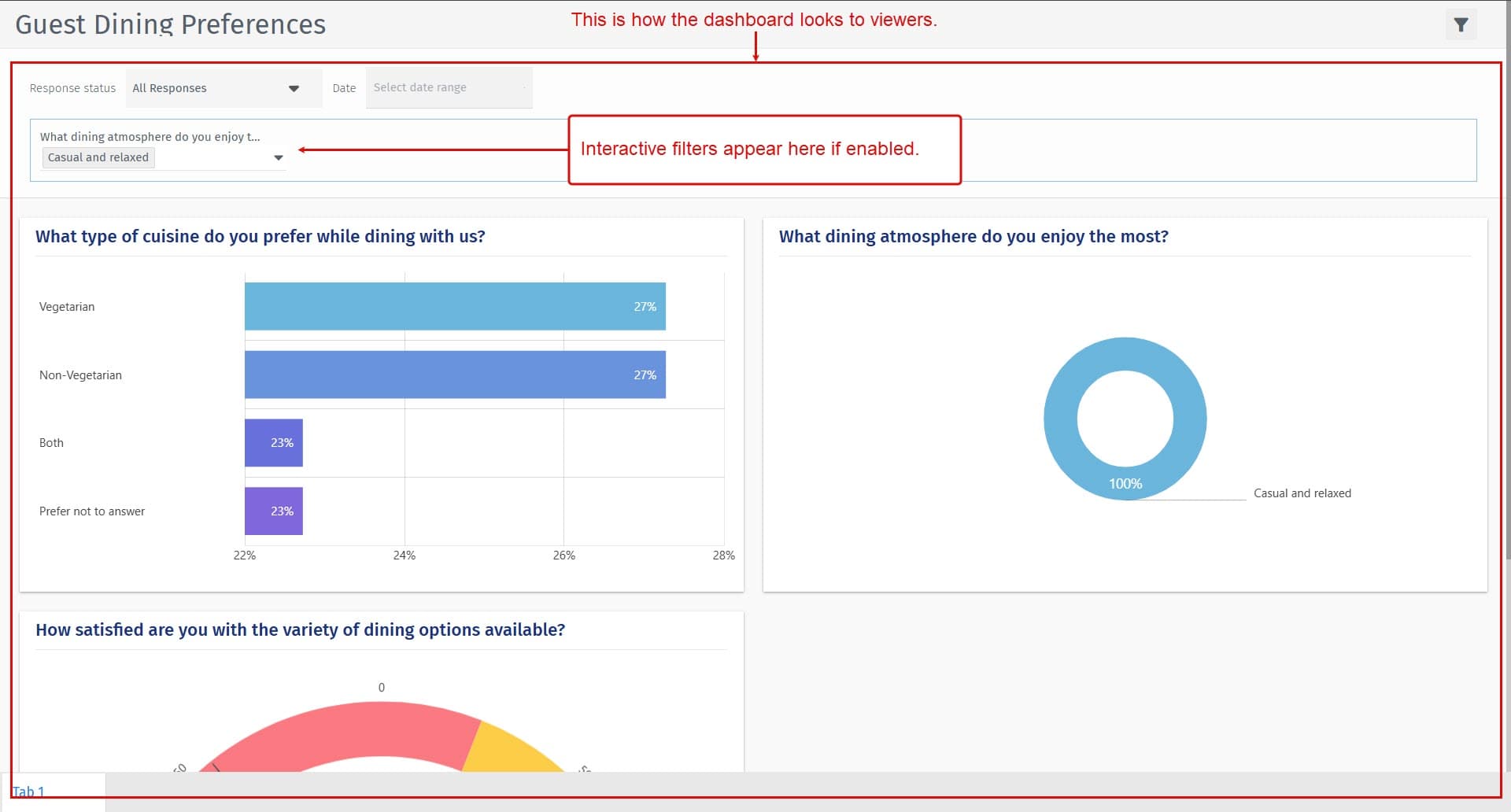
Viewers will see a clean, curated version of your dashboard with only the options you’ve enabled. They may interact with filters, view insights, or leave comments, depending on your configuration.
This feature is available with the following licenses :
Team Edition Research Edition Communities Customer Experience Employee Experience
