


Advanced Text Analytics in TextAI
TextAI helps teams turn open-ended feedback into structured, actionable themes. By selecting a source such as a survey, Customer Experience project, Employee Experience project, or dataset, you can create a TextAI dashboard that applies topic modeling to qualitative responses and highlights the patterns that matter most.
The setup flow lets you define the dashboard goal, choose an output language, generate or upload a codebook, select the questions to analyze, and provide question-level context for more accurate results. This helps product, research, customer experience, and employee experience teams organize large volumes of text feedback without manually reading and tagging every response.
Watch this video for a quick overview of Advanced Text Analytics in TextAI:
Click to download the video
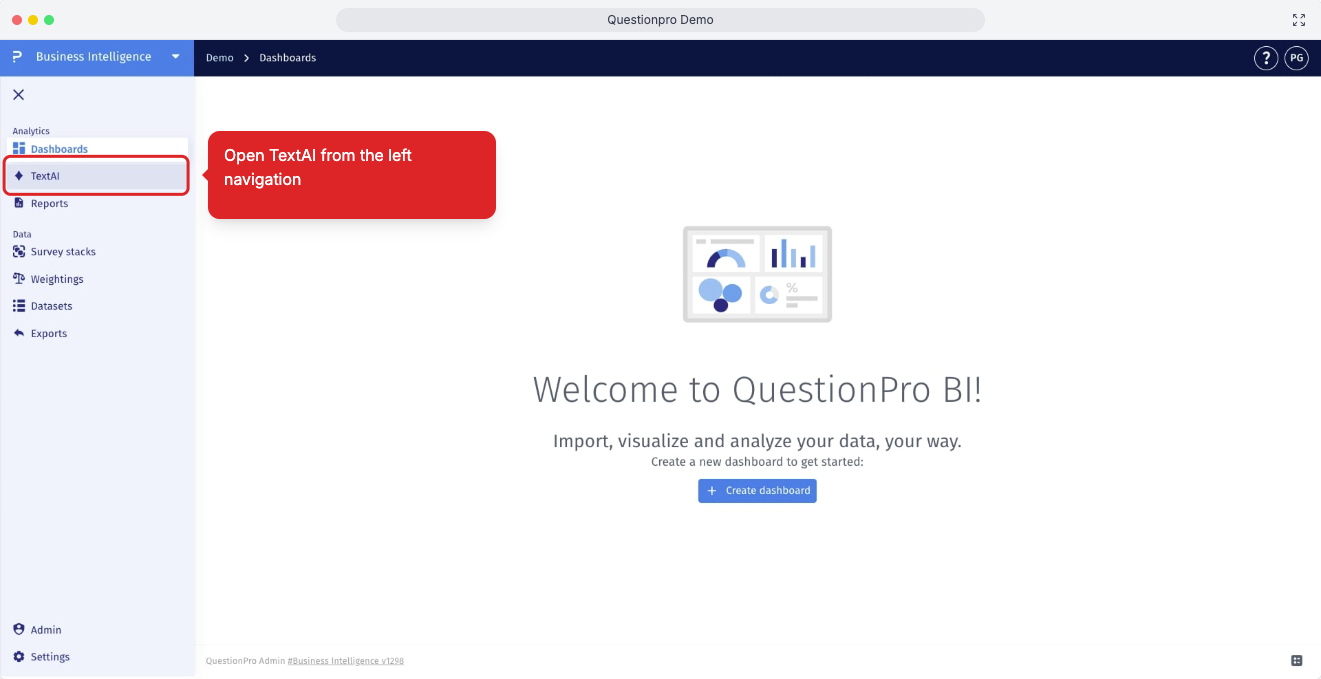
- Step 1: Log in to QuestionPro, navigate to Business Intelligence, and select TextAI from the left navigation panel to access the TextAI dashboard workspace.
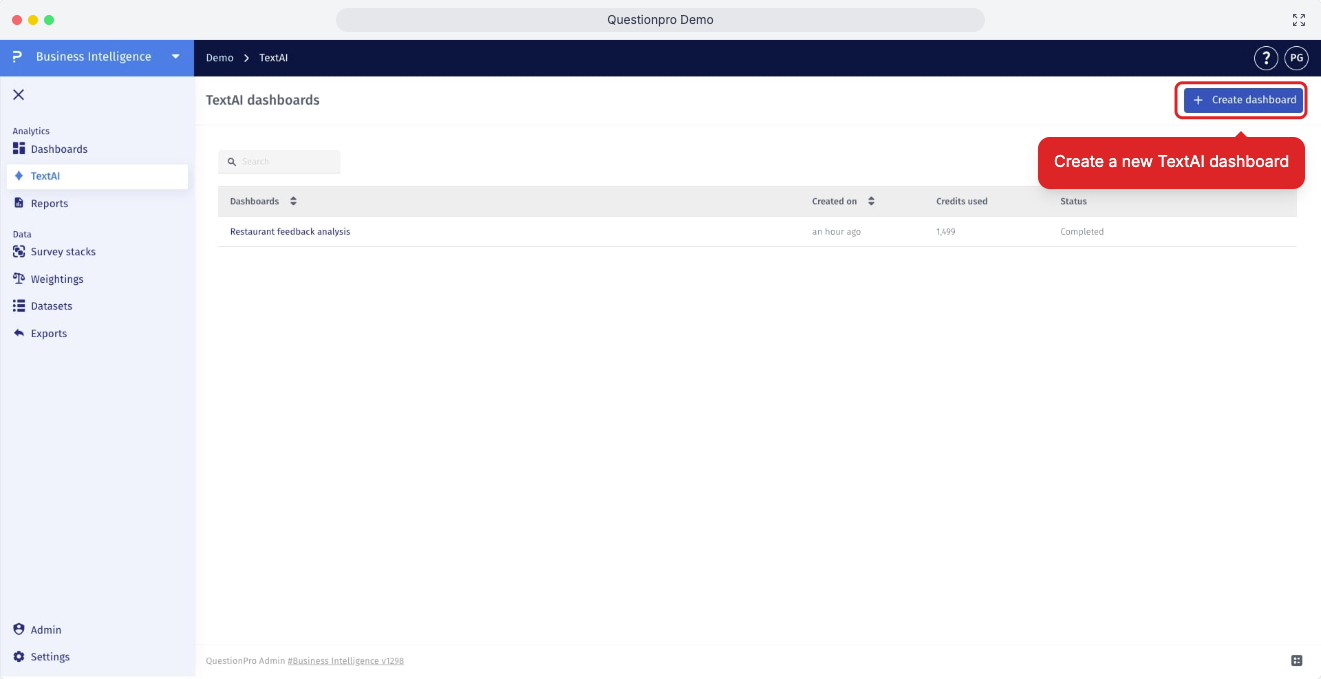
- Step 2: On the TextAI dashboards page, click Create Dashboard to begin setting up a new Advanced Text Analytics dashboard.
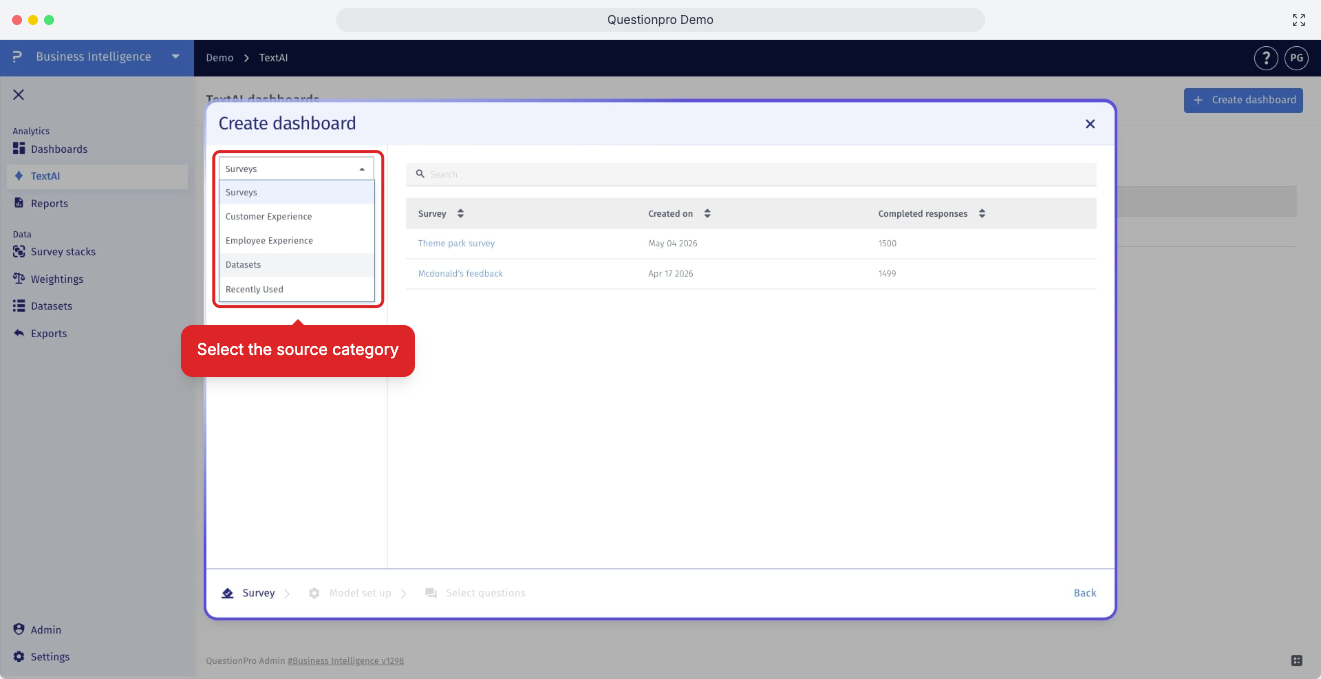
- Step 3: Choose the source type for the text data you want to analyze. You can create the dashboard from Surveys, Customer Experience, Employee Experience, or Datasets depending on where the open-ended responses are stored.
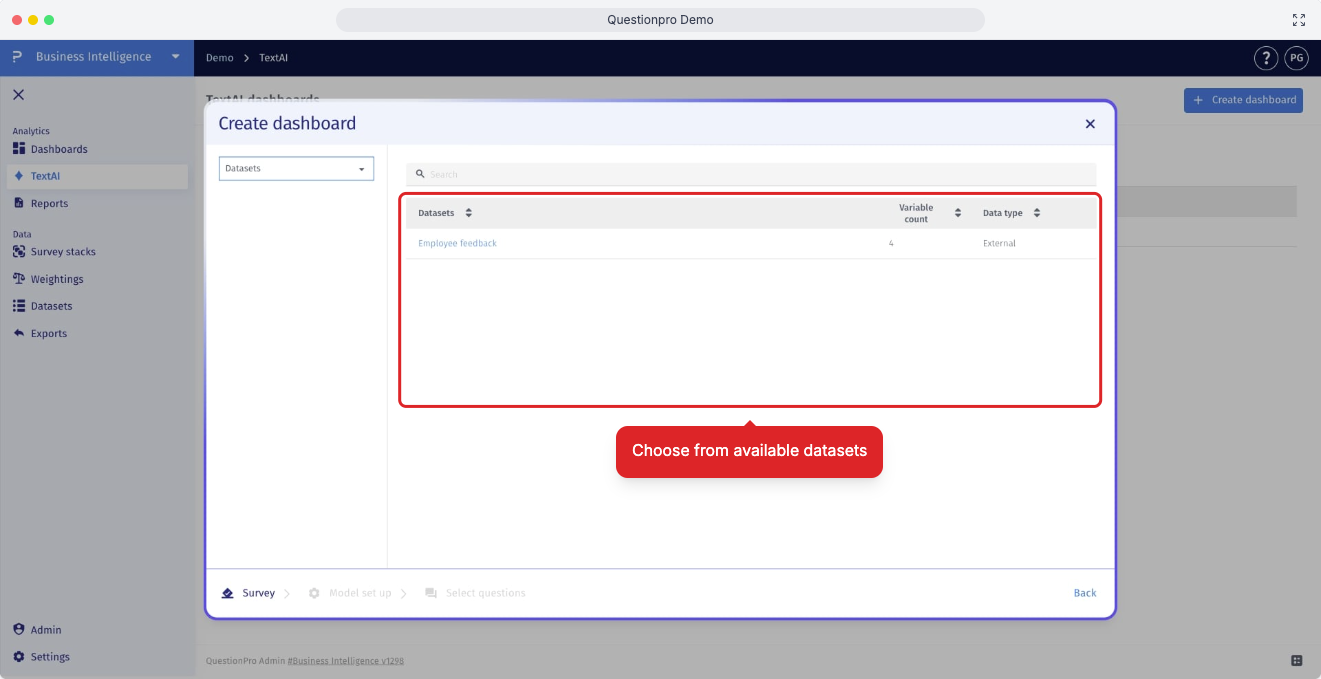
- Step 3.1: If you choose Datasets as the data source, select the specific dataset that contains the responses you want TextAI to analyze.
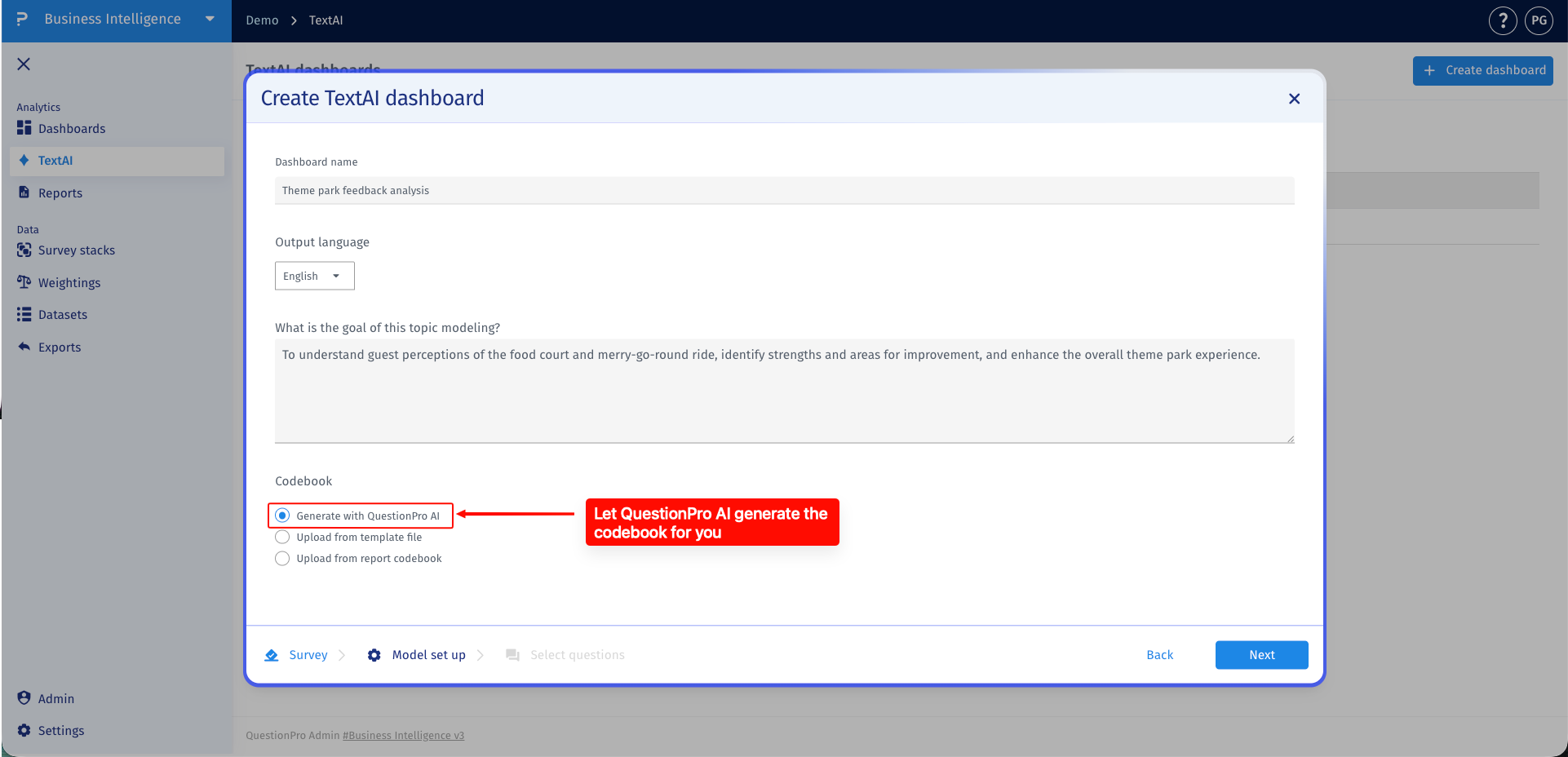
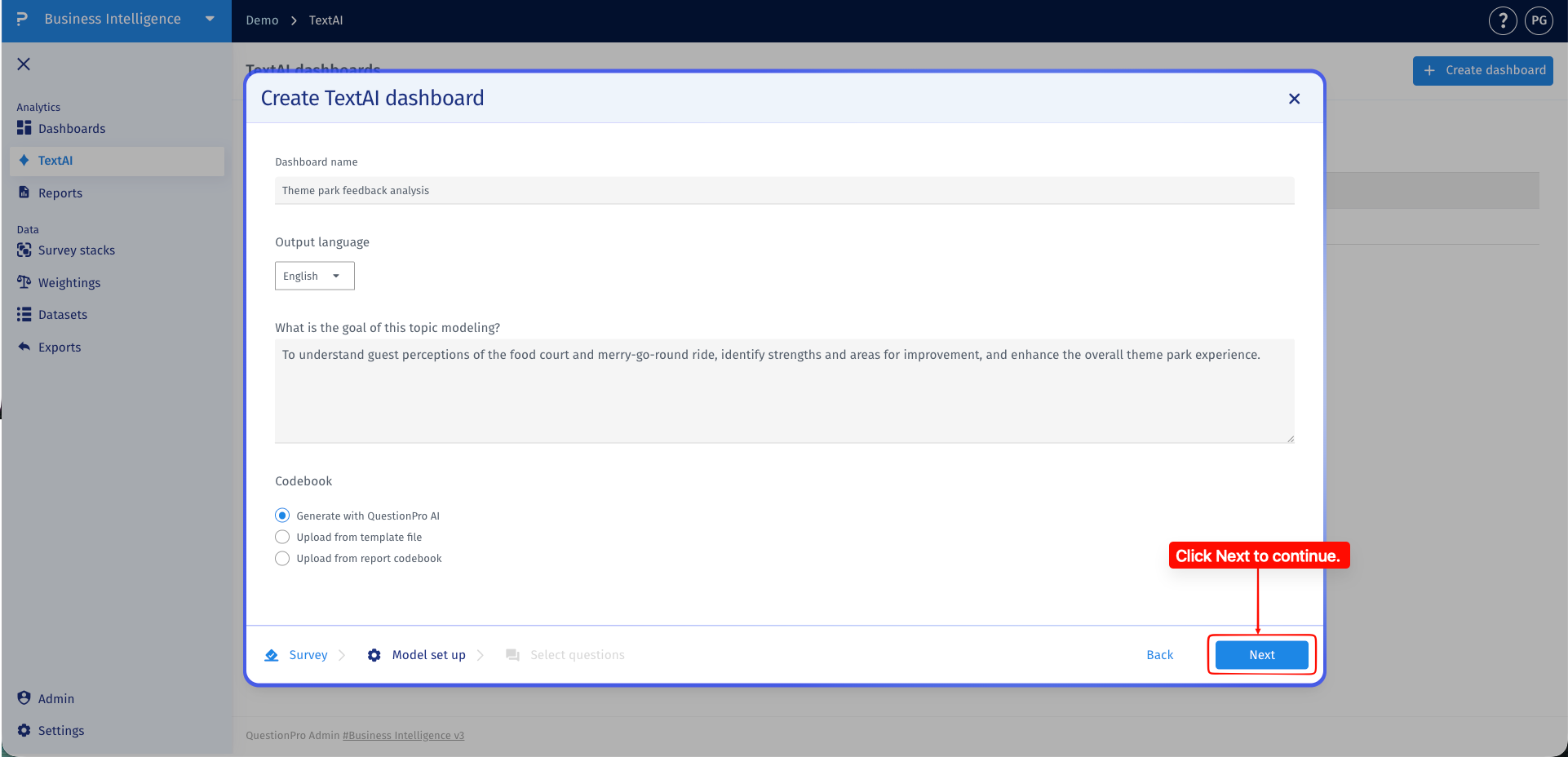
- Step 4: Choose how you want TextAI to create or apply the codebook for the dashboard. The codebook defines the themes and sub-themes TextAI uses when it classifies open-ended responses, and you can either generate one with QuestionPro AI or provide an existing codebook source.
- Generate with QuestionPro AI: Select this option when you want QuestionPro AI to review the selected text responses and create the required themes and sub-themes for you.
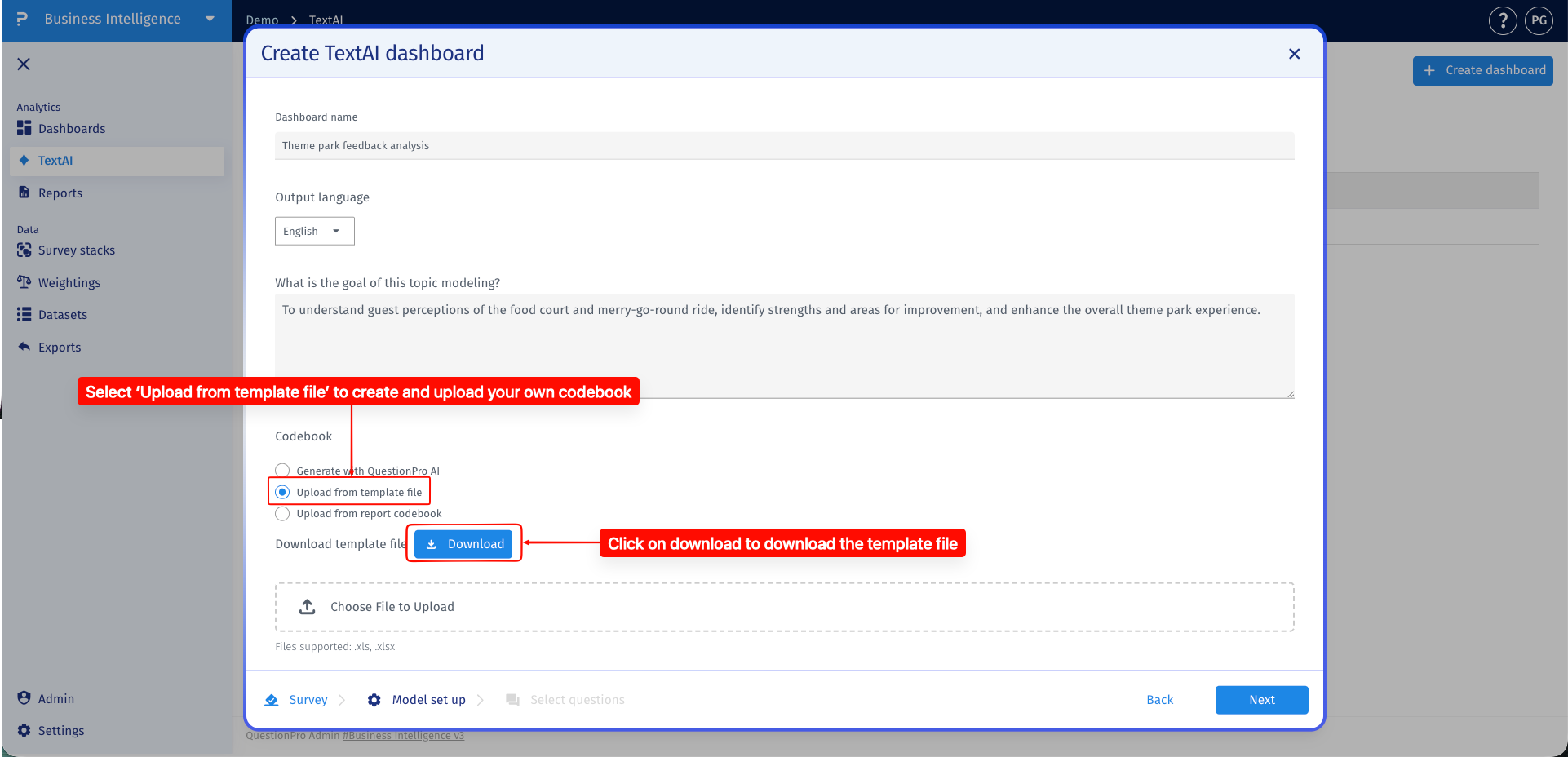
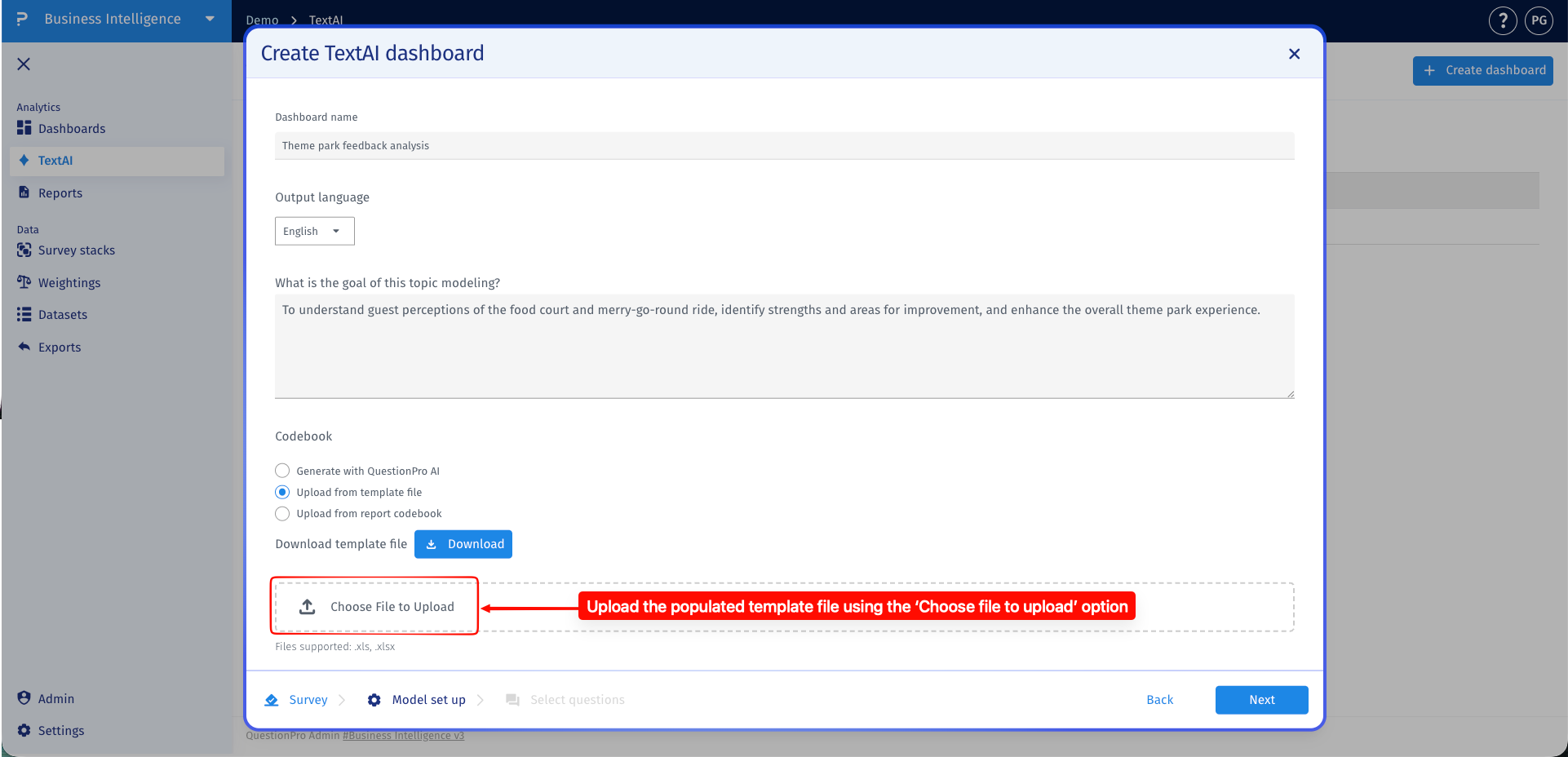
- Upload from template file: Select this option if you already have a code frame defined in an Excel template and want TextAI to use the existing themes and sub-themes when tagging responses. In the template file, each row should represent a single theme and sub-theme combination. The Theme column should contain the corresponding theme for each sub-theme, while the Sub-theme column should contain only one sub-theme per row. If a theme has multiple sub-themes, include the theme again on a separate row for each sub-theme.
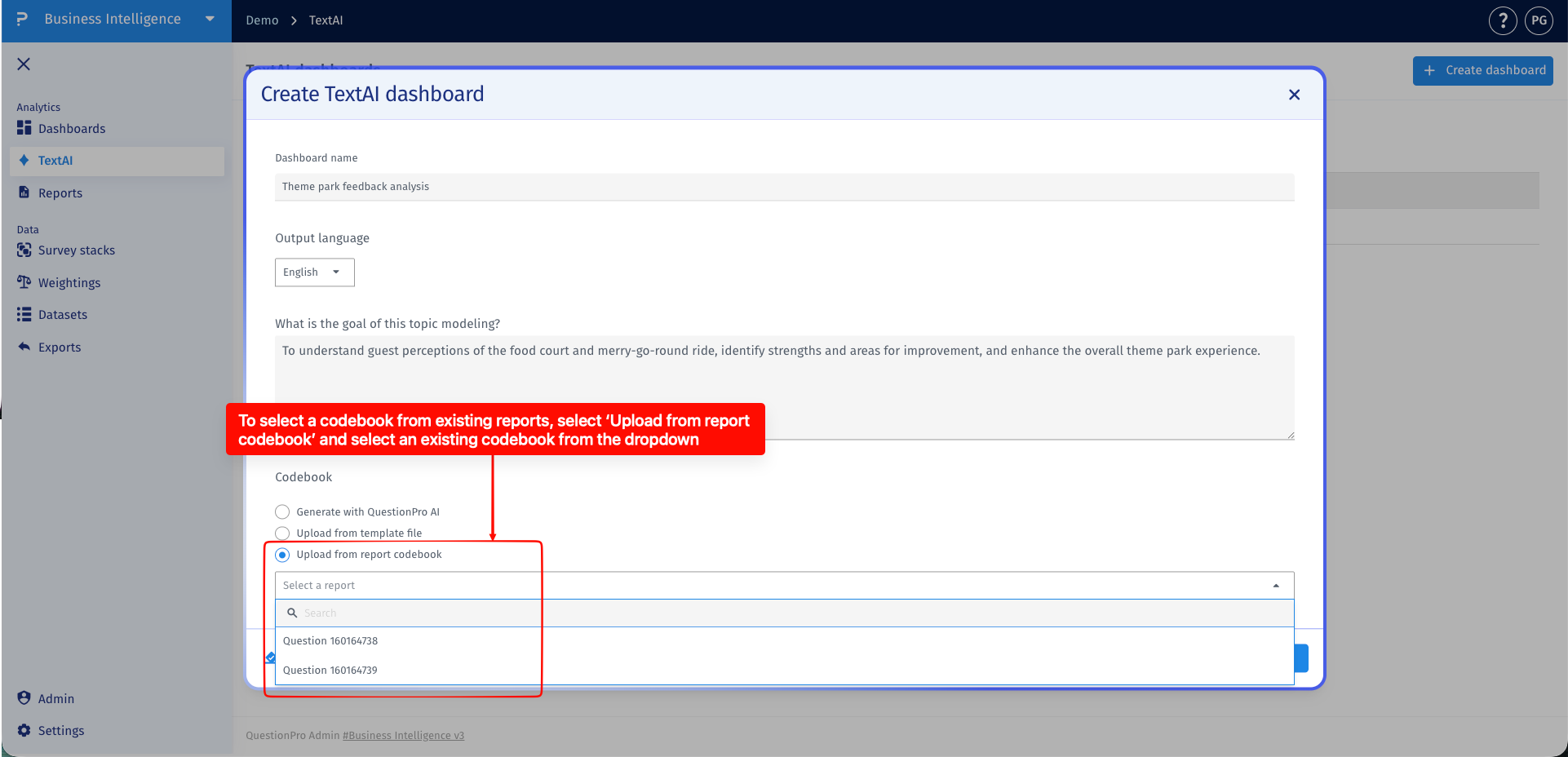
- Upload from report codebook: Select this option when you want to reuse a codebook from an existing dashboard or report instead of building a new one for this setup.
- Step 5: After selecting the codebook method that matches your setup, click Next to continue to the question selection step.
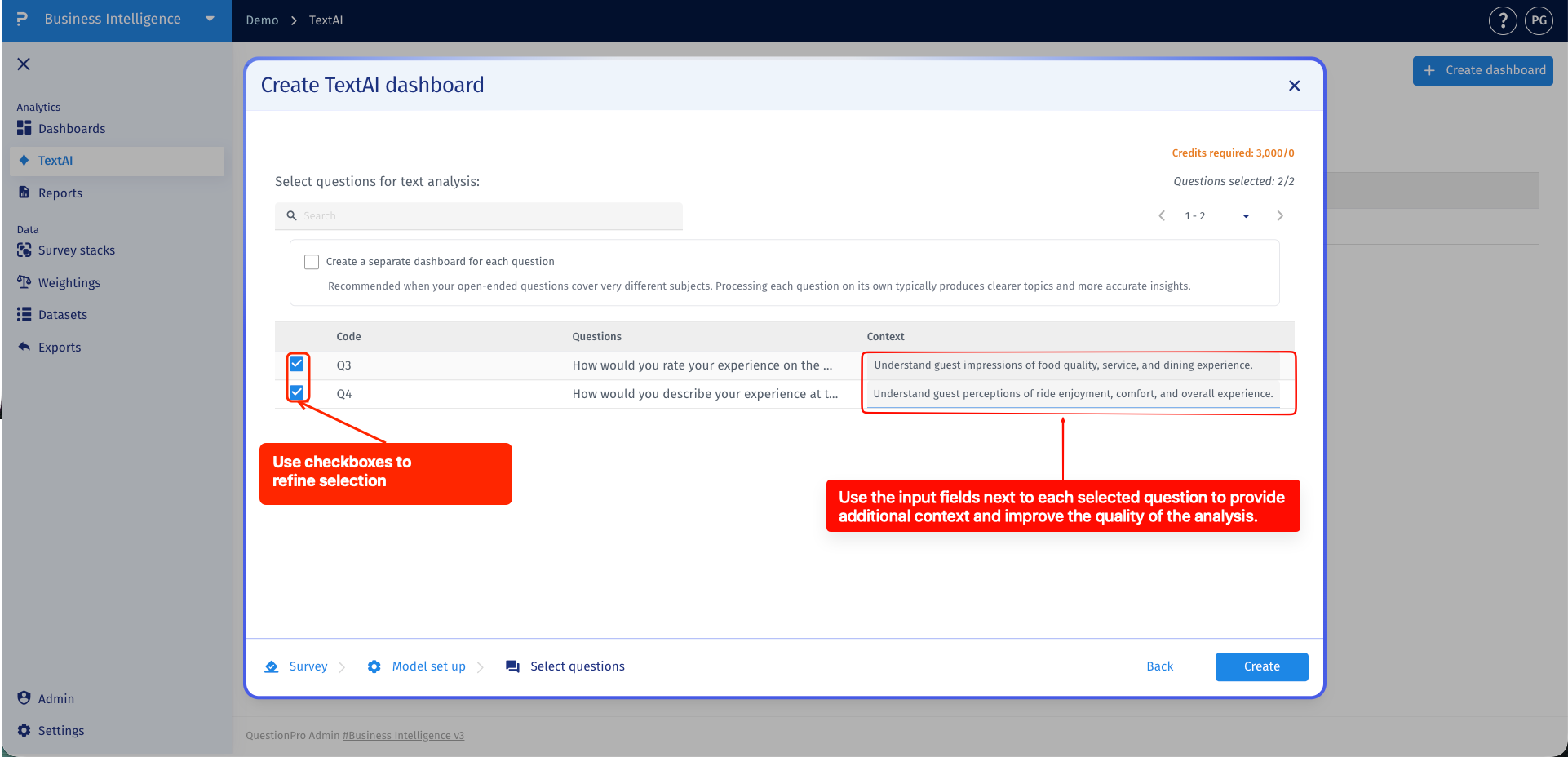
- Step 6: Select the open-ended questions you want to include in Advanced Text Analytics. Use the checkboxes to include or exclude individual questions, and add clear question-level context so TextAI understands what each question is intended to capture before generating themes.
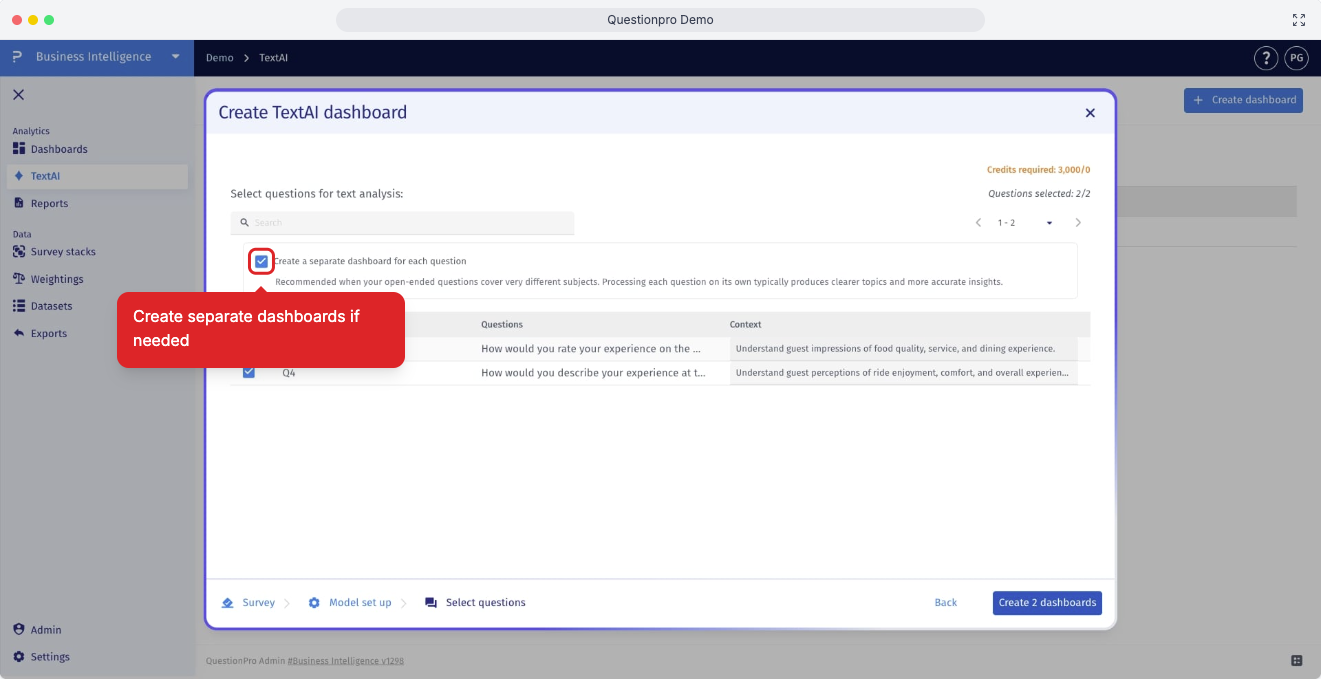
- Step 7: If the selected questions span different themes or contexts, you can enable Separate Dashboard Creation. This optional setting generates multiple dashboards, each focused on a distinct set of related themes and sub-themes, resulting in more accurate insights and making the results easier to analyze and interpret.
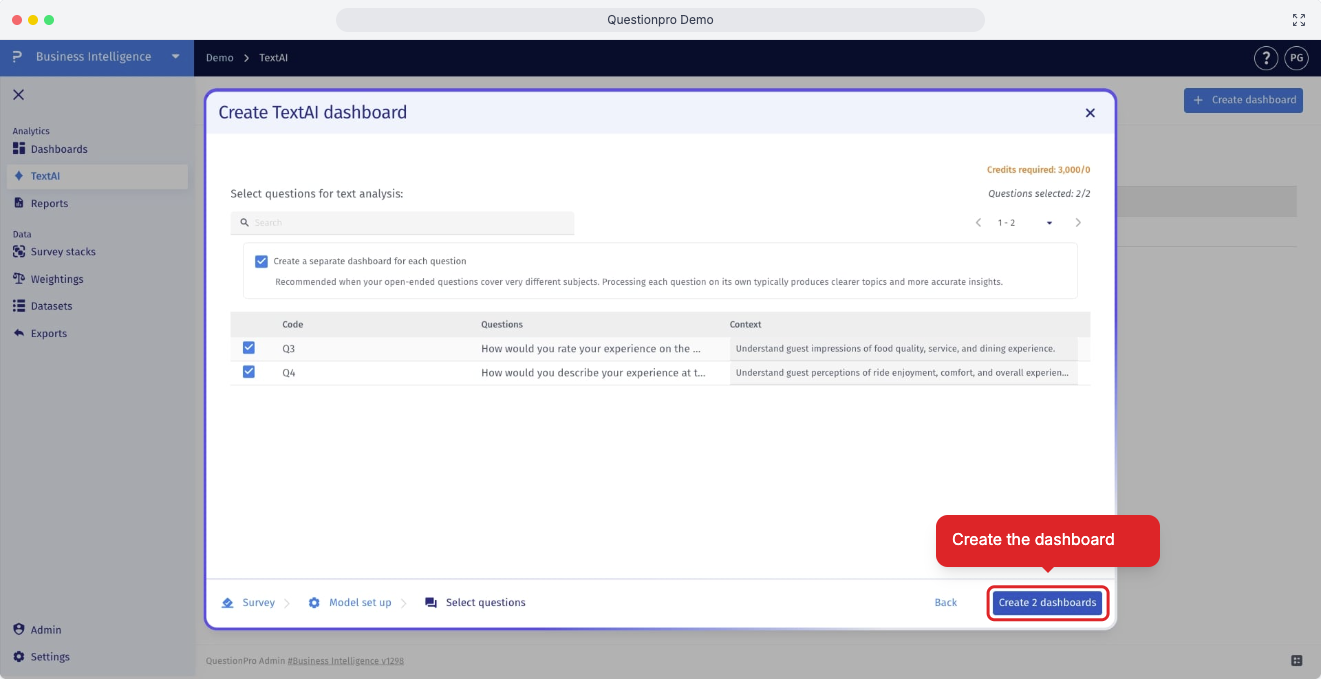
- Step 8: After reviewing your dashboard configuration and confirming that all selected questions and settings are correct, click Create Dashboard to generate the Advanced Text Analytics dashboard and begin processing the selected text responses.
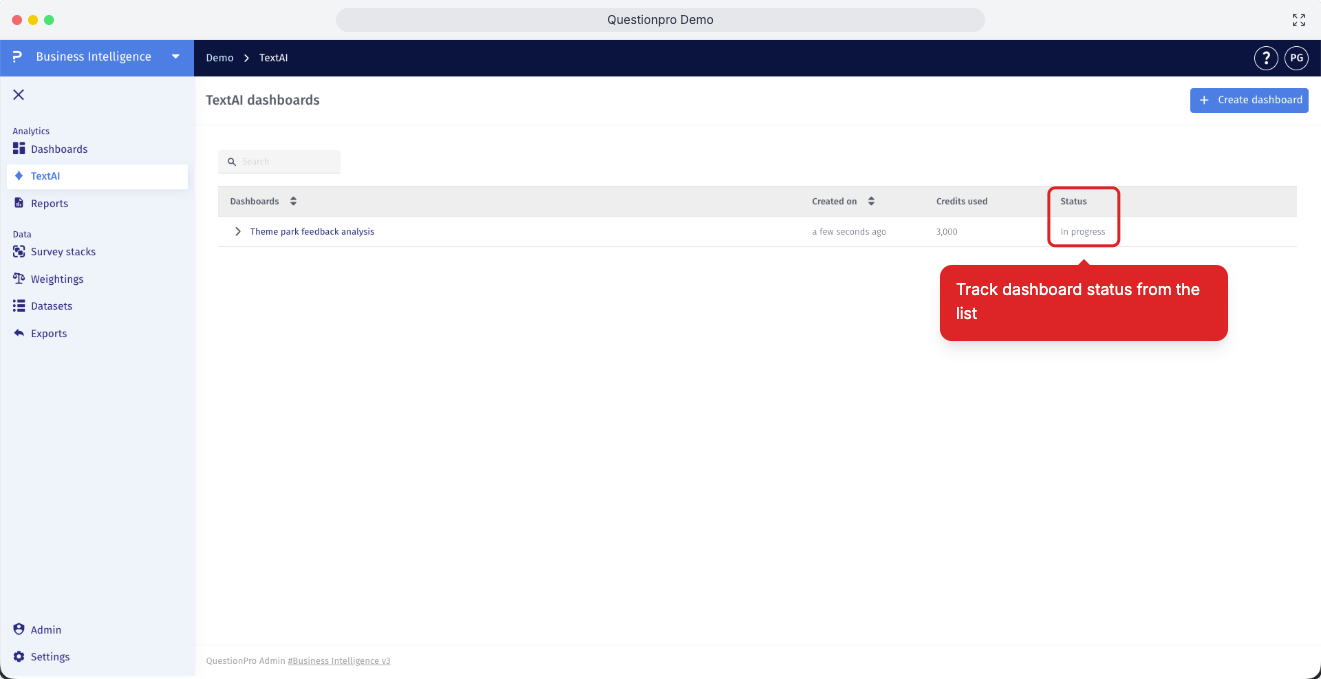
- Step 9: You can track the progress of dashboard creation from the Dashboard List screen, where the current status is displayed in the status column.
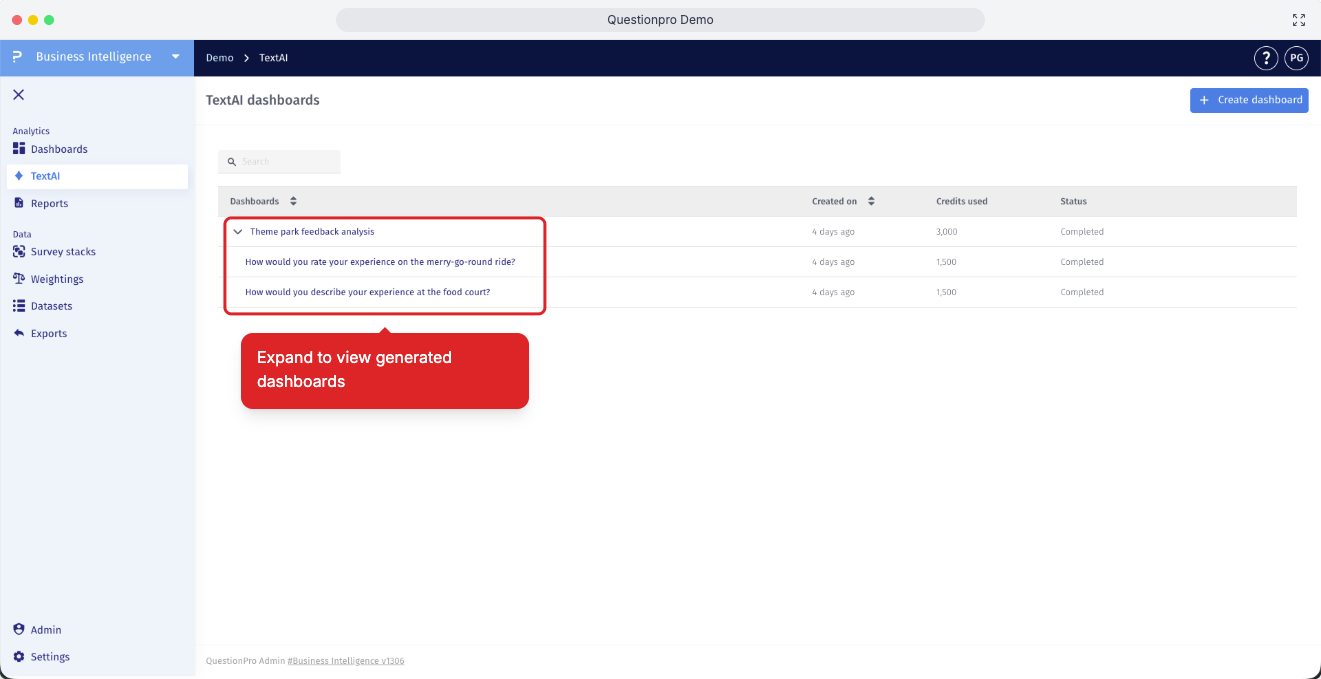
- Step 10: If you enabled separate dashboard creation, click the expand icon next to the dashboard to view the generated sub-dashboards.
Which languages can I use for TextAI results and response translation?
TextAI offers 108 output-language options for themes and sub-themes. These include English, Spanish, Portuguese, French, German, Arabic, Chinese, Japanese, Hindi, and many more. During dashboard creation, choose your preferred language under Themes and sub-themes. Enable Also translate verbatim if you also want response text translated into the selected output language.
Which data sources can I use to create a TextAI dashboard?
You can select Surveys, Customer Experience, Employee Experience, or Datasets as the source for the open-ended responses you want to analyze.
Do I have to generate a new codebook for every dashboard?
No. You can generate a codebook with QuestionPro AI, upload a codebook using the template file, or reuse an existing report codebook. Select the option that matches your setup during the Model set up step.
How many questions can I select, and when should I create separate dashboards?
TextAI supports selecting up to 30 open-ended questions during dashboard creation. Select the eligible questions from your chosen source and provide question-specific context. Enable Create a separate dashboard for each question when the questions cover unrelated subjects and need separate analysis contexts.
This feature is available with the following licenses :
Research Edition Communities Customer Experience Employee Experience University - Research Edition
