


Custom Metrics in Advanced Cross-Tabulation
Custom Metrics in Advanced Cross-Tabulation allows you to calculate and analyze customer experience metrics such as NPS, CSAT, and CES directly within your cross-tab reports. Instead of exporting data and performing calculations externally, you can configure metrics, apply them to rows and columns, and customize how response options are classified, all from within the report itself.
This feature helps standardize CX reporting, reduce manual effort, and provide deeper insights into customer sentiment across different segments and dimensions.
Watch this video for a quick overview of custom metrics in advanced cross-tabulation in BI:
Click to download the video
To configure a metric:
- Navigate to Reports and open an existing Advanced Cross-Tabulation report.
- Click the Settings icon located in the top-right corner of the report.
- Navigate to the Analytics tab.
- Locate the Metric section, and select the desired metric from the Metric Type dropdown.
- Enable Row Level, Column Level, or both depending on where you would like the metric to be displayed.
- Select the required Decimal Precision.
- Click Apply.
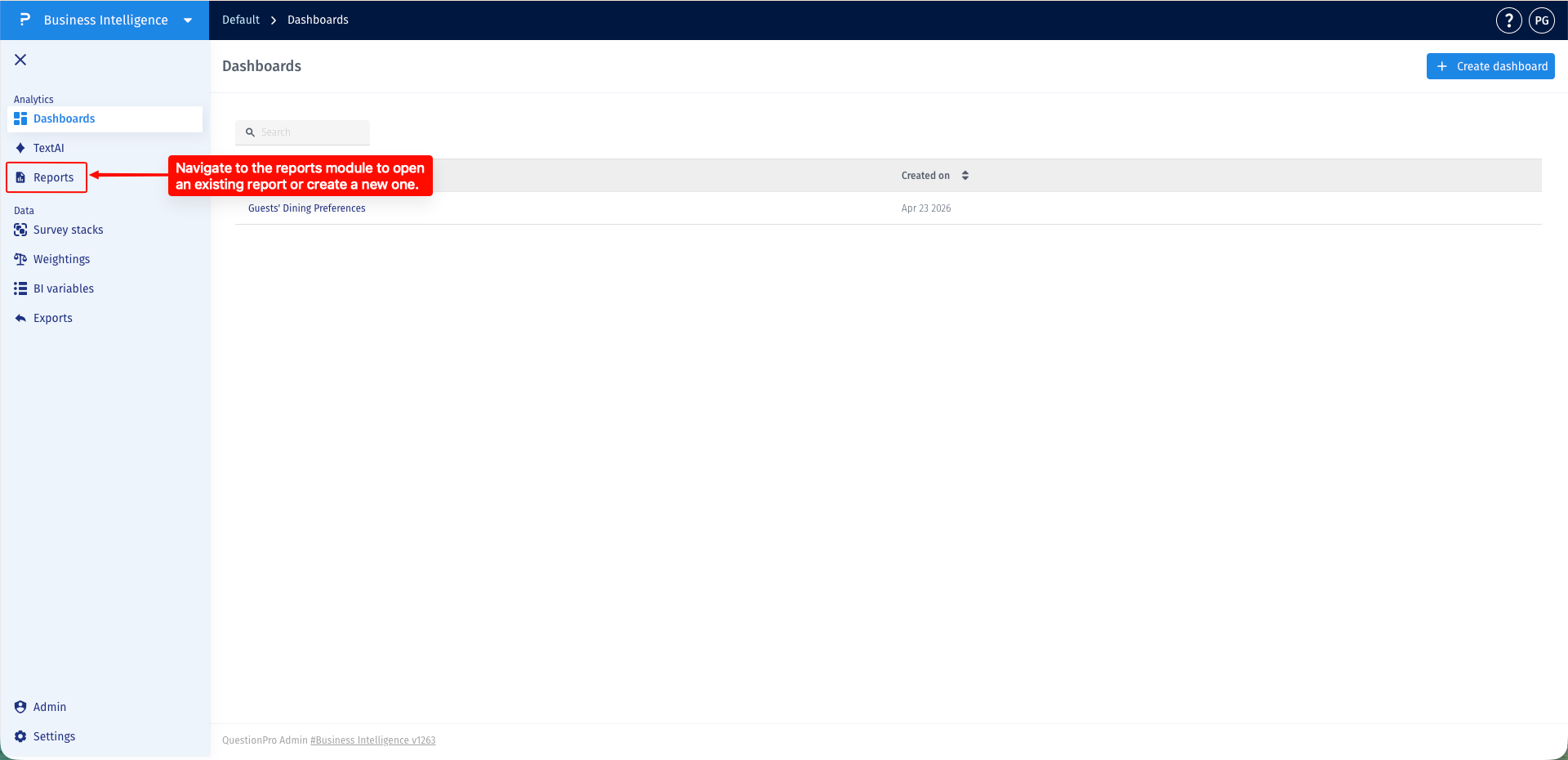
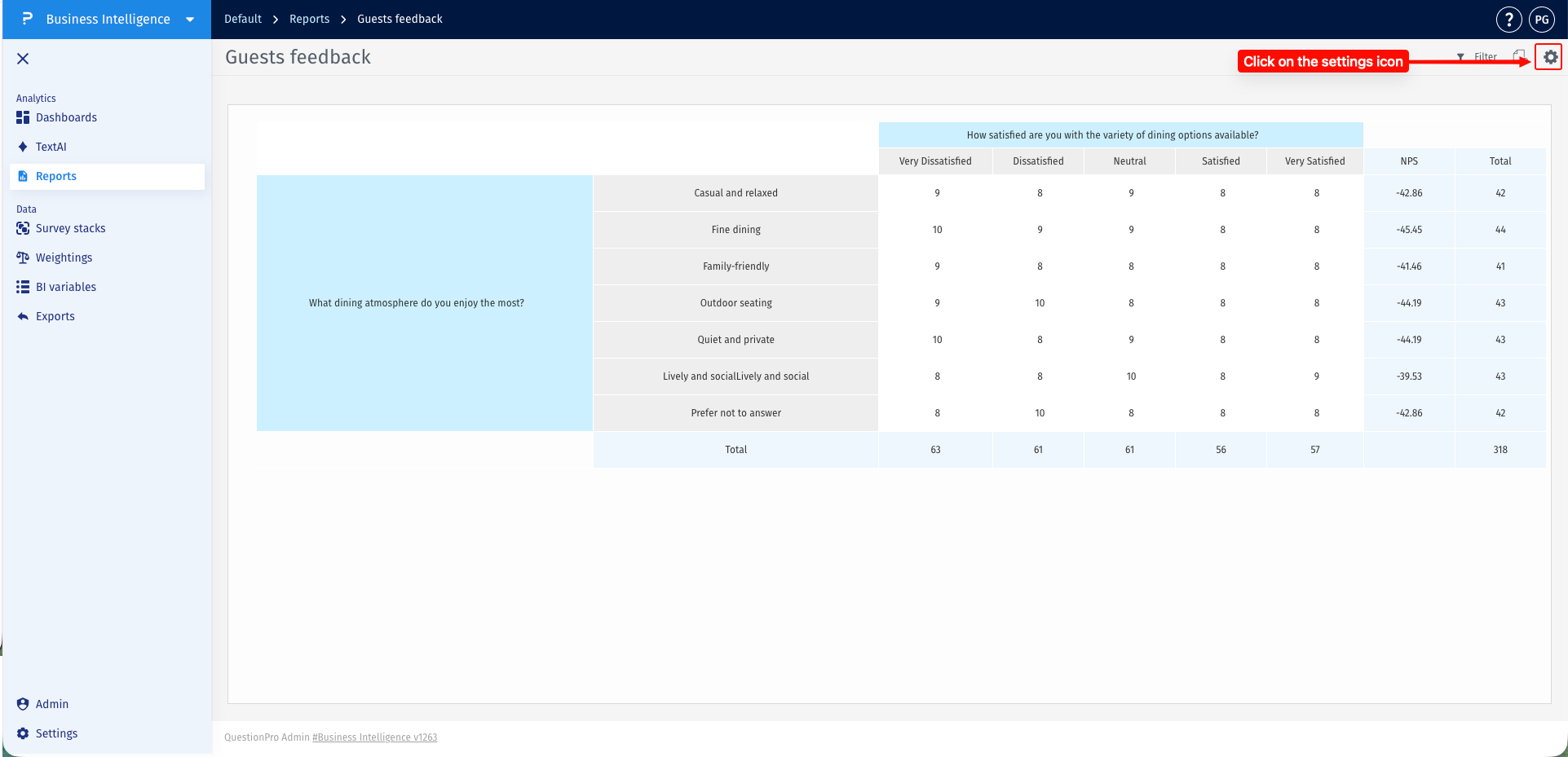
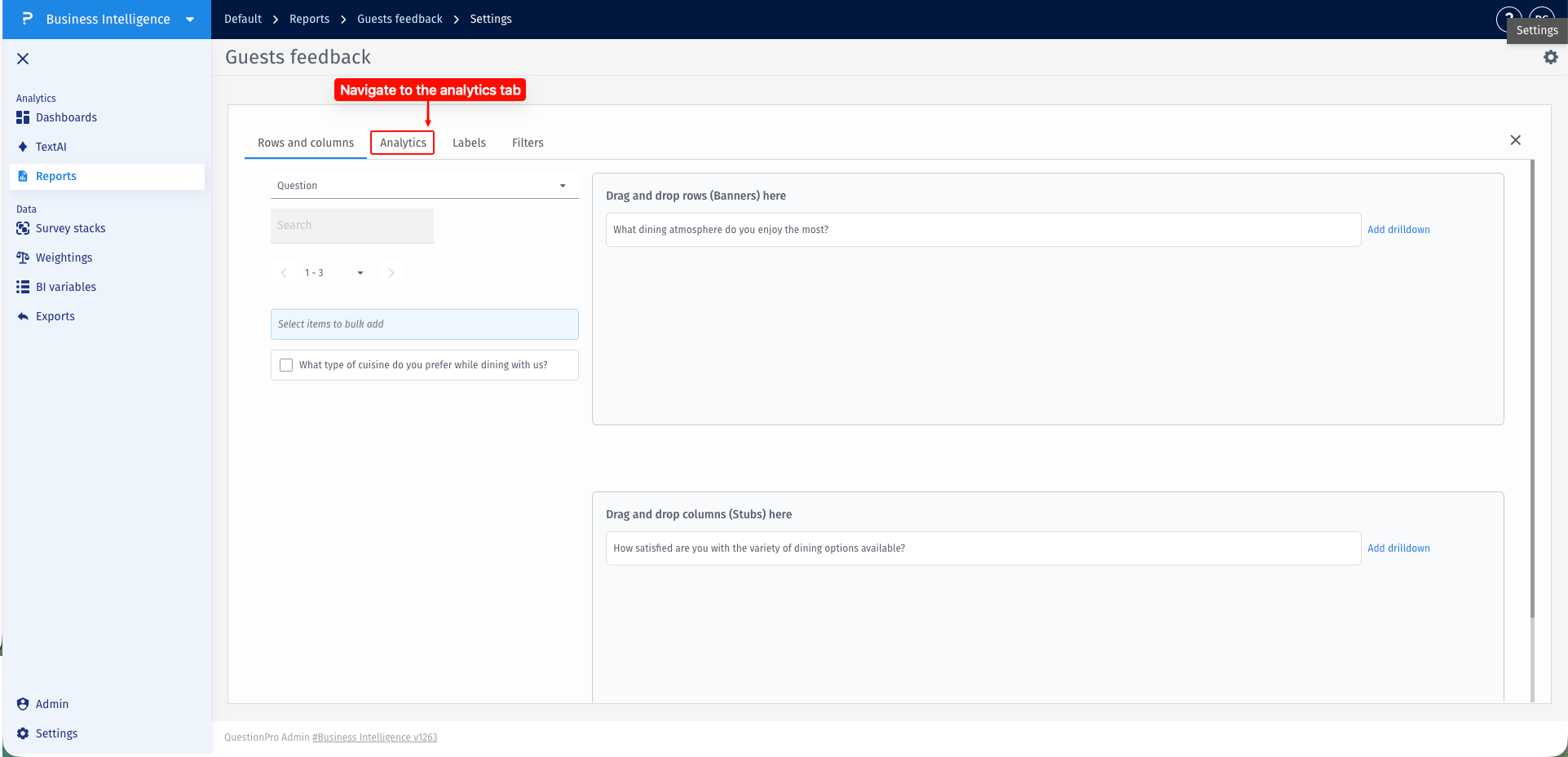
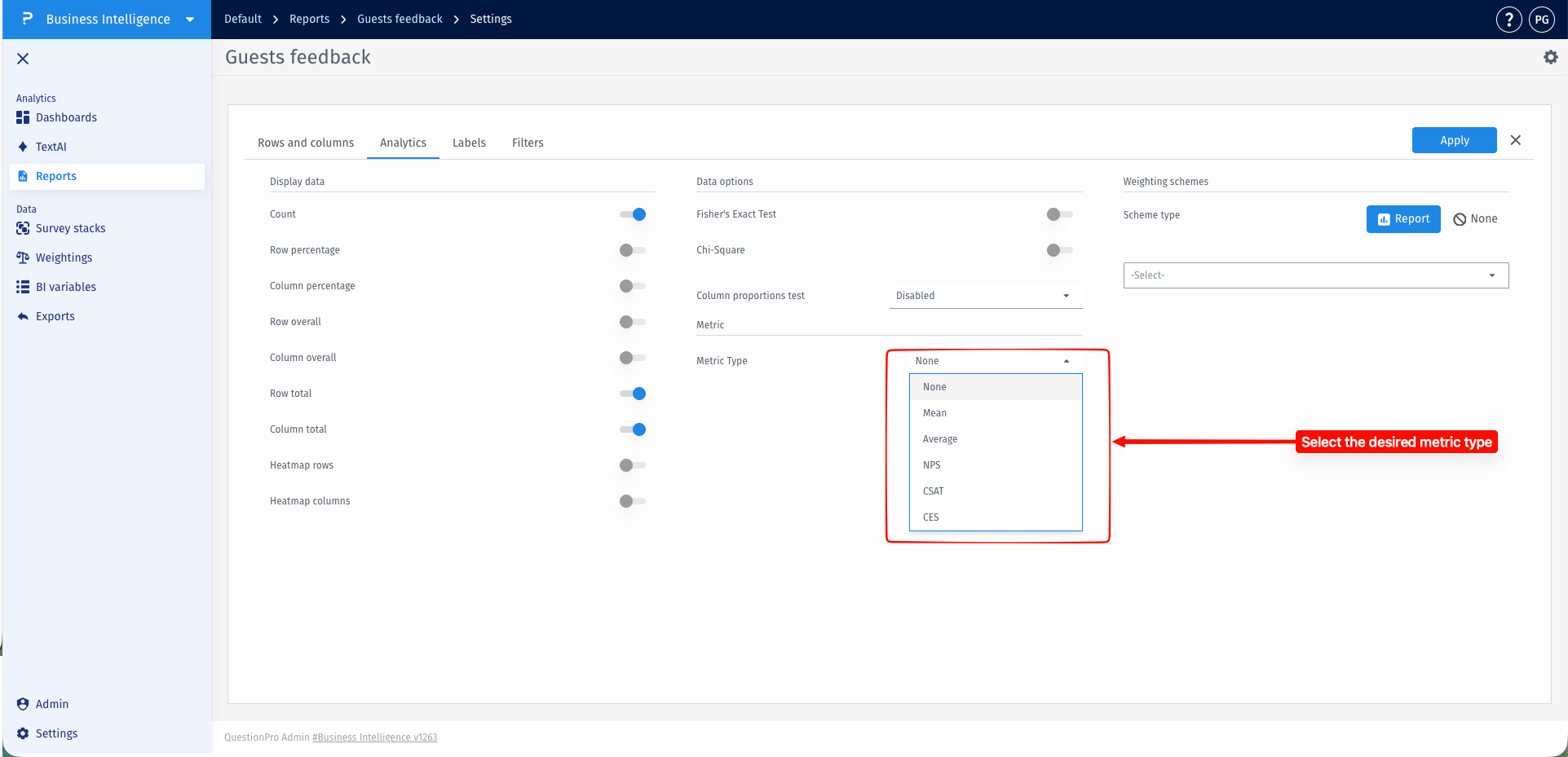
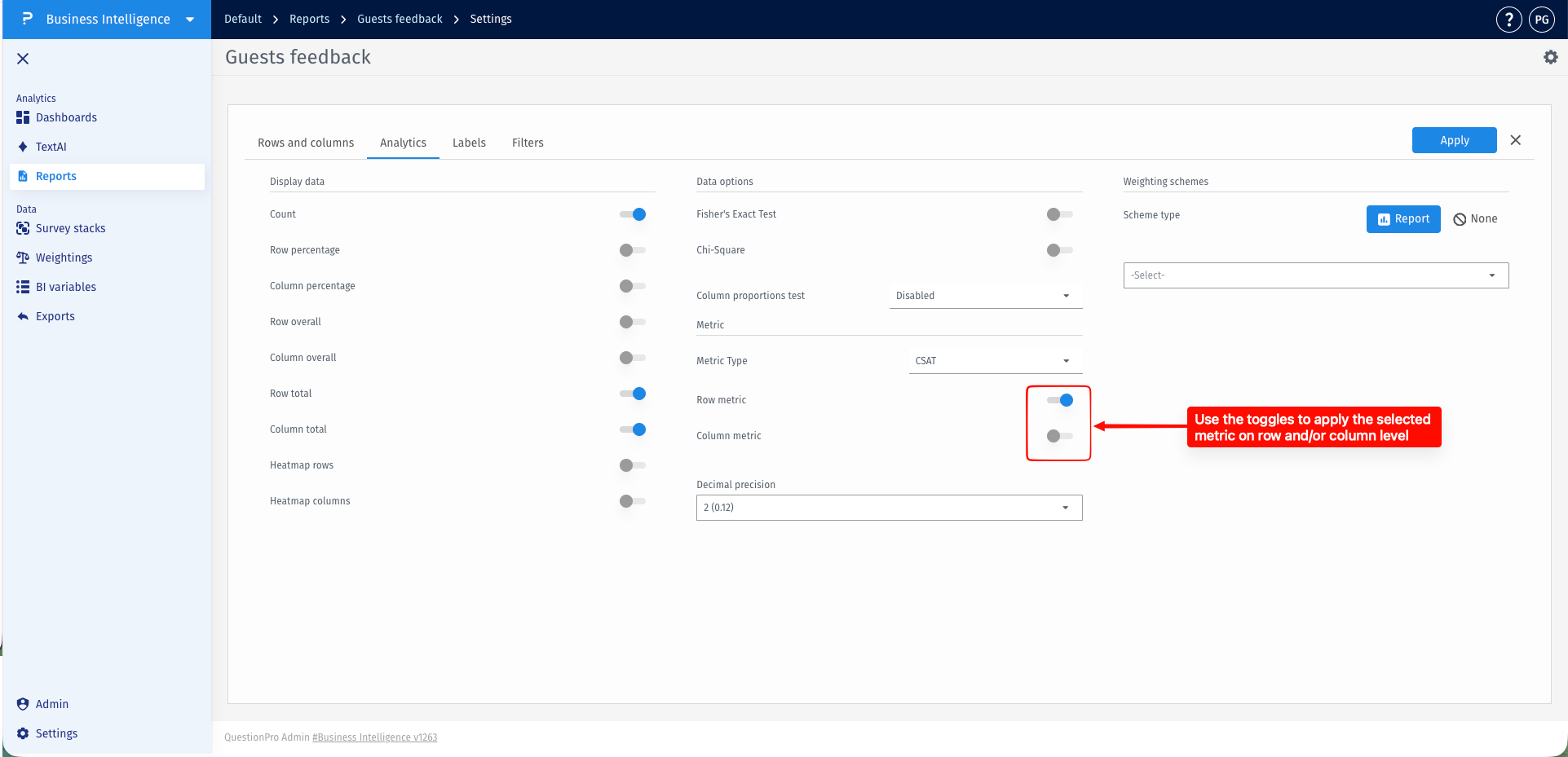
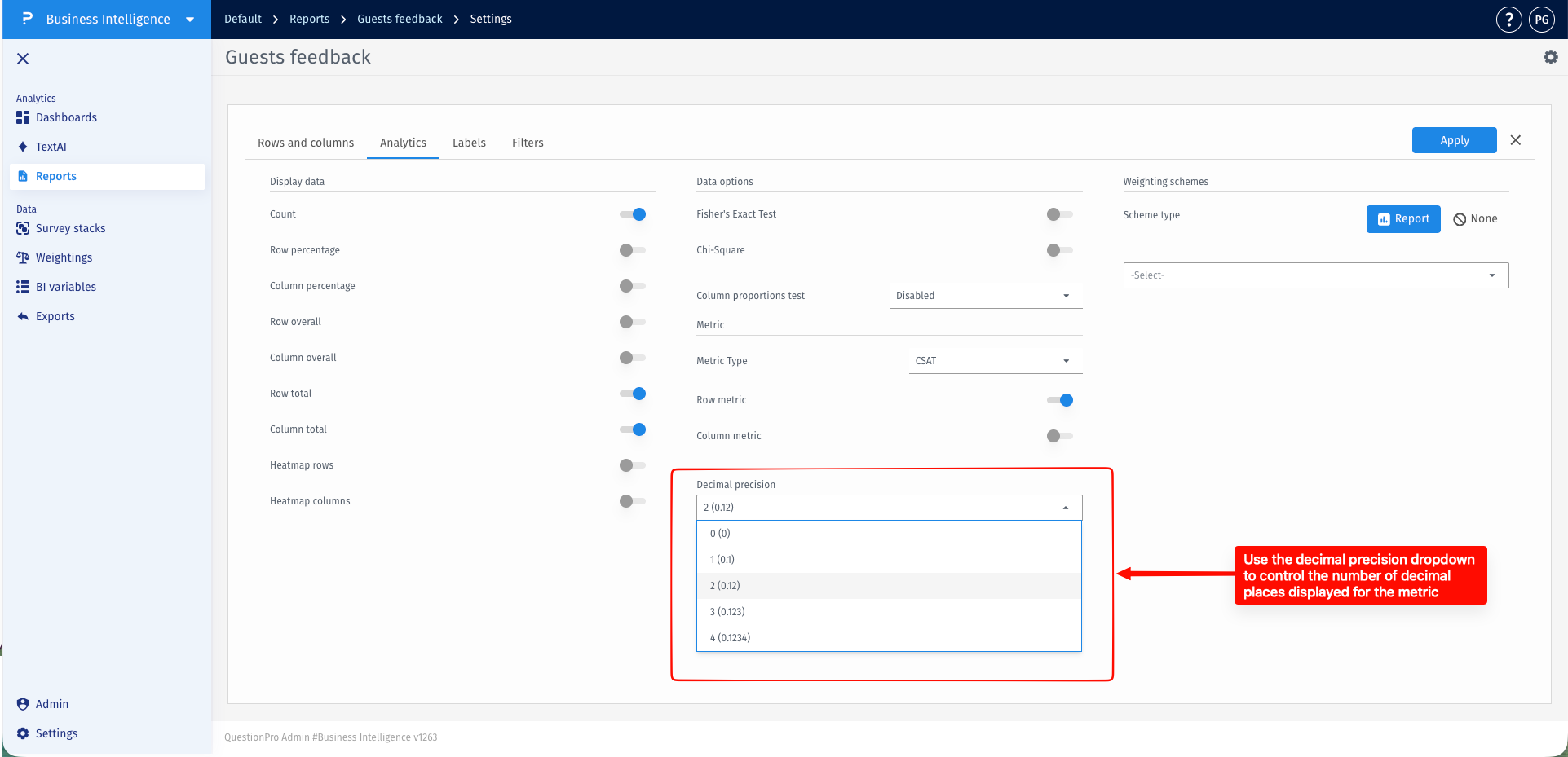
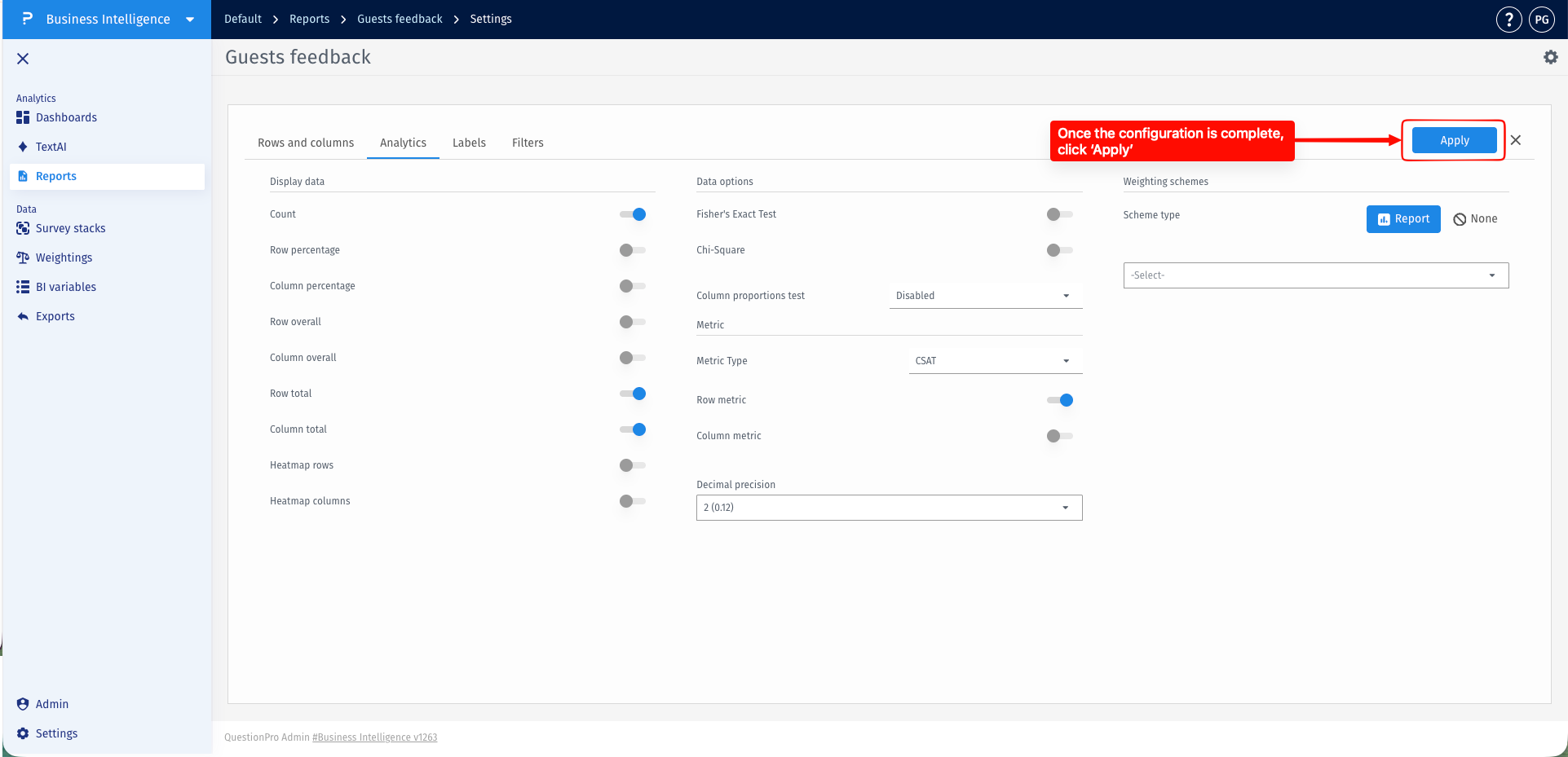
The selected metric will be calculated and displayed within the report.
Once a metric has been applied to the report, you can customize how response values are classified for metric calculations.
- Hover over the metric header within the report, and click the Edit icon that appears.
- Inside the metric configuration popup, assign each response option to the appropriate classification category.
- Click Save to apply the changes.
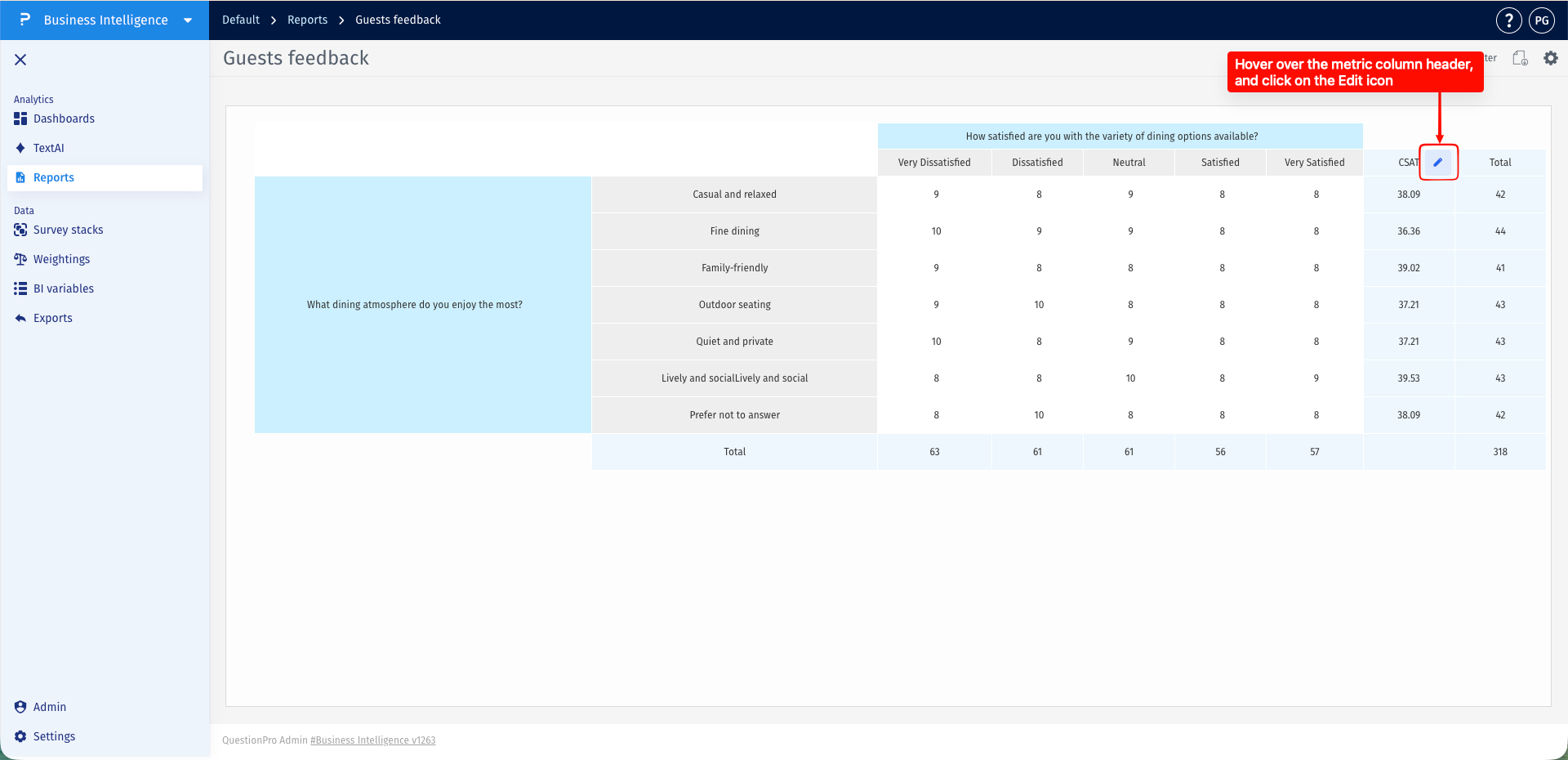
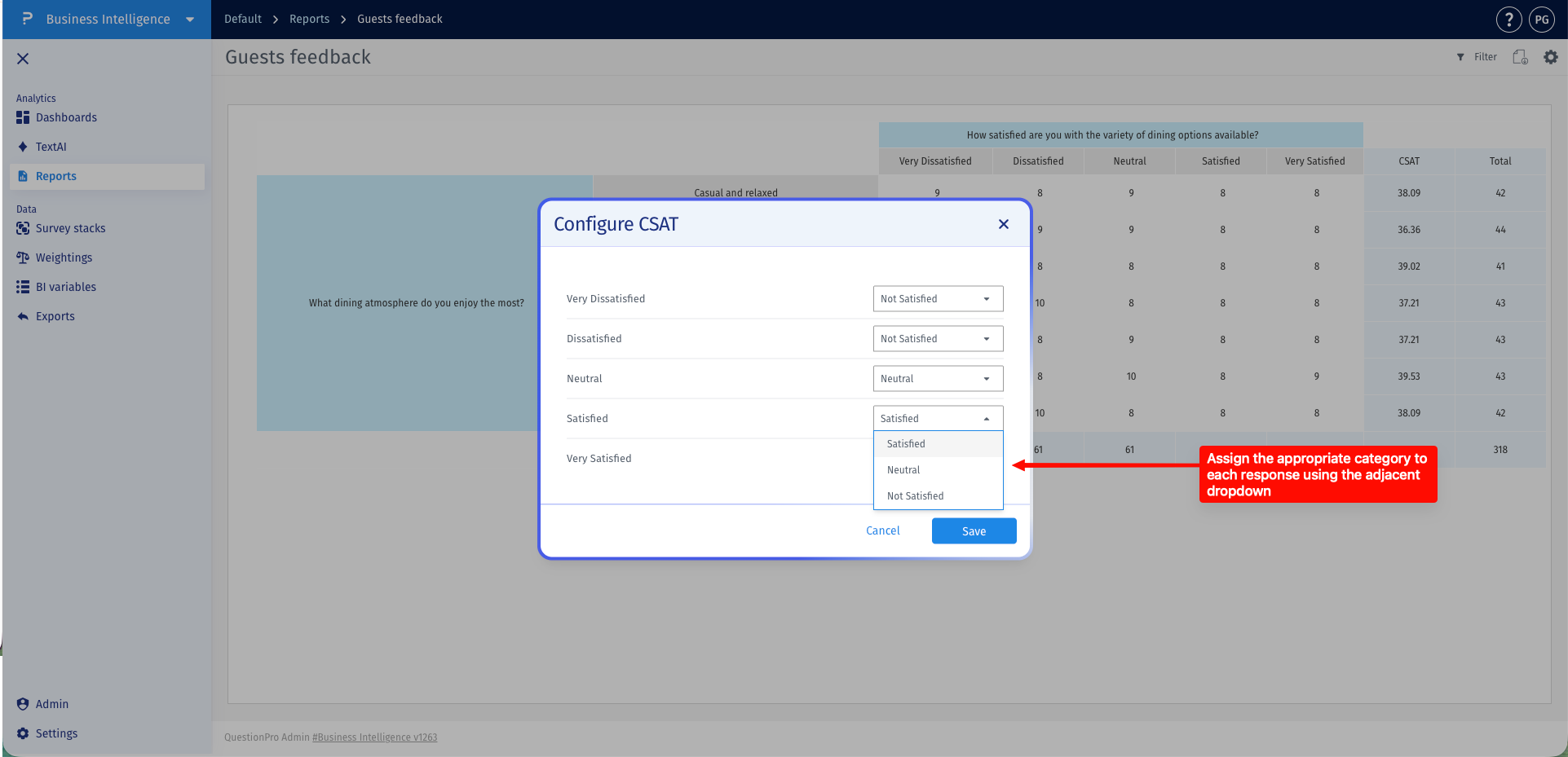
The report will automatically recalculate and update the metric using the new classifications.
This feature is available with the following licenses :
Team Edition Research Edition Communities Customer Experience Employee Experience University - Research Edition
