


Theme Stacked Bar Widget in TextAI
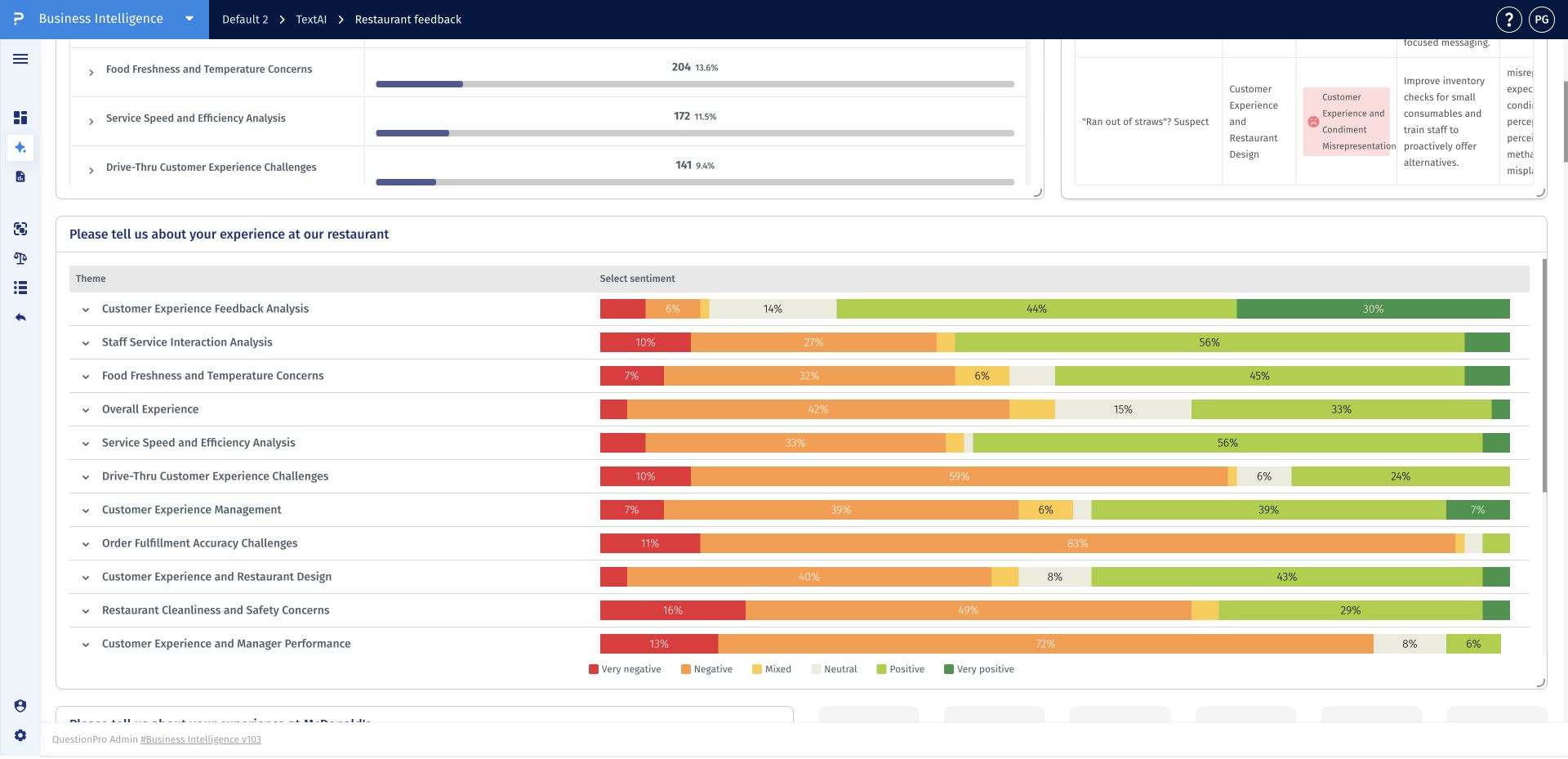
The Theme stacked bar widget displays the sentiment composition of each TextAI theme as a horizontal stacked bar. Color-coded bands show how feedback is distributed from very negative through very positive, making it easy to spot themes that are favorable, critical, mixed, or polarized.
Use the widget to compare sentiment composition from one theme to another. The bar lengths and color proportions highlight themes with concentrated negative feedback, balanced reactions, or strong positive sentiment.
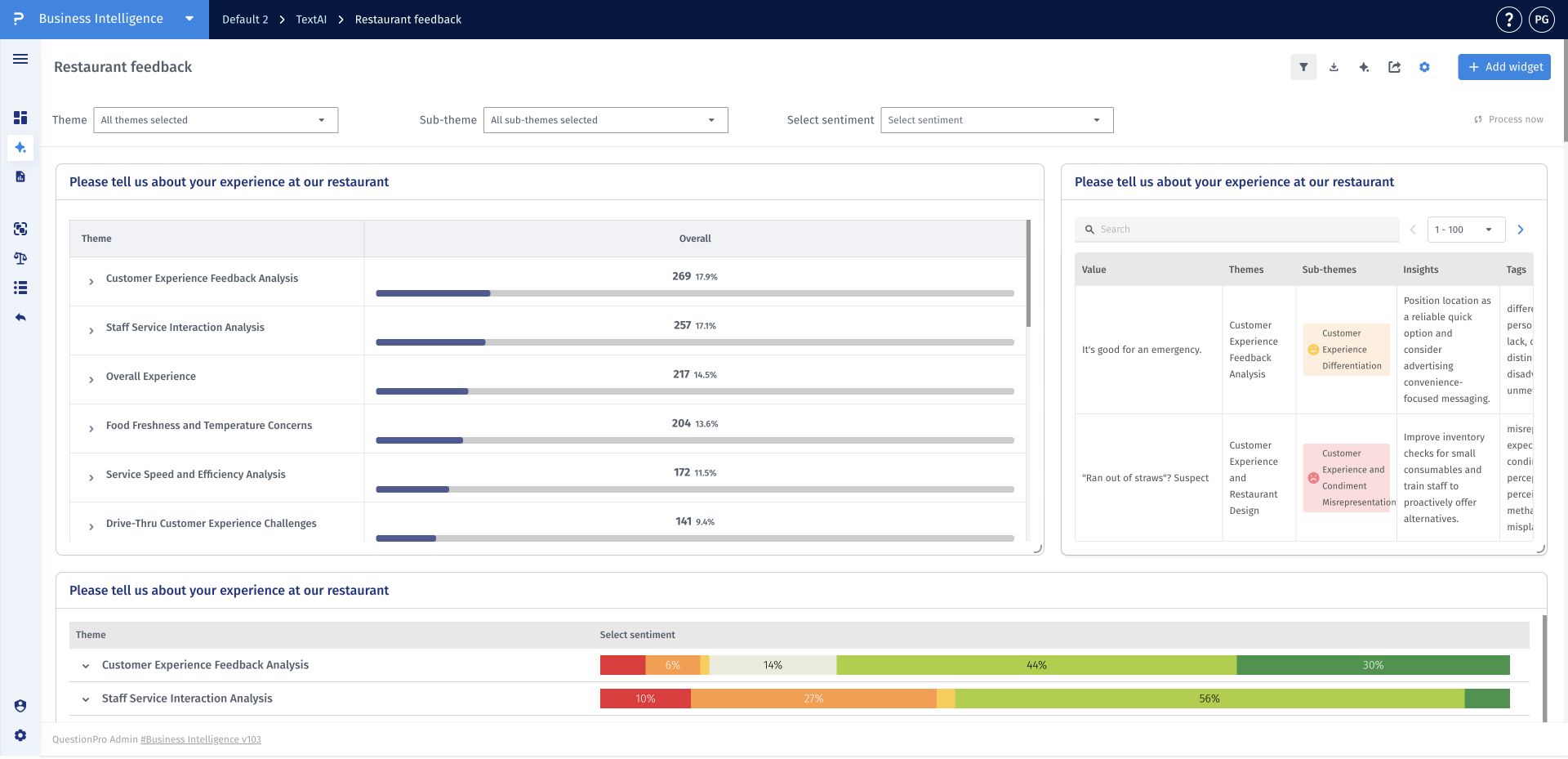
- Step 1: Open a TextAI dashboard and click Add widget.
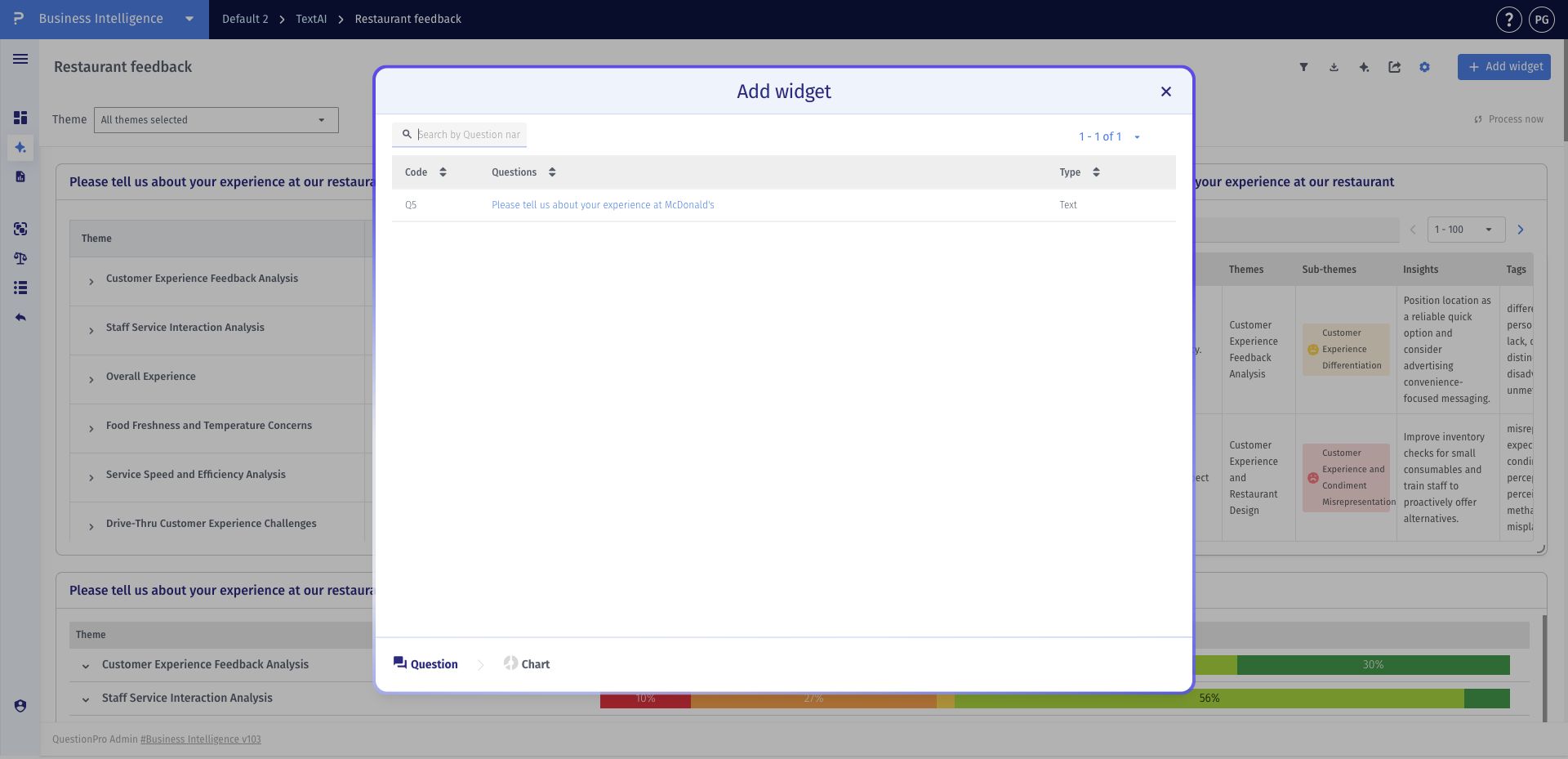
- Step 2: Select the open-ended question you want to visualize.
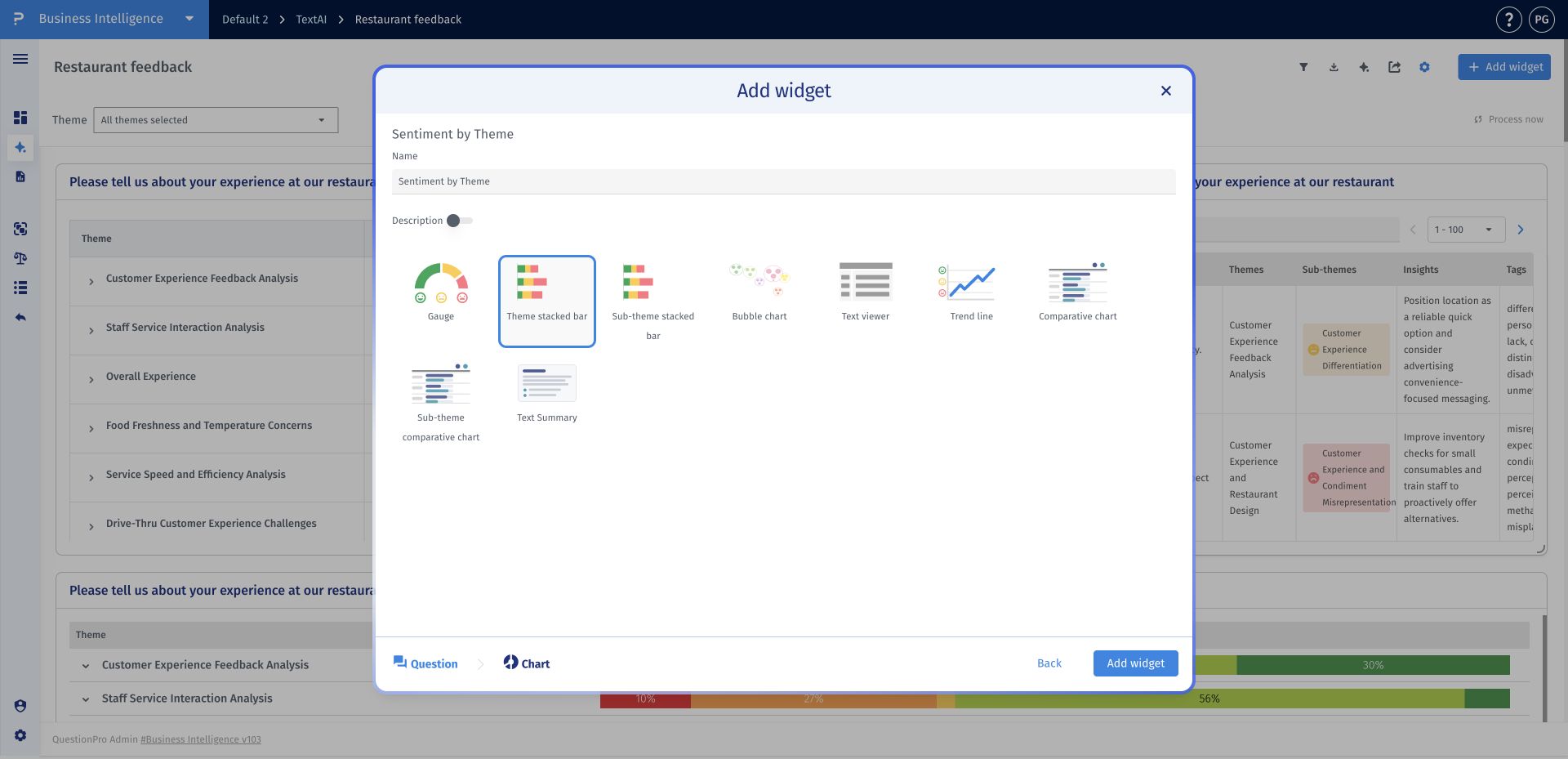
- Step 3: Choose Theme stacked bar, enter a clear widget name, and click Add widget.
- Step 4: Use the legend, percentages, and color proportions to compare sentiment concentration across themes.
How do I see the responses behind a theme's sentiment?
Click a populated colored sentiment segment in the theme's bar to open the matching responses. This lets you review the original feedback for that theme and sentiment combination.
What do the stacked colors represent?
Each colored segment represents a sentiment category within the theme. Use the legend to identify very negative, negative, mixed, neutral, positive, and very positive sentiment.
Can one response contribute to more than one theme?
Yes. A comment can discuss several topics and be assigned to several themes or sub-themes. Theme-level totals therefore do not necessarily represent separate, mutually exclusive sets of respondents.
When should I use a sub-theme chart instead?
Use Theme stacked bar for the broad sentiment picture across themes. Use Sub-theme stacked bar when you need to compare the specific issues within those themes, and inspect the matching responses to understand the detail.
This feature is available with the following licenses :
Research Edition Communities Customer Experience Employee Experience University - Research Edition
