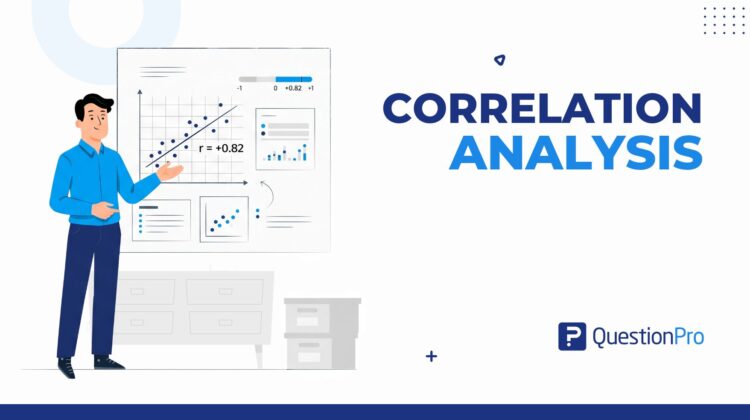
Correlation analysis is a statistical method that shows how strongly two variables move together and in which direction. A survey team might use it to check whether faster support replies go with higher satisfaction scores. The answer comes back as one number between -1 and +1.
That number is quick to calculate and easy to misread. In this guide, we’ll explain the three main methods, work through examples with real numbers, and show how to run the analysis inside QuestionPro.
What is correlation analysis?
Correlation analysis is a statistical method that measures the strength and direction of the relationship between two variables. The result is a correlation coefficient, usually written as r, that ranges from -1 to +1.
A variable is any characteristic that changes from one respondent to the next, such as age, tenure, or a satisfaction rating. Analysis of a single variable is called univariate, and it describes that variable with a mean or a spread. Correlation is bivariate, which means it always compares two variables at a time.
The coefficient answers two questions. Do the variables move together, and how tightly? At +1, they rise together. When r is -1, one rises as the other falls. A value of 0 means no consistent linear pattern exists.
Body weight and daily calorie intake usually correlate strongly. Dog names and dog biscuit brands do not correlate at all. Researchers use correlation as a first screen, because it shows where to look before heavier modeling begins. It never explains why a pattern exists.
How is correlation different from causation, regression, and covariance?
Correlation shows that two variables move together. Causation, regression, and covariance each answer a different question, and mixing them up is the most common error in survey reporting.
| Term | Question it answers | Output | Survey example |
|---|---|---|---|
| Correlation | Do the two variables move together? | Coefficient from -1 to +1 | Reply time and satisfaction |
| Causation | Does a change in one variable produce a change in the other? | Needs an experiment or controlled design | Does cutting reply time raise satisfaction? |
| Regression | How much does the outcome change when the predictor changes? | An equation for prediction | Expected satisfaction at a 4-hour reply |
| Covariance | Do the variables vary together in raw units? | Unbounded number, hard to compare | Reply hours times rating points |
Covariance is the raw ingredient. Dividing it by both standard deviations (a standard deviation is the typical distance of values from the average) turns it into the unit-free coefficient you can compare across studies.
What are the types of correlation?
Correlation has a direction and a strength. Direction tells you how the variables move. Strength tells you how tightly they follow each other.
Direction: Positive, negative, or none
Our guide to the types of correlation also covers linear, nonlinear, and partial forms. For most survey work, three directions matter:
- Positive correlation: Both variables rise together, such as ad spend and website visits.
- Negative correlation: One rises while the other falls, such as price increases and unit sales.
- Zero correlation: No consistent pattern, such as shoe size and satisfaction score.
Strength: How to read the coefficient
Strength depends on how far r sits from zero. The bands below come from a widely cited review in Anesthesia & Analgesia, Correlation Coefficients: Appropriate Use and Interpretation. The authors call these cutoffs conventional and arbitrary, so read them alongside your research question.
| Absolute value of r | Interpretation |
|---|---|
| 0.00 to 0.10 | Negligible |
| 0.10 to 0.39 | Weak |
| 0.40 to 0.69 | Moderate |
| 0.70 to 0.89 | Strong |
| 0.90 to 1.00 | Very strong |
The sign tells you the direction. An r of -0.75 and an r of +0.75 are equally strong.
Which correlation method should you use?
Pearson, Spearman, and Kendall are the three standard methods. The right one depends on your data type and on how your values are shaped.
Pearson’s correlation coefficient (r)
Pearson’s r measures the linear relationship between two continuous variables. In plain terms, it asks how well a straight line describes the pattern. The formula divides the covariance of X and Y by the product of their standard deviations. Our correlation coefficient guide walks through the full calculation.
Pearson works well when:
- Both variables are numeric (interval or ratio scale).
- The scatter plot looks roughly like a straight band.
- No extreme outliers sit far from the rest of the data.
Spearman’s rank correlation (rho)
Spearman’s rho measures how well the ranks of two variables move together. It first converts each value to its rank, then correlates the ranks. That makes it sensitive to any steady upward or downward trend, not only straight lines. It also resists outliers, because an extreme value only counts as the highest or lowest rank.
Use it for Likert scales, ordinal rankings, and skewed numeric data. Most satisfaction and agreement questions in surveys fall into one of those groups.
Kendall’s tau
Kendall’s tau compares every pair of respondents and counts how many pairs agree on the order and how many disagree. Its value is the share of agreeing pairs minus the share of disagreeing pairs.
- Best for: Small samples and data with many tied ranks.
- Typical result: Smaller in size than Spearman on the same data, so do not compare the two values directly.
- Trade-off: Slower to compute by hand and less common in business reports.
Decision guide: Matching method to data
Start with the scale of your two variables, then check the shape of the data. The table below summarizes the choice. For tests beyond correlation, see our guide to choosing the right statistical test.
| Your data | Method | Reason |
|---|---|---|
| Two numeric variables, straight-line pattern, no outliers | Pearson | Uses the actual values and has the most statistical power |
| Likert or ranked answers | Spearman | Works on order, not on exact distances |
| Numeric data with outliers or heavy skew | Spearman | Ranks limit the pull of extreme values |
| Small sample with many ties | Kendall | Handles tied ranks cleanly |
| Categories with no order, such as region | None of the above | Use chi-square or Cramér’s V instead |
Step-by-step guide to running correlation analysis
A reliable correlation analysis follows eight steps, from a written question to a plain-language finding. Skipping the early steps causes most of the errors covered later in this guide.
- Write the question.
State it as “Do X and Y move together?” Faster replies and higher satisfaction are a good example.
- Choose the two variables.
Confirm both come from the same respondents.
- Clean the data.
Remove duplicates, flag straight-line answers, and decide how to treat missing responses. Our survey data analysis guide covers this stage.
- Draw a scatter diagram.
Plot one variable on each axis and look at the shape before calculating anything.
- Pick the method.
Use the decision guide above.
- Calculate r (or rho) and the p-value.
The p-value shows how likely a pattern this strong is if no real relationship exists.
- Test the outliers.
Run the analysis with and without the extreme points and compare.
- Report it plainly.
Give the coefficient, the sample size, the p-value, and one sentence of meaning.
How do you run correlation analysis in QuestionPro?
QuestionPro calculates Pearson’s r and Spearman’s rho inside Survey Analytics, so you can analyze responses without exporting them. The correlation analysis feature needs numeric or ordinal questions, such as rating scales, agreement scales, or number inputs.
- Open My Surveys and pick the survey.
- Go to Analytics and choose Correlation Analysis. The report opens with a 2 by 2 matrix for the first two questions.
- Select other questions under Rows and Columns, or select all.
- Click Recalculate Correlation Coefficient to refresh the report.
- Turn on inverse correlation to highlight negative relationships.
QuestionPro shades matrix cells in green for positive and red for negative relationships, with darker shades for larger values. Treat the colors as a visual cue and read the number itself using the strength table above. With every question in one matrix, you can scan dozens of pairs at once on QuestionPro’s survey software.
What does correlation analysis look like in practice?
Three short examples show how the same method behaves with different data. All three datasets are illustrative, built to demonstrate the calculations rather than to report market findings.
Customer experience: Reply time and satisfaction
A support team records 12 tickets. Reply times run from 1 to 24 hours, and satisfaction scores (1 to 10) fall from 9 to 3. The three methods give these results:
- Pearson’s r: -0.92
- Spearman’s rho: -0.99
- Kendall’s tau: -0.95
All three show a very strong negative relationship. Spearman is higher because satisfaction drops quickly in the first few hours and then levels off. That curve is steady but not straight, which rank-based methods handle better.
Employee experience: Tenure and engagement
An HR team surveys 10 employees, comparing years of tenure with an engagement rating from 1 to 5.
- Pearson’s r: -0.60, with p = 0.064.
- Spearman’s rho: -0.67, with p = 0.036.
- Reading: Moderate negative relationship, but only the rank-based result clears the usual 0.05 threshold.
- Lesson: With only 10 people, the choice of method can change the conclusion. Collect more responses before acting.
Why one outlier can fool Pearson
An outlier is a value far from all the others. Take 10 respondents with no real pattern, then add one extreme case. The table shows what happens.
| Dataset | Pearson r | Spearman rho |
|---|---|---|
| 10 respondents, no pattern | -0.02 | -0.03 |
| Same 10 plus one extreme respondent | 0.94 | 0.23 |
One person turned “no relationship” into a “very strong” Pearson result. Spearman barely moved. This is why step 7 above is not optional.
How do you interpret and report correlation results?
Judge a coefficient on two things: its size and its statistical significance. Size tells you how much the variables move together. Significance tells you whether the pattern is probably real or probably chance.
The p-value tests whether the true correlation is zero. It says nothing about strength. With a large sample, even a tiny r can look significant, as the Anesthesia & Analgesia review notes. The smallest r that reaches p below 0.05 (two-tailed) shrinks as the sample grows:
- 10 respondents: About 0.63
- 30 respondents: About 0.36
- 100 respondents: About 0.20
- 400 respondents: About 0.10
Also report a confidence interval, which is the range of plausible true values. The same review shows an interval of 0.03 to 0.70 that supports no firm conclusion about strength. Finally, square the coefficient to get r squared. An r of 0.60 means the two variables share about 36% of their variation.
What mistakes should you avoid in correlation analysis?
Most correlation errors come from how people read the result, not from how they calculate it. These six account for the majority of bad findings.
- Treating correlation as causation.
Ice cream sales and drownings rise together because summer heat drives both. A US example is the spurious correlations collection, where margarine consumption tracks the divorce rate in Maine.
- Skipping the scatter plot.
A U-shaped pattern can produce an r near zero even when the link is strong.
- Letting outliers decide.
One extreme respondent can create or erase a relationship.
- Restricting the range.
Correlating only your highest scorers hides patterns that appear across the full population.
- Testing every pair.
A 20-question survey has 190 pairs. At a 0.05 threshold, expect about 9 or 10 false positives by chance alone.
- Using Pearson on ordinal data without checking.
Likert scales usually call for Spearman.
When should you move beyond correlation analysis?
Move on when you need to predict an outcome, rank competing drivers, or prove cause. Correlation is the screening step that tells you which of those follow-up analyses deserve your time.
Match the next step to the question you still have:
- Need a forecast: Use regression analysis. It fits a line with the least squares method, which minimizes the squared vertical distance to every point.
- Need to rank drivers of a score such as satisfaction: Use key driver analysis.
- Need proof of cause: Run an experiment.
Segmentation is the other natural next move. Drill down means splitting the data by group, such as customer tier or region, to see whether the correlation holds in each one. Drill through means opening the individual responses behind a number. A coefficient that is strong overall but vanishes in your largest segment is a signal to dig, not to report.
Correlation analysis shows what moves together, not why
Correlation analysis is the fastest honest way to find out whether two survey measures are connected. It earns its place at the start of an analysis, where it narrows dozens of possible relationships to a handful worth testing.
Pick the method that fits your data, look at the scatter plot, report the sample size beside the coefficient, and test your outliers. Then treat the result as a lead for the next question, not as an answer to why.
Frequently Asked Questions (FAQs)
It depends on the size of the relationship you want to detect. About 30 responses can confirm only fairly strong correlations, above roughly 0.36. Around 100 responses can detect modest ones near 0.20. Plan for at least 100 when effects may be small.
Yes, but use Spearman’s rho rather than Pearson’s r. Likert answers are ordered categories, and the gaps between points are not guaranteed to be equal. Spearman works on rank order, so it respects what the scale actually measures and handles many tied answers well.
No. Pearson’s r only detects straight-line relationships. A U-shaped pattern, such as satisfaction that is high for very new and very long-tenured employees but low in between, can return an r near zero. Always plot the data first.
Not with Pearson or Spearman, because those need numbers or ranks. For two categorical variables, use a chi-square test or Cramér’s V. For one binary and one numeric variable, a point-biserial correlation is the standard option.
Excel’s CORREL function returns Pearson’s r only. For Spearman, rank both columns first, then apply CORREL to the ranks. Excel also does not provide a p-value by default, so a survey platform or statistics package saves steps.