Knowing how to conduct usability testing is one of the most valuable skills a product team can build. It tells you whether real users can actually use what you shipped, not whether they say they like it in a meeting. Products that skip this step ship with problems that are obvious to every user and invisible to every designer who built them.
The business case is hard to argue with. Forrester Research has found that every $1 invested in UX design can return up to $100. A separate Forrester Total Economic Impact study found that a continuous-testing program lifted revenue retention by 10.8% over three years. Even so, only about 55% of companies currently run any form of UX testing, which means nearly half ship blind.
In this article, we’ll explain what usability testing is and how it differs from adjacent methods. It also covers which type to use, how to plan and run sessions, what to ask, what it costs, and where AI genuinely helps in 2026.
What is usability testing?
Usability testing is a research method for evaluating a product, website, or interface by watching real users attempt tasks with it, rather than asking them to describe their opinions. The goal is behavior, not commentary.
A test session tracks three things.
- Where participants hesitate or pause
- Where they fail a task outright
- Where they succeed without any help
During a session, a participant works through a realistic task. A researcher observes, takes notes, and often records the screen and audio. This behavioral and verbal data surfaces problems that surveys and analytics alone cannot catch. People are often unreliable narrators of their own confusion. The core principle stays simple: participants are not testers, they are teachers.
How is usability testing different from user testing and A/B testing?
These terms get used interchangeably, but they answer different questions. Mixing them up leads teams to run the wrong study for the problem they actually have.
| Method | What it measures | Best used for |
|---|---|---|
| Usability testing | Whether users can complete tasks with a design, and where they struggle | Evaluating an interface before or after launch |
| User testing | Whether users want or need the product at all | Concept and demand validation, earlier in the process |
| A/B testing | Which of two live variants performs better on a metric | Optimizing an existing, already-usable design at scale |
| User acceptance testing (UAT) | Whether a build meets agreed business requirements | Confirming a feature works as specified before release |
Usability testing sits between the other three. It assumes the product idea is validated and the build is functional, then asks a narrower question: can someone actually use this without help?
Why does usability testing matter for product development?
Usability testing belongs at every stage of product development, not only at the end. The earlier a problem is caught, the cheaper it is to fix.
- Early problem detection.
Nielsen Norman Group’s own research notes that fixing a problem after launch can cost roughly a hundred times more than catching it during design.
- User-centered decisions.
Testing replaces internal assumptions with real behavior, which changes what gets built, not just how it looks.
- Competitive advantage.
McKinsey’s design research found that design-led companies outperformed the S&P 500 by 219% over ten years.
- Cost avoidance.
A single moderated study typically runs $5,000 to $15,000, and it routinely prevents far more than that in downstream engineering rework.
For a deeper look at the business case, QuestionPro’s benefits of usability testing guide covers the research behind each of these outcomes in more detail.
What are the main types of usability testing?
Choosing a method depends on your goals, timeline, and budget. Most teams end up combining more than one.
| Type | How it works | Best for |
|---|---|---|
| Moderated | A facilitator guides the participant live and asks follow-up questions | Early prototypes, ambiguous flows, rich qualitative insight |
| Unmoderated | Participants complete tasks alone through a testing platform | Validating a specific flow quickly, at scale |
| Remote | Conducted online, in the participant’s own environment | Geographic reach, more natural behavior |
| In-person | Conducted in a controlled setting like a usability lab | Physical products, complex or sensitive interactions |
| Qualitative | Focuses on why users behave as they do | Finding problems |
| Quantitative | Measures task success rate, error rate, and time on task | Benchmarking and tracking improvement over time |
Qualitative methods find the problems. Quantitative methods measure how severe they are. If you only have budget for one round, start moderated and qualitative. You’ll learn more per session than any other combination.
How to conduct usability testing in 4 steps
The underlying process is the same whether you run moderated or unmoderated, remote or in-person sessions. Skipping a step reduces the quality of everything downstream.
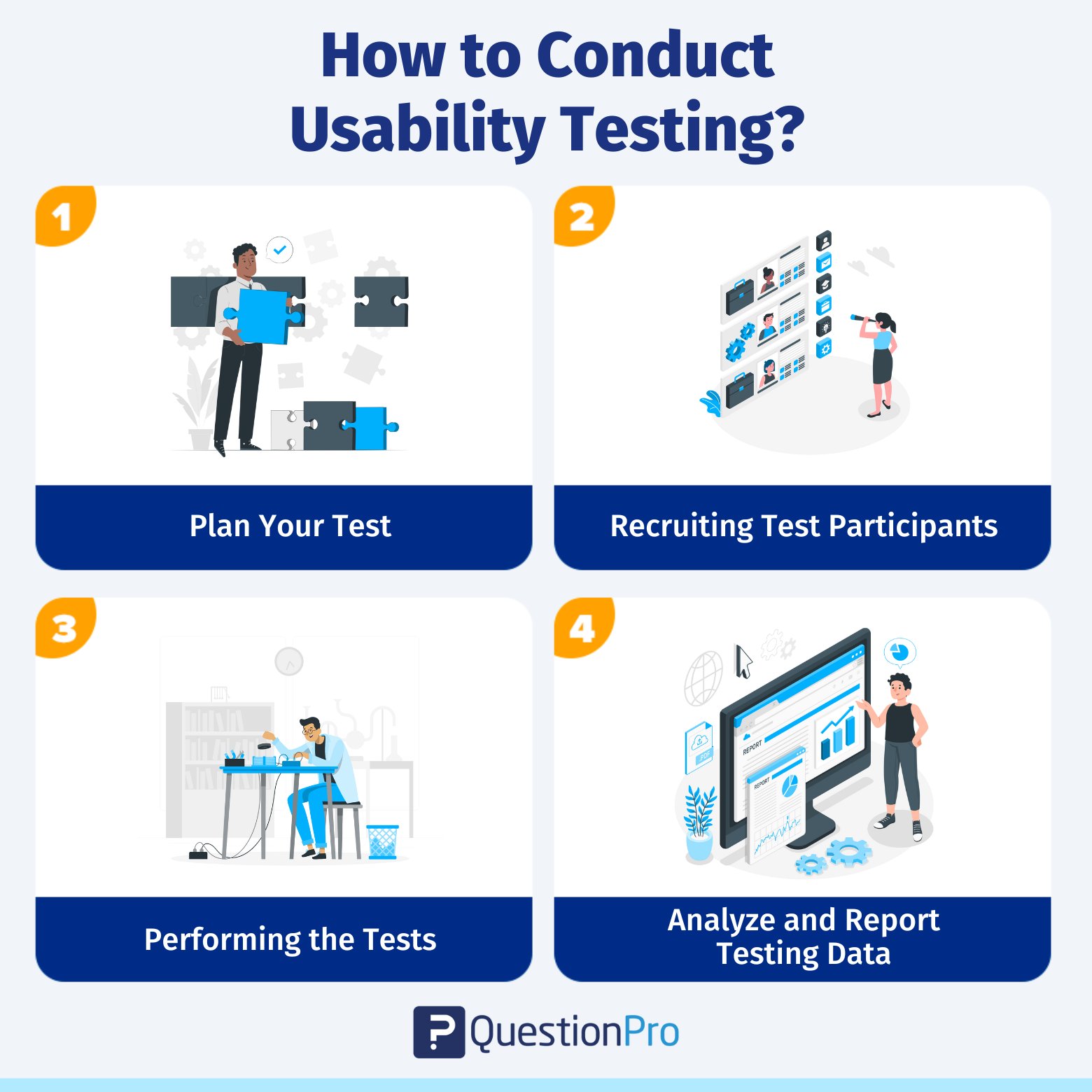
Step 1: Plan your usability test
Planning is the step most teams underinvest in, and it determines whether the session produces usable data or wasted time. Start with a one-sentence goal. “We want to know whether new users can complete account setup without help” is testable. “We want to improve the app” is not.
From there, write realistic tasks in the user’s language rather than internal product terms. A good task looks like this.
- Specific and phrased the way a real user would think about it
- Based on actual user behavior, not internal workflows
- Free of hints about how to complete it
- Measurable against one clear success state
For example, write “You’re looking for a blue running shoe in size 10; find one and add it to your cart” rather than “Use the filter.” Finally, write a script covering your intro and the exact task wording. Add a list of follow-up prompts so every participant gets the same setup. QuestionPro’s usability testing templates are a practical starting point for organizing this alongside your recruitment criteria and consent forms.
Step 2: Recruit the right participants
Testing with the wrong people produces confident, well-documented feedback that doesn’t represent your actual users. Match participants to your real audience by prior experience with similar products, technical proficiency, relevant demographics, and, for B2B tools, job function.
The most common question teams ask here is how many people they actually need. Nielsen Norman Group’s original research found that testing with 5 users in a qualitative study uncovers roughly 85% of usability problems. Each additional participant adds diminishing new insight beyond that point. The practical standard is 5 participants per distinct user type, so test 5 from each group if your product serves two clearly different audiences.
To find them, use existing customer lists filtered by segment, dedicated recruiting platforms, LinkedIn for B2B audiences, or a short screener survey. Screen candidates before scheduling. Give participants clear expectations on length: 45 to 60 minutes is typical for moderated sessions. Confirm attendance 24 to 48 hours ahead to cut no-shows. QuestionPro’s user research tools roundup compares recruiting platforms if you need to source participants outside your existing base.
Step 3: Run the usability test sessions
Your job as facilitator is to observe, not to help. Every nudge toward the right answer quietly reduces the value of the data.
Open every session the same way. Explain that you’re testing the product, not the participant. Confusion or frustration is exactly what you need to see. Introduce the think-aloud protocol before tasks begin. Ask participants to narrate what they’re looking at, what they expect, and why they make each decision.
While they work, watch for:
- Hesitation or backtracking
- Errors, and how participants recover from them
- Confusion about labels or navigation
- Tasks completed with no help at all
Track what participants do and what they say separately. The gap between the two is often the most useful finding. Record every session with consent, and close with a few open questions: What was most confusing? What did you expect that didn’t happen?
Step 4: Analyze and report your findings
Analysis turns raw sessions into decisions. The goal isn’t documenting every observation, it’s finding the patterns that matter. Organize recordings, notes, and completion data by participant and by task so patterns are easy to spot. One participant struggling with something is a data point; three or more is a finding.
Prioritize issues by:
- Severity: how badly it blocks task completion
- Frequency: how many participants hit it
- Impact: which user goals it affects most directly
For each prioritized issue, write what happened, why it matters, and a specific recommendation. “Rename the CTA (call-to-action) button” is actionable. “Improve checkout” is not. Use short session clips and annotated screenshots when presenting to stakeholders who didn’t watch the sessions. A 30-second clip of someone stuck on a label beats a paragraph describing it. Then feed findings back into the design cycle and test again. The teams that improve fastest run the most cycles, not the single biggest study.
What questions should you include in a usability testing survey?
A short post-session survey adds structured data to complement what you observed. It works best kept to 8 to 10 questions so participants stay honest through the end.
Task-specific: Did you complete this task? If not, what stopped you? On a scale of 1 to 5, how difficult was it?
Likert-scale: “The navigation was intuitive” (Strongly disagree to Strongly agree). “I found what I needed without difficulty.”
Satisfaction: How satisfied were you overall (1 to 5)? How likely are you to recommend this to a colleague (1 to 10)?
Open-ended: What was most frustrating? What would you keep? What would you change?
Balancing scaled questions with open-ended ones gives you numbers you can track over time and the context to explain them. QuestionPro’s survey software supports Likert scales, rating questions, and branching logic if you need to build this out beyond a simple form.
How much does usability testing cost?
Cost depends mainly on format and recruiting method, not on the tool brand you choose.
| Format | Typical cost (US) |
|---|---|
| In-house unmoderated, remote | $0 to $500 per round |
| Unmoderated, platform-recruited | $500 to $3,000 per round |
| Moderated, remote | $3,000 to $8,000 per round |
| In-person moderated | $5,000 to $15,000 per study |
Teams on a tight budget can start with QuestionPro’s free usability testing software comparison. It lists no-cost entry points worth trying before committing to a paid platform. Whatever the format, the real question for most teams isn’t whether testing is worth the spend. It’s which format matches the current stage of development.
How is AI changing usability testing in 2026?
AI has genuinely changed the slowest part of usability testing: synthesis. It hasn’t replaced the moderator, and treating it as if it has is a fast way to lose behavioral data.
AI note-takers and synthesis tools can transcribe sessions, cluster recurring themes, and draft a first-pass summary in minutes instead of hours. Observation itself is where AI still falls short. Nielsen Norman Group’s own testing of AI tools during moderated research found something specific. Current AI cannot reliably “watch” what a user is doing on screen. That kind of judgment call needs contextual awareness the models don’t have yet. Most teams land on a practical 2026 stack instead. It pairs AI for transcription and pattern-spotting after the session with a human moderator, or a well-scripted unmoderated task, during it.
What common usability testing mistakes should you avoid?
A handful of avoidable errors quietly waste most usability studies, regardless of budget.
- Leading participants. Rephrasing a confusing task instead of letting them struggle removes the exact data you’re testing for.
- Testing with the wrong users. Convenience-sampling coworkers or friends produces feedback that doesn’t generalize.
- Running one study and stopping. A finding from six months ago may not reflect how people use the current version.
- Treating survey scores as the whole picture. A high satisfaction score can coexist with a task nobody actually completed.
- Skipping the script. Improvising the intro or task wording between sessions makes results hard to compare.
How QuestionPro Research Suite supports usability testing
QuestionPro Research Suite handles the structured feedback layer of usability testing, the part that happens after or alongside the observed session. Researchers can build post-session surveys with Likert scales, rating questions, and open-ended fields. Responses come in real time instead of waiting for a testing round to close.
Two capabilities cover most usability programs.
- Research Suite for post-session surveys, cross-tabulation (comparing results across participant segments side by side), and sentiment analysis
- QuestionPro UX for the observed session itself: screen and audio recording, task-based studies, and access to a panel of testers
Running both together keeps the behavioral data and the survey data in one place. You avoid stitching together two disconnected tools.
The part of usability testing most teams get wrong
Knowing how to conduct usability testing is the easy part. The harder part is running it as a habit rather than a one-off project. User needs and product versions both keep moving after the study ends.
The teams that get the most value aren’t the ones who ran the most exhaustive single study. They’re the ones who test early, test often, and act on what they find before the next release goes out. Five participants, one clear round of tasks, honest observation: that’s enough to start, as long as you don’t stop after the first round.
Frequently asked questions
A single round typically takes one to two weeks. Budget a few days to write tasks and a script, several days to recruit and schedule 5 participants, and one to two days to run sessions and summarize findings.
Yes, and earlier is better. Low-fidelity or clickable prototypes surface navigation and labeling problems before any code is written, which is far cheaper to fix than after development or launch.
Most external participants expect an incentive, commonly $25 to $150 depending on session length and how specialized the audience is. Internal customers or community panel members sometimes participate for free or a small thank-you gift.
There’s no universal number, but MeasuringU’s analysis of over 1,100 usability tasks found an average completion rate of 78%. Treat a result below that as a signal worth investigating, and anything above 92% as a genuinely strong, well-optimized flow.
Test around any change that affects a core flow, such as a redesign, a new feature, or a shift in target users, rather than on a fixed calendar. Continuous smaller rounds catch more than one large annual study.