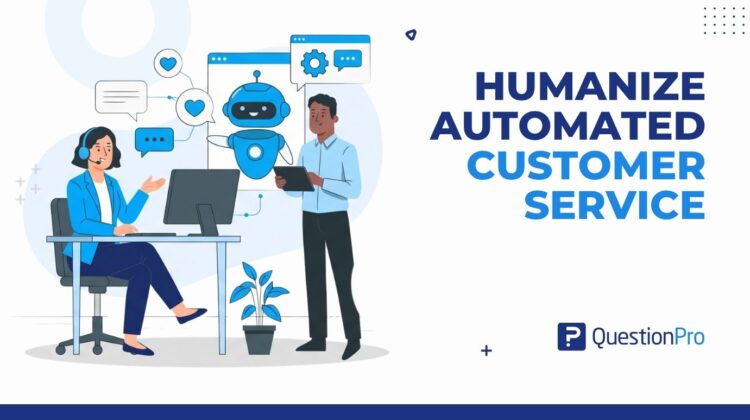
Automated customer service can answer a question in seconds, but speed alone rarely earns loyalty. Learning how to humanize automated customer service is what turns that fast reply into a relationship, especially now that chatbots and self-service tools handle the first response for most support requests.
Customers notice quickly when they are talking to a script instead of a system that understands them. An automated reply that misses tone, context, or history can close a ticket and still leave someone feeling unheard.
This article breaks down what humanizing automated customer service actually means, seven practical ways to add that human element, and how to measure whether your automation is helping or hurting the relationship.
What does it mean to humanize automated customer service?
Humanizing automated customer service means building bots, macros, and self-service flows that sound and respond like someone who actually understands the customer, not a system reciting a script.
This does not mean removing automation. It means layering context, tone, and empathy on top of it, so speed never comes at the cost of connection.
Most customer service automation exists to handle high-volume, repetitive requests: password resets, order status, simple FAQs. Humanizing it means the parts customers actually notice the wording, the timing, and the handoff to a person are built around how people expect to be treated, not just how fast a ticket can close.
Automated vs. human customer service: How to choose the right mix
Automated and human customer service are not competing for the same job. Each one handles a different kind of request well, and confusing the two is one of the fastest ways to frustrate a customer.
Automated service is built for volume: fast, consistent answers to questions that do not change much from customer to customer. Human service is built for judgment: reading tone, handling exceptions, and making calls a script cannot anticipate.
The table below breaks down when each approach tends to work best.
| Situation | Best handled by |
|---|---|
| Order status, tracking, password resets | Automation |
| Billing disputes or complex account issues | Human agent |
| FAQs and product information | Automation |
| Angry, confused, or repeat-contact customers | Human agent, with context passed from automation |
| After-hours or high-volume periods | Automation, with a clear path to a human |
| Sensitive situations (cancellations, complaints, refunds) | Human agent |
Mapping these moments against your customer journey map makes it easier to decide, in advance, where automation should hand off to a person instead of guessing in the moment.
Why the human element still matters in AI customer service
The human element still matters because customers notice, and still care, when nobody human seems to be behind an interaction they consider important.
AI customer service, meaning any use of automation, chatbots, or algorithms to manage support interactions, has become the default first line of contact for most companies. Wider adoption has not solved the trust problem, though. Forrester has found that 54% of US online consumers believe interacting with a chatbot will negatively affect their quality of life, largely because many bots still struggle with nuance and complex requests, according to Forrester’s own consumer research.
The pressure is also showing up in staffing decisions. Gartner projects that half of the companies that cut customer service jobs and credited the cuts to AI will rehire staff into similar roles by 2027, because automation alone still cannot replace the judgment, empathy, and escalation skills a difficult conversation requires, according to Gartner’s 2026 forecast.
None of this means automation is failing. It means the businesses getting the best results are the ones designing automation around what the customer expects, not just around cost savings. That shift is part of a broader move toward customer experience automation, where efficiency and trust are meant to grow together instead of trading off against each other.
How to humanize automated customer service: 7 Strategies that work
These seven strategies reflect what is already working across chatbots, macros, and live chat teams, adjusted for how customers actually expect automated support to feel today.
1. Understand the context before you automate
Context comes first. Automating a response before you understand the situation behind it almost always backfires.
Sentiment analysis tools, software that reads the emotional tone behind a customer’s message, can flag frustration, sarcasm, or urgency that a script would otherwise miss. These tools are not perfect, though, so sarcasm and mixed emotions still need a human check before a fully automated response goes out.
2. Add sentiment analysis with a clear escalation path
Detecting emotion only helps if it leads somewhere. Every automated flow needs a clear point where a frustrated or confused customer gets handed to a person, with the context already attached so they do not have to repeat themselves.
Skipping this step is one of the fastest ways to make automation feel like a wall instead of a doorway.
3. Hire and train for emotional intelligence
Automation can detect an emotion. Only a person with strong emotional intelligence, often shortened to EQ, can respond to it with real judgment.
Teams built around high EQ handle escalations calmly, de-escalate frustrated customers, and know when a policy needs to bend for the situation in front of them. Tools like an empathy map can help those teams practice seeing a situation from the customer’s point of view before they ever pick up a ticket.
4. Personalize responses with real customer data
Generic responses feel automated even when the words are technically correct. Pulling in order history, past conversations, or account details lets a bot or macro reference specifics instead of speaking in placeholders.
A response that names the order date or the exact product reads as personal. One that only says “your order” reads as generic, no matter how polite the wording is.
5. Replace the “us vs. them” mindset with a nurturing one
Service teams under pressure to hit efficiency targets can start treating automation as a way to process customers rather than help them, and that approach reads as cold no matter how fast it resolves a ticket.
A better model treats each interaction as one part of an ongoing relationship. That means listening at each stage instead of rushing every conversation toward the fastest possible close.
6. Blend AI with human review, not full autopilot
Automation left to run without any human review tends to drift, especially as products, policies, and customer expectations change over time.
Regular review of chat transcripts and automated replies catches tone problems, outdated information, and edge cases before they turn into a pattern of bad experiences.
7. Close the loop on feedback
Collecting feedback after a support interaction is common. Acting on it consistently is not, and that gap is where a lot of the human element quietly disappears.
When a customer sees that their feedback actually changed something, they bring more trust into every future interaction, automated or not.
Real-world examples of humanizing automated customer service
These examples show what humanizing automation looks like in everyday support, without depending on any single brand or tool.
- E-commerce return request.
A chatbot recognizes a customer asking about a return for the third time this month and automatically flags the account for a human agent, who opens the conversation already aware of the pattern.
- Airline delay notification.
Instead of a generic delay alert, the automated message references the specific flight, acknowledges the disruption, and offers a direct link to rebook or reach an agent.
- Subscription cancellation.
Rather than routing every cancellation through a scripted retention offer, the system detects genuine dissatisfaction through sentiment analysis and connects that customer directly to a person trained to solve the underlying problem, not just save the sale.
How to measure whether your automated service still feels human
Humanizing automation is not a one-time project, so it needs the same ongoing measurement as any other part of the customer experience.
The table below outlines the signals worth tracking over time, rather than judging automation by any single number in isolation.
| Metric | What it tells you |
|---|---|
| CSAT after an automated interaction | Whether the bot or macro resolved the issue to the customer’s satisfaction |
| Escalation rate | How often customers ask for a person after starting with automation |
| Sentiment trend in chat transcripts | Whether the same automated flow keeps generating frustration |
| NPS, split by automated vs. human-assisted journeys | Whether automation helps or hurts long-term loyalty |
| Customer effort score | How much work a customer had to do to get an answer |
Reviewing these signals alongside broader customer intelligence data makes it easier to see which automated flows need a redesign and which are already working as intended.
Common mistakes that make automation feel cold
Most automation does not fail because the technology is bad. It fails because of a handful of avoidable design choices.
- Automating a flow before mapping the emotional stakes of the situation it covers
- Giving customers no visible way to reach a person when the bot cannot help
- Reusing the same script tone for everything, from a simple question to a genuine complaint
- Treating survey and feedback data as a reporting exercise instead of an input for future changes
- Letting bots handle sensitive situations, like cancellations or complaints, with no human safety net
Most of these mistakes come down to the same root cause: the automation was built around a task instead of the customer empathy it was supposed to support.
How QuestionPro helps you humanize the automated customer experience
Humanizing automation depends on knowing, in detail, where it helps and where it gets in the way, and that requires listening to customers at scale.
QuestionPro Customer Experience gives teams a few things most automation projects skip.
| Capability | Why it matters for automation |
|---|---|
| Sentiment and CSAT tracking by channel | Shows exactly where automated interactions lose customers |
| Journey-level views of bot-to-human handoffs | Shows whether the handoff actually worked, not just that it happened |
| Feedback loops tied to specific changes | Turns a low score into an action instead of a static report |
That visibility is what makes it possible to keep automation efficient and still recognizably human, through a customer experience management platform built for exactly that kind of tracking.
Automation and empathy, working together
Humanizing automated customer service is not about choosing between speed and warmth. It is about building automation that a reasonable person would recognize as fair, and giving people the training and authority to step in exactly when automation reaches its limit.
That balance takes ongoing attention, not a one-time fix. Teams that keep listening, keep adjusting scripts, and keep a visible path to a person are the ones that keep the trust automation alone cannot earn by itself.
Frequently Asked Questions (FAQs)
No. Humanizing automation means adjusting tone, timing, and handoffs so customers feel understood, not replacing bots and self-service tools with people for every interaction. Most companies keep automation for high-volume requests and add human judgment only where it changes the outcome.
Costs vary widely based on existing tools. Adding sentiment analysis or escalation logic to an existing chatbot platform often costs less than a full replacement, while building a dedicated customer feedback and journey mapping practice around it usually needs a separate subscription or platform investment.
US customers tend to expect fast initial response times but remain quick to escalate complaints publicly on social media if a bot mishandles a sensitive issue. That combination makes a visible, easy path to a human agent especially important for US-based support teams.
A chatbot typically handles scripted, rule-based conversations for a narrow set of tasks. A virtual assistant usually draws on broader account data and past interactions to handle a wider range of requests with more context, though the terms are often used interchangeably in practice.
Most support teams benefit from reviewing automated flows quarterly or immediately after a product change, policy update, or spike in escalations. Regular review catches outdated information and tone problems before they affect a large number of customers.