



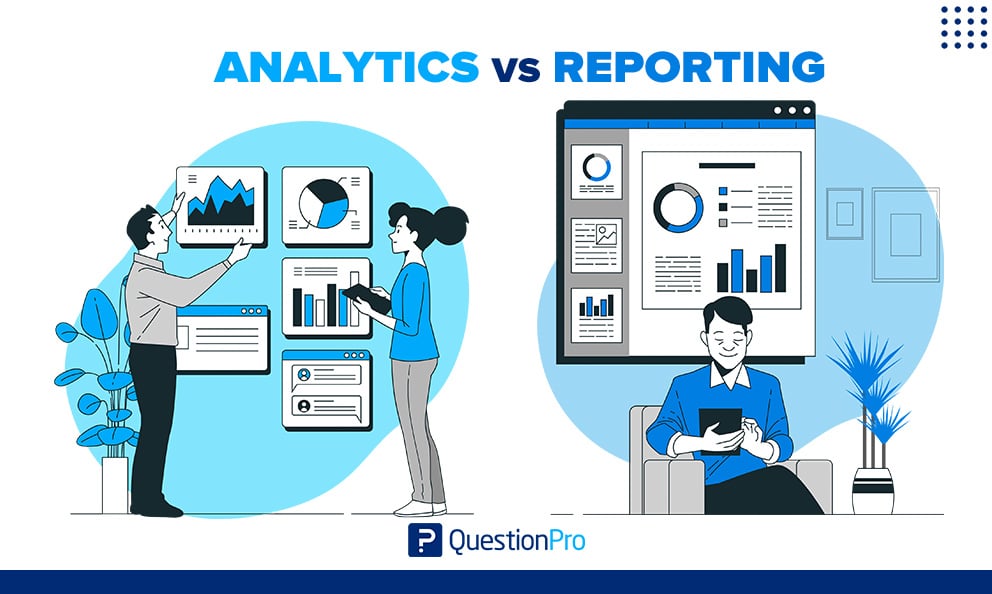
Analytics vs reporting is a distinction most teams blur. Reporting organizes data to show what happened. Analytics examines that data to explain why it happened and what to do next.
The mix-up costs real time. Teams ask a dashboard to settle a question that needs investigation, or they pull analysts into building weekly summaries. Both choices slow decisions and frustrate the people involved.
In this blog, we’ll define both terms, compare them side by side, and show how to choose between them for your own data.
What is reporting?
Reporting is the process of collecting data from one or more sources and presenting it in an organized, standard format. It answers one question: what happened?
A report might be a monthly revenue summary, a weekly campaign scorecard, or a dashboard, which is a single screen of live charts and key figures. The format stays consistent so readers can compare one period with the next.
Reporting has four defining traits:
- Structured: The layout, metrics, and definitions stay the same each cycle.
- Historical: It summarizes events that already occurred.
- Scheduled: It arrives daily, weekly, monthly, or quarterly.
- Broad: It serves managers and whole teams, not only data specialists.
Compliance filings are a clear US example. Domestic public companies must submit a Form 10-Q with unaudited financial statements for each of the first three fiscal quarters. Nobody asks that filing to explain anything. It states the numbers in a required shape.
What is analytics?
Analytics is the practice of examining data to find patterns, explain causes, and recommend or predict what to do next. It answers the questions that reporting raises: why did it happen, and what should we do about it?
Analysts start with a question, not a template. They test a hypothesis, split the data into segments, compare groups, and check whether a pattern holds up. The output is a finding with a recommendation, not a fixed table.
Modern analytics also uses machine learning, which is software that learns patterns from data, to scan large datasets and flag trends people would miss. The goal stays the same. A good analysis ends in actionable insights, meaning a conclusion a team can act on with a named owner and a date.
Analytics is also less predictable than reporting. A report has a known shape. An analysis might confirm a hunch, overturn it, or show that the original question was wrong.
Analytics vs reporting: Key differences
The core difference is purpose. Reporting turns data into information, while analytics turns information into insight. The table below compares the two across eight points.
| Aspect | Reporting | Analytics |
|---|---|---|
| Core question | What happened? | Why did it happen, and what next? |
| Purpose | Inform and create accountability | Explain, predict, and recommend |
| Approach | Delivers a fixed set of figures | Starts with a question and digs for the answer |
| Time focus | Past and present | Past, present, and future |
| Output | Dashboards, tables, scheduled summaries | Findings, models, forecasts, recommendations |
| Cadence | Routine and scheduled | Ad hoc or continuous |
| Typical users | Managers, executives, whole teams | Analysts, researchers, strategists |
| Skills | Data literacy and clear presentation | Statistics, domain knowledge, critical thinking |
Reporting is one stage of the analytics workflow, not its rival. You can report without analyzing, but you cannot analyze well without trustworthy reports.
How do analytics and reporting work together?
They work as a loop. Reporting surfaces a signal, analytics explains it, and reporting then tracks whether the response worked.
- Report: A weekly dashboard shows that customer complaints rose.
- Question: A manager asks why, and which customers are affected.
- Analyze: An analyst splits complaints by product, region, and channel, then finds the cause.
- Decide: The team picks a fix and names an owner.
- Report again: The same dashboard now tracks complaints against a target.
Skip step one and analysts waste weeks questioning numbers nobody trusts. Skip step three and the team reacts to symptoms instead of causes.
Analytics vs analysis vs business intelligence: Which term means what?
People swap these terms constantly, but each describes something different. Analysis is a task, analytics is a discipline, and business intelligence is a delivery layer.
| Term | Definition | How it relates to reporting |
|---|---|---|
| Reporting | Presents data in a fixed, repeatable format | The base layer the others build on |
| Data analysis | Cleans and examines one dataset to explain what it shows | The hands-on step that follows a report |
| Data analytics | The wider discipline of collecting, modeling, and applying data to guide decisions | Includes reporting and analysis as stages |
| Business intelligence (BI) | Tools and processes that deliver dashboards and scorecards across a company | Mostly reporting, with some self-serve exploration |
| Data storytelling | Shaping findings into a narrative for a specific audience | Sits on top of both |
Our guide to data analytics vs data analysis covers the analysis side in more detail.
What are the types of reports?
Reports fall into three common types based on who reads them and how often. Each type answers a different level of question.
- Operational reports: Daily or weekly figures for frontline teams, such as ticket volume, orders shipped, or inventory levels.
- Tactical reports: Monthly department views for managers, such as campaign performance or budget against plan.
- Strategic reports: Quarterly or annual views for executives, such as progress against company goals or year-over-year growth.
Most companies need all three, tied together by shared metric definitions. If sales counts a customer one way and finance counts another, every report disagrees.
What are the four types of analytics?
Analytics comes in four types that build on each other. Each type answers a harder question than the last.
| Type | Question it answers | Example |
|---|---|---|
| Descriptive | What happened? | Revenue fell last quarter |
| Diagnostic | Why did it happen? | The drop came from one region after a price change |
| Predictive | What is likely to happen next? | Forecasting next quarter’s churn from past behavior |
| Prescriptive | What should we do? | Recommending a targeted offer for the at-risk segment |
Descriptive analytics overlaps heavily with reporting, which is why the two get confused. Someone crosses the line by asking why. Predictive models also give probabilities, not guarantees, so every forecast needs stated assumptions.
Analytics vs reporting examples
Examples make the split concrete. Each one below shows the same situation twice, first as reporting and then as analytics.
Example 1: A revenue drop
A US retailer sees revenue slip in one quarter.
| Aspects | Reporting | Analytics |
|---|---|---|
| What it does | Shows revenue down against last quarter | Splits sales by region, channel, and product |
| Answer | The number and the trend | The drop traces to one channel after a pricing change |
| Next step | Share the figure with leadership | Test a price rollback in that channel |
Example 2: Rising cancellations
A subscription company’s monthly report shows cancellations climbing. That is reporting. An analyst then compares customers who cancelled with customers who stayed. The analysis finds that most cancellations come from people who never finished onboarding. The team redesigns onboarding, and the monthly report tracks whether cancellations fall.
Example 3: Customer survey results
- Reporting: The survey dashboard shows satisfaction by quarter and response counts by segment.
- Analytics: Cross-tabulation, which compares results across groups, plus driver analysis, which finds the factors that move a score most, show which issues pull satisfaction down and for whom.
Teams that run studies in research software can move from the first bullet to the second without exporting data.
When should you use reporting vs analytics?
Choose by the question you need answered, not by which term sounds more advanced. Ask three questions in order.
- Do you already know which metric matters?
If yes, build a report to track it. If no, start with analytics to find out. A key performance indicator (KPI) is a metric tied directly to a goal, and reports are the best way to watch known KPIs. - Is the situation stable or changing?
Stable processes suit routine reports. Sudden shifts call for diagnostic analysis. - Do you need to describe the past or decide the future?
Reports document. Analytics informs choices.
A simple rule works for most teams. Use reporting to monitor known KPIs on a schedule, and use analytics when a number surprises you or a decision carries real cost.
How do you measure whether reporting and analytics are working?
Measure reporting on reliability and analytics on decisions. A report succeeds when people trust and use it. An analysis succeeds when it changes what a team does.
Reporting health checks
- Accuracy: Every figure reconciles to one source, and discrepancies are explained before distribution.
- Timeliness: Each report arrives on the same day every cycle, with automation for anything produced more than monthly.
- Usage: Retire any report that recipients have not opened for two consecutive quarters.
- Clarity: A new reader can state the main takeaway in under one minute.
Analytics health checks
- Decision link: Each analysis ends with one recommendation, a named owner, and a review date within 90 days.
- Follow-through: Track the share of recommendations acted on, and the result of each.
- Time mix: Compare analyst hours spent on repeat reporting against new questions, then automate recurring requests.
- Confidence: Every forecast states its assumptions and a margin of error.
Common mistakes when comparing analytics and reporting
Most problems come from treating the two as interchangeable or as competitors. These five mistakes show up again and again.
- Calling a dashboard analysis.
A dashboard that refreshes automatically is still reporting. Filters help readers explore, but without a question and a conclusion, it remains a view of the data. - Analyzing before the numbers are trustworthy.
If two reports disagree on one metric, any analysis built on them inherits the conflict. Building one shared reporting dataset that combines survey and external data removes much of that friction. - Treating a prediction as a fact.
Forecasts are probabilities. State the range and the assumptions every time. - Letting findings disappear.
A strong analysis saved in a personal folder helps one person once. Publish findings to a searchable research repository so the next team does not repeat the work. - Buying or hiring for the wrong need.
A team that needs recurring reports does not need a data scientist. A team that needs forecasts cannot rely on scheduled exports.
How QuestionPro BI turns survey data into reports and analysis
QuestionPro BI is a business intelligence tool built into the QuestionPro platform that turns survey data into interactive dashboards. It sits inside the reporting and analytics loop because one workspace handles both the standard view and the deeper investigation.
- Baseline dashboards: Generated from survey responses with smart defaults for each question type.
- AI-assisted text insights: Dashboards built on the QuestionPro AI engine include written insights alongside the charts.
- Cross-survey analysis: Combine data from several surveys to track trends over time or compare audiences.
- Role-based sharing: Give each stakeholder the view they need without building separate reports.
Teams that collect feedback with survey software can report on it and investigate it in one place. They no longer need to enter the same data into a separate BI tool.
Why the distinction pays off
Teams that separate reporting from analytics ask better questions. They use reports to stay informed and analysis to stay curious.
The practical test is simple. If the output is a fixed view of known numbers, it is reporting. If it starts with a question and ends with a recommendation, it is analytics.
Build the first so everyone trusts the facts. Then invest in the second so those facts lead somewhere.
Frequently Asked Questions (FAQs)
It works mostly as a reporting tool by default, because standard views summarize traffic and conversions. It becomes analytical when someone segments audiences, compares groups, or builds explorations to explain a change. The tool matters less than how people use it.
Rarely. Analytics needs consistent, trusted numbers to start from, and reports supply them. A team can run a one-off study without a formal report. Ongoing analytics needs a stable reporting layer that shows which changes deserve investigation.
Analytics teams need statistics, hypothesis testing, and enough domain knowledge to judge whether a pattern makes business sense. Reporting teams lean on data literacy, accuracy checks, and clear visual design. Strong analysts also need to persuade stakeholders to act.
AI automates report assembly, flags anomalies, and drafts summaries, which shrinks routine reporting work. It does not choose which question matters, confirm that the data is trustworthy, or own the decision. Those responsibilities stay with people.
Start with reporting. Pick three to five trusted metrics and review them on a fixed schedule. Add analysis when a number moves unexpectedly or a costly decision approaches. Avoid buying advanced tools before the basic reports are accurate and actually used.



