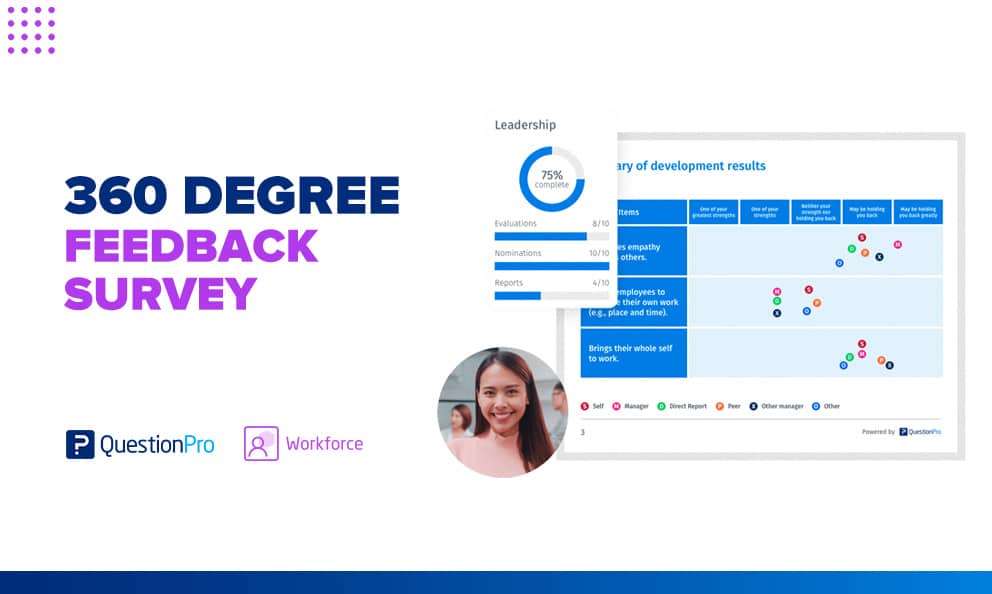
A 360-degree survey collects confidential feedback about one person from the people who work around them. Managers, peers, direct reports, and sometimes customers answer the same questions, and the person answers too.
Done well, it shows leaders how their behavior lands, not just how they intend it to land. Done badly, it produces a vague report and a lot of worry.
In this blog, we’ll cover who should answer, how to write the questions, how to protect anonymity, and how to turn results into a development plan.
What is a 360-degree survey?
A 360-degree survey is a questionnaire that gathers feedback on one person’s behaviors and skills from several rater groups, including their manager, peers, direct reports, and the person themselves. People also call it a 360 survey, 360 review, 360 assessment, or multi-rater feedback.
We call each person who answers a rater. The survey groups responses by competency and rater type, then compiles them into a feedback report. The goal is development. Leaders see how others experience their work and choose what to change.
A typical 360 survey has three parts:
- A rater survey sent to the manager, peers, and direct reports
- A matching self-assessment completed by the person being rated
- A confidential report that compares the two views
How a 360 survey differs from similar tools
People often use 360 survey and 360-degree feedback as synonyms. Strictly, the survey is the questionnaire step, while feedback covers the whole process of survey, report, debrief, and action plan. The table separates the other terms that get confused with it.
| Term | What it measures | Who answers | Typical use |
|---|---|---|---|
| 360 survey | One person’s behaviors | Self, manager, peers, direct reports, sometimes customers | Leadership development |
| 360-degree feedback | The full process around the survey | Same raters, plus a coach or HR partner | Development programs |
| Upward feedback survey | A manager’s behavior | Direct reports only | Manager effectiveness |
| Performance review | Results against goals | Usually one manager | Ratings, pay, promotion |
| Employee engagement survey | Team or company climate | Employees | Culture and retention |
| 360 customer feedback survey | A company’s touchpoints | Customers | Customer experience |
Why organizations run a 360 survey
A 360 survey earns its place when one manager’s view is too narrow to guide a leader’s growth. Four benefits explain most of its use.
- A fuller picture: A boss sees one slice of a leader’s work. Peers and direct reports see the rest.
- Candor with protection: Aggregated answers let people say what they would not say face to face.
- Focus on what you value: Questions map to the competencies you choose, so feedback reflects your leadership model instead of a generic one.
- A base for action: Results give a leader and a coach specific behaviors to work on.
When should you use a 360 survey for leadership development?
Use a 360 survey for leadership development when the goal is growth for a specific person or group, and when leaders have support to act on results. Skip it when scores will drive pay or promotion, because raters tend to adjust their answers when the stakes are high.
Good fits
- Programs for new or senior managers
- Succession planning and high-potential development
- Coaching engagements that need outside input
- Teams rebuilding trust after a reorganization
Poor fits
- Pay or promotion decisions made from scores alone
- Rater groups with fewer than three people
- Organizations with no plan for debriefs or follow-up
- Periods of active conflict or layoffs, when candor can invite retaliation
A hypothetical example: a hospital group promotes twelve first-time nurse managers. It runs a 360 survey at month six, pairs each manager with a coach, and keeps the scores out of annual reviews. That is a good fit.
Who should answer a 360 feedback survey?
A 360 feedback survey needs raters who work with the person often enough to describe specific behaviors. Most programs use four core groups. According to 3D Group’s benchmarking research, 88% of organizations include self, peers, direct reports, and direct managers.
Core rater groups
| Rater group | What they can see | Watch for |
|---|---|---|
| Self | Intent, effort, self-perception | Over or under-rating |
| Manager | Results, priorities, strategic fit | A narrow view of daily behavior |
| Peers | Collaboration, influence without authority | “Friends and family” bias |
| Direct reports | Coaching, clarity, trust, fairness | Fear of retaliation |
| External raters (optional) | Responsiveness, relationship quality | Limited contact |
How many raters do you need?
DecisionWise recommends 8 to 15 raters in total, with at least three in each rater group. That way, one missing response does not expose anyone. The Center for Creative Leadership also sets minimum rater counts per category to protect anonymity.
A manager group is the exception. One boss cannot be anonymous, so report that view separately.
Who should choose the raters?
Rater selection shapes how much leaders trust the results. 70% of organizations review and approve final rater lists, and 48% have the direct manager do it.
- The person proposes: Ownership raises buy-in.
- The manager approves: A second view balances the list.
- HR checks coverage: Every group needs enough raters with recent, direct experience of the person.
How to choose competencies for a 360 survey
A competency is a group of observable behaviors that define effective performance, such as communication or accountability. Choose three to five that match your leadership model, because a focused survey produces clearer reports than a broad one. Our 360 leadership assessment guide covers common leadership models.
Four steps to a competency set
- Start from your leadership model, values, or role profile.
- Pick the three to five competencies that matter most this year.
- Define three or four observable behaviors under each one.
- Confirm that every rater group can actually see those behaviors.
How to write 360 survey questions
Good 360 survey questions describe behavior a rater can observe, one idea at a time, in neutral wording. Weak questions invite opinions about personality. Strong ones invite examples.
Rules for strong questions
- Ask about behavior, not personality.
Write “explains decisions clearly” instead of “is a good communicator.” - Test one idea per question.
“Listens and responds quickly” is a double-barreled question, meaning it asks two things at once. - Keep wording neutral.
Avoid leading phrases such as “How great is…” - Use a symmetric scale.
A Likert scale measures agreement or frequency, and a 1 to 5 range from “never” to “always” lets raters move up or down in even steps. - Add two or three open-ended questions.
Comments explain the scores. - Pilot the draft.
Ask a small group to flag confusing items before launch.
Question types to combine
For a longer bank of items, see our guide to 360 feedback questions.
| Type | Best for | Example |
|---|---|---|
| Rating scale | Comparing scores across groups | “How clearly does this person explain priorities? (1 = not at all, 5 = very clearly)” |
| Frequency | Spotting behavior patterns | “How often does this person ask for input before deciding?” |
| Open-ended | Context and examples | “What is one thing this person should start doing?” |
| Self-assessment | Gap analysis | The same items, answered by the person about themselves |
Weak versus stronger wording
Small edits change the quality of answers.
- Weak: “Is this manager a good leader?” Stronger: “How consistently does this manager explain the reasons behind decisions?”
- Weak: “Is this person friendly and responsive?” Stronger: Split it into two items, one on approachability and one on response time.
- Weak: “Does this person have a bad attitude?” Stronger: “How often does this person stay constructive when plans change?”
Sample 360 survey questions by competency
Sample 360 survey questions work best when each item targets one observable behavior within a competency. The items below cover five common competencies, so adapt the wording to your own model and add at least two open-ended comments. Our 360-degree review survey template gives you a ready-to-send starting point.
Leadership and vision
Leaders set direction and help others do their best work.
- How consistently does this person explain where the team is heading and why? (1 = never, 5 = always)
- What is one thing this person could do to support you better?
Communication
Communication shows in how clearly someone shares ideas and how well they listen.
- How often does this person listen fully before responding?
- How clearly does this person explain decisions to the people they affect?
- How well does this person communicate with customers and partners? (External or client-facing raters only)
Collaboration and teamwork
Collaboration reveals how someone treats other views and shares credit.
- How often does this person welcome views that differ from their own?
- Share an example of this person helping a colleague succeed.
Results and accountability
Accountability shows in follow-through and in how someone handles setbacks.
- How consistently does this person deliver on commitments?
- Describe a time this person took ownership of a mistake.
Resilience and stress management
Resilience affects how a leader’s mood and workload habits spread to the team.
- How steady is this person when plans change or pressure rises?
- How well does this person model healthy workload habits?
Step-by-step guide to running a 360 survey
Running a 360 survey takes about six weeks from planning to debrief when every step has an owner. The sequence below keeps raters informed and leaders supported.
Seven steps from plan to follow-up
- Set the purpose in writing.
State that results are for development and name who will see them. - Build and test the questionnaire.
Use online survey software with skip logic so each rater group sees only relevant items. A common target is about 15 minutes per survey. - Build the rater lists.
Let each person propose raters, then have the manager and HR review them. - Brief everyone.
Explain the purpose, how anonymity works, the timing, and how to write useful comments. - Launch to raters and to the person being rated.
The leader completes the self-assessment. Keep the survey open for about two weeks and send reminders. - Debrief.
A coach or trained manager walks through patterns before scores. - Plan and follow up.
Write a development plan, check progress in three months, and repeat the survey after 6 to 12 months.
A sample six-week timeline
| Week | Milestone | Owner |
|---|---|---|
| 1 | Purpose, competencies, and rater policy agreed | HR and sponsor |
| 2 | Questions drafted and piloted | HR |
| 3 | Rater lists approved and briefing sent | Leaders and managers |
| 3 to 4 | Survey open, reminders sent | HR |
| 5 | Reports generated and reviewed | HR and coach |
| 6 | Debriefs held and development plans written | Leader and coach |
How to protect rater anonymity
Rater anonymity means no one can trace a comment or score back to the person who gave it, and it drives honest answers. In 3D Group’s benchmarking, 81% of employers say it is essential to the success of their 360 programs. Studies show raters are more candid when responses are anonymous.
Safeguards that work
Most programs combine five safeguards.
- Minimum group size.
Report a group separately only when at least three raters respond. If fewer respond, fold those answers into the overall average. 83% of companies use this three-rater rule and only 3% set no minimum. - Aggregated scores.
Show group averages, never individual ratings. - Comment editing.
Group comments by theme and remove details that could identify the writer. - Limited admin access.
HR sees who has responded and completion rates, not who wrote what. - Plain communication.
Tell raters before launch how their answers will be used.
How to read 360 survey results
A 360 survey report compares how a leader rates themselves with how each rater group rates them, competency by competency. The gaps between those views are usually more useful than the scores themselves.
Example: one leader, four views
Here is a hypothetical report for Maya, a new engineering director. Scores use a 1 to 5 scale.
| Competency | Self | Manager | Peers | Direct reports | What it suggests |
|---|---|---|---|---|---|
| Communication | 4.5 | 4.0 | 3.8 | 2.9 | Blind spot with her team |
| Collaboration | 3.6 | 3.9 | 4.3 | 4.1 | Hidden strength |
| Results | 4.4 | 4.5 | 4.3 | 4.4 | Clear agreement |
| Resilience | 3.2 | 3.5 | 3.4 | 3.3 | Shared development area |
Four patterns to look for
- Blind spot: The leader rates themselves well above others.
- Hidden strength: The leader rates themselves below others.
- Agreement: Self and rater scores align, so confirm and keep the habit.
- Group gap: One rater group differs from the rest, so ask what that group experiences.
Turn results into a development plan
- Choose one or two behaviors to change, using the patterns and written comments.
- Write a specific action for each, such as “open staff meetings by restating priorities.”
- Name a support, such as a coach, mentor, or training.
- Set a check-in date and decide how progress will be measured.
How to measure whether a 360 survey worked
Measure a 360 survey on two levels: whether the process ran well, and whether leaders changed. Expect modest change. A meta-analysis of 24 longitudinal studies found that improvement in direct report, peer, and supervisor ratings over time is generally small.
Process and outcome metrics
The targets below are our suggestions, not industry benchmarks.
| Metric | How to calculate | Suggested target |
|---|---|---|
| Rater completion rate | Completed surveys divided by invitations | 80% or higher |
| Raters invited per group | Invitations sent to each rater group | At least 4, to cover non-response |
| Debrief completion | Leaders debriefed divided by leaders surveyed | 100% within three weeks of reports |
| Development plans | Leaders with a written plan divided by leaders surveyed | 90% within 30 days |
| Behavior change | Score movement on the one or two chosen behaviors | Visible at the 6 to 12 month re-survey |
What predicts real improvement
The same research found that improvement was more likely when feedback recipients met certain conditions. Build your debrief around them.
- They receive feedback showing that change is needed.
- They have a positive attitude toward feedback.
- They believe change is necessary and feasible.
- They set goals and take action.
Common 360 survey mistakes and how to fix them
Most failed 360 surveys break in the design or in the follow-up, not in the software. The table lists common mistakes and a fix for each.
| Mistake | Why it hurts | Fix |
|---|---|---|
| Too many questions | Fatigue and rushed answers | Keep it near 15 minutes |
| Trait-based wording | Vague, hard-to-use feedback | Rewrite as observable behaviors |
| No rater briefing | Inconsistent or harsh comments | Share a short guide to behavior-based comments |
| Small rater groups | Anonymity breaks down | Require three per group or merge groups |
| Leader left out of rater selection | Leaders discount the results | Let leaders propose, managers approve |
| Report with no debrief | No action follows | Book a coaching conversation for every leader |
| Scores tied to pay | Inflated or defensive ratings | Keep the survey developmental |
| One-time survey | No proof of change | Re-survey after 6 to 12 months |
What to look for in 360 survey software
360 survey software automates rater lists, invitations, reminders, anonymity rules, and reports. 91% of organizations now use a web-based reporting tool. Our 360 feedback tool overview explains what these platforms do.
A feature checklist
Judge a platform on how well it handles the steps above, not on the length of its feature list.
- Configurable rater groups and anonymity thresholds
- A rater nomination and approval workflow
- Automated invitations, reminders, and completion tracking
- Reports that compare self and group scores and surface comment themes
- Multiple languages and mobile access for distributed teams
- Directory or HRIS (human resources information system) integration to load people and raters
- Security and privacy controls, including support for GDPR, the EU’s data protection regulation, where it applies
Spreadsheet, survey tool, or 360 platform?
The right tool depends on program size and how often you will repeat it.
| Option | Works when | Breaks when |
|---|---|---|
| Spreadsheet or form | You pilot with a handful of leaders | Anonymity, reminders, and reports are all manual |
| General survey tool | The program is small with simple reports | Rater groups and thresholds need workarounds |
| 360 platform | The program recurs across many leaders | Budget or volume does not justify it |
How QuestionPro Employee Experience supports 360 surveys
QuestionPro Employee Experience includes 360 feedback software built for development programs. Three capabilities set it apart from a general survey setup.
- Respondent Anonymity Assurance (RAA™).
The platform is built around protecting who said what. A respondent portal lets administrators track who has answered and send automated reminders. - Support for consultancies.
Consultancies can run their own leadership models on the platform. OPTM360, from Talent Strategy Group, chose QuestionPro as its technology partner for a 360 designed to drive behavior change. - Generative AI for comments.
Receiving results can feel emotional. QuestionPro uses generative AI to help people make sense of open-ended comments.
Why the follow-up matters more than the survey
A 360-degree survey is a measurement tool. The change comes from what happens in the weeks after the report lands. 88% of organizations provide debrief sessions and one-on-one coaching, and it advises against the “desk drop,” where a leader gets a report and no support.
Before you launch, confirm three things.
- The purpose is written down and shared with raters.
- Every competency has behaviors that raters can observe.
- Someone owns the debrief for each leader.
Get those right, and even a short survey will teach a leader something useful.
Frequently Asked Questions (FAQs)
Aim for about 15 minutes per person rated. Raters who evaluate several colleagues tire quickly, so cap their workload at a few people each and spread invitations across the cycle.
We suggest repeating the survey every 6 to 12 months, which gives leaders time to practice new behaviors before raters judge change. Running it more often tires raters and rarely shows movement. Use short pulse questions between cycles to track chosen behaviors.
Yes, with adjustments. When a leader has fewer than three peers or direct reports, merge them into one colleagues group so no individual stands out. Share overall averages and themed comments instead of group-level breakdowns.
Include external raters only when they work with the leader regularly, such as client-facing managers or account leads. Ask a shorter set of items about responsiveness, reliability, and relationship quality, and report them as a separate group once three respond.
Sharing themes and asking raters for suggestions is a good habit. Still, a study of 5,335 feedback recipients found it explained only a very small share of later improvement, so treat it as a complement to a development plan, not a replacement.