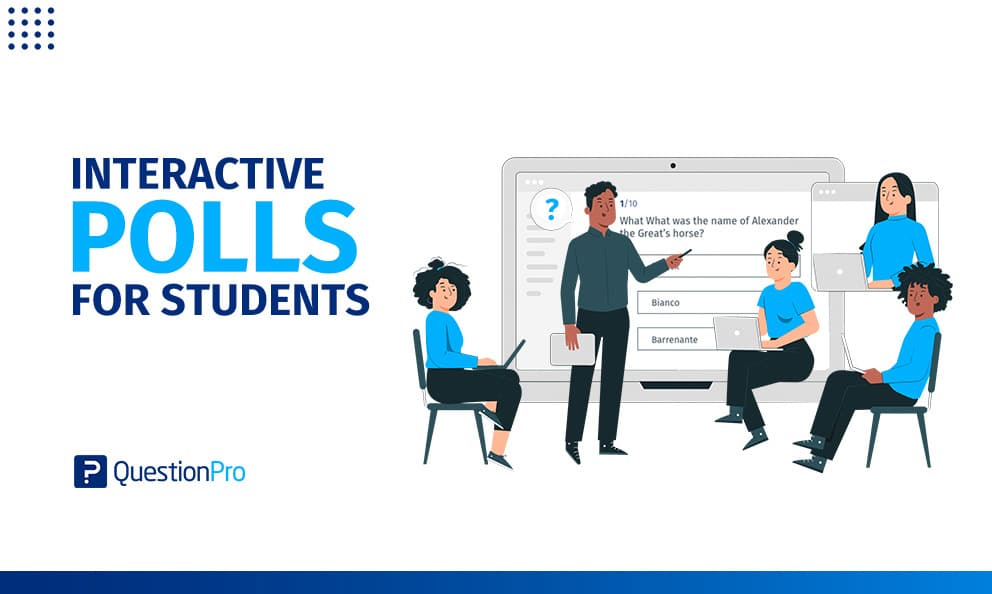
Interactive polls for students turn a one-way lecture into a two-way conversation. Instead of a teacher asking a question to a mostly silent room, every student answers on their own device, and the class sees the results together.
That shift matters because attention spans in a classroom have not changed just because technology has. Students still drift, and the ones who drift often stay quiet about it. A quick poll pulls them back into the room without singling anyone out.
This guide covers what interactive polls for students actually are, when they work best, and how to set one up with free tools built for the classroom.
What are interactive polls for students?
Interactive polls for students are short, real-time survey questions that students answer on a phone, tablet, or laptop during class, with results displayed instantly for the whole group to see.
Unlike a written quiz collected after the fact, a live poll gives immediate feedback both to the teacher and to the students themselves. A teacher sees in seconds whether a concept landed. Students see how their answer compares to their classmates, which adds a light social element that keeps engagement up.
Why does interactivity improve student learning?
Interactivity improves student learning because active participation helps students retain more information than passive listening does. Research on active learning consistently shows that students who engage with material, rather than only receive it, perform better on retention measures according to a well-cited meta-analysis published in Proceedings of the National Academy of Sciences.
A poll question forces a small decision. That decision, even a simple multiple-choice answer, requires more mental engagement than listening alone. Repeated across a class period, these small moments of engagement add up to a more attentive room.
When should teachers use interactive polls?
Teachers should use interactive polls at natural checkpoints in a lesson, not as a constant background activity that loses its effect through overuse.
Effective moments include:
- At the start of class, to check prior knowledge or spark curiosity about the day’s topic.
- Midway through a lecture, to confirm a concept landed before moving forward.
- At the end of class, as a quick formative check on what stuck.
- During group discussions, to surface where opinions diverge before a broader conversation.
What other interactive activities work alongside polls?
Interactive polls work best as one tool among several, rather than the only method of engagement in a classroom.
Other effective formats include:
- Games or trivia, which add a competitive element to review sessions.
- Structured class discussions, which build on poll results by asking students to explain their reasoning.
- Book clubs or small group work, which combine individual accountability with peer learning.
- Practical experiments, which give students a hands-on outlet that a poll cannot replace.
Combining a quick poll with a follow-up discussion tends to work better than either format alone, since the poll surfaces where students stand, and the discussion explores why.
How do you run an interactive poll in class?
Running an interactive poll in class takes three basic steps once the software is set up.
- The question appears on both the teacher’s screen and each student’s device.
- Students select or type their answer within a set time limit.
- Everyone sees the aggregated results at the same time, which the teacher can use to guide the next part of the lesson.
LivePolls by QuestionPro follows this same flow, and it is free to use for basic classroom polling, quizzes, and trivia, with results displayed in real time. Pairing it with a broader survey software account lets teachers also run longer end-of-term course evaluations from the same platform.
What poll question types work best for classrooms?
Different question types suit different classroom moments, and mixing formats keeps students from tuning out a repetitive pattern.
| Question type | Best used for |
|---|---|
| Multiple choice | Quick knowledge checks |
| Word cloud or open text | Brainstorming or gauging sentiment |
| Rating scale | Confidence checks on a concept |
| Ranking | Prioritizing topics for review |
Common mistakes when using classroom polls
Polls lose their value quickly if they are used carelessly, so a few habits are worth avoiding.
- Running too many polls in one session, which turns a useful checkpoint into a distraction.
- Asking questions with no clear right answer when the goal is a knowledge check.
- Skipping the discussion that should follow a poll’s results.
- Using polls only for grading, which discourages honest participation.
Interactive polls give every student a voice
A classroom poll takes seconds to answer but changes the dynamic of the room. Quiet students get a way to participate without raising a hand, and teachers get a real-time read on whether the lesson is working, instead of finding out at the next test.
Integrating interactive polling into daily instruction bridges the gap between delivering content and measuring actual comprehension.
By turning passive listeners into active participants, educators foster an inclusive learning environment where every response provides immediate value, enabling timely instructional shifts that keep the entire class moving forward together.
Frequently Asked Questions (FAQs)
No. Even small classes benefit, since a poll gives every student an equal chance to respond at once, compared to a discussion where a few voices tend to dominate regardless of class size.
Most classroom polling tools work through a standard web browser on any phone, tablet, or laptop, so students typically do not need to download a separate app to participate.
Most effective classroom polls take under 30 seconds to answer, since the goal is a quick pulse check rather than a detailed assessment that risks losing the class’s attention.
Not entirely. Polls work well for quick, low-stakes checks during a lesson, while traditional quizzes and assessments remain better suited for formally measuring what a student has learned over time.
Yes. LivePolls by QuestionPro offers free classroom polling, quizzes, and trivia with real-time results, which covers most basic classroom use cases without a paid plan.