



A survey maker is an online tool that lets you build, send, and analyze surveys without writing any code. Businesses, researchers, HR teams, and customer experience teams use a survey maker to collect feedback, test ideas, and measure satisfaction across email, web, and mobile channels.
Not every survey maker does this equally well. Some are built for quick one-off polls, while others support branching logic, multilingual distribution, and enterprise-grade reporting for ongoing research programs.
In this blog, we’ll explore how a survey maker works, which features actually matter, and how to compare free and paid options before you commit to one.
What is a survey maker?
A survey maker is a digital tool used to design online surveys, distribute them to respondents, and turn the responses into reports. Most platforms include question types, templates, survey logic, branding controls, and dashboards in one place.
In practice, a survey maker takes you from “we need feedback” to a working survey people can answer on a phone, tablet, or laptop within minutes.
For example, an HR team might use a survey maker to run a quarterly culture survey. They build the questionnaire, add anonymity language, send it by email to every department, then filter results by location and role once responses come in.
Survey maker vs. survey software vs. form builder: What is the difference?
These three terms get used interchangeably, but they are not the same thing. Knowing the difference helps you pick a tool that actually fits the job.
- Survey maker
A tool focused specifically on building and sending surveys, usually with question logic and reporting built in.
- Survey software
A broader platform that includes survey creation plus research tools such as panels, dashboards, and advanced analytics for ongoing programs.
- Form builder
A general tool for collecting structured data, such as registrations or orders, that is not designed around research-grade question logic or statistical reporting.
A small team collecting occasional feedback may only need a basic survey maker. A company running recurring customer or employee research programs usually needs full survey software.
How does an online survey maker work?
An online survey maker gives you a guided path from a blank page to a finished report. Most platforms follow the same core workflow, whether you are running a five-question poll or a fifty-question research study.
- Choose a template or start from scratch.
Pick a ready-made survey template or build a new questionnaire from the ground up.
- Add survey questions.
Use question types such as multiple choice, rating scales, open text, ranking, matrix, or NPS (Net Promoter Score, a loyalty metric based on a single 0-10 question).
- Apply survey logic.
Add skip logic, branching, or piping so respondents only see questions relevant to them.
- Preview and test.
Check the survey on desktop and mobile before it goes live.
- Distribute the survey.
Share it by email, web link, QR code, SMS, social media, or website embed.
- Collect responses.
Answers are stored automatically as people complete the survey.
- Analyze results.
Use dashboards, filters, and exports to turn raw answers into decisions.
Simple survey makers handle steps one through five well. Research-grade platforms add stronger logic, statistical tools, and reporting on top of that same basic flow.
Why do businesses use a survey maker?
Businesses use a survey maker to collect structured feedback from customers, employees, prospects, students, and research participants. The goal is always the same: understand what people think, need, or experience, instead of guessing.
Common use cases include:
- Customer satisfaction and CSAT surveys
- Employee engagement and pulse surveys
- Market research and concept testing
- Product feedback and feature requests
- Event and webinar feedback
- Website and user experience surveys
- Academic research surveys
- Healthcare feedback surveys
A survey maker collects this feedback faster than manual outreach, and it keeps every response organized in one place instead of scattered across spreadsheets and inboxes.
Real-world examples of survey makers in action
Seeing how a survey maker gets used day-to-day makes the concept easier to apply to your own team.
A SaaS company sends a one-question NPS survey by email 30 days after signup, then follows up with detractors automatically to understand what went wrong. A retail brand runs a quick in-store survey through a QR code at checkout, feeding results straight into a weekly satisfaction dashboard.
An HR team runs an annual engagement survey with confidentiality built in, then breaks results down by department. This matters more than it might seem: Gallup found that global employee engagement dropped to 20% in 2025, its lowest level since 2020, which is why more US employers are running structured pulse and engagement surveys rather than relying on informal check-ins.
University researchers use a survey maker for academic research surveys that require informed consent language and anonymized data exports. Conference organizers collect same-day feedback with live polls and quizzes during sessions instead of waiting for a slow post-event email.
What features should you look for in a survey maker?
A good survey maker helps you create clear surveys, reach respondents on the channels they actually use, and analyze results without manual cleanup. Not every team needs every feature, so match this list against your own use case first.
| Feature | Why it matters |
|---|---|
| Drag-and-drop builder | Lets non-technical teams build surveys without help from IT |
| Multiple question types | Matches the question format to the kind of data you need |
| Survey logic and branching | Shortens surveys by skipping irrelevant questions |
| Templates and question libraries | Speeds up setup and keeps wording consistent across projects |
| Branding and customization | Builds trust by making surveys look like they come from you |
| Multichannel distribution | Reaches respondents by email, SMS, QR code, or web link |
| Reporting and dashboards | Turns raw responses into charts, filters, and exports |
| Multilingual support | Collects feedback across languages without separate tools |
| Collaboration and permissions | Lets multiple team members build and review surveys safely |
Survey logic and branching
Survey logic changes the questions a respondent sees based on how they answered a previous question. Skip logic, branching, and randomization all fall under this category.
For example, someone who says they have never used a product should not see three more questions asking them to rate that product’s features. Logic removes irrelevant questions, which shortens the survey and improves the quality of responses you collect.
AI-assisted survey creation
An AI survey maker generates a first draft of a survey from a topic, goal, or short prompt, suggesting questions, answer options, and overall structure. This removes the blank-page problem that slows most survey projects down.
AI speeds up drafting, but it does not replace human judgment. Every AI-generated survey still needs a person to check it for bias, unclear wording, missing answer options, and fit with the actual research goal before it goes live.
Free survey maker vs. paid survey maker: What is the difference?
A free survey maker usually covers basic surveys well, while a paid survey maker adds the logic, branding, reporting, and support that growing teams need.
| Feature area | Free survey maker | Paid survey maker |
|---|---|---|
| Survey creation | Basic surveys and templates | Advanced question types and logic |
| Responses | Often capped per month | Higher or unlimited limits |
| Branding | Limited customization | Full branding control |
| Reporting | Basic charts | Dashboards, filters, cross-tabs, exports |
| Collaboration | Usually single-user | Team roles and shared workspaces |
| Security | Basic account settings | Advanced access controls and compliance support |
A free plan is a fine starting point for a one-off feedback form. Once surveys start influencing business decisions, customer experience programs, or employee policy, a paid plan usually pays for itself in time saved and data quality gained.
What are the benefits of using a survey maker?
The core benefit of a survey maker is that it turns feedback collection into a repeatable process instead of a one-time scramble. It reduces manual work while giving teams more control over design, distribution, and reporting.
- Faster survey creation: Templates and AI tools speed up the first draft.
- Wider reach: Surveys go out across email, web, mobile, and QR codes at once.
- Better completion rates: Mobile-friendly design and clear logic help people finish surveys instead of abandoning them.
- Less manual effort: Responses are collected and stored automatically.
- Reusable workflows: Templates, question libraries, and branded layouts save setup time on the next project.
- Real-time reporting: Teams can review results as they come in, not weeks later.
- More organized data: Every response lives in one exportable location.
A strong tool helps, but the value still depends on how well the survey itself is designed. Clear questions and a focused goal matter as much as the software behind them.
How do you measure whether a survey maker tool is working?
A survey maker is working when it produces data your team can actually trust and act on, not just a stack of completed responses. Four signals matter most: response rate, completion rate, data quality, and how often results actually change a decision.
Response rate tells you whether enough of your target audience is participating to make results meaningful. Completion rate shows whether people are dropping off partway through, often a sign the survey is too long or confusing.
Data quality is where question wording matters most. Pew Research Center has found that the wording of a single question can shift measured opinion by more than 20 percentage points on the same underlying topic, which is why clear, neutral phrasing directly affects whether your results reflect reality. A survey maker with a built-in insights platform makes it easier to spot these wording or logic problems before they distort your data.
Finally, ask whether the results are actually being used. A survey that gets built, sent, and filed away without changing anything is not adding value, no matter how polished the report looks.
Common mistakes to avoid with a survey maker
Even a well-built survey maker cannot fix a poorly designed survey. A few recurring mistakes account for most of the bad data teams collect.
- Leading or double-barreled questions
Asking two things at once, or wording a question to nudge a particular answer, produces unreliable data.
- Skipping logic entirely
Sending every respondent every question makes surveys longer than they need to be and drives up drop-off.
- Ignoring mobile design
Long pages and crowded answer grids are hard to use on a phone, and most respondents now open surveys on mobile first.
- Over-surveying the same audience
Sending too many surveys too often leads to fatigue and lower response rates over time.
- Never closing the loop
Collecting feedback without acting on it, or telling respondents what changed, erodes trust in future surveys.
Reviewing every survey against this list before launch takes a few extra minutes and prevents most of the data problems teams run into later.
How do you choose the best survey maker for your team?
Start with the survey work you actually need to do, not with the tool that has the longest feature list. The right survey maker fits your workflow, not the other way around.
Work through these questions before comparing platforms:
- What types of surveys will you run, and how often?
- How many responses do you need per month?
- Do you need branching, skip logic, or scoring?
- Do you need to understand the reasons behind a score, using root-cause follow-up questions, or mostly structured data?
- How will you distribute surveys, and does that channel need SMS or QR code support?
- Will more than one person build or review surveys?
- Do you need multilingual surveys for a US audience that speaks more than one language?
- Do you need access to a market research audience panel, or do you already have respondents lined up?
- What privacy or compliance requirements apply to the data you are collecting?
- Does the tool fit your budget at your current and expected response volume?
For US teams, privacy, accessibility, and how a vendor handles data storage often matter as much as the survey builder itself.
How QuestionPro supports survey creation
QuestionPro works as a survey maker by helping teams design surveys, distribute them across channels, and turn results into reports, with the same core workflow scaling up to support CX, employee, and market research programs.
QuestionPro’s survey software includes templates, skip logic, branding controls, and multilingual support in one platform.
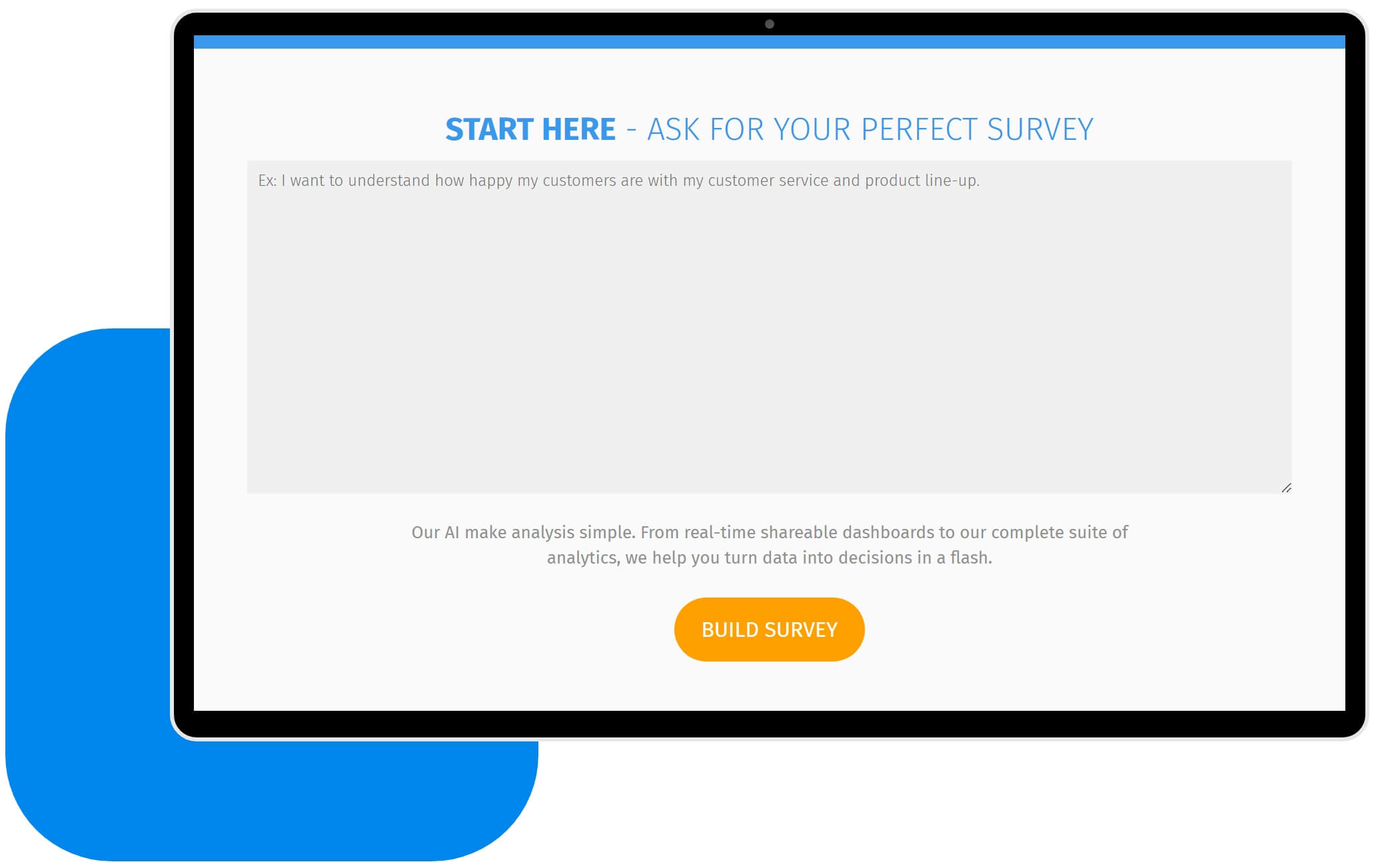
QuestionPro AI helps users generate a first survey draft from a topic or goal, which teams can then refine before adding logic, distribution, and reporting on top of it. The speed comes from the draft. The judgment still has to come from the person reviewing it.
The real value is in the questions you ask
A survey maker should help you ask better questions, not just collect more answers faster. The tool matters, but clear objectives and well-written questions matter just as much.
For occasional feedback, a free plan is often enough. For research that shapes customer experience, employee programs, or product decisions, stronger logic, reporting, and support usually justify the upgrade.
Start with the decision you actually need to make, then pick the survey maker that helps you get a trustworthy answer.
Frequently Asked Questions (FAQs)
For occasional, low-stakes feedback, yes. Most free plans cap monthly responses and limit branding or logic, so once surveys start informing budget, staffing, or product decisions, a paid plan with stronger reporting is usually worth the cost.
Most respondents will finish a survey in five minutes or less. Aim for 10 to 15 focused questions for general feedback, and use skip logic to keep longer surveys from feeling repetitive to any one respondent.
Yes, most modern survey makers support SMS distribution, which typically gets faster response times than email. US teams should confirm the platform follows TCPA consent rules before texting survey links to customers.
Some do, but not all. If you are collecting protected health information, confirm the platform offers a signed business associate agreement and HIPAA-compliant data handling before running healthcare feedback surveys.
It depends on your total audience size and how confident you need to be, but many teams use 384 responses as a rough benchmark for a 95% confidence level in a general population. Smaller, well-targeted audiences can work with fewer responses.



