

- Custom Variable Widget
- Priority Matrix
- Heatmap Widget
- Grid Widget
- Weighted mean widget
- Comment List widget
- Widget Filters
- Ranking List Widget
- Distribution Chart
- NPS Widget
- Trend Widget
- Word Cloud Widget
- Cross tab widget
- KPI Comparison Widget
- Bubble chart
- Custom Metric Trend Chart
- Trend Comparison Widget

Create your first persona
A Persona is a detailed representation of a key customer segment based on real data and insights. Personas help teams align on who the customer is, what they need, and how they behave, enabling better journey mapping and experience design.
Watch this video for a step-by-step walkthrough on how to create your first persona.
A persona group is a way to organize multiple related personas into a single collection based on shared characteristics, goals, or context. Instead of viewing personas in isolation, a persona group helps teams understand how different customer types relate to one another within the same product, market, or journey.
Step 1: Go to Journey Management and select the workspace where you want to create the persona.
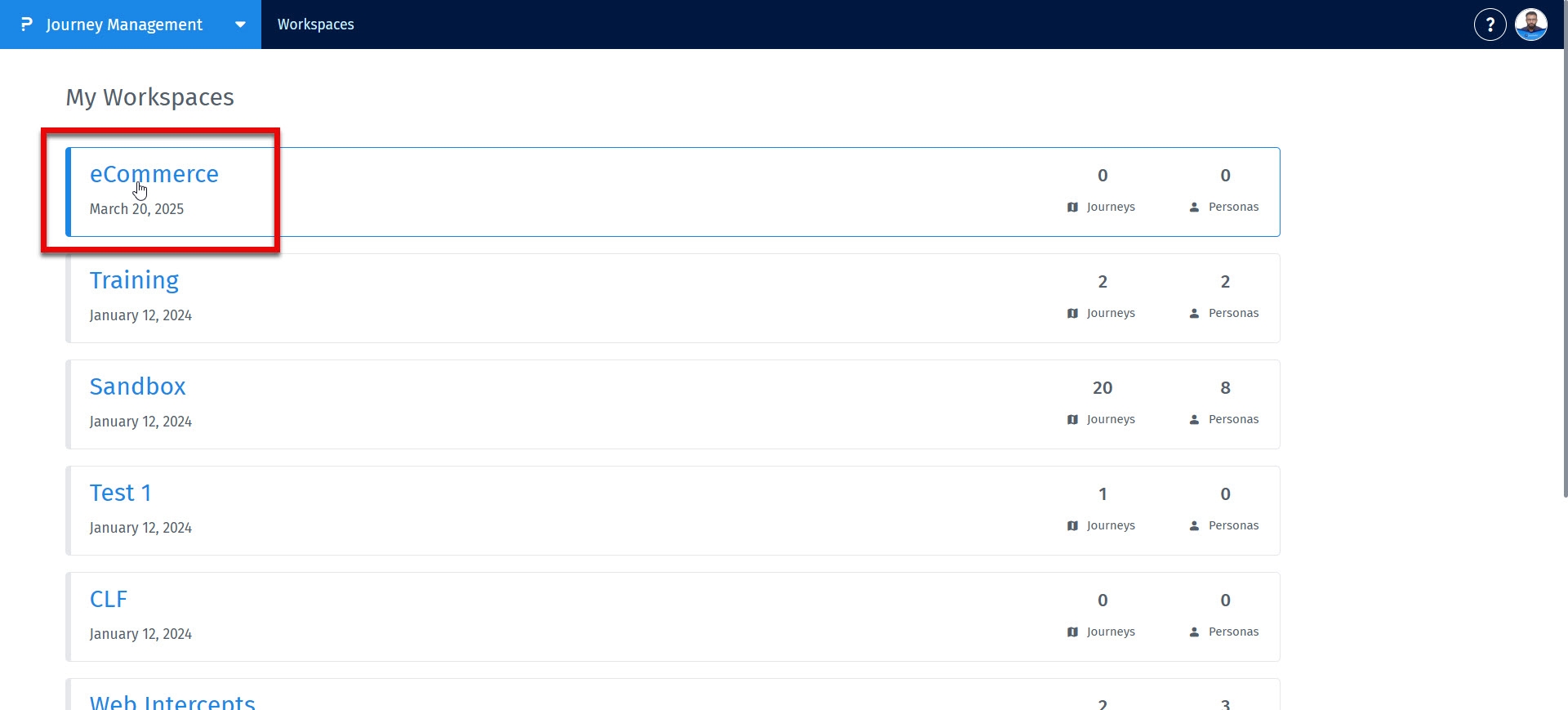
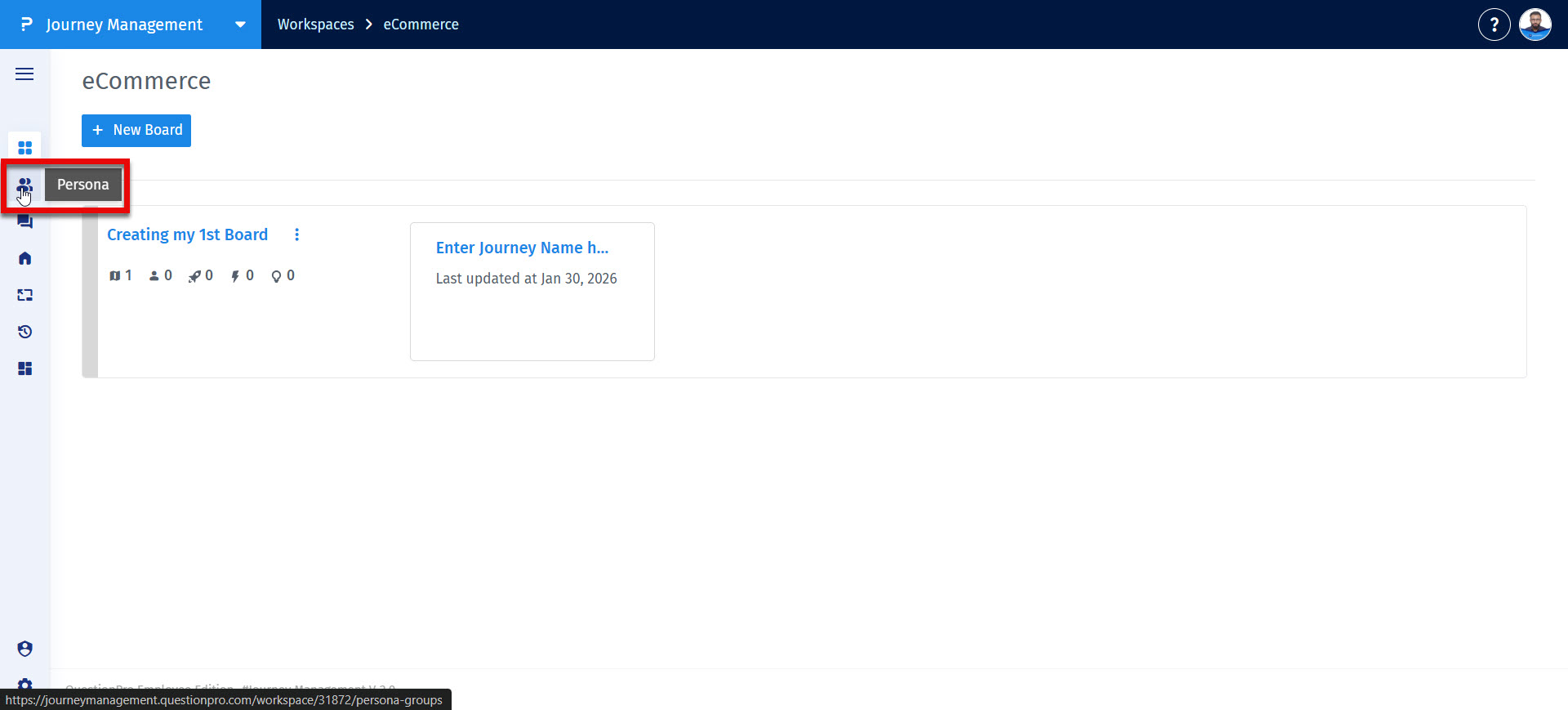
Step 2: Navigate to the Personas section from the left navigation menu.
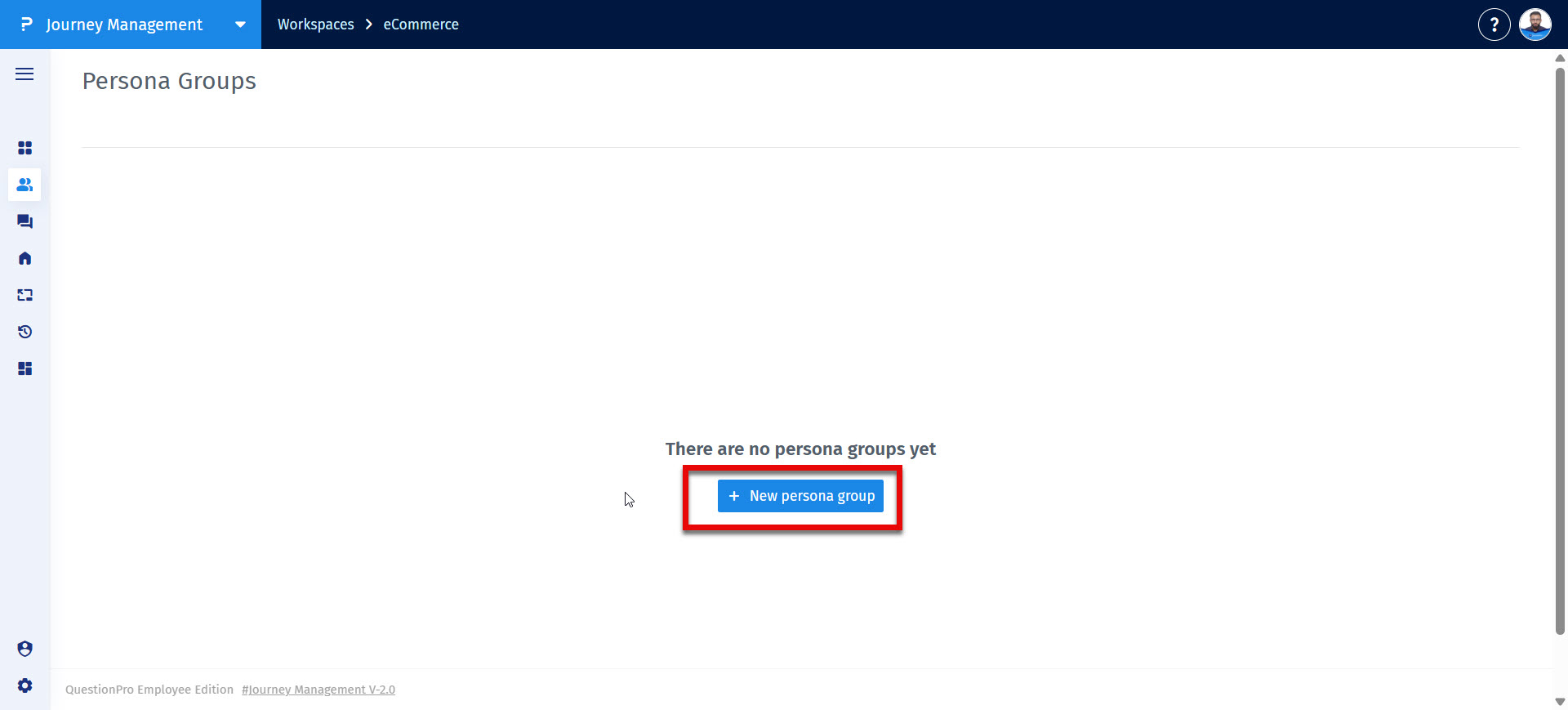
Step 3: Click on + New persona group button to begin creating a persona group.
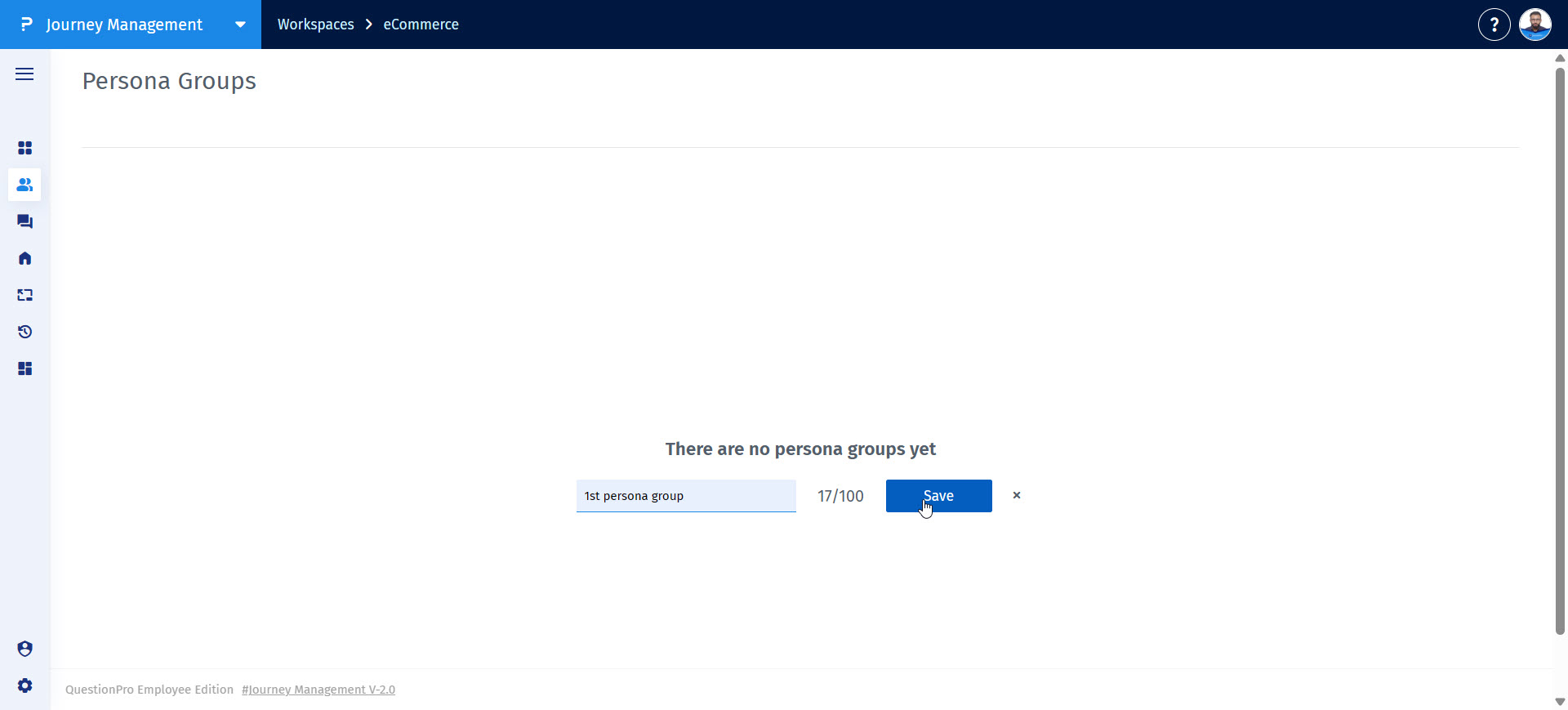
Step 4: Enter persona group name and click on Save
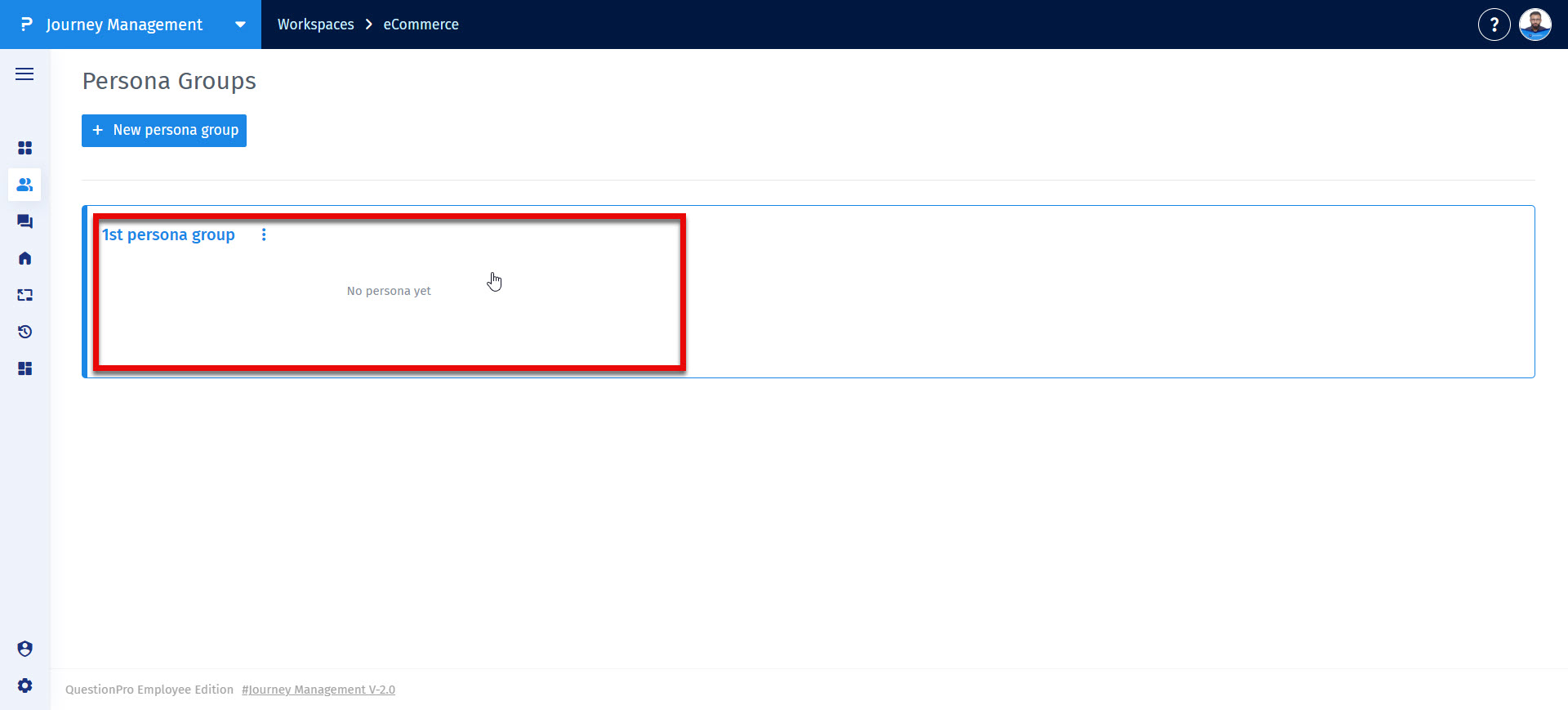
Step 5: Once a group is created, click anyhwere on it to access it's details and create a Persona
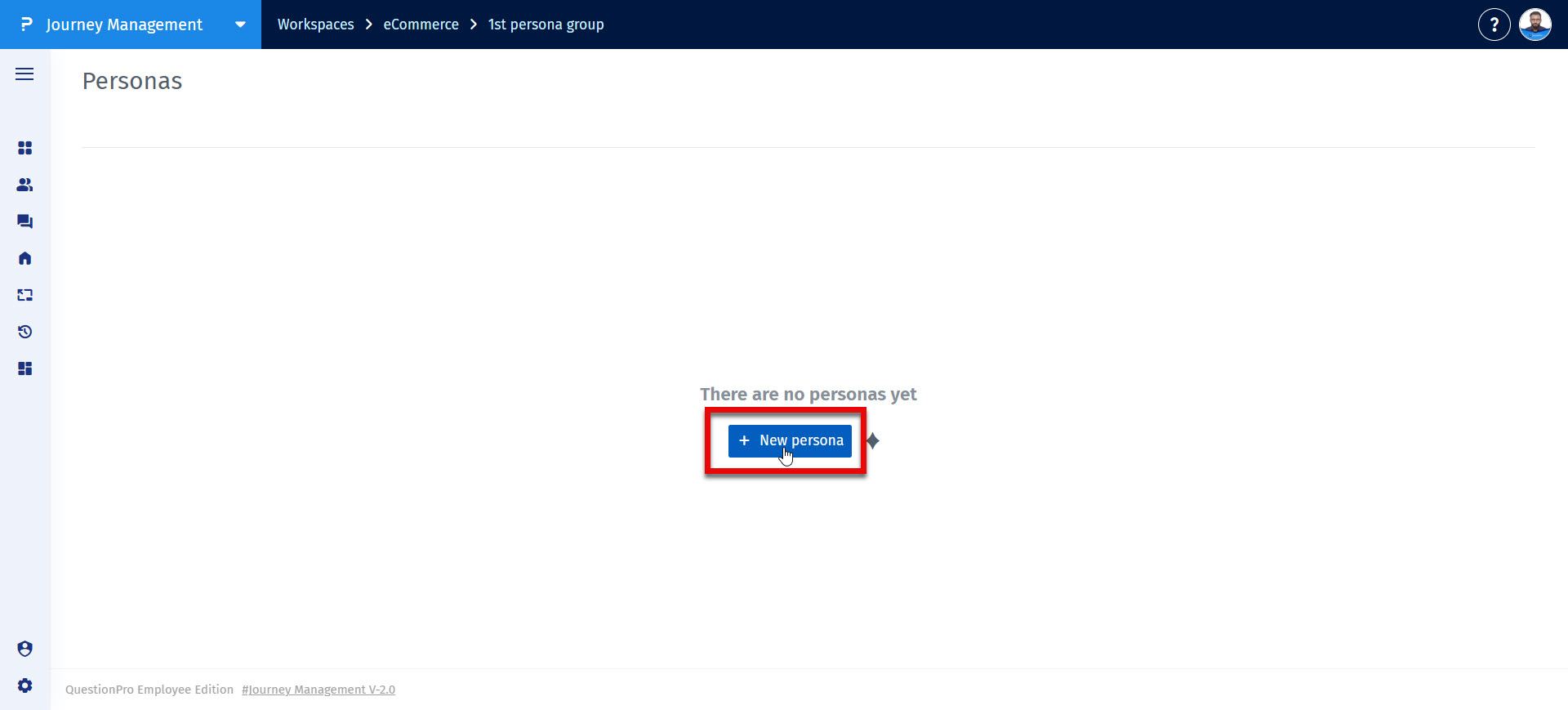
Step 6: Click on + New persona button to create a persona.
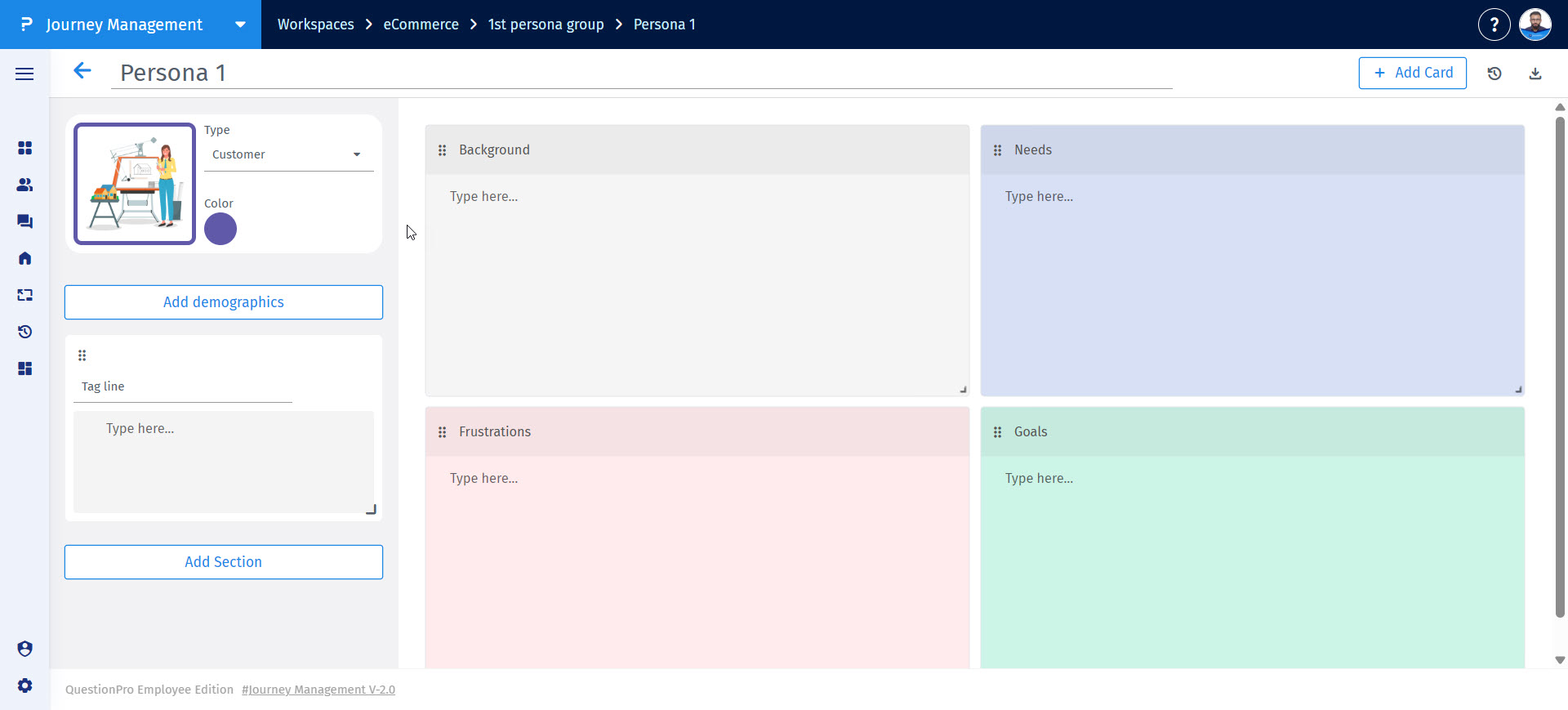
Step 7: A persona with the basic building blocks like Background, Needs, Frustrations, Goals will be created
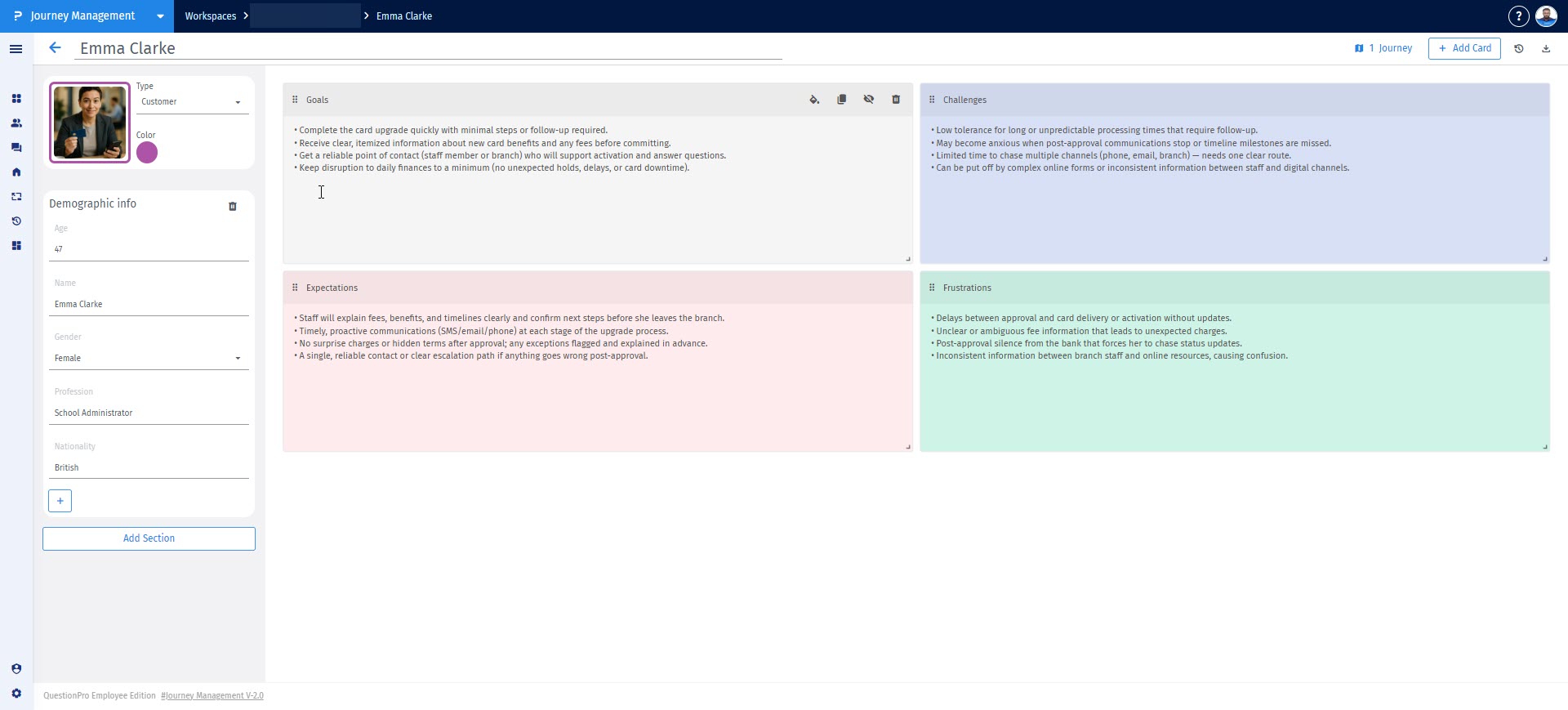
Step 8: Enrich your persona by entering the basic persona details such as persona name, demographics, needs, goals, expectations etc.
- Associate personas with journey maps to provide context.
- Align teams around a shared understanding of the customer.
- Identify unmet needs and expectations.
- Design more relevant experiences and touchpoints.
Yes. Personas are fully editable. You can update any section at any time to reflect new insights or changing customer behaviors.
- Base personas on real customer data whenever possible.
- Focus on behaviors and needs, not assumptions.
- Keep personas concise and actionable.
- Review and refine personas regularly.
