- Custom Variable Widget
- Priority Matrix
- Heatmap Widget
- Grid Widget
- Weighted mean widget
- Comment List widget
- Widget Filters
- Ranking List Widget
- Distribution Chart
- NPS Widget
- Trend Widget
- Word Cloud Widget
- Cross tab widget
- KPI Comparison Widget
- Bubble chart
- Custom Metric Trend Chart
- Trend Comparison Widget

Ticket filters
How can I apply filters on the Ticket list page?
Go to Closedloop > Open any of your workspaces > Click on the Filter icon > Select your criteria from the available drop downs > Click on Apply
Watch this video for a quick overview of the Ticket filters feature in QuestionPro’s enhanced Closedloop feedback system.
Click to download videoWhat all parameters can I use to filter the tickets ?
Ticket filters are available for;
- Status
- Priority
- Type
- Survey
- Segment
- Assignee
- Tags
- Date
- Custom variable
How do I use filters in Closedloop?
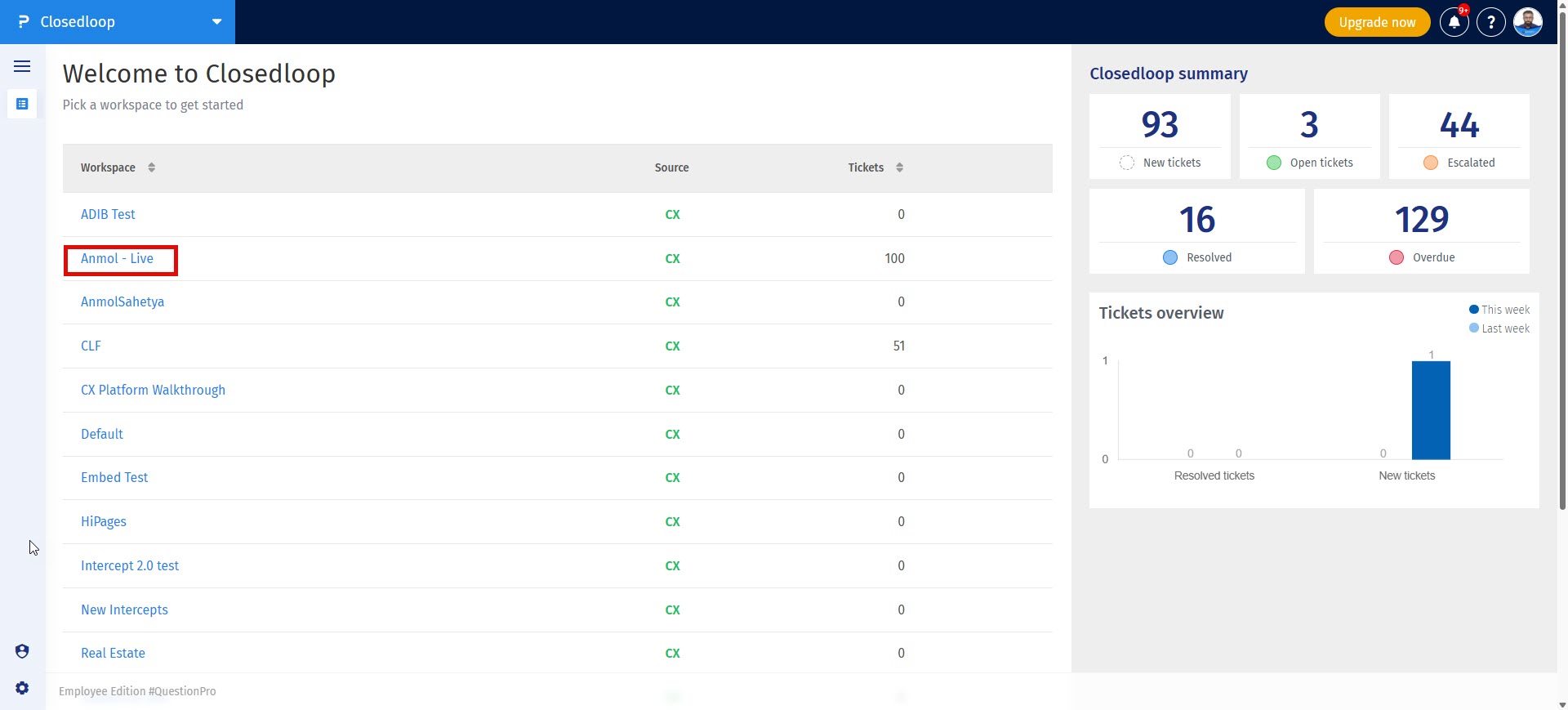
Step 1: Go to your workspace and open the ticket table view.
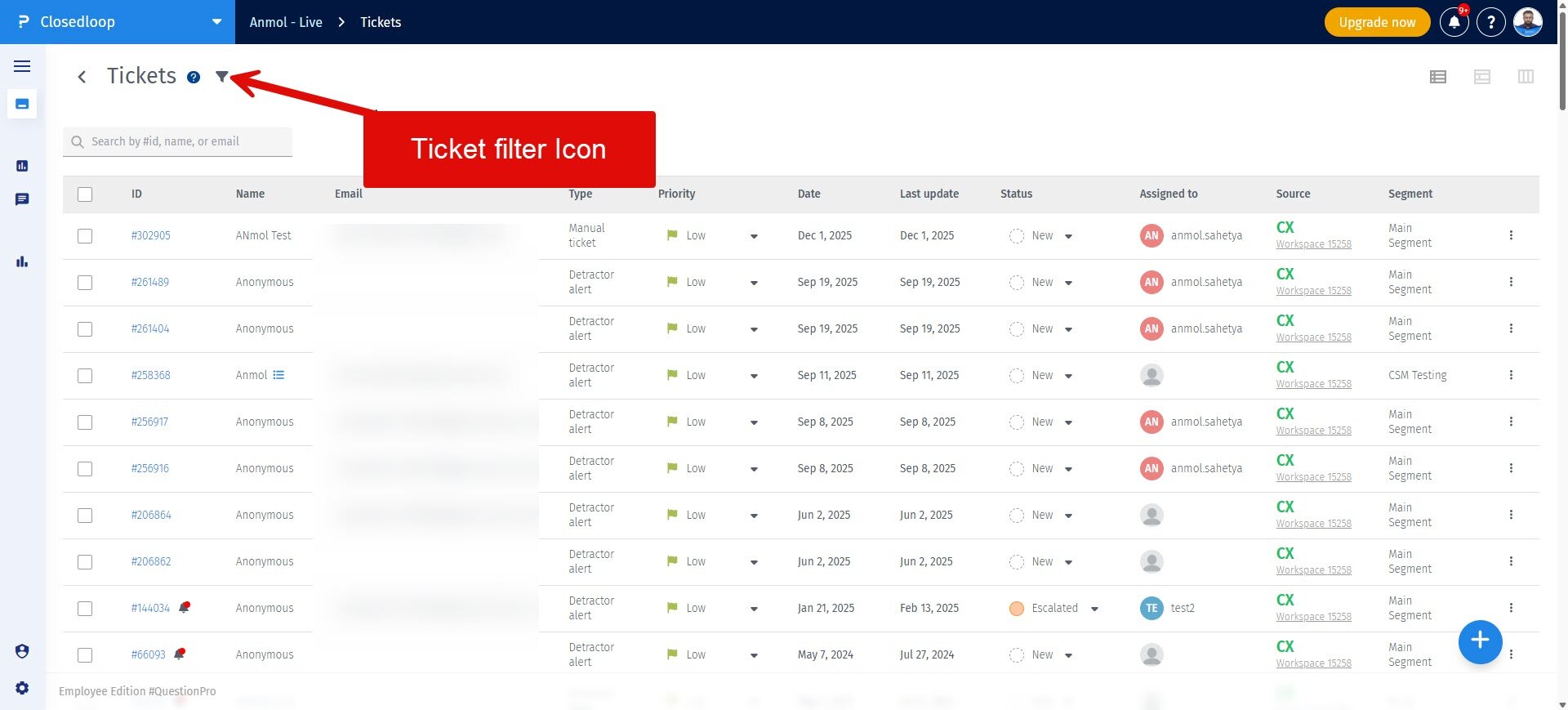
Step 2: Click on the Filter icon to see all the available filters
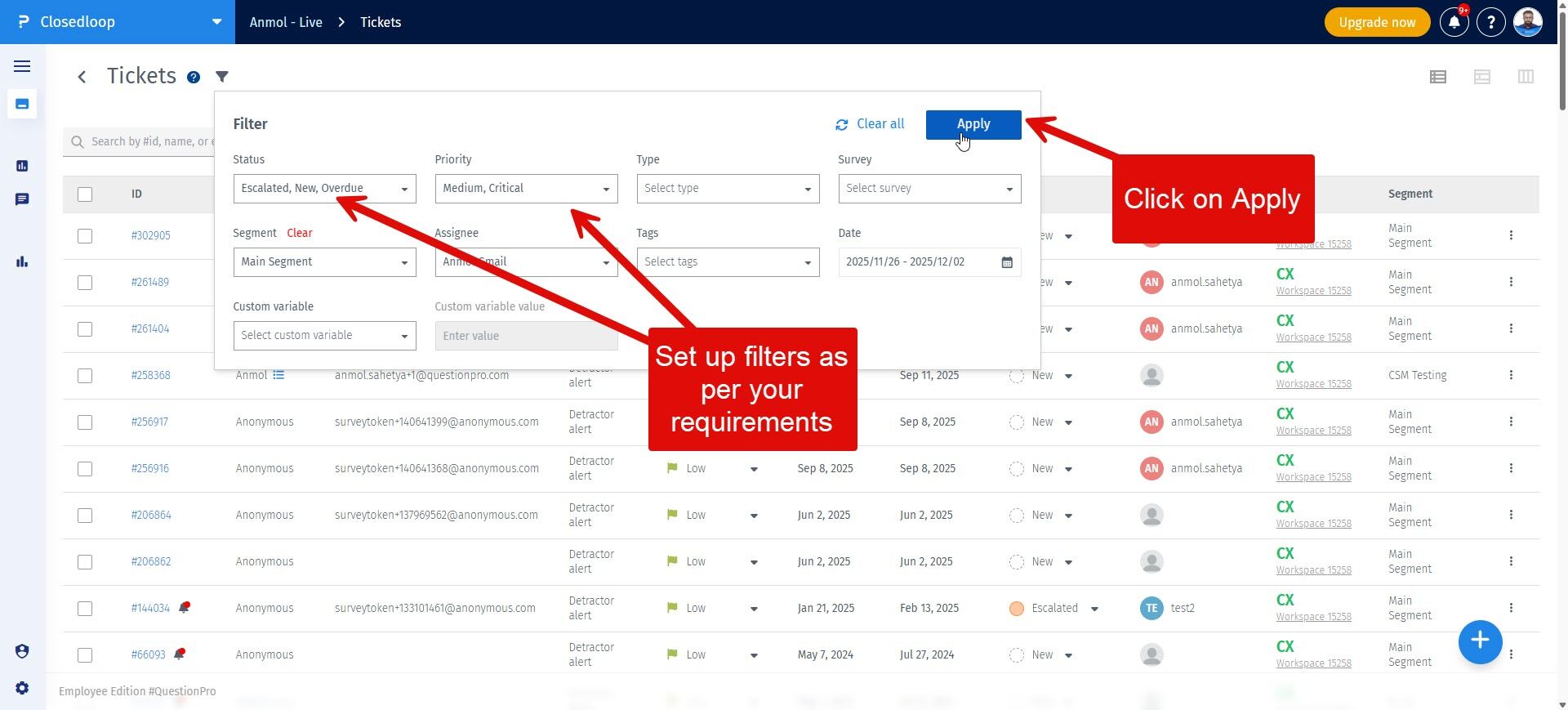
Step 3: Set up the filter values as per your requirements and click on Apply
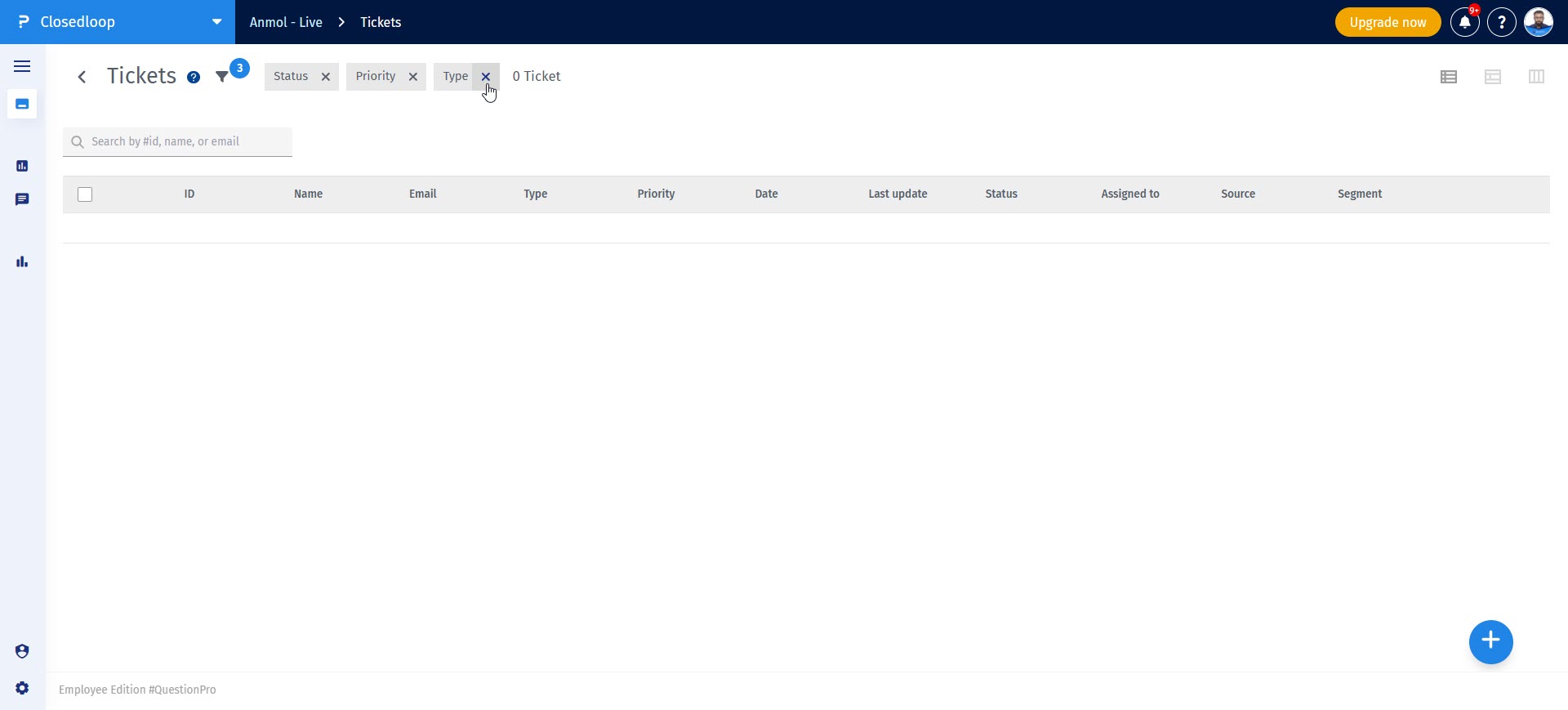
Can I remove the applied filters?
Yes, when filters are applied you would see the parameter name and an 'X' next to it. Click on the X for any parameter that you want to remove