

- Custom Variable Widget
- Priority Matrix
- Heatmap Widget
- Grid Widget
- Weighted mean widget
- Comment List widget
- Widget Filters
- Ranking List Widget
- Distribution Chart
- NPS Widget
- Trend Widget
- Word Cloud Widget
- Cross tab widget
- KPI Comparison Widget
- Bubble chart
- Custom Metric Trend Chart
- Trend Comparison Widget

Customer Effort Score (CES)
The Customer Effort Score (CES) question measures how easy it is for customers to complete an action or interact with your organization. It helps you understand the amount of effort customers expend while completing a task and identifies opportunities to improve the overall customer experience.
Watch this video for a quick overview of the Customer Effort Score (CES) question.
- Click Add Question.
- Navigate to the Customer Satisfaction category.
-
Select Customer Effort Score (CES).

- The Customer Effort Score question is added to your survey.
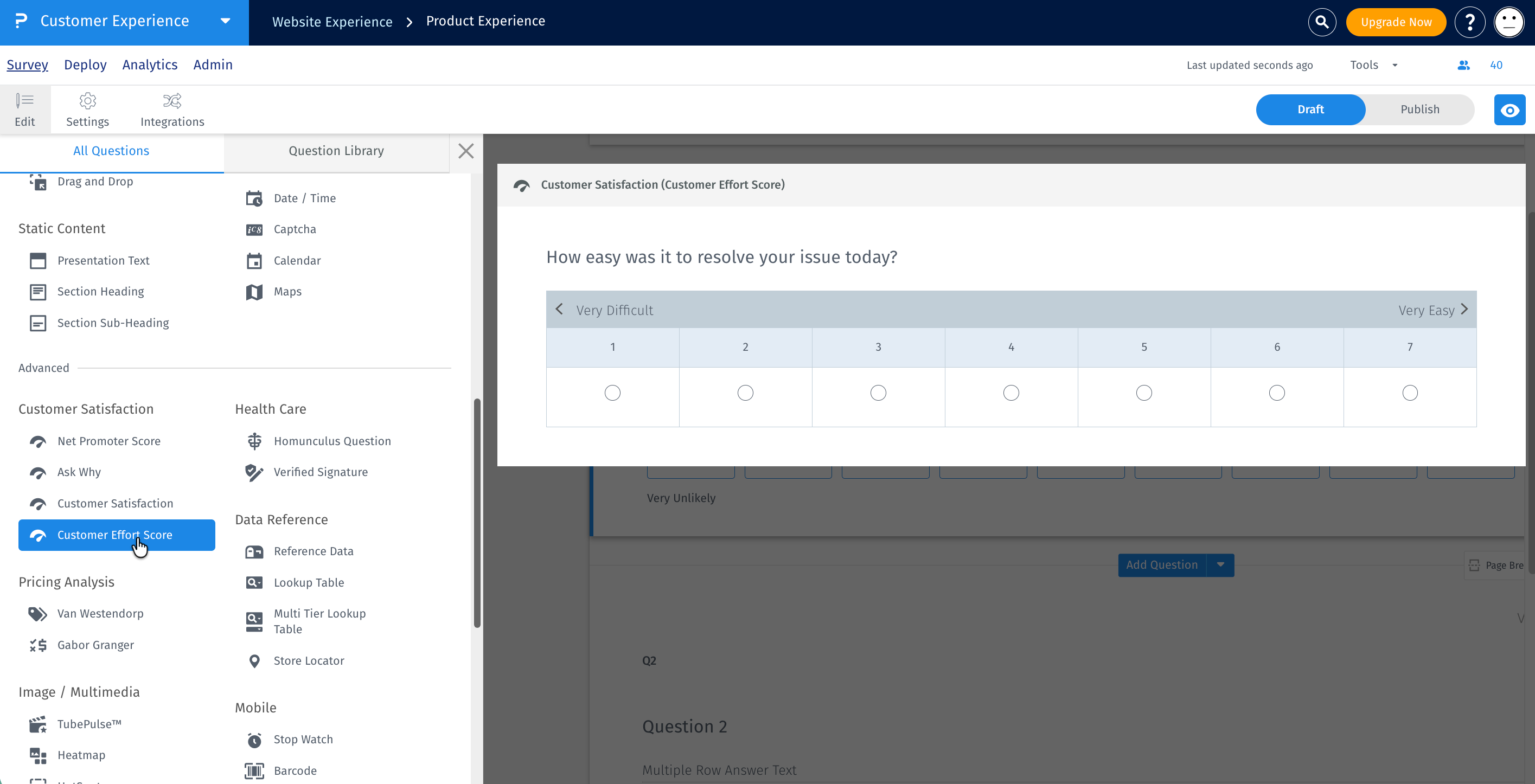
After adding the Customer Effort Score question, configure the answer type from the question settings.
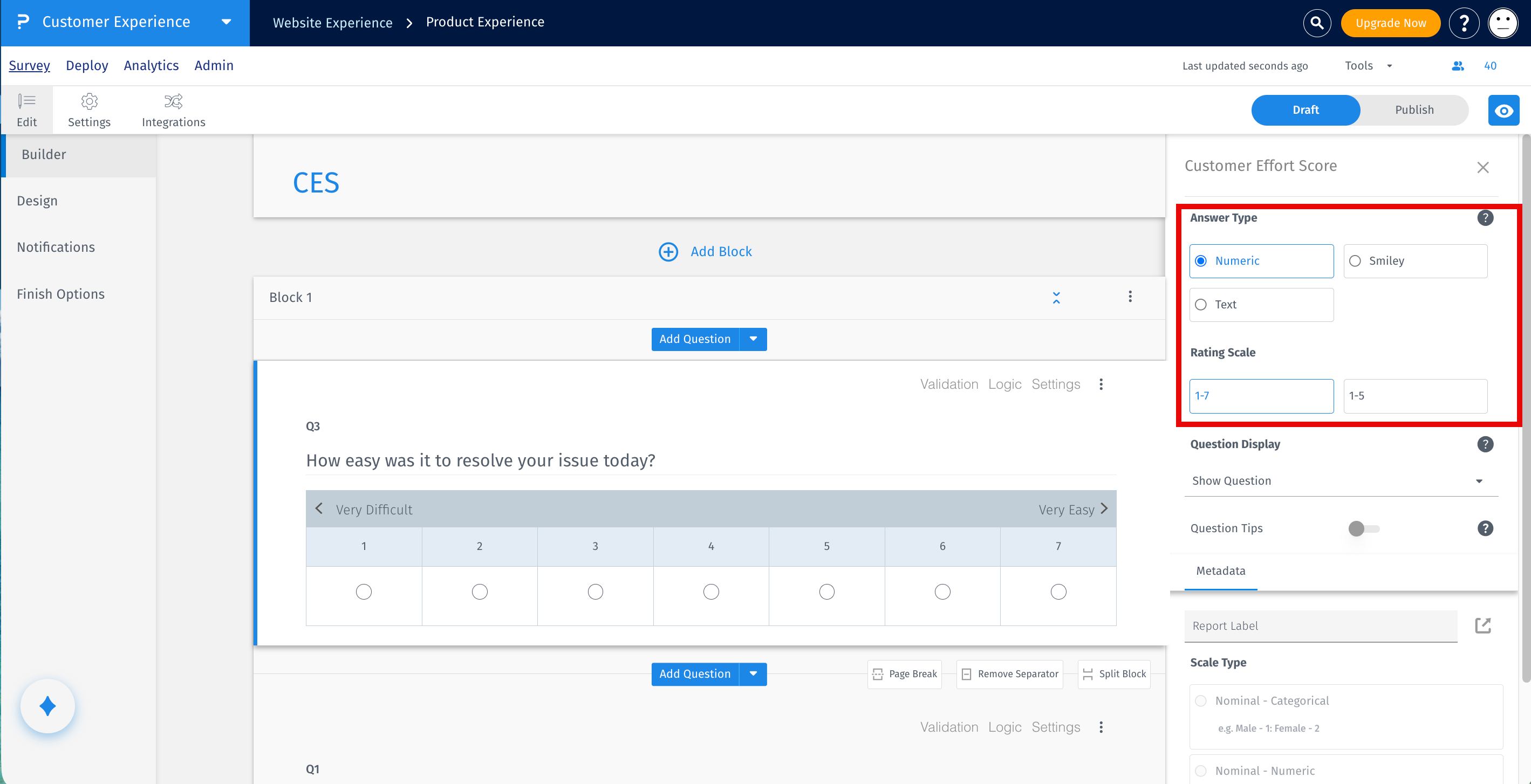
The following answer types are available:
-
Numeric Scale
- 1-5 Scale
- 1-7 Scale
-
Smiley Scale
- Displays smileys with labels ranging from Extremely Easy to Extremely Difficult.
-
Text Scale
- 5-Point Scale
- 7-Point Scale
Select the answer type that best fits your survey requirements.
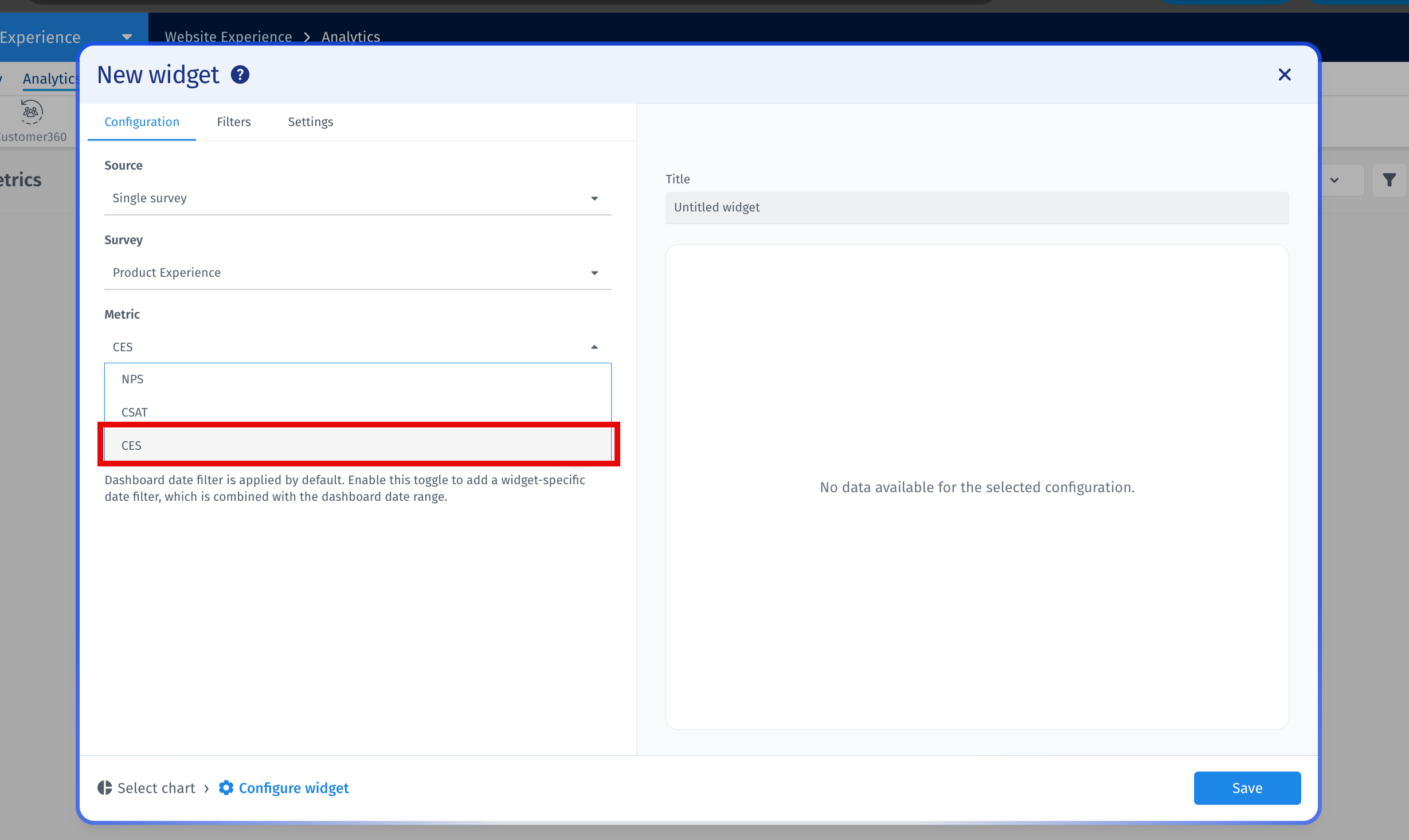
After responses have been collected, you can visualize the average Customer Effort Score using the Gauge Chart widget.
- Open the required dashboard.
- Click Add Widget.
- Select the Gauge Chart widget.
- Select the required Survey.
- Under Metrics, select CES.
- Select the required Customer Effort Score question.
-
Click Add Widget to display the average CES score.
The dashboard calculates the Customer Effort Score by averaging all responses received for the selected CES question.
Formula
Average CES = (Sum of all CES Ratings) / (Total Number of Responses)
Example (1-5 Scale)
- Responses: 5, 4, 5, 3, 4
- Sum of Ratings = 21
- Total Responses = 5
- Average CES = 21 / 5 = 4.2
Final CES Score: 4.2 / 5
For surveys using a 1-7 scale, the same calculation is used. Only the maximum possible score changes from 5 to 7.
What answer types are available?
Customer Effort Score supports Numeric Scale, Smiley Scale, and Text Scale.
What rating scales are supported?
Numeric Scale and Text Scale support both 1-5 and 1-7 scales. The Smiley Scale displays responses ranging from Extremely Easy to Extremely Difficult.
Can I visualize Customer Effort Score on a dashboard?
Yes. Add a Gauge Chart widget, select the survey, choose CES as the metric, and select the required Customer Effort Score question.
How is the CES score calculated?
The CES score is the average of all responses submitted for the selected Customer Effort Score question.
- Use the same CES rating scale across surveys to make comparisons meaningful.
- Select the answer type that best matches your target audience.
- Monitor the Gauge Chart widget regularly to identify changes in customer effort.
- Review CES alongside CSAT and NPS to gain a comprehensive understanding of the customer experience.
