

- Custom Variable Widget
- Priority Matrix
- Heatmap Widget
- Grid Widget
- Weighted mean widget
- Comment List widget
- Widget Filters
- Ranking List Widget
- Distribution Chart
- NPS Widget
- Trend Widget
- Word Cloud Widget
- Cross tab widget
- KPI Comparison Widget
- Bubble chart
- Custom Metric Trend Chart
- Trend Comparison Widget

WhatsApp integration
The WhatsApp integration feature allows you to connect your WhatsApp Business account with your Customer Experience account and use WhatsApp as a communication channel within your workflows. Create Meta-approved message templates to distribute surveys, send reminders, and collect customer feedback through WhatsApp, helping you increase engagement and improve survey response rates.
Watch this video for a quick overview of the WhatsApp integration in QuestionPro CX.
To integrate your WhatsApp Business account:
-
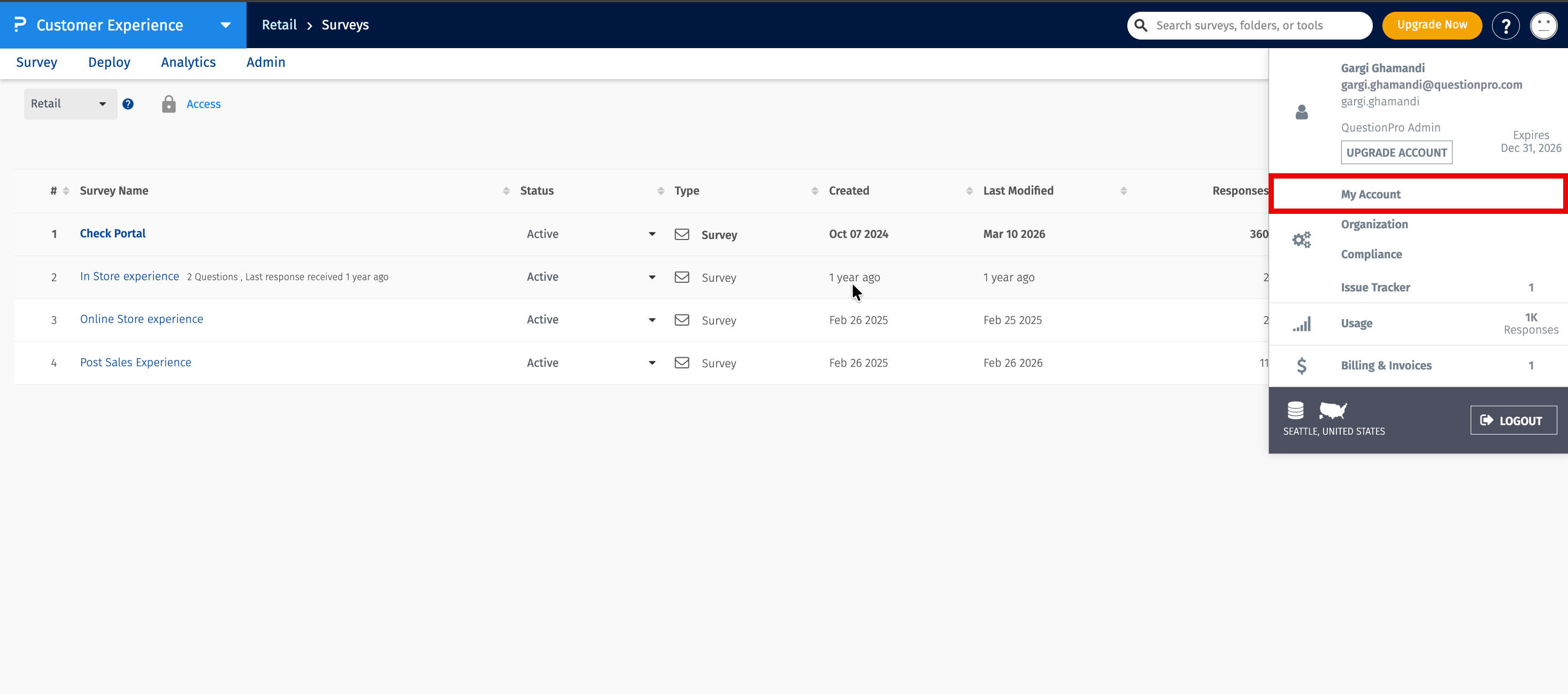
Navigate to My Accounts.

-
Open the Message Centre.
- Enter your WhatsApp business credentials.
- Complete the authentication process.
- Click Save to connect your account.
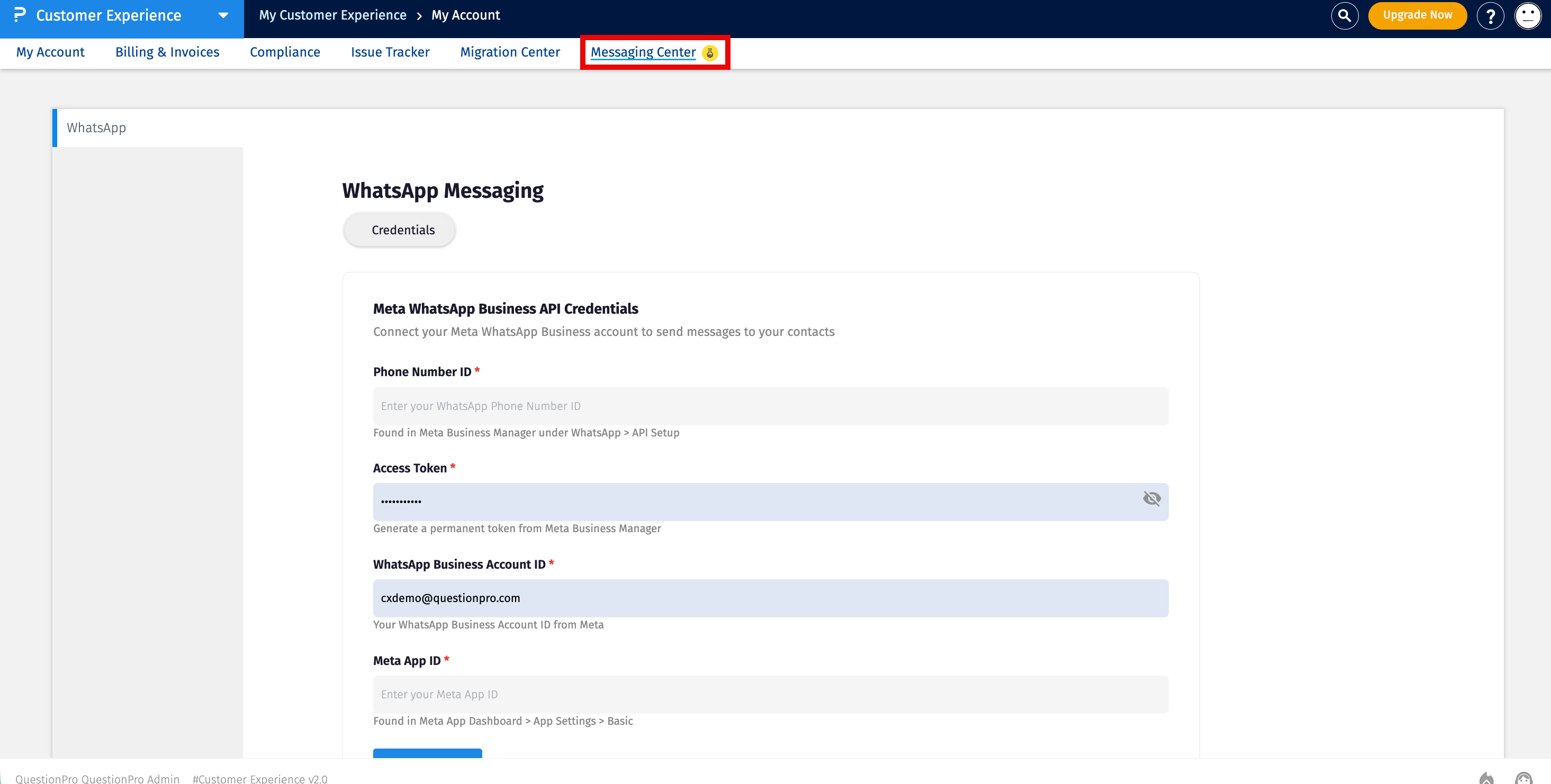
Once your WhatsApp business account is successfully integrated, you can create WhatsApp message templates.
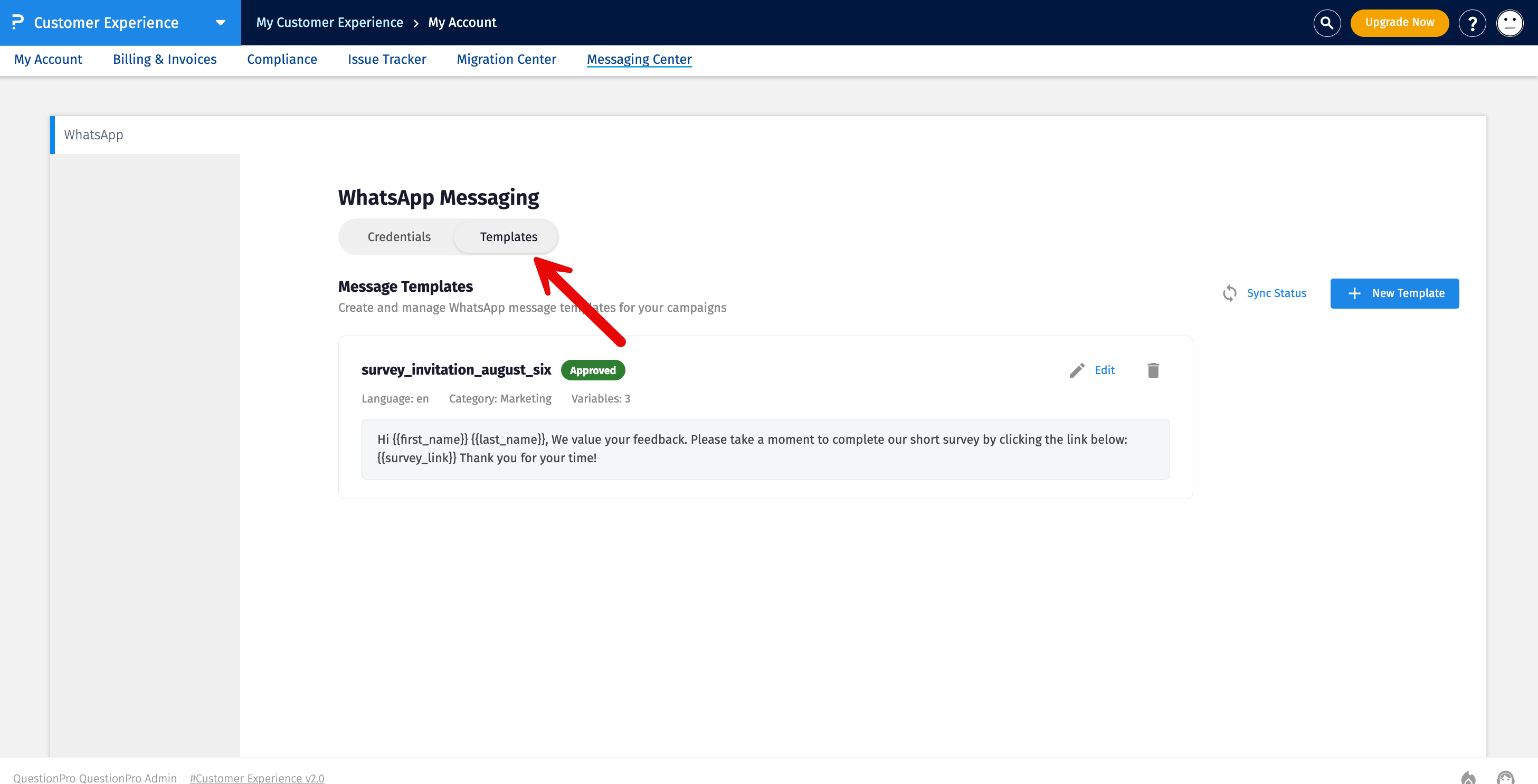
After successfully integrating your WhatsApp Business account, you can create message templates that can be used to distribute surveys, send reminders, and collect customer feedback through WhatsApp.
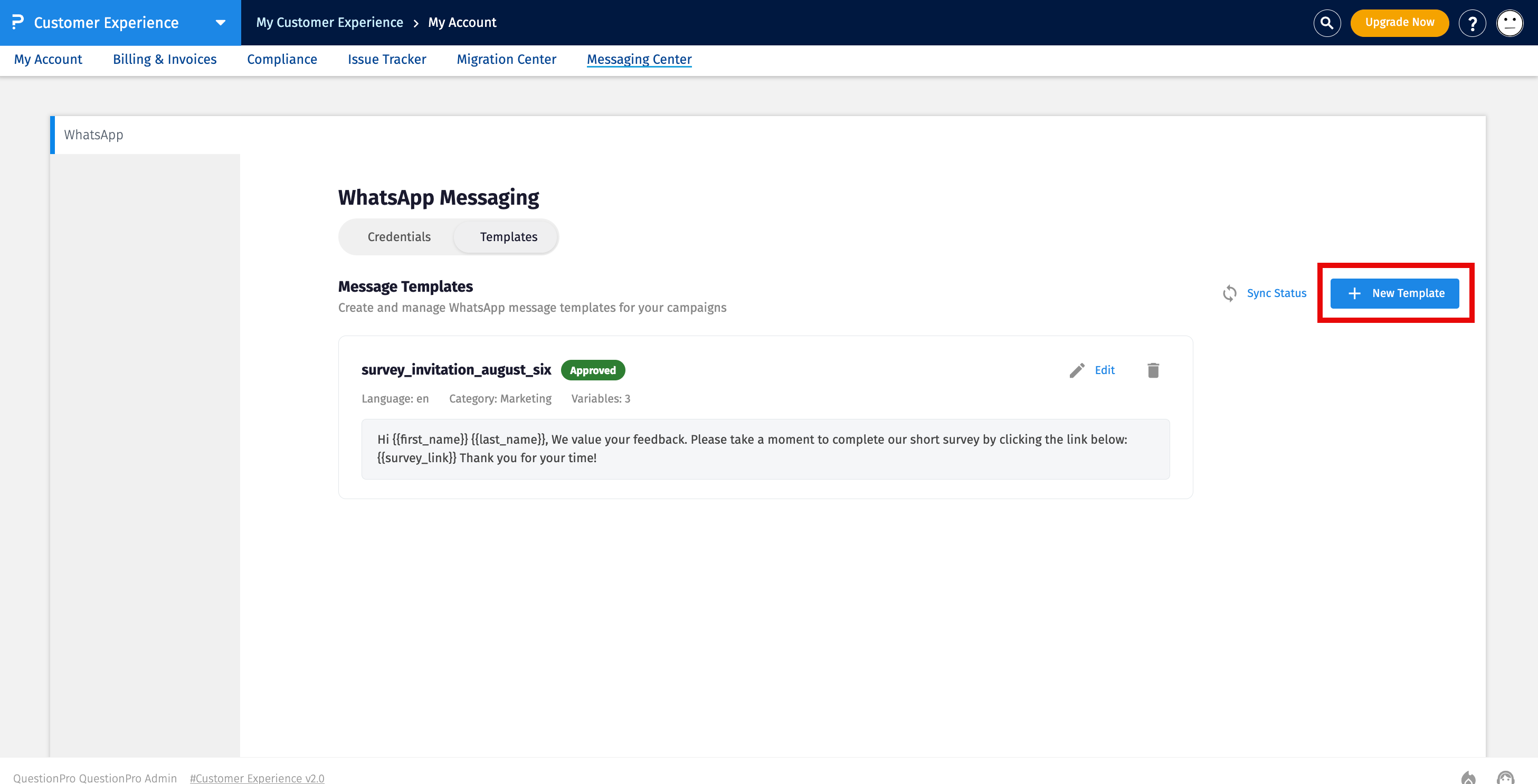
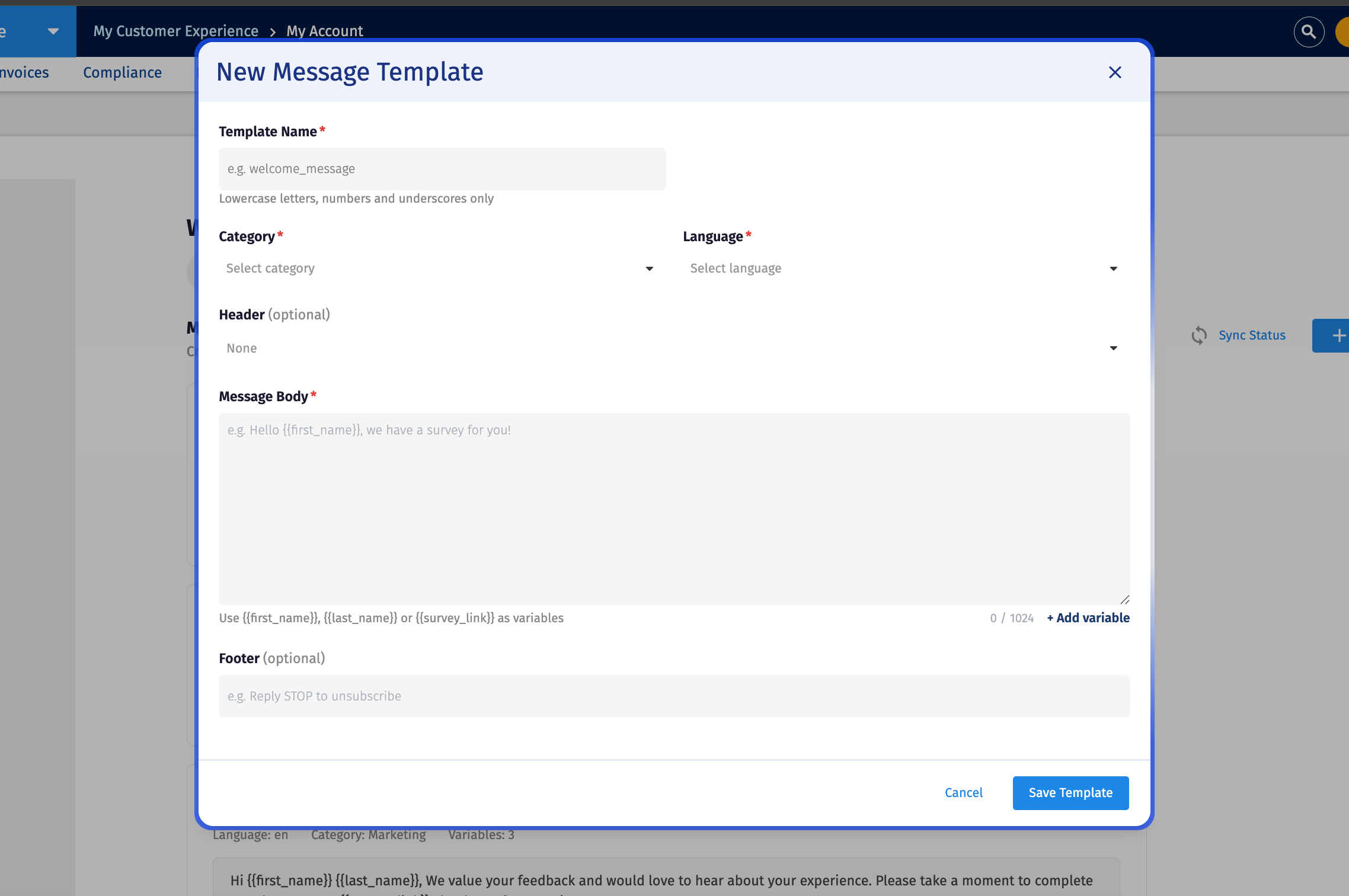
To create a WhatsApp template, click Create Template and provide the following details:
-
Template Name
Enter a name for the template. The template name can contain only lowercase letters, numbers, and underscores.
-
Category
Select the category that best describes the purpose of your WhatsApp message.
- Marketing - Use for promotional, engagement, or survey invitation messages intended to encourage customer interaction.
- Utility - Use for transactional or service-related messages that provide customers with information about an existing interaction or request.
-
Language
Select the language for the message template.
-
Header (Optional)
Add a header to the message if required. The header is optional.
-
Message Body
Enter the message that you want to send to customers. You can personalize the message by adding variables such as {{first_name}}, {{last_name}}, and {{survey_link}}.
Use the Add Variable option to add supported variables to the message body.
-
Footer (Optional)
Enter optional footer text for the message. For example, you can add instructions such as Reply STOP to unsubscribe.
After entering the required information, click Save Template to create the template.
The template is then submitted for approval by Meta. Once the template is approved, it becomes available for use in your Customer Experience workflows.
Submitted templates are reviewed by Meta to ensure they comply with WhatsApp Business messaging policies.
- Approved templates automatically become available within Customer Experience.
- Pending templates cannot be selected in workflows until the approval process is complete.
- Rejected templates must be updated and resubmitted for approval before they can be used.
Once your templates have been approved by Meta, they become available throughout the Customer Experience workflow builder.
WhatsApp templates can be used in the following workflow rules:
- Import Rules
- Send Rules
- Reminder Rules
To configure WhatsApp as the communication channel:
- Open the workflow you want to configure.
- Navigate to the required rule.
- Select WhatsApp as the send channel.
- Select one of the approved WhatsApp templates.
- Save the workflow.
The workflow will use the selected WhatsApp template whenever the configured conditions are met.
If your template is not available while configuring a workflow, verify the following:
- The template has been approved by Meta.
- Your WhatsApp Business account is successfully connected.
- The template has not been rejected or is still awaiting approval.
Only Meta-approved templates are displayed in the workflow template selection list.
Do I need a WhatsApp Business account?
Yes. A valid WhatsApp Business account is required before you can integrate WhatsApp with Customer Experience.
Can I use a template immediately after creating it?
No. Every template must first be approved by Meta before it becomes available in workflows.
Where can I use WhatsApp templates?
Approved templates can be used in Import Rules, Send Rules, and Reminder Rules within Customer Experience workflows.
Why isn't my template visible?
Templates that are pending approval or rejected by Meta are not available for workflow configuration.
- Use clear and concise message templates to improve customer engagement.
- Ensure your templates comply with Meta's WhatsApp Business messaging guidelines before submitting them for approval.
- Wait until templates are approved before configuring workflows.
- Use descriptive template names to make them easier to identify during workflow configuration.
- Test your workflow after integrating WhatsApp to verify that messages are delivered successfully.
