

- Custom Variable Widget
- Priority Matrix
- Heatmap Widget
- Grid Widget
- Weighted mean widget
- Comment List widget
- Widget Filters
- Ranking List Widget
- Distribution Chart
- NPS Widget
- Trend Widget
- Word Cloud Widget
- Cross tab widget
- KPI Comparison Widget
- Bubble chart
- Custom Metric Trend Chart
- Trend Comparison Widget

Anomaly Detection in Intercept
Anomaly Detection in Intercept helps identify unusual increases or decreases in website visitor activity by comparing matched visitor counts across completed time periods.
You can configure anomaly detection to monitor daily, weekly, or monthly visitor activity and specify the percentage change that should trigger an alert.
When visitor activity crosses the configured threshold in the selected direction, Intercept records an anomaly event and creates email delivery records for the configured recipients.
Intercept supports two directions of visitor anomaly detection:
- Rises above: Detects an increase in matched visitors that crosses the configured percentage threshold.
- Drops below: Detects a decrease in matched visitors that crosses the configured percentage threshold.
You can configure the threshold and select the direction based on the type of visitor activity you want to monitor.
You can create an anomaly rule in Intercept to monitor unusual increases or decreases in matched website visitors and receive email notifications when the configured threshold is breached.
To create an anomaly rule, follow these steps:
- Go to Intercept.
- Navigate to Anomalies.
- Click Create Anomaly.
- Enter a name for the anomaly rule so you can easily identify it.
- Select the Anomaly Type to specify whether you want to monitor visitor increases (Rises above) or decreases (Drops below).
- Configure the Threshold by selecting the percentage change that should trigger an alert. The supported threshold range is 12% to 100%.
- Configure the email notification settings by specifying the recipients who should receive anomaly alerts.
- Review the rule configuration and click Save to create the anomaly rule.
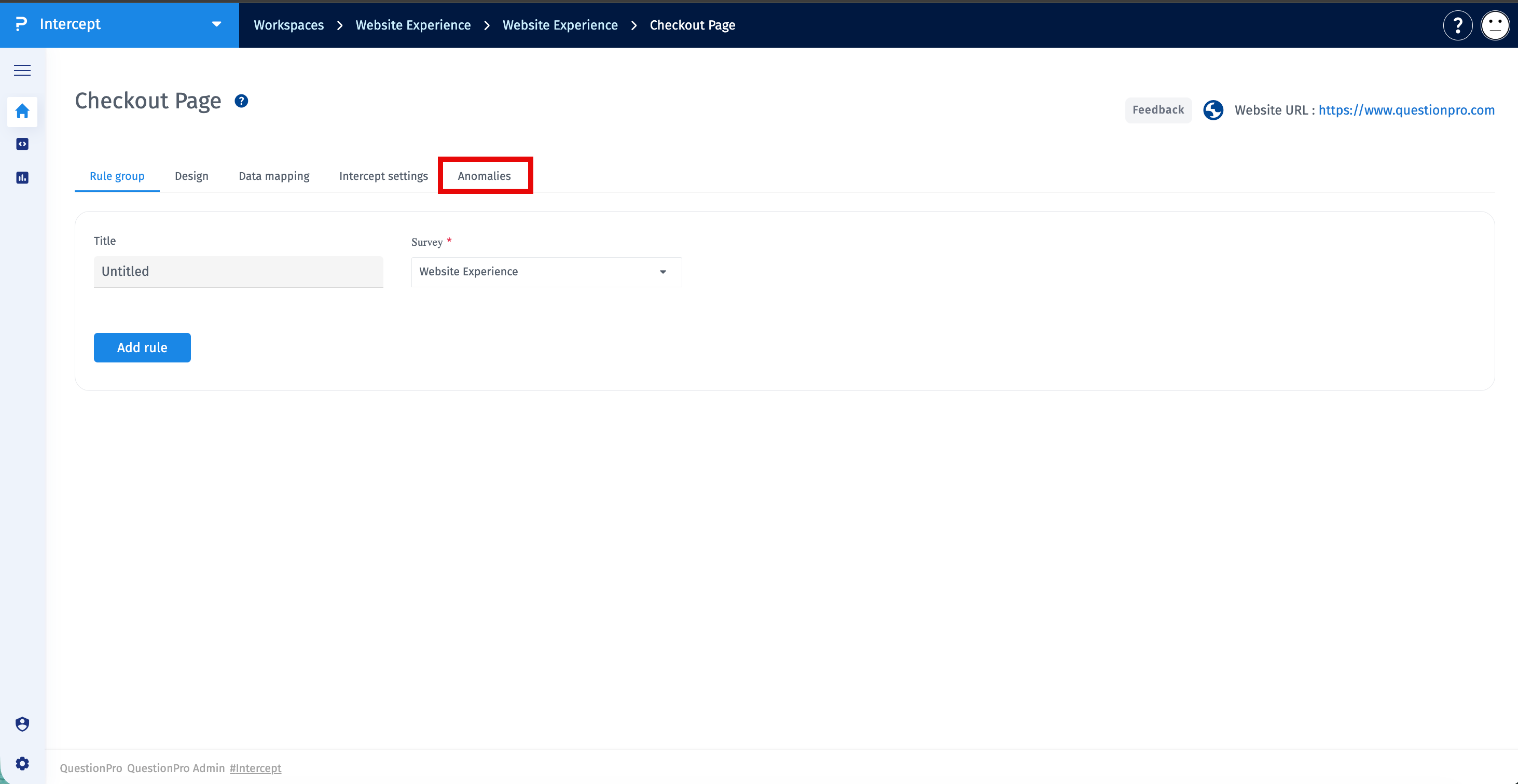
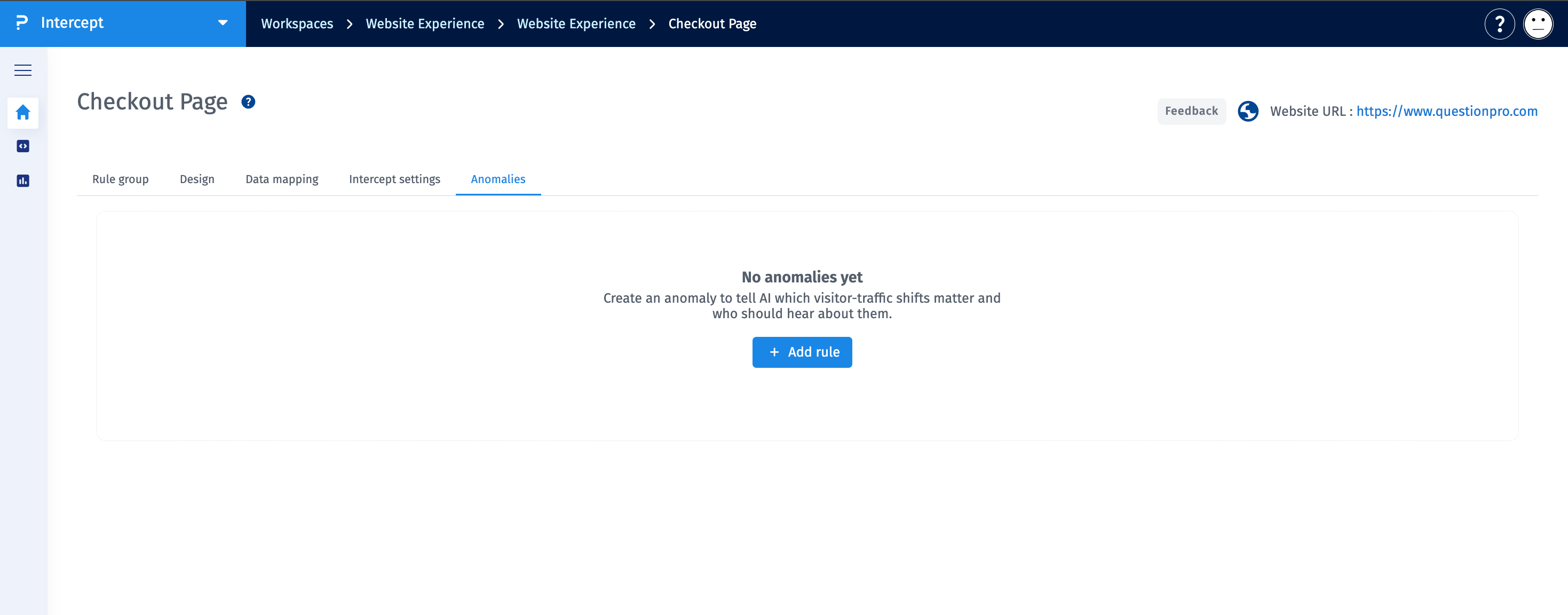
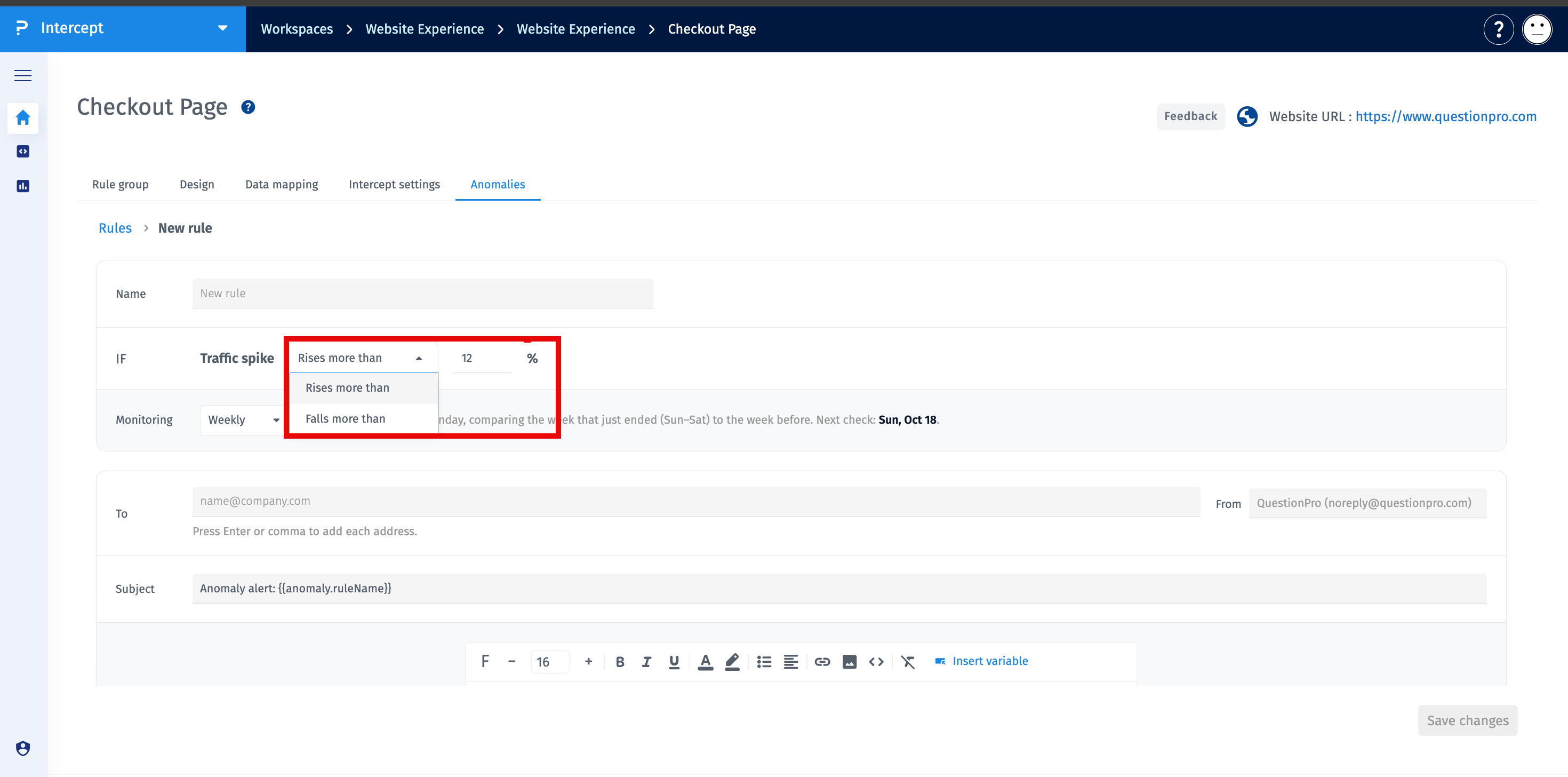
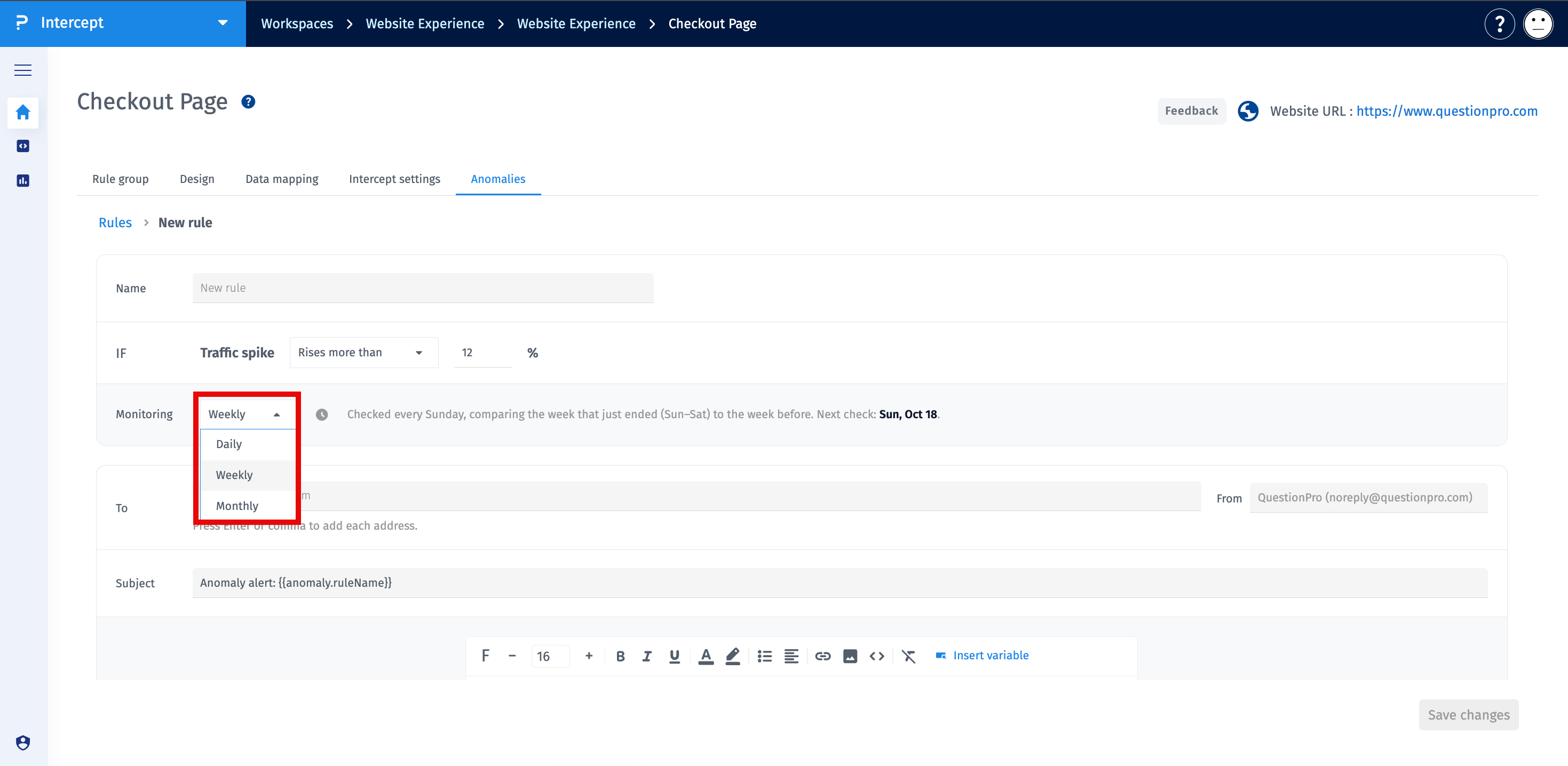
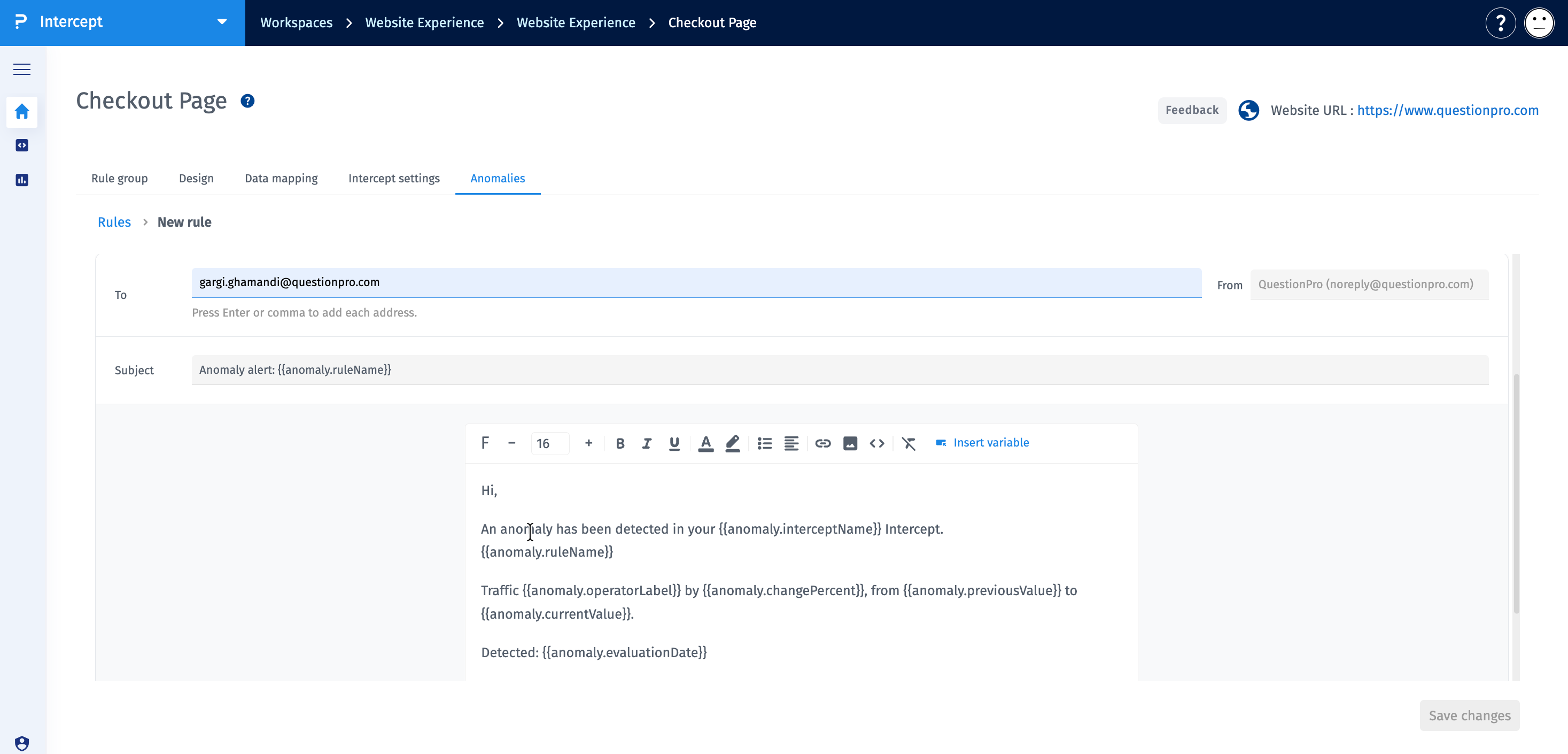
Once saved, the rule is evaluated according to the supported daily, weekly, or monthly evaluation schedule. An alert is generated when visitor activity breaches the configured threshold in the selected direction.
Intercept evaluates visitor activity by comparing two fully closed windows of equal duration or calendar shape: the current window and the immediately preceding window.
The process follows these steps:
- Intercept collects visitor data in the daily result rollup.
- The measurement window closes and the system waits for the 60-minute settling period.
- Intercept sums the matched visitor counts for the current and previous windows.
- The system calculates the percentage change between the two windows.
- The calculated change is evaluated against the configured threshold and alert direction.
- If the rule is breached, Intercept records a permanent anomaly event and creates an email delivery record for each recipient.
All anomaly detection windows are calculated using Pacific Time (PT).
Intercept supports three comparison periods:
- Daily: Compares yesterday with the day before yesterday.
- Weekly: Compares the most recently completed Sunday–Saturday period with the preceding Sunday–Saturday period.
- Monthly: Compares the most recently completed calendar month with the full previous calendar month.
Each comparison uses two fully closed windows. A window is not eligible for evaluation until the 60-minute settling period has elapsed after the relevant day closes.
Daily anomaly detection runs every day and evaluates the previous calendar day against the day before it.
- Current window: Yesterday, covering one day.
- Previous window: The day before yesterday, covering one day.
- Evaluation schedule: Every day, after the relevant day has closed and the 60-minute settling period has elapsed.
For example, Intercept compares the matched visitors recorded on October 10 with those recorded on October 9. If the percentage change crosses the configured threshold in the selected direction, an anomaly alert is triggered.
Weekly anomaly detection runs when the closed day is Saturday.
- Current window: The most recently completed Sunday–Saturday period, covering seven days.
- Previous window: The immediately preceding Sunday–Saturday period, covering seven days.
- Evaluation schedule: When Saturday has closed and the 60-minute settling period has elapsed.
For example, Intercept compares the matched visitors recorded during the latest completed Sunday–Saturday period with the visitors recorded during the preceding Sunday–Saturday period.
An alert is generated when the percentage change crosses the configured threshold in the selected direction.
Monthly anomaly detection runs when the closed day is the last day of the calendar month.
- Current window: The full calendar month that just ended.
- Previous window: The full calendar month immediately before it.
- Evaluation schedule: When the last day of the month has closed and the 60-minute settling period has elapsed.
For example, Intercept compares the total matched visitors recorded in February with the total recorded in January.
Important: Monthly comparisons use raw visitor totals rather than daily averages. Because months have different numbers of days, a shorter month may naturally record fewer visitors than a longer month, even when average daily traffic remains stable.
Intercept calculates the percentage change by comparing the total matched visitors in the current window with the total matched visitors in the previous window.
Formula:
Percentage Change = ((Current Visitors − Previous Visitors) ÷ Previous Visitors) × 100
Where:
- Current Visitors: The total matched visitors recorded in the current window.
- Previous Visitors: The total matched visitors recorded in the previous window.
A positive result indicates an increase in visitors, while a negative result indicates a decrease.
Suppose the previous window recorded 1,000 matched visitors and the current window recorded 1,200 matched visitors.
Percentage Change = ((1,200 − 1,000) ÷ 1,000) × 100 = +20%
If the rule is configured to trigger when visitors rise above a 15% threshold, the 20% increase qualifies as a breach.
Intercept records an anomaly event and creates email delivery records for the configured recipients.
Suppose the previous window recorded 1,000 matched visitors and the current window recorded 800 matched visitors.
Percentage Change = ((800 − 1,000) ÷ 1,000) × 100 = −20%
If the rule is configured to trigger when visitors drop below a 15% threshold, the 20% decrease qualifies as a breach.
Intercept records an anomaly event and creates email delivery records for the configured recipients.
The supported anomaly alert threshold range is 12% to 100%.
The threshold determines the percentage increase or decrease required to trigger an alert in the selected direction.
For example, a rule configured with a 20% threshold monitors changes against that configured percentage.
The Rises above direction monitors increases in matched visitors.
Intercept calculates the percentage change between the current and previous windows. If the positive change crosses the configured threshold, the rule is breached and an anomaly event is recorded.
If the previous window has zero visitors and the current window has more than zero visitors, an alert can be generated only when the previous window contains rollup data.
The Drops below direction monitors decreases in matched visitors.
Intercept calculates the percentage change between the current and previous windows. If the decrease crosses the configured threshold in the selected direction, the rule is breached and an anomaly event is recorded.
If the previous window has zero visitors, the standard percentage change formula cannot be applied. The special zero-count rule does not generate an alert for the Drops below direction when the current window contains visitors.
If both the current and previous windows record zero matched visitors, Intercept does not generate an anomaly alert.
Since there is no change in visitor activity, the result is not treated as an anomaly.
When the previous window contains zero visitors and the current window contains more than zero visitors, Intercept applies a special rule.
- An alert can be generated only for the Rises above direction.
- The previous window must contain rollup data.
- If the previous window has no rollup data, an alert is not generated.
This rule prevents a newly created Intercept without established historical data from generating a false anomaly alert.
Monthly anomaly detection compares raw visitor totals for two full calendar months. It does not normalize the totals based on the number of days in each month.
For example, February has 28 days in a non-leap year, while January has 31 days. February may therefore record fewer total visitors even if the average daily visitor count remains unchanged.
This difference is an expected result of comparing raw monthly totals and is not necessarily a tracking issue or an anomaly in daily traffic.
Intercept evaluates only eligible Intercepts that meet both of the following conditions:
- The Intercept is active.
- Tracking is enabled for the associated project.
Inactive Intercepts and Intercepts associated with projects where tracking is not enabled are not evaluated.
- Choose a threshold that reflects the magnitude of visitor change you want to monitor.
- Select Rises above to monitor significant increases and Drops below to monitor significant decreases.
- Use daily comparisons to monitor short-term changes, weekly comparisons to review week-over-week changes, and monthly comparisons to monitor full calendar-month totals.
- Allow the 60-minute settling period to elapse before investigating a missing alert.
- Verify that the Intercept is active and project tracking is enabled.
- Review the visitor counts in both comparison windows before concluding that an anomaly has occurred.
- Consider differences in calendar month length when interpreting monthly alerts.
- Review anomaly event and email delivery records separately when troubleshooting notifications.
- Investigate operational logs if evaluation cycles are missed.
Which time zone is used for anomaly detection?
All daily, weekly, and monthly comparison windows use Pacific Time (PT).
What is the supported alert threshold range?
The supported threshold range is 12% to 100%.
Can Intercept detect both visitor increases and decreases?
Yes. Select Rises above to monitor increases or Drops below to monitor decreases.
Does Intercept generate an alert when both windows have zero visitors?
No. If both comparison windows have zero visitors, no anomaly alert is generated.
Can an alert be generated when visitors increase from zero?
Yes, but only for the Rises above direction and when the previous window contains rollup data.
