

- Custom Variable Widget
- Priority Matrix
- Heatmap Widget
- Grid Widget
- Weighted mean widget
- Comment List widget
- Widget Filters
- Ranking List Widget
- Distribution Chart
- NPS Widget
- Trend Widget
- Word Cloud Widget
- Cross tab widget
- KPI Comparison Widget
- Bubble chart
- Custom Metric Trend Chart
- Trend Comparison Widget

Inline Embed
Inline Embed allows you to display a survey directly inside your website content instead of showing it as a popup or slide-in widget. The survey is rendered within a specific HTML container on your page, giving you complete control over where the survey appears.
The widget locates the target element during page load, injects a survey iframe into the container, and renders the survey within your page layout. This provides a seamless survey experience without interrupting the visitor's browsing session.
Watch this video to learn how to create an Inline Embed Intercept, configure target and display settings, embed the generated code on your website, and seamlessly display surveys within your web pages.
- Navigate to the appropriate Workspace and select the Project where you want to create the intercept.
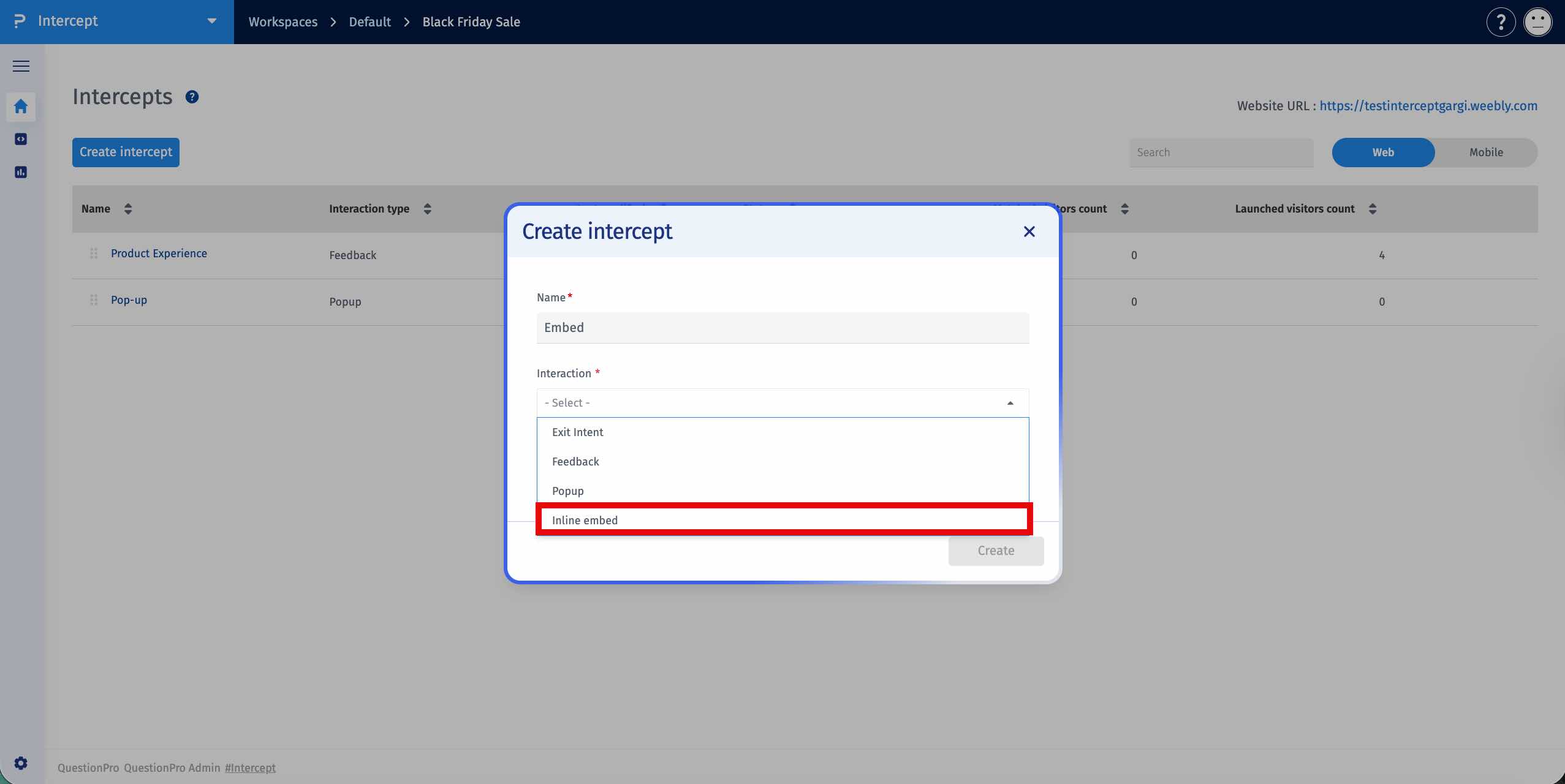
- Click Create Intercept and select Inline Embed from the available intercept types.
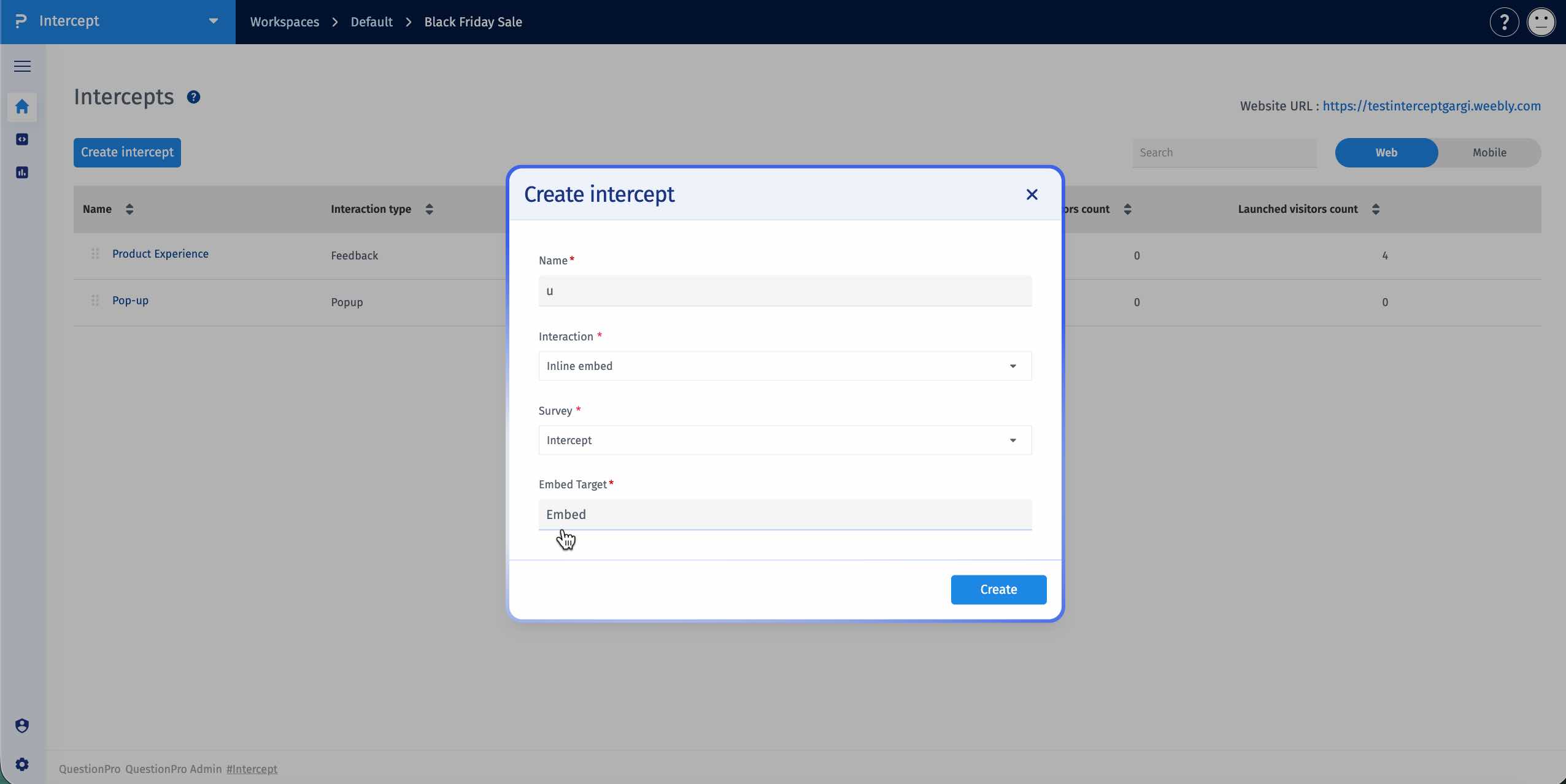
- Enter an Embed Selector. The selector identifies the HTML element where the survey will be rendered.
- The Embed Selector can be either a CSS selector or a plain selector name. For example, entering my-survey automatically targets [data-qp-intercept="my-survey"].
- Click Save to create the Inline Embed intercept.
- Open the Trigger Rules section after creating the intercept.
- Configure the conditions that determine when the survey should appear.
- Trigger behavior is controlled through configured rules. Refer to the Trigger Rules documentation for detailed information about all available rule types and conditions.
- Click Save to apply the trigger rule configuration.
- Open the Widget Settings section of the intercept.
- Copy the generated embed element using the Copy button.
- Open the HTML page where you want the survey to appear and paste the generated element into the desired location.
- When the page loads, the widget locates the target container, injects an iframe, and renders the survey inside the page.
- Use the Height setting to control the height of the survey iframe in pixels.
- Use the Width setting to control the width of the survey iframe in pixels.
- Use the Position setting to align the survey horizontally within the container using Left, Center, or Right alignment.
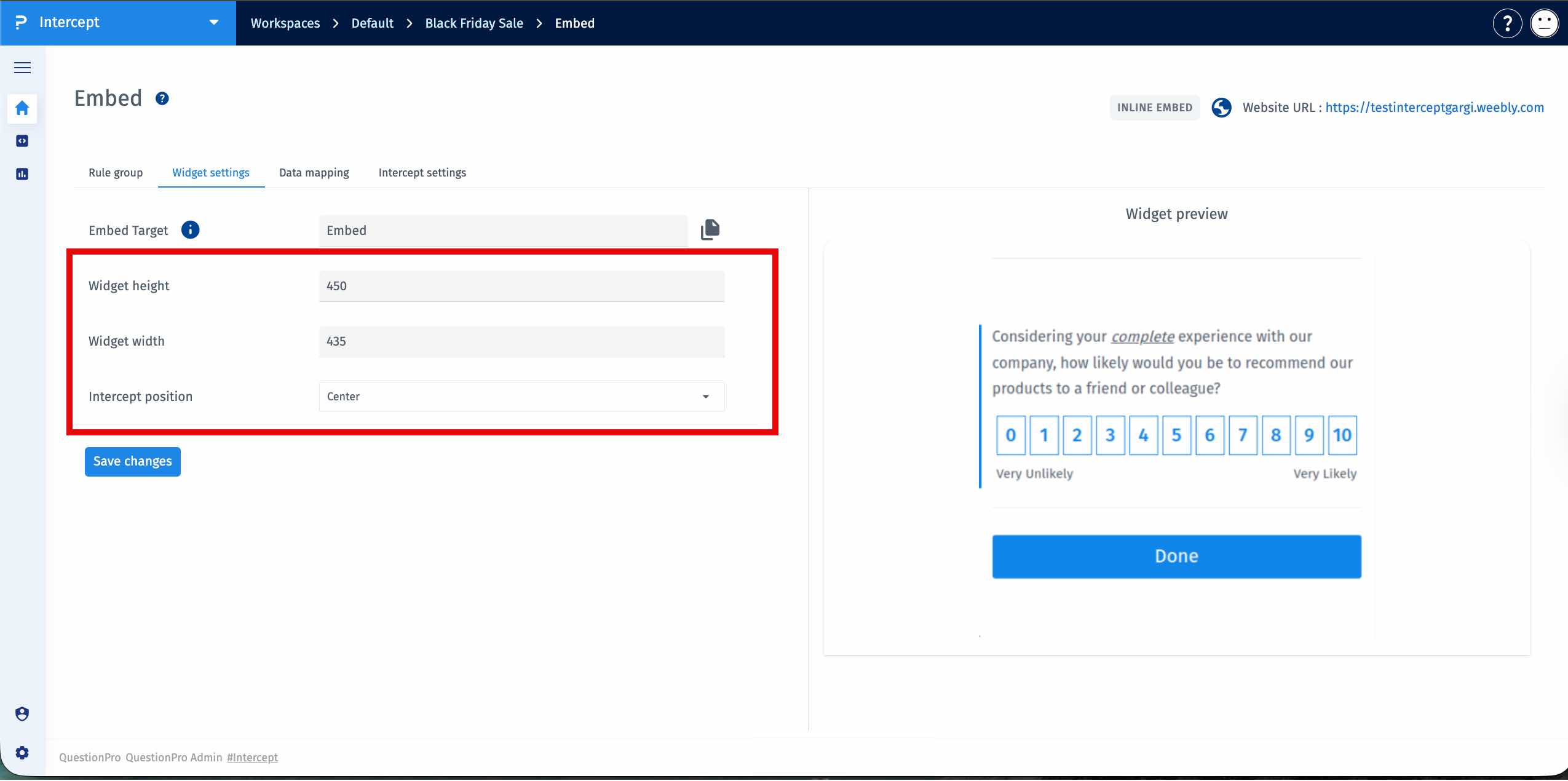
Position controls only the horizontal alignment within the container and does not determine where the survey appears on the webpage.
- The target HTML element must exist on the webpage for the survey to render.
- Trigger conditions must be satisfied before the survey is displayed.
- The survey is rendered inside an iframe within the target container.
- Multiple Inline Embed intercepts can be used across different pages by using different selectors.
