

- Custom Variable Widget
- Priority Matrix
- Heatmap Widget
- Grid Widget
- Weighted mean widget
- Comment List widget
- Widget Filters
- Ranking List Widget
- Distribution Chart
- NPS Widget
- Trend Widget
- Word Cloud Widget
- Cross tab widget
- KPI Comparison Widget
- Bubble chart
- Custom Metric Trend Chart
- Trend Comparison Widget

Ticket Watchers
Ticket Watchers allow managers and other workspace users to follow important tickets without becoming the ticket assignee. A watcher receives the same default ticket notifications as the assignee while remaining a collaborator on the ticket.
This feature helps improve collaboration by allowing stakeholders to stay informed about ticket progress without affecting ticket ownership or assignment.
Navigate to:
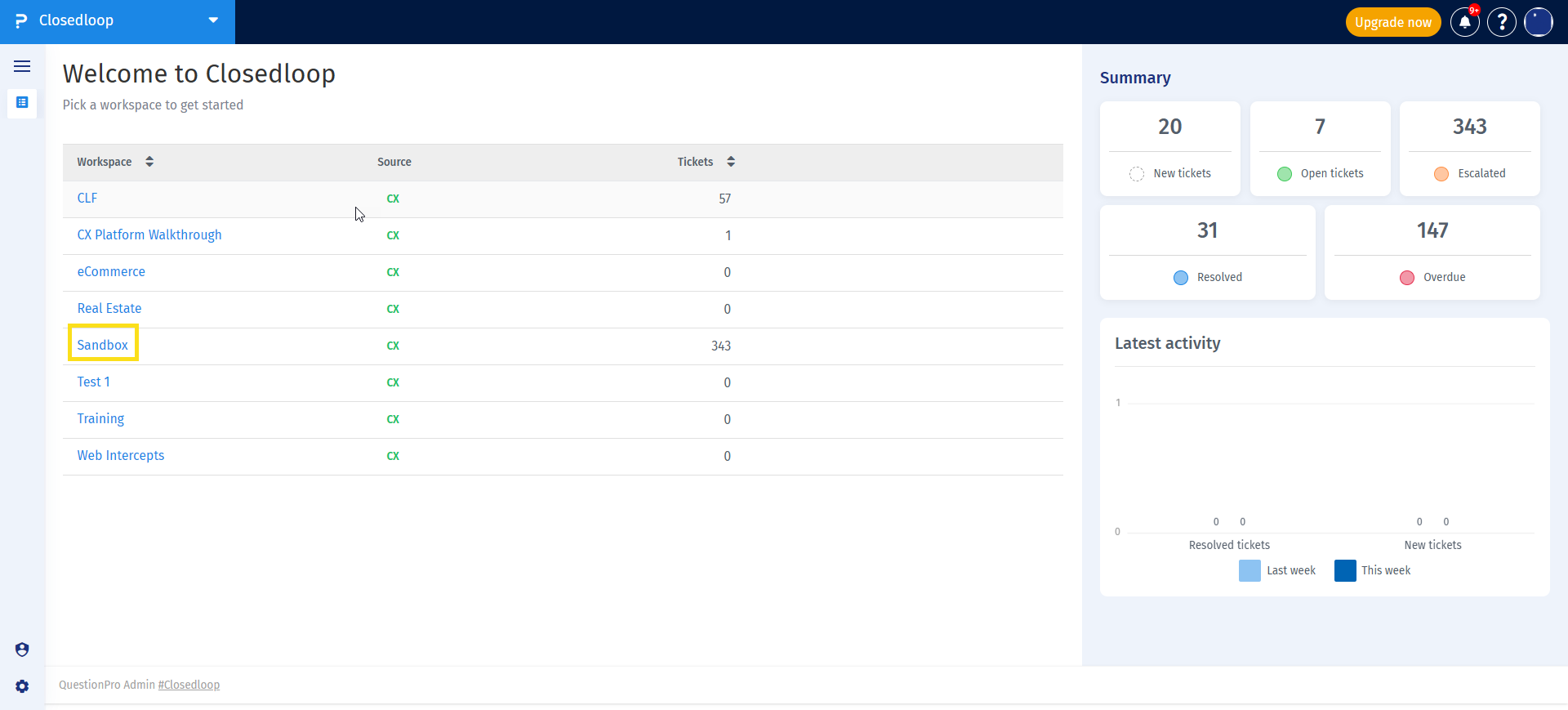
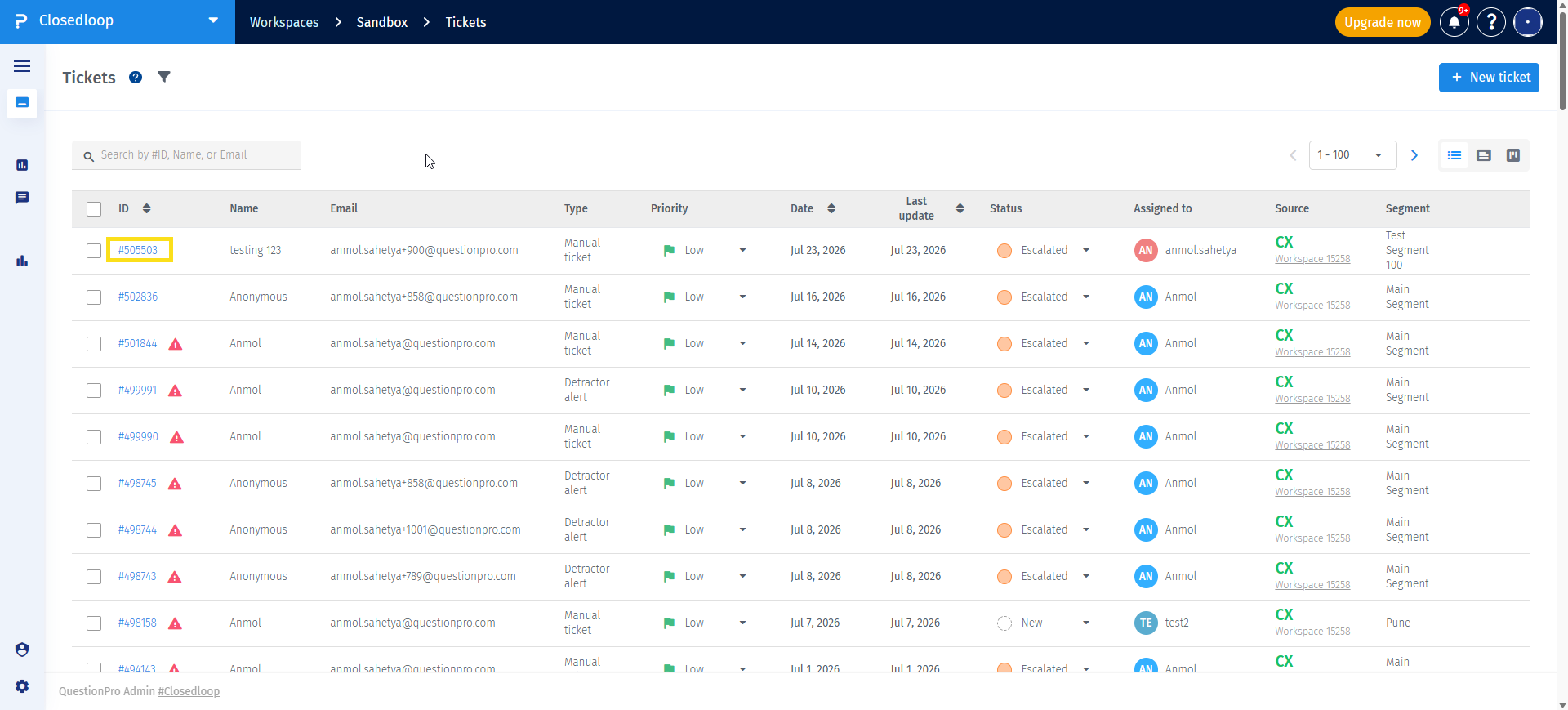
Customer Experience → Closedloop → Workspace → Tickets → Open a Ticket → Ticket Watchers (Eye icon)
-
Navigate to Customer Experience → Closedloop and open the required workspace.

-
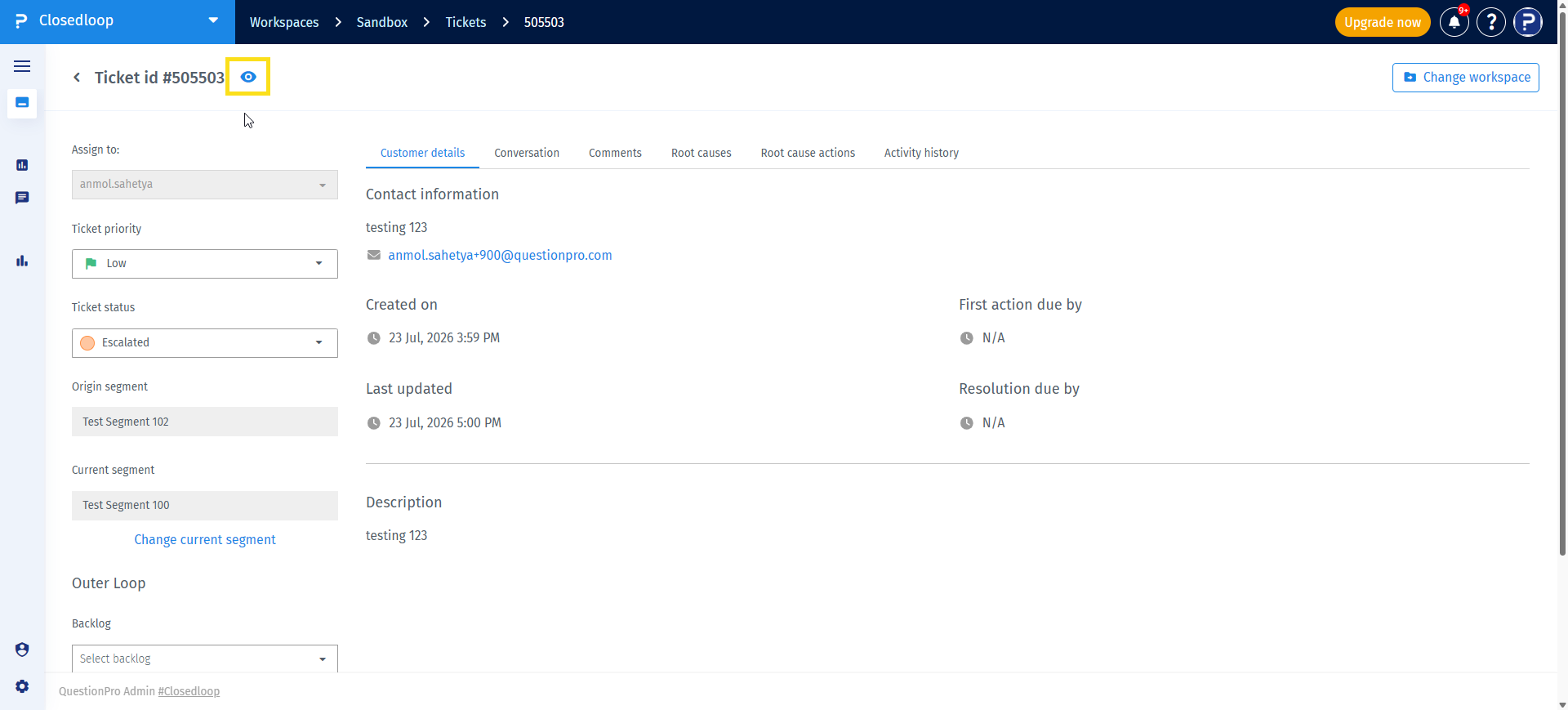
Open the ticket that you want to monitor.
-
Click the Eye icon displayed next to the Ticket ID.
-
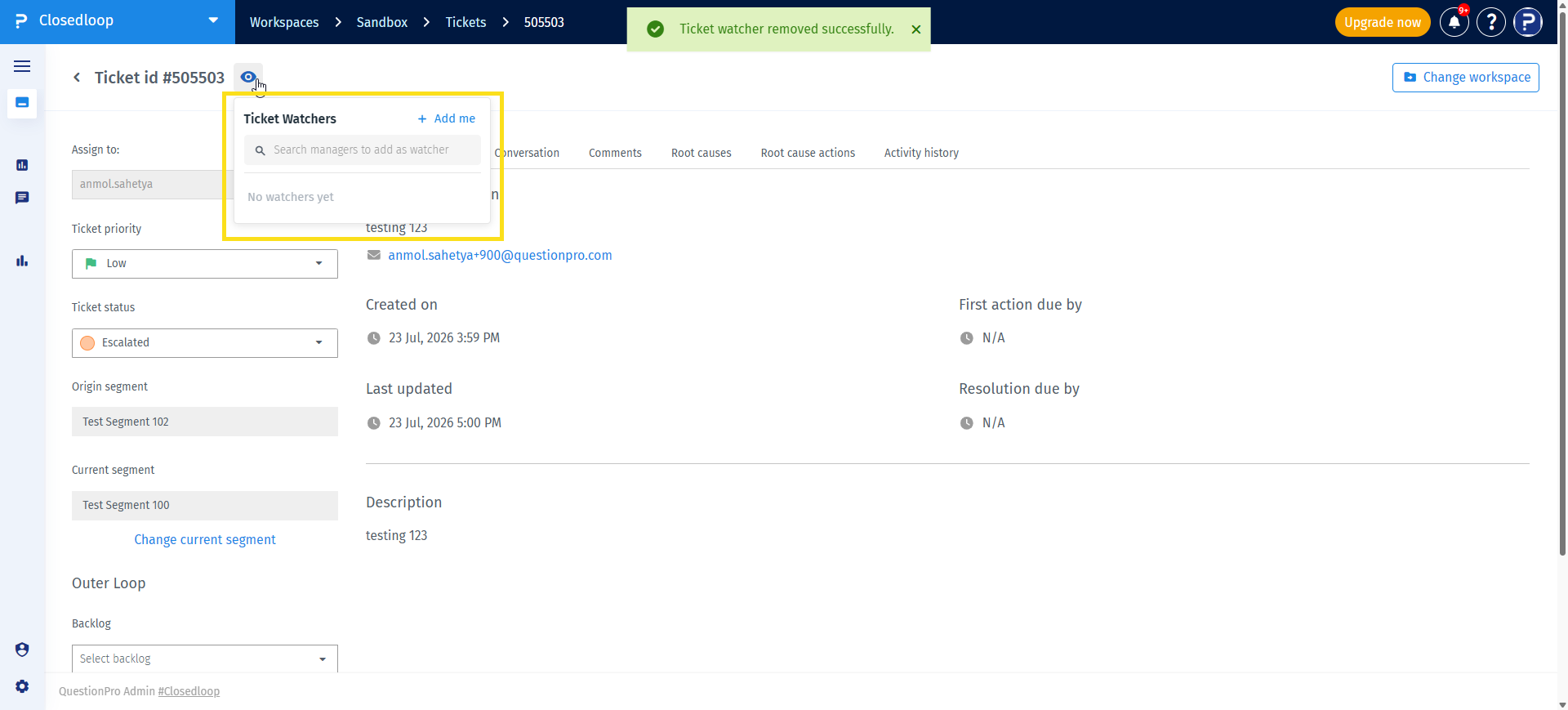
The Ticket Watchers panel opens.
-
Click Add me to add yourself as a watcher. If you are already watching the ticket, this option is disabled.
-
To add another watcher, search for the manager or workspace user by name or email address and select them from the search results.
-
To stop sending notifications to a watcher, click the remove option beside their name.
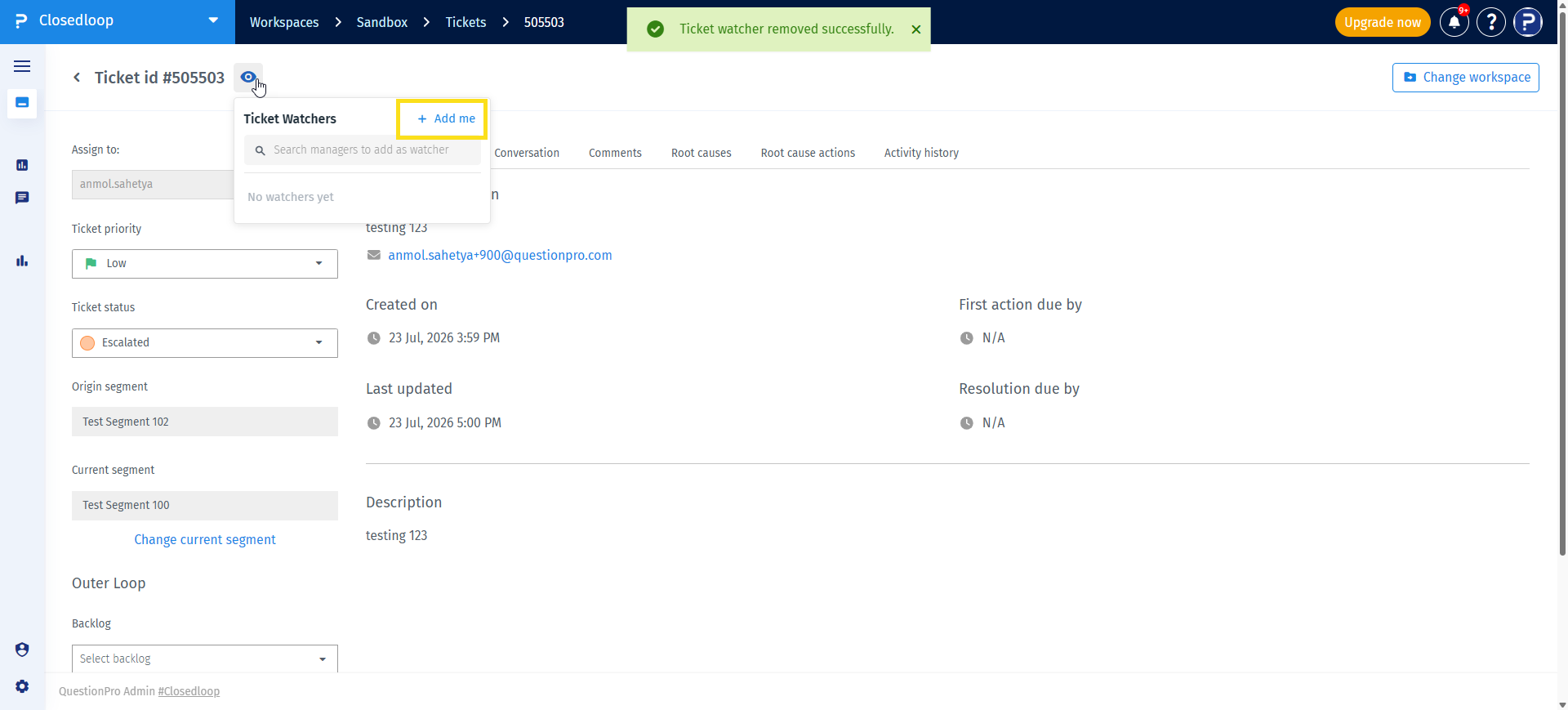
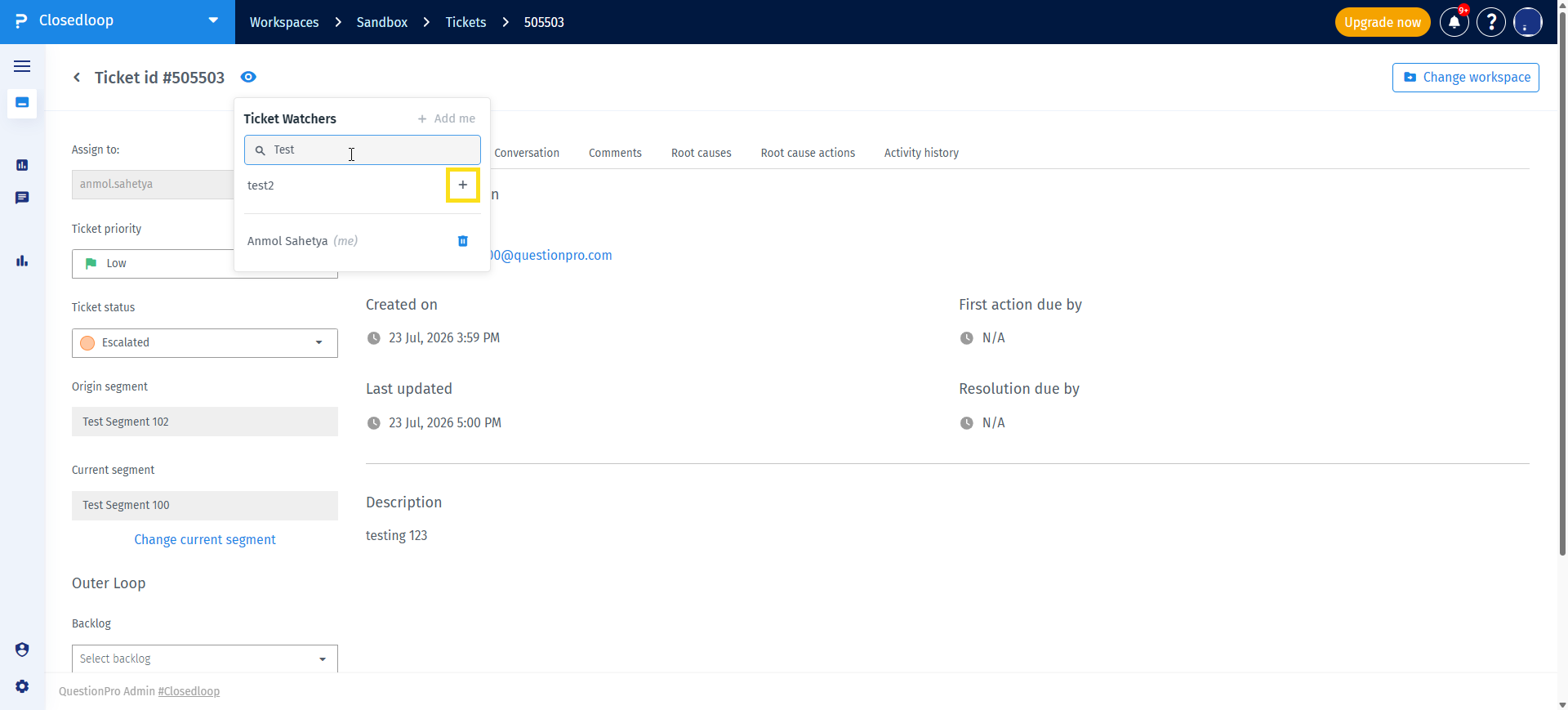
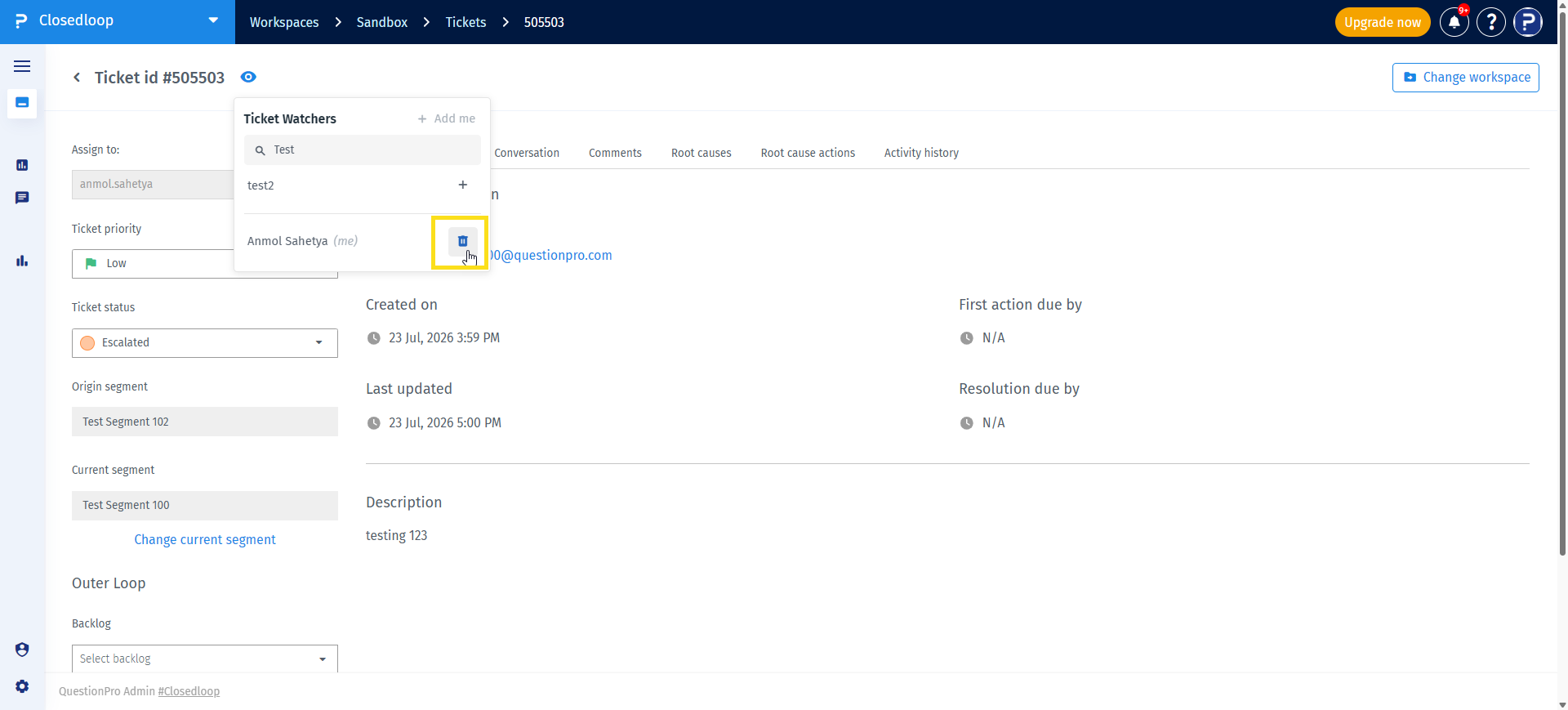
- Ticket Watchers receive the same default ticket notifications as the ticket assignee.
- Watchers are included as recipients in the CC field of notification emails.
- Adding a watcher does not change the ticket assignee or ownership.
- Multiple watchers can be added to the same ticket.
- Watchers can be added or removed at any time.
Every time a watcher is added or removed, the action is automatically recorded in the Ticket Activity History. This provides an audit trail of collaboration changes made on the ticket.
- Allows multiple stakeholders to follow important tickets without changing ownership.
- Improves collaboration between support teams and managers.
- Ensures important ticket updates are automatically shared with relevant users.
- Reduces the need for manual follow-up and status requests.
- Maintains clear ticket ownership while improving visibility.
No. Ticket ownership remains unchanged after adding or removing watchers.
Any user with access to the workspace can add or remove Ticket Watchers.
Yes. Click the Add me option in the Ticket Watchers panel. The option is disabled if you are already watching the ticket.
Yes. You can search for and add multiple workspace users as Ticket Watchers.
Yes. Ticket Watchers receive the same default ticket notifications as the ticket assignee. They are included in the CC field of notification emails.
Yes. Watchers can be removed at any time from the Ticket Watchers panel.
- Add only users who need visibility into the ticket.
- Remove watchers when they no longer need updates to reduce unnecessary email notifications.
- Use Ticket Watchers to keep managers informed without reassigning ticket ownership.
- Review the Activity History to track watcher additions and removals when auditing ticket collaboration.
