

- Custom Variable Widget
- Priority Matrix
- Heatmap Widget
- Grid Widget
- Weighted mean widget
- Comment List widget
- Widget Filters
- Ranking List Widget
- Distribution Chart
- NPS Widget
- Trend Widget
- Word Cloud Widget
- Cross tab widget
- KPI Comparison Widget
- Bubble chart
- Custom Metric Trend Chart
- Trend Comparison Widget

SLA Policies, Condition rules & SLA Status
SLA (Service Level Agreement) Policies allow Workspace Admins to define response and resolution targets for support tickets. Each policy contains Action SLA and Resolution SLA targets for every ticket priority, ensuring that tickets are handled within expected service timelines.
SLA Policies work together with Business Hours and Holiday Calendar settings to calculate ticket deadlines accurately. Policies are automatically assigned to tickets using Condition rules or, if no rule matches, by the workspace's Default SLA Policy.
Watch this video for a quick overview of SLA Policy configuration and SLA tracking in Closedloop.
Click to download video
Only Workspace Admins can manage SLA Policies and Condition rules.
- Workspace Owner (System Administrator)
- Shared users (Sub Accounts) with administrative access to the workspace
Navigate to: Closedloop → Workspace → Workspace Settings → SLA Policy
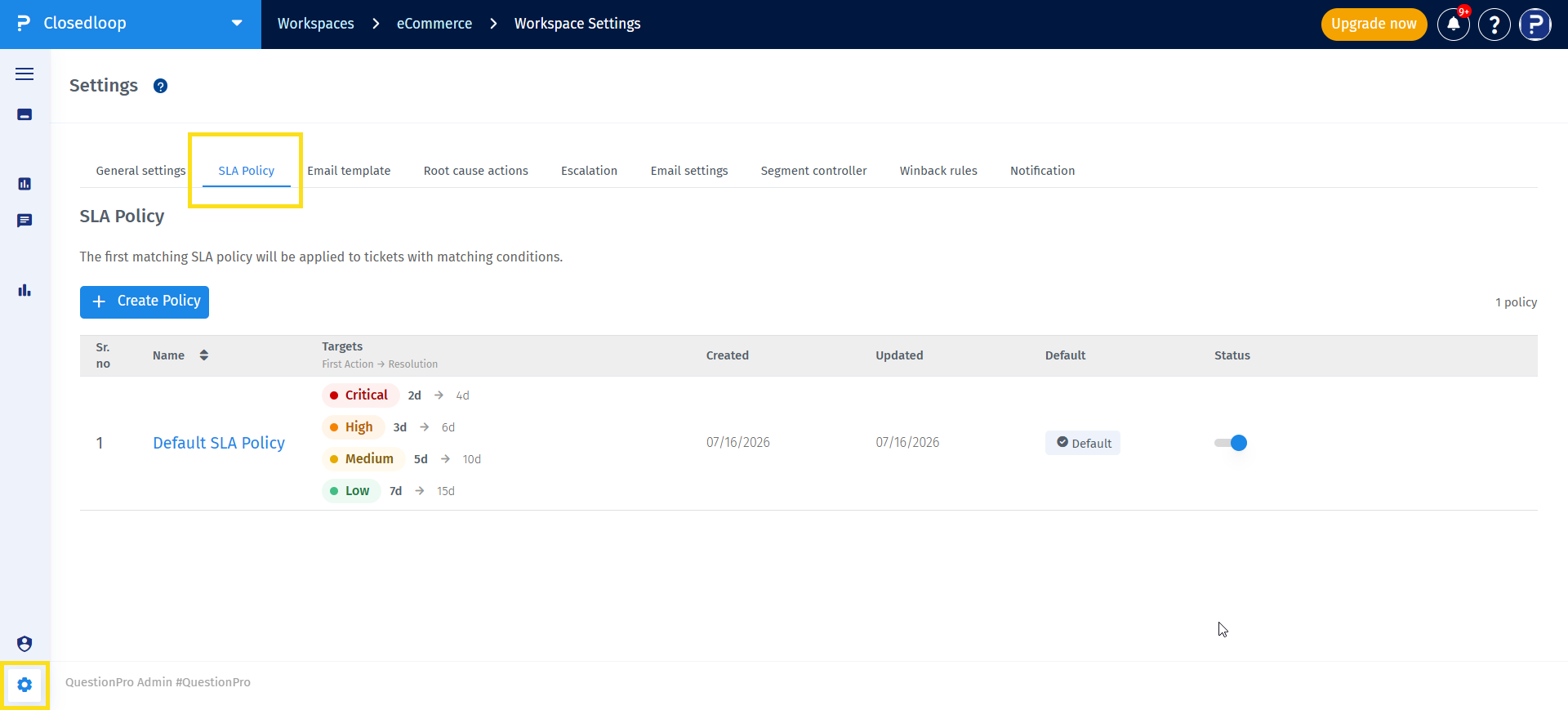
Every workspace contains one Default SLA Policy that is automatically created by the system.
- Only one Default SLA Policy exists per workspace.
- The Default SLA Policy cannot be deleted, however users have an option to disable the policy
- The Default SLA Policy can be edited.
- The Default SLA Policy does not support Condition rules.
- The policy is applied automatically when no Condition rule matches a ticket.
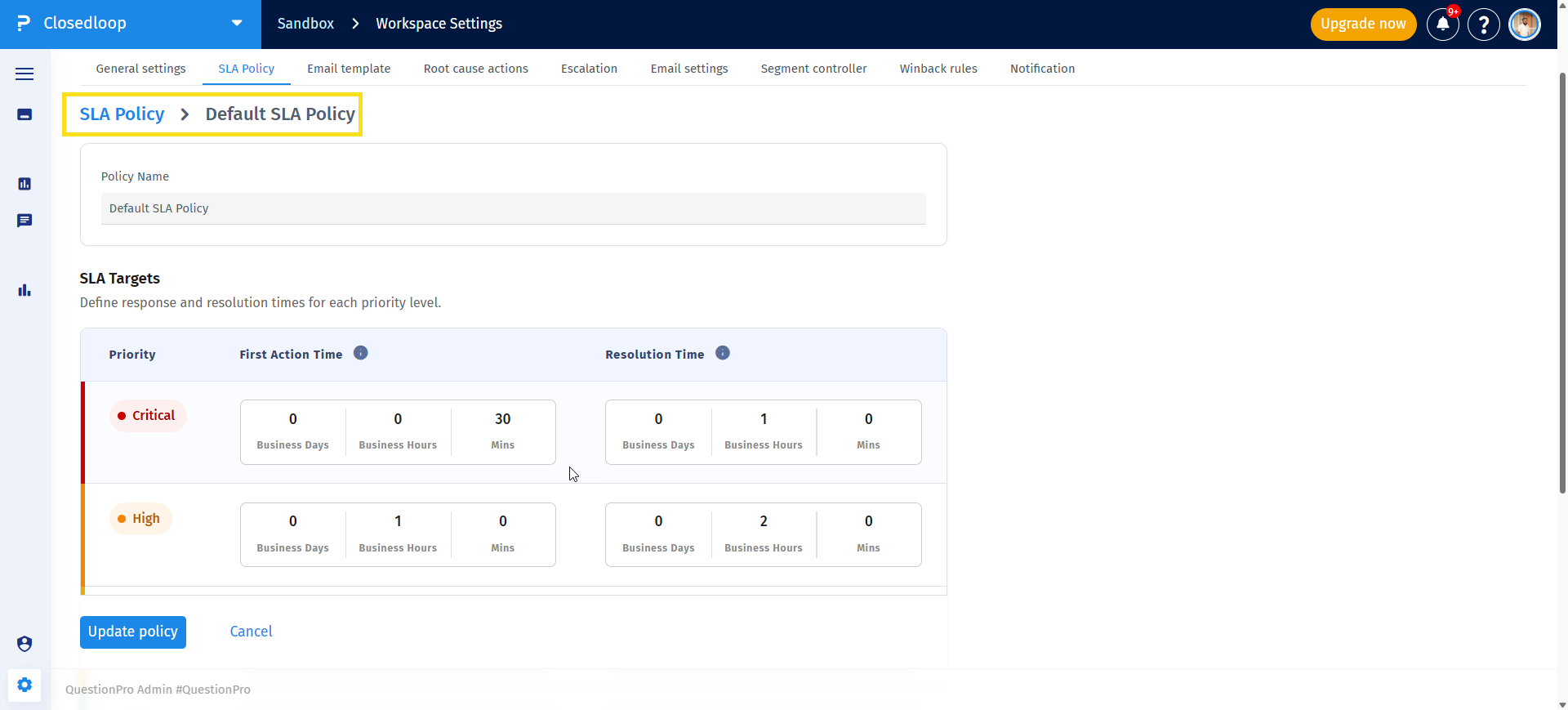
- Navigate to Closedloop → Workspace → Workspace Settings → SLA Policy.
-
Click Create Policy.

-
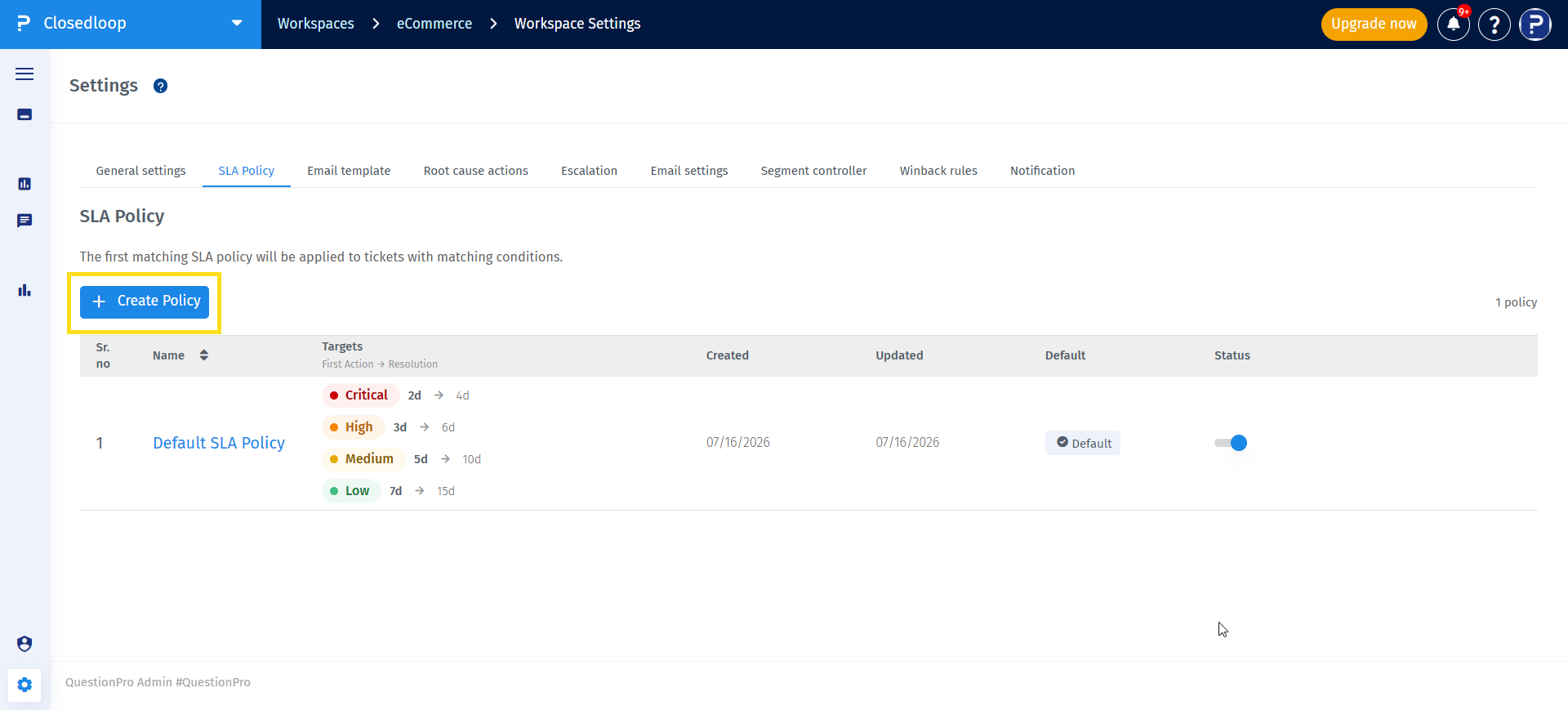
Enter a unique Policy Name.
-
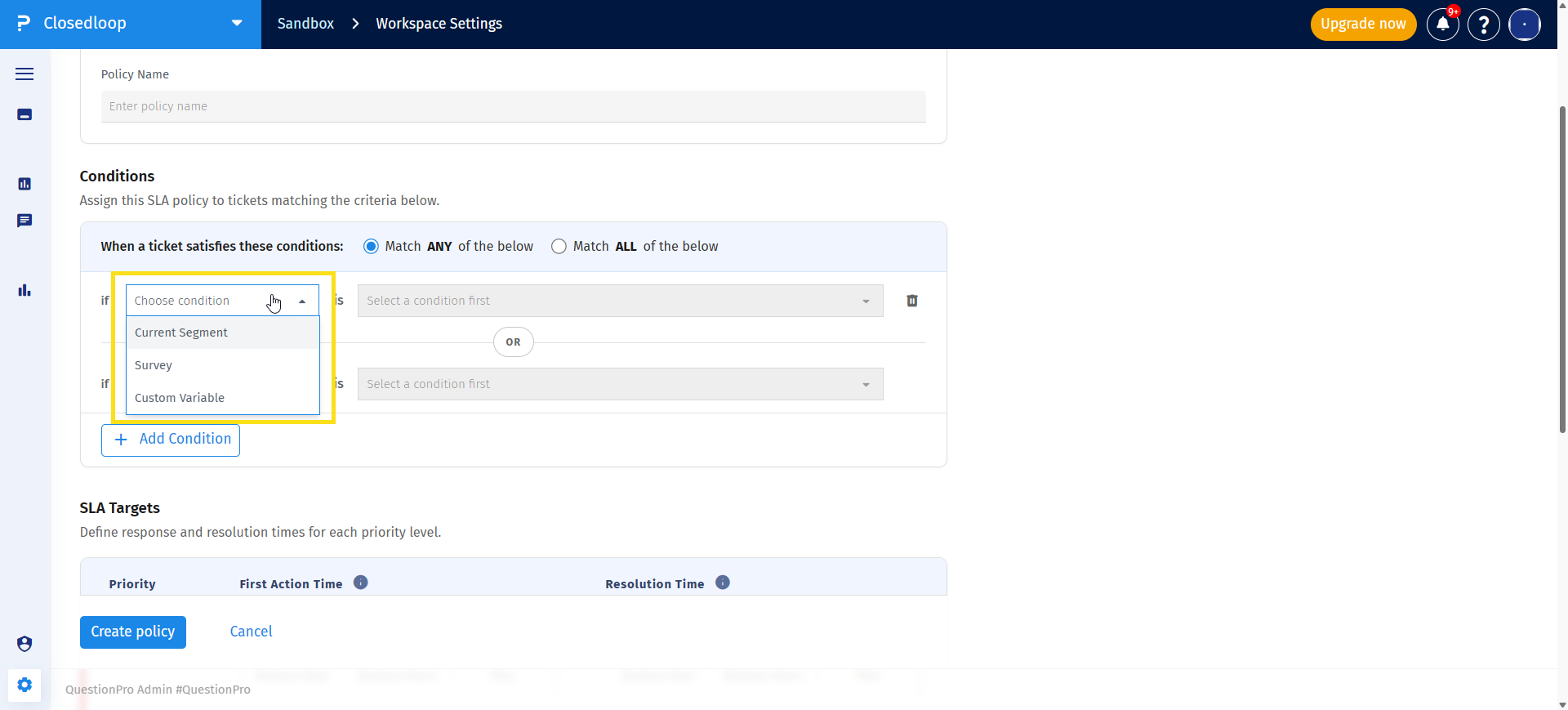
Configure one or more Condition rules using the available ticket attributes.
-
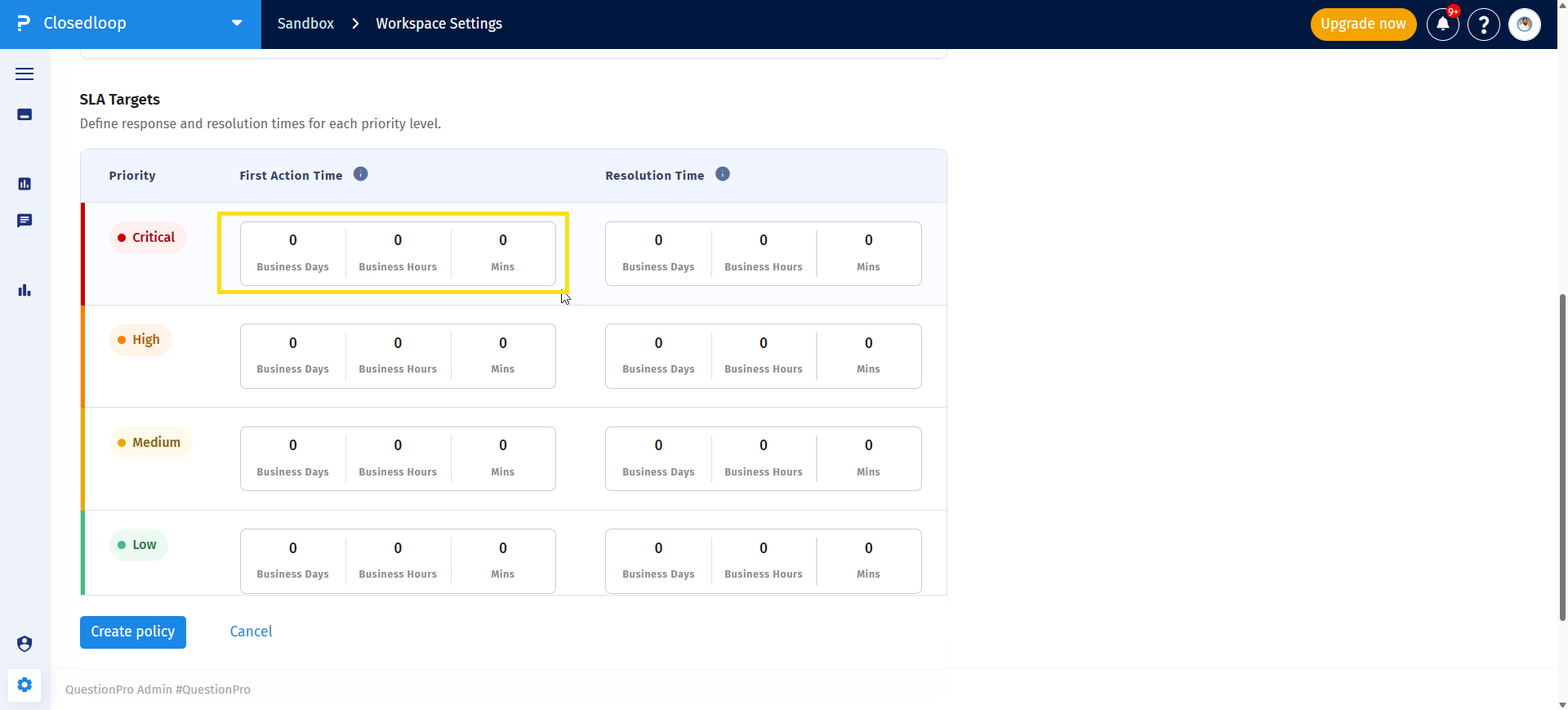
Configure the Action SLA and Resolution SLA for each ticket priority.
-
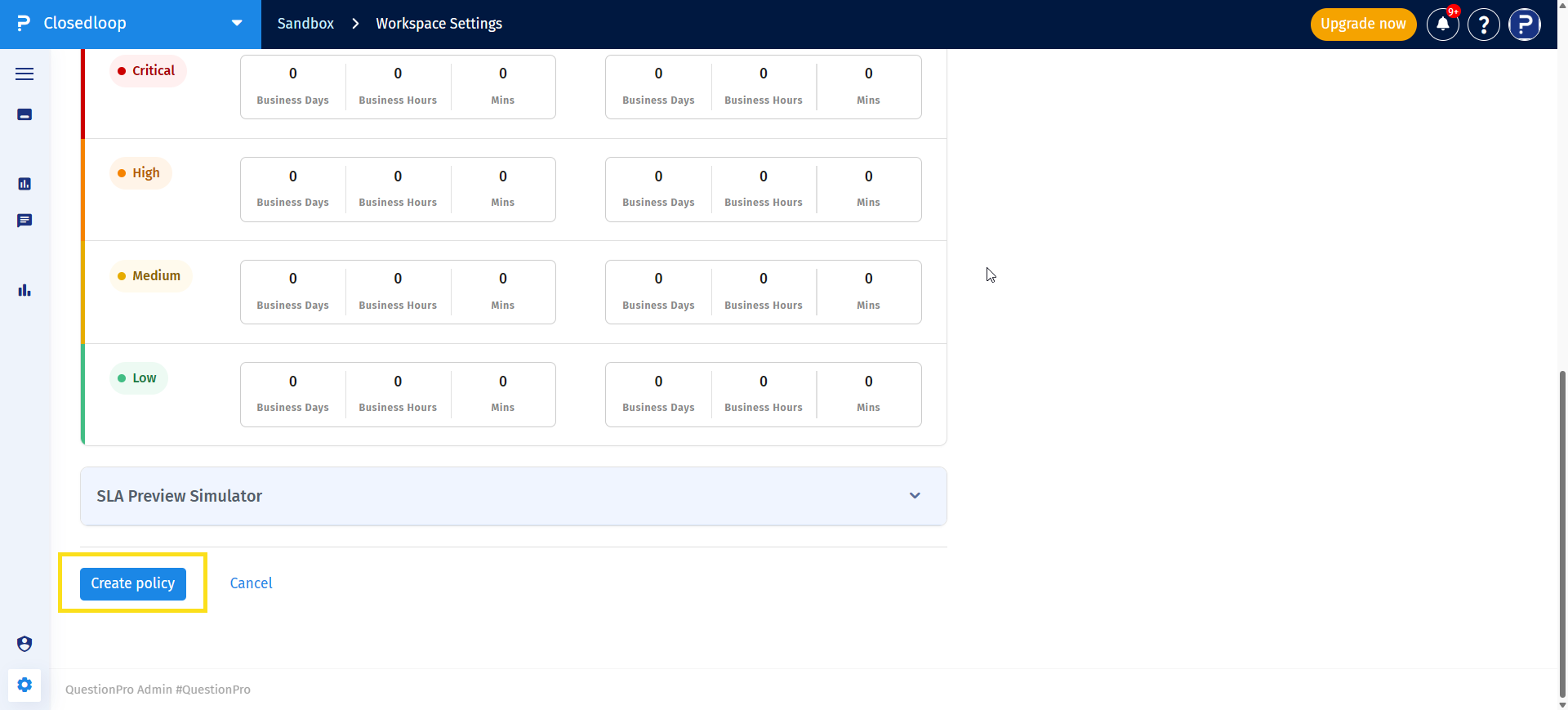
Click Create policy to create the policy.
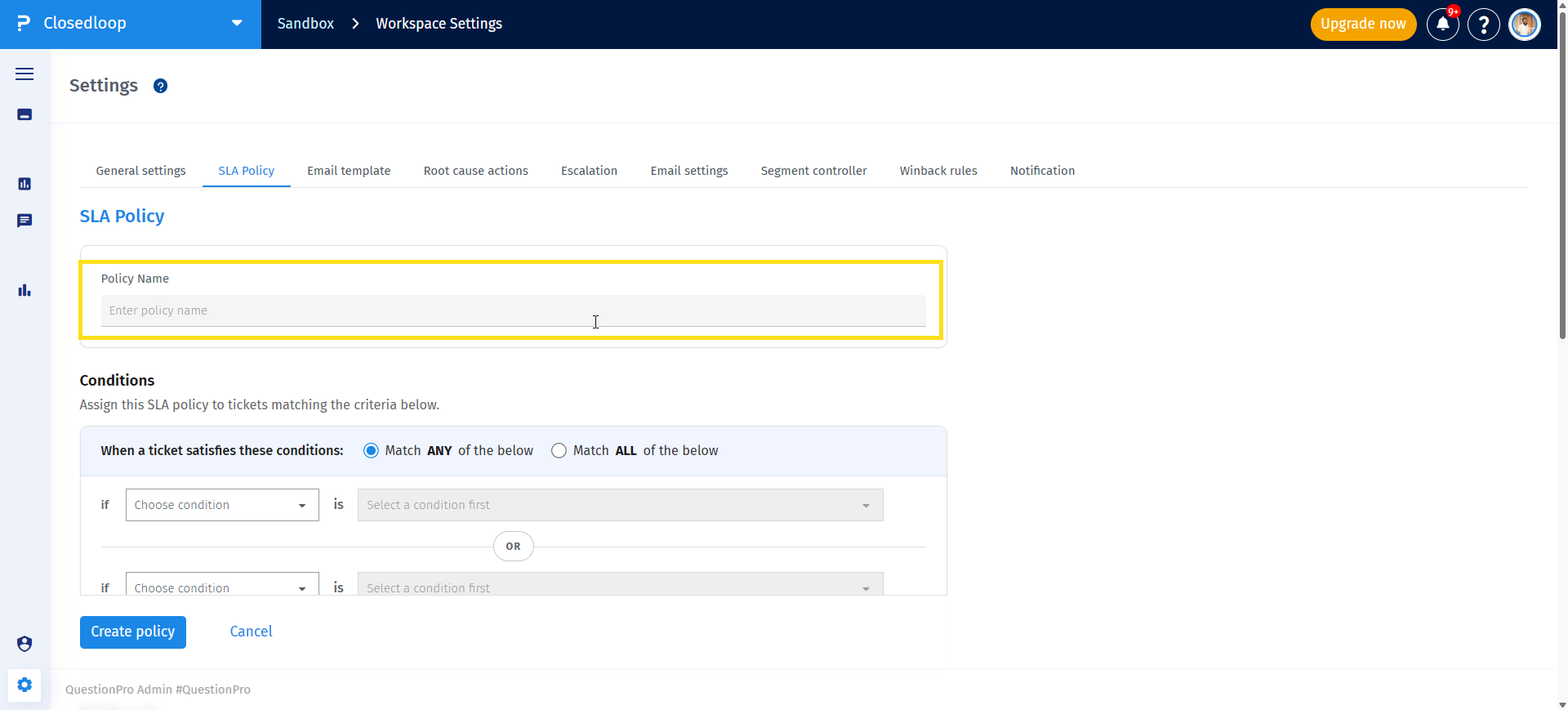
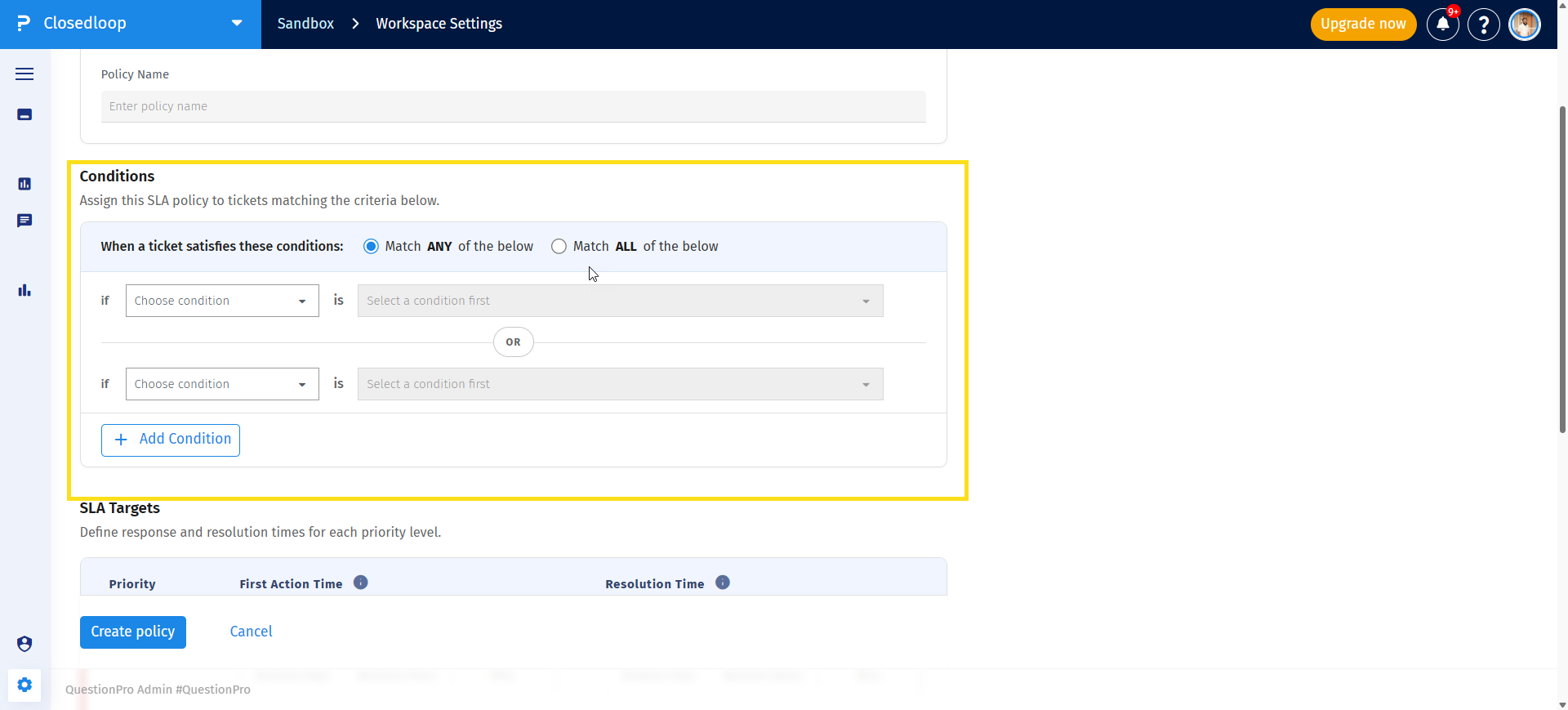
Condition rules determine which SLA Policy should be applied when a ticket is created.
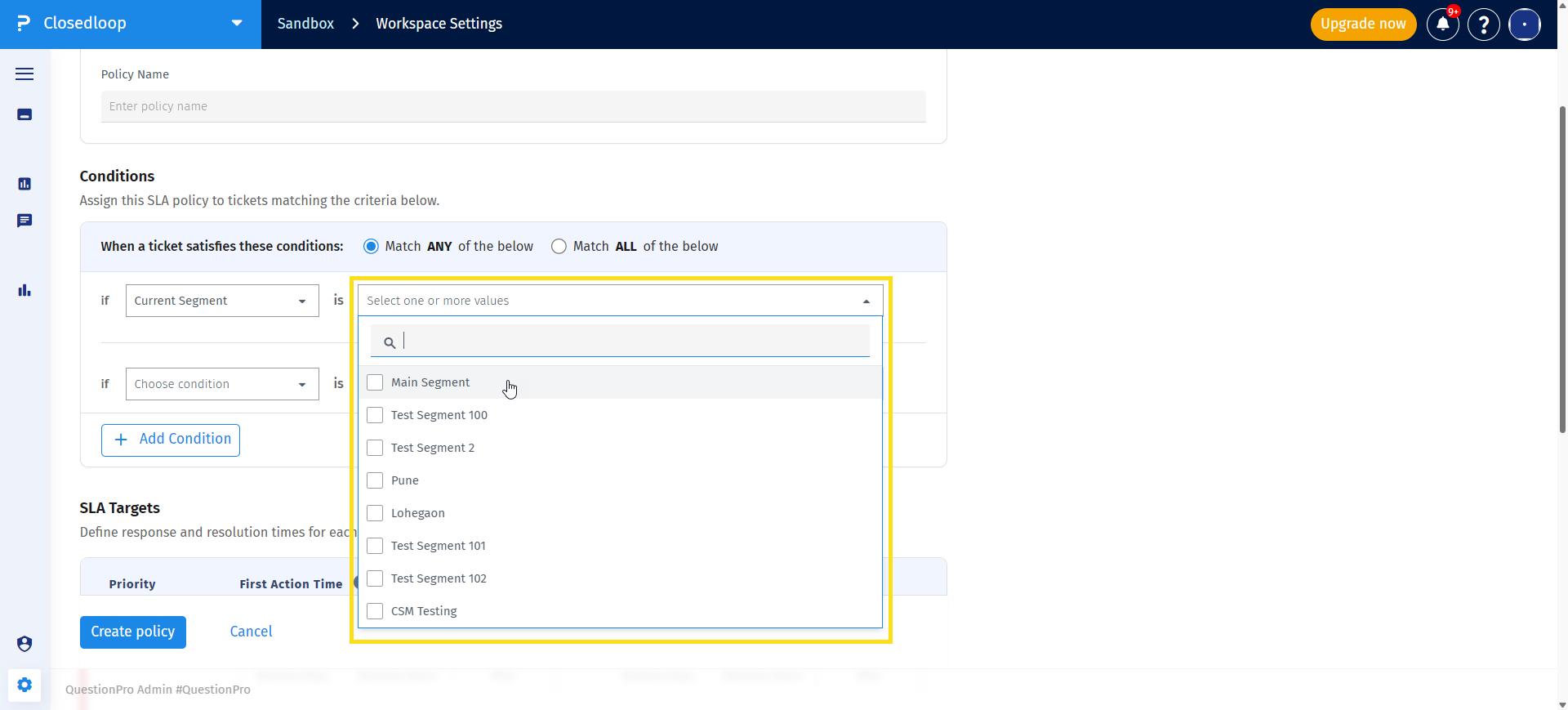
- Rules can evaluate Survey, Current Segment and Custom Variable fields.
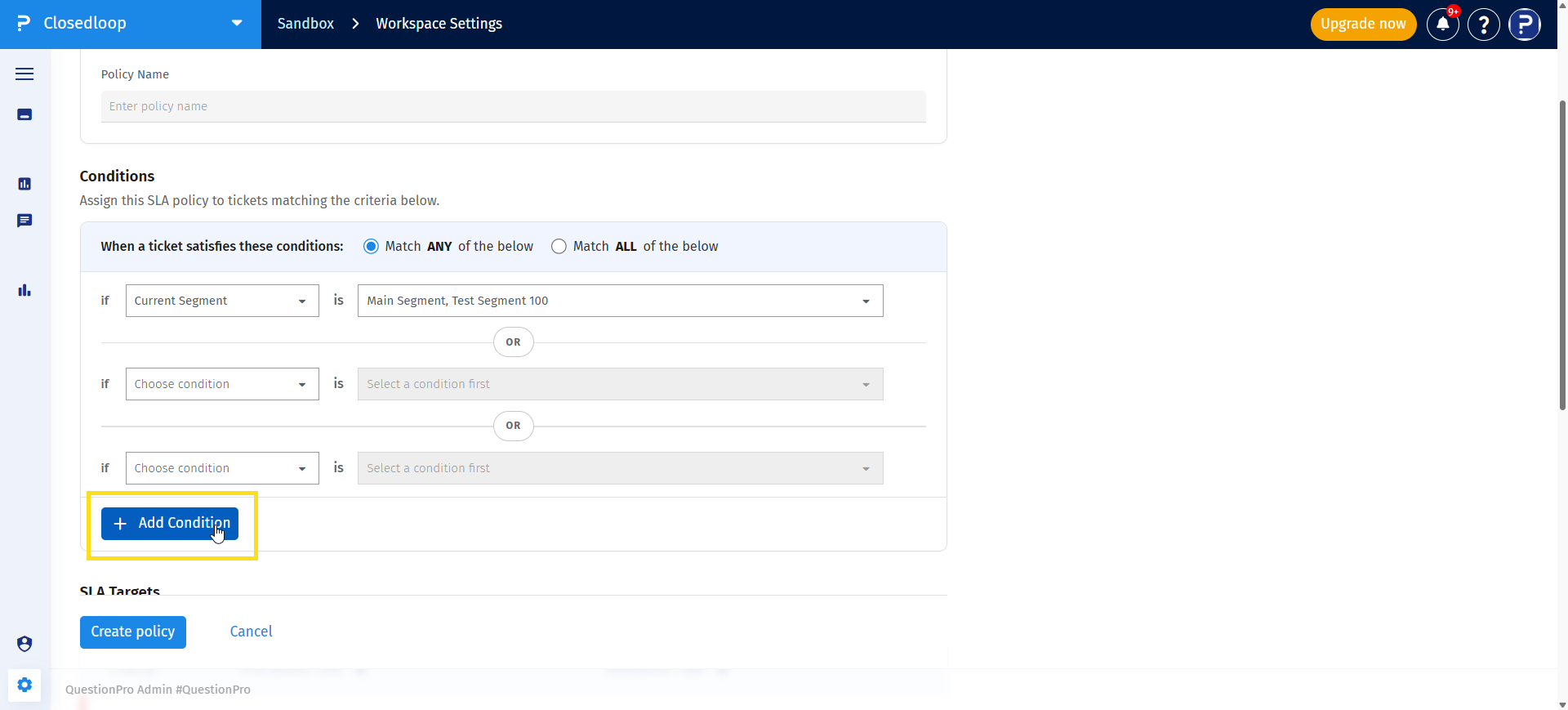
- You can configure up to five conditions within a policy.
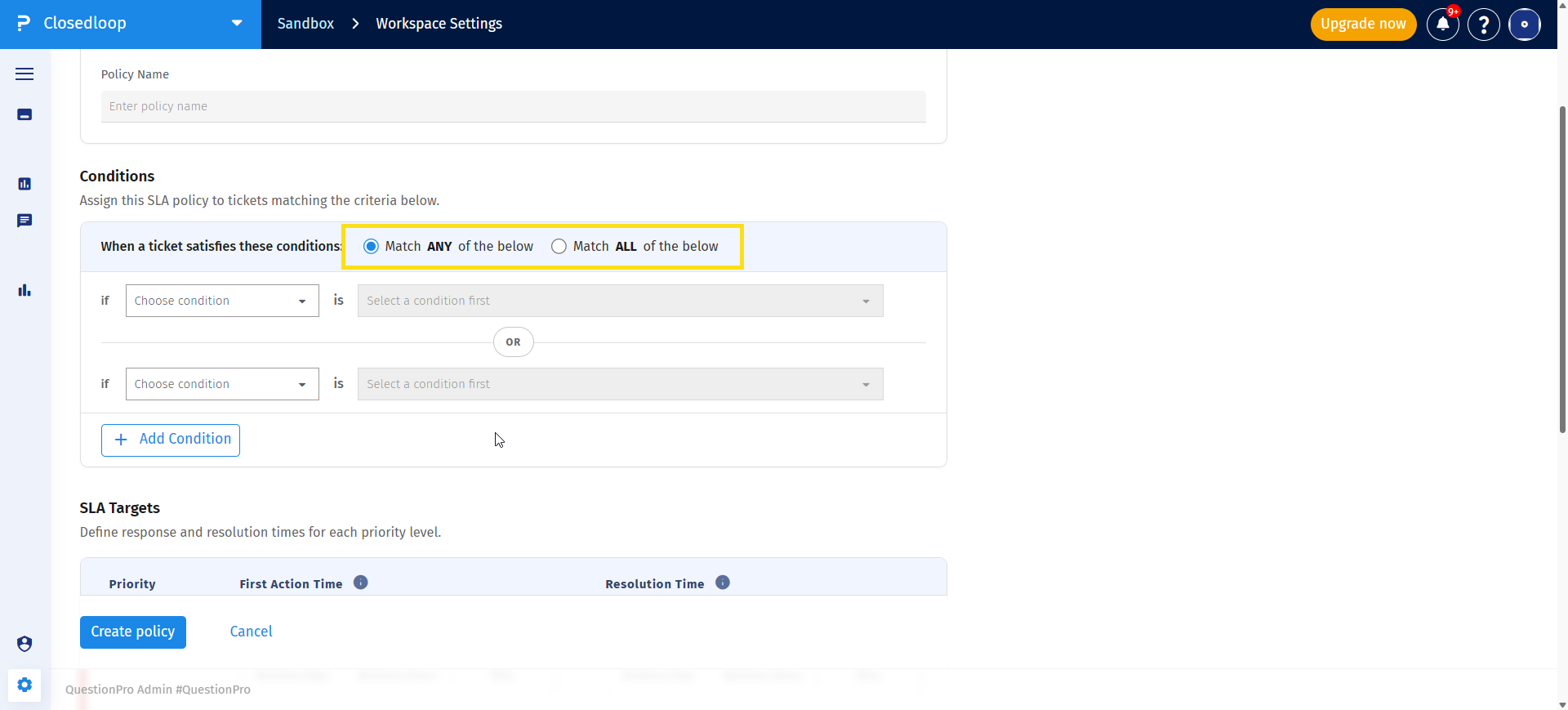
- Conditions can be combined using either AND or OR.
- Additional conditions can be added using the Add Condition button.
- The system evaluates policies in the configured order and assigns the first matching policy.
- If no rule matches, the Default SLA Policy is applied automatically.
-
Select whether all conditions should use AND or OR.
-
Select the condition you want to evaluate i.e. Current segment, Survey or Custom variable
-
Select the value to compare.
-
Click Add Condition to add additional rule conditions if required.
Each SLA Policy contains separate Action SLA and Resolution SLA targets for every ticket priority.
- Critical
- High
- Medium
- Low
Resolution SLA values must always be greater than the corresponding Action SLA values.
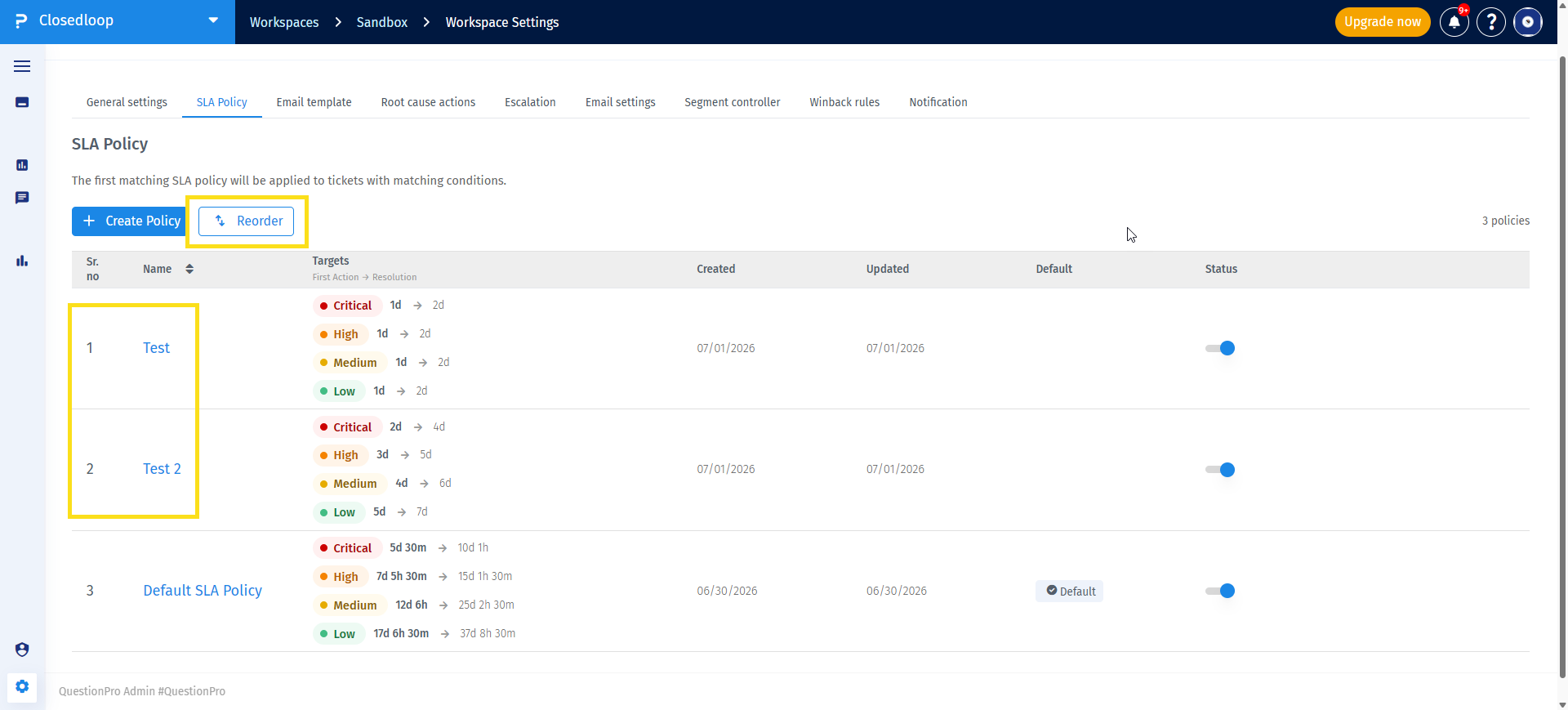
Non-default SLA Policies can be reordered to change the order in which Condition rules are evaluated.
- Open the SLA Policy page.
- Open the Reorder Policies dialog.
- Drag and drop policies into the required order.
- Save your changes.
The Default SLA Policy always remains at the bottom of the list.
Open a ticket to view its SLA information.
The SLA section on the Ticket Details page displays:
- Action Due By
- Resolution Due By
- Current SLA Status if the SLA is breached
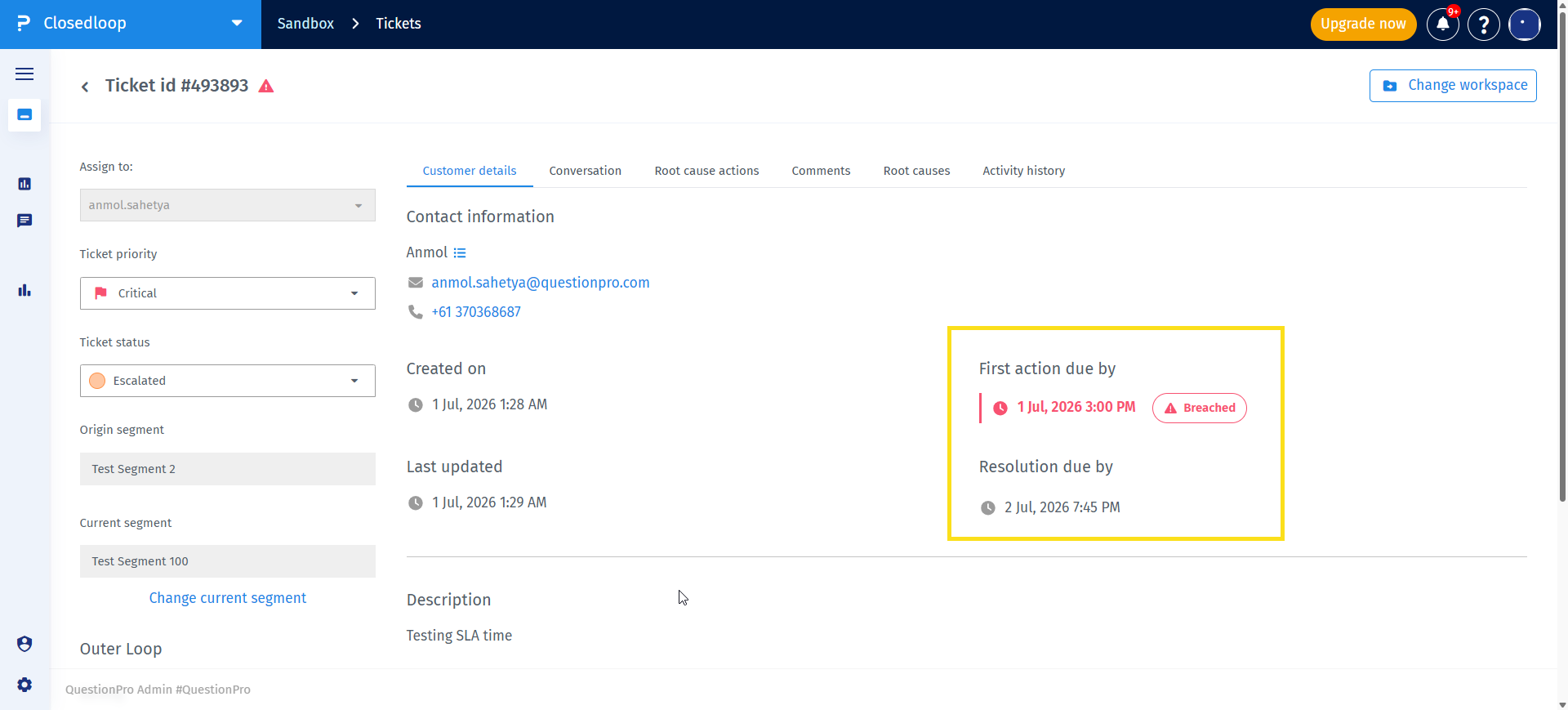
Tickets can be filtered for one of the following SLA statuses:
- On Track
- Met
- Breached
You can use the SLA Status filter on the Ticket List page to locate tickets based on these statuses.
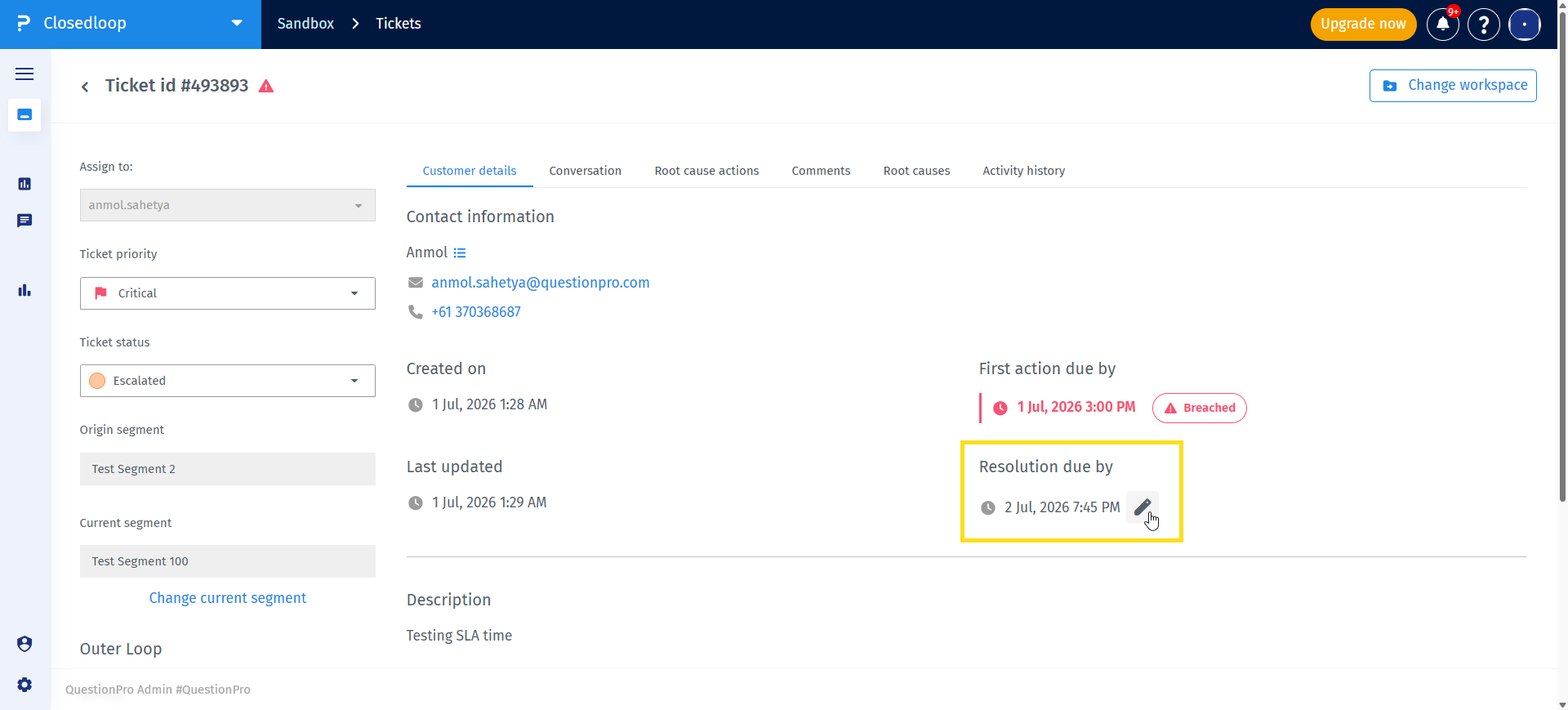
- Open the required ticket.
- Locate the SLA section.
- Click the edit icon beside Resolution Due By.
- Select the required date and time.
- Save your changes.
Only Workspace Admins can update the Resolution Due By value.
Yes. Except the Default SLA Policy, all other polcies can be deleted. Tickets that were previously assigned to the policy continue to reference the historical policy configuration.
Yes. The Default SLA Policy can be edited but cannot be deleted.
No. Each workspace supports only one Default SLA Policy.
No. SLA Policies are assigned automatically using Condition rules or the Default SLA Policy.
Yes. Support Agents can view the SLA information on a ticket but cannot modify the policy.
- Create meaningful policy names that clearly identify their purpose.
- Review Condition rules carefully to avoid overlapping conditions.
- Configure the Default SLA Policy before creating additional policies.
- Verify Action SLA and Resolution SLA values for every priority before saving.
- Review policy order whenever new Condition rules are added.
