- Custom Variable Widget
- Priority Matrix
- Heatmap Widget
- Grid Widget
- Weighted mean widget
- Comment List widget
- Widget Filters
- Ranking List Widget
- Distribution Chart
- NPS Widget
- Trend Widget
- Word Cloud Widget
- Cross tab widget
- KPI Comparison Widget
- Bubble chart
- Custom Metric Trend Chart
- Trend Comparison Widget

Escalation settings
Watch this video for a quick overview of the Escalation settings in QuestionPro’s enhanced closed loop feedback system.
Escalation settings allow you to configure time bound rules to automatically escalate tickets once the set time is elapsed. It allows you to create multi-tiered escalation setups.
Navigate to the following location:
- Customer Experience → Closedloop → Workspace → Settings → Escalation
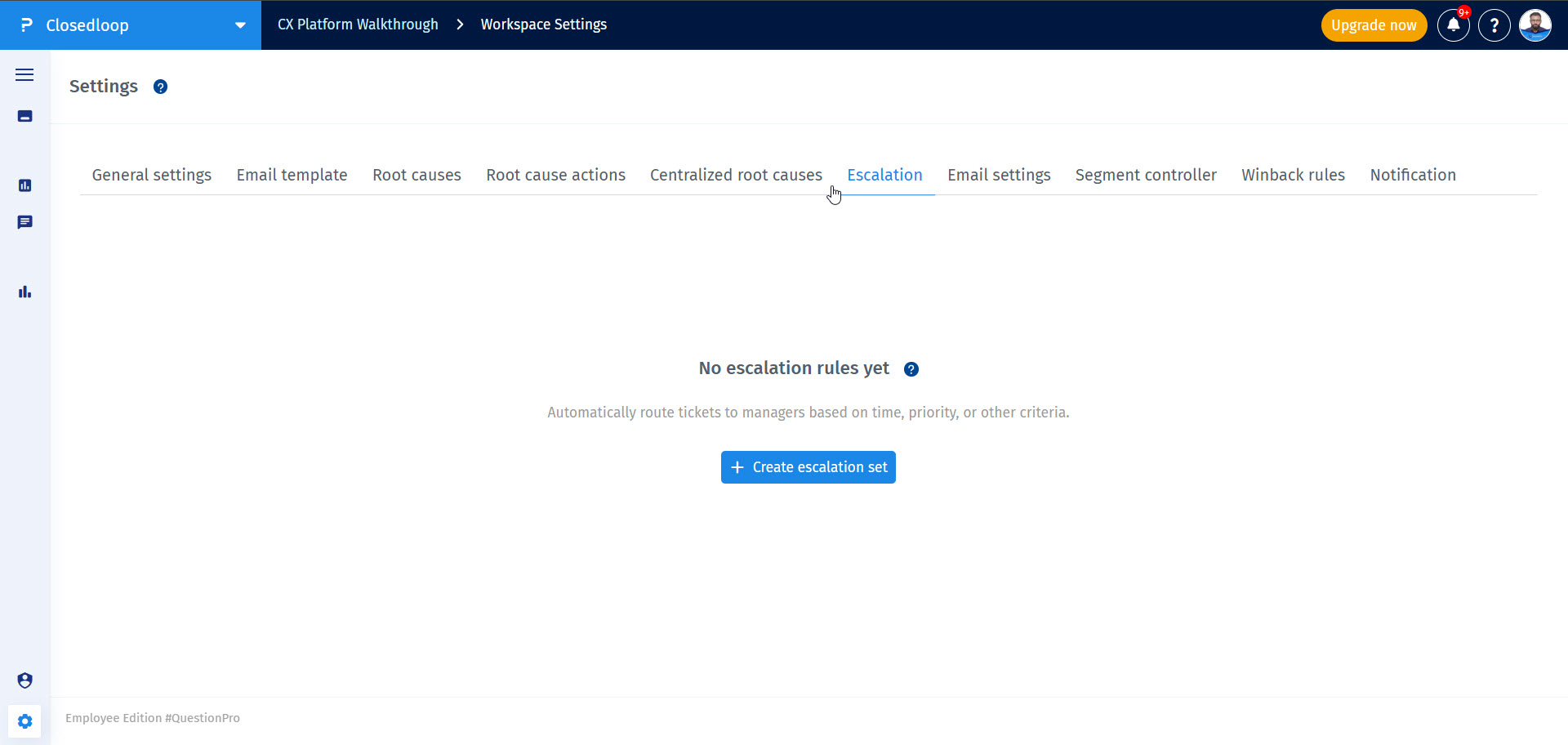
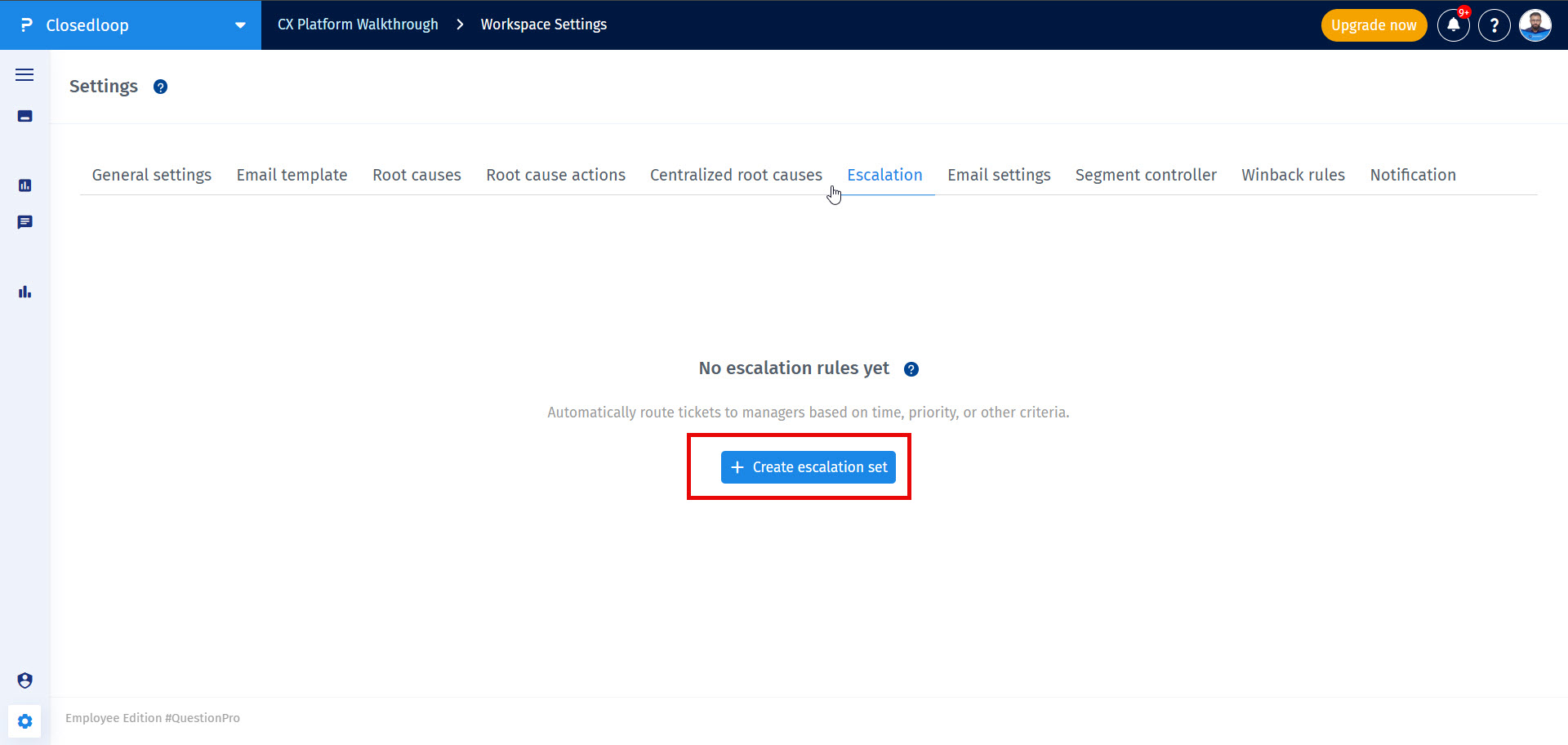
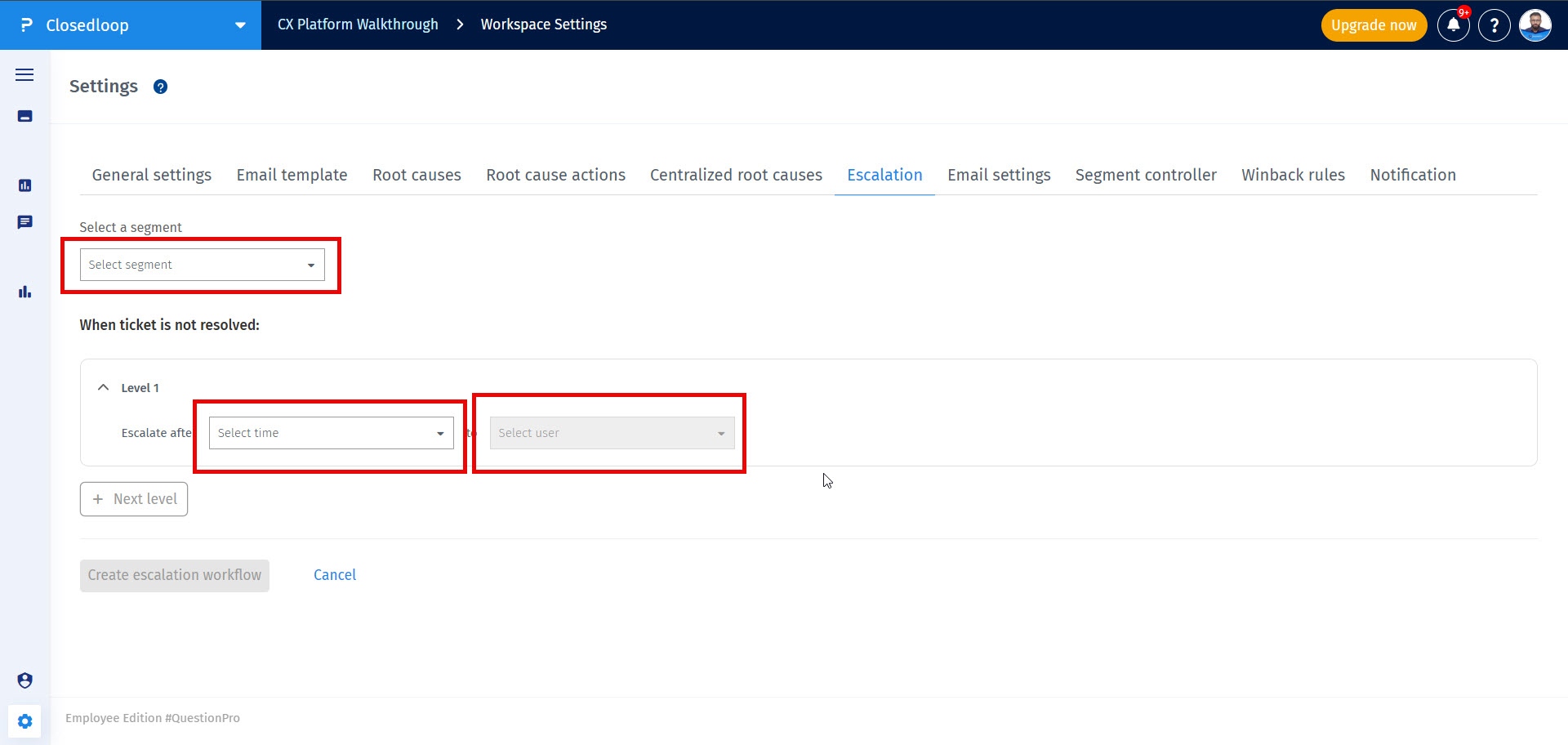
- Go to Closedloop → Workspace → Settings → Escalation and click on Create escalation rule button
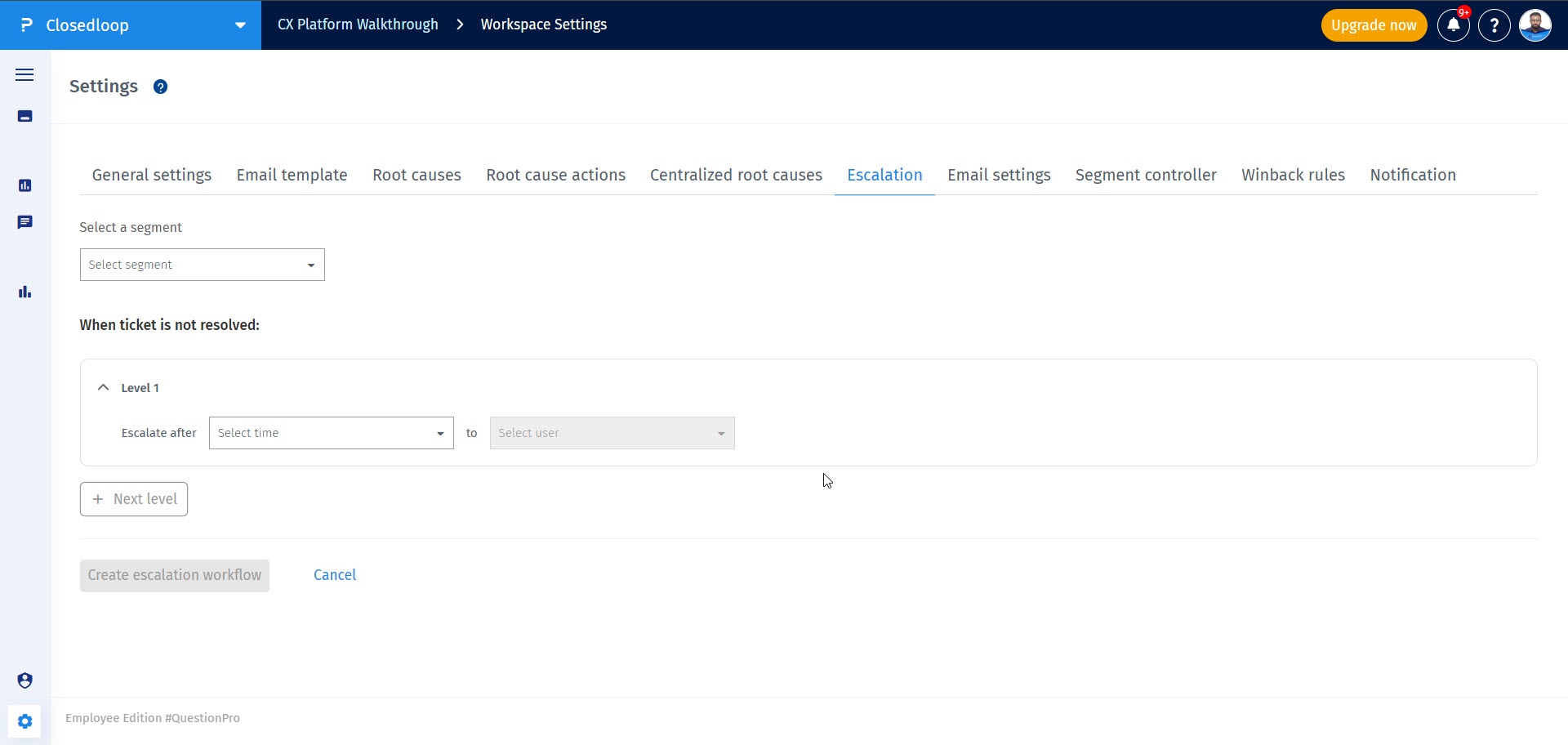
- You will see a page to enter necessary details for configuring the escalation rules
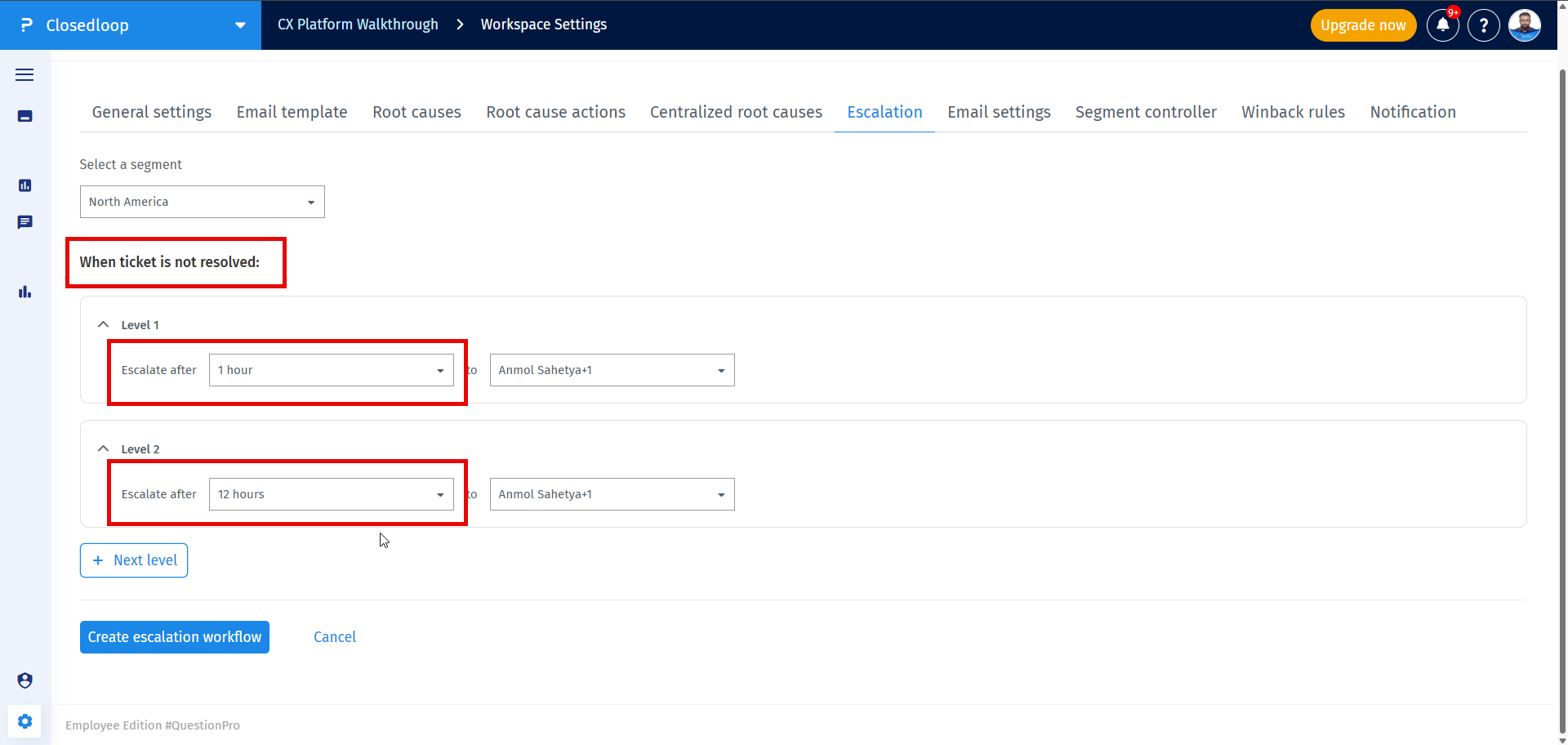
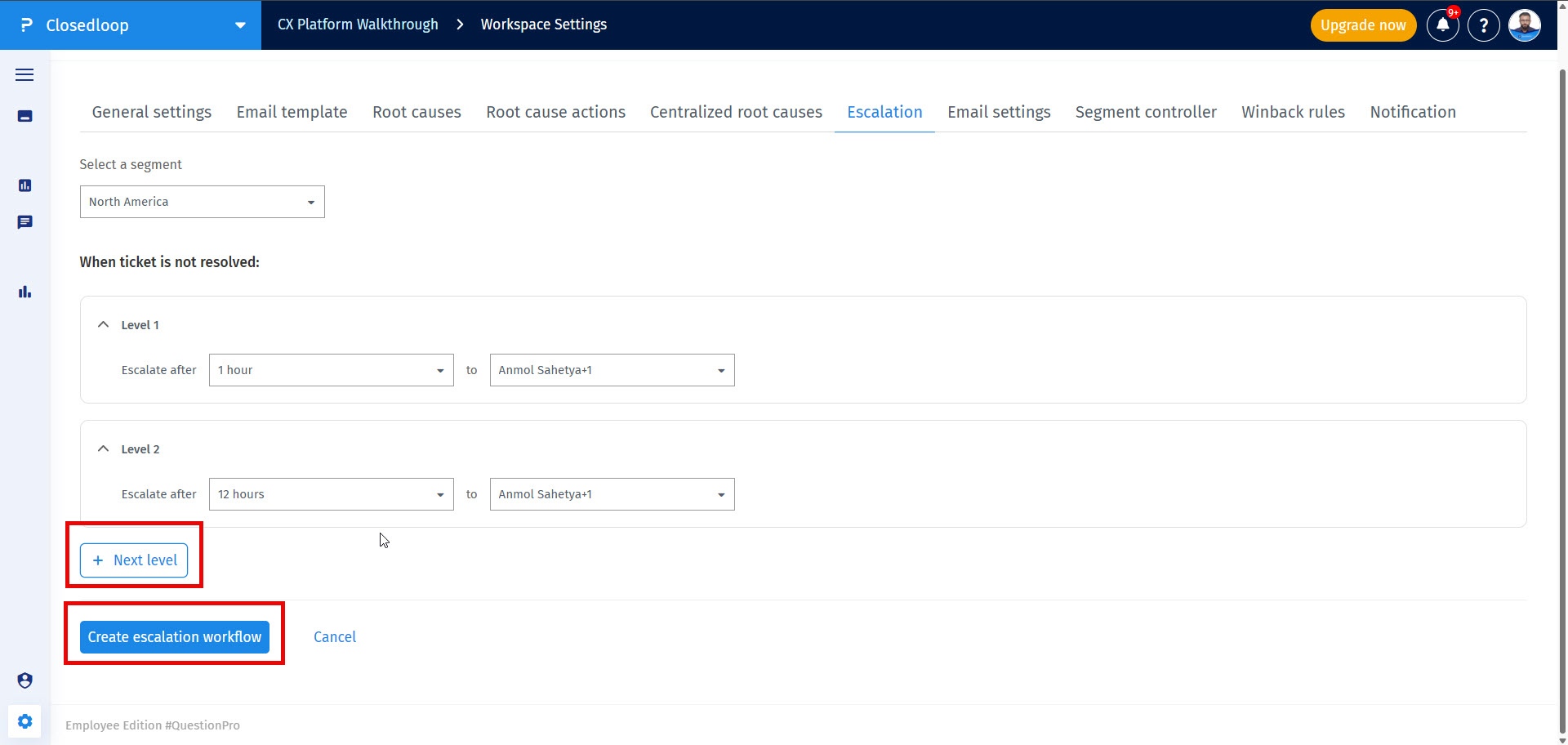
- Configure the rule by selecting a segment, selecting a time range the system should wait before escalating an unresolved ticket, and choosing the manager to whom the ticket should be escalated
- You can add upto 5 levels of escalations by clicking on + Next level button and once you're done setting up the levels, click on Create escalation workflow button to save the escalation settings
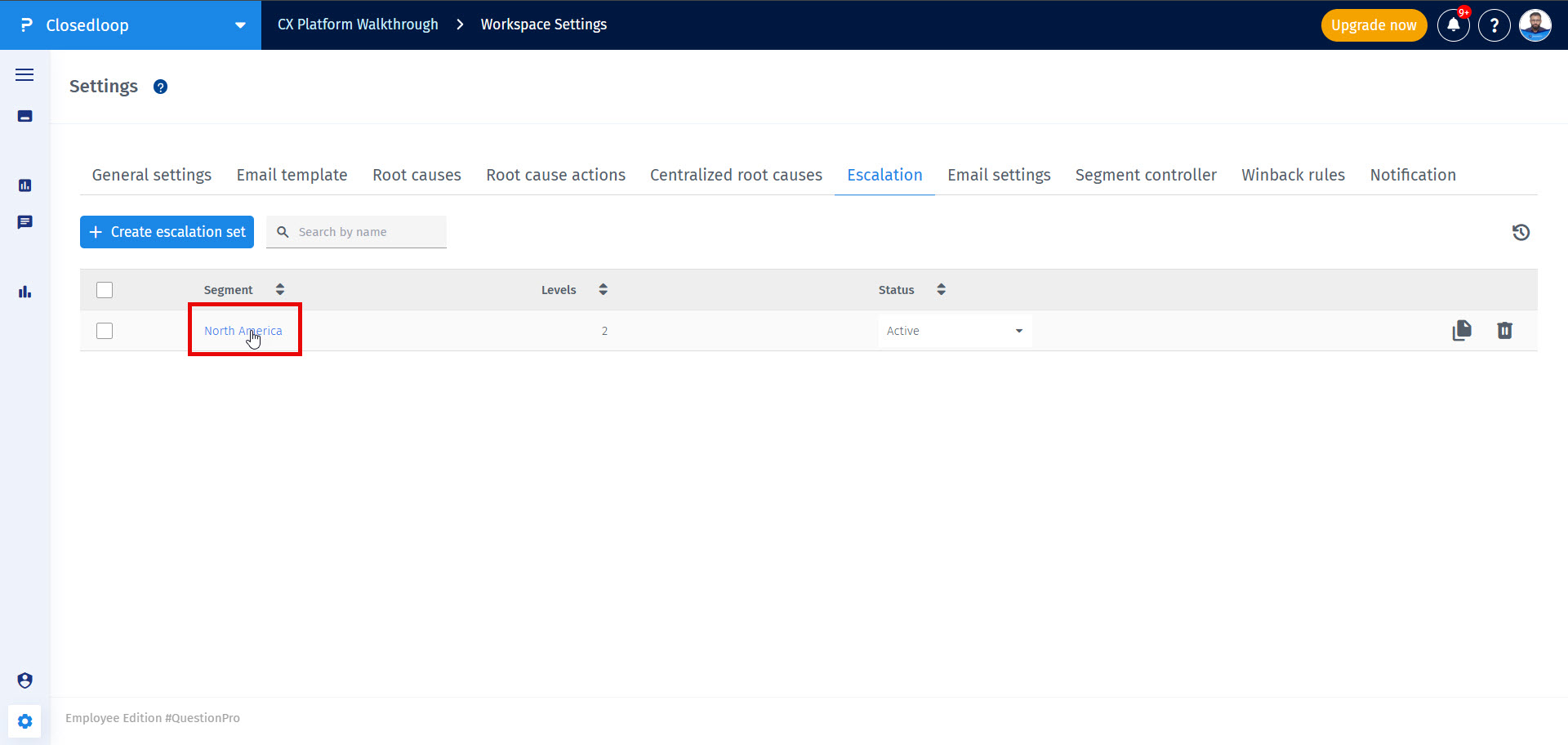
- To edit a set for a particular segment, click on the segment name name
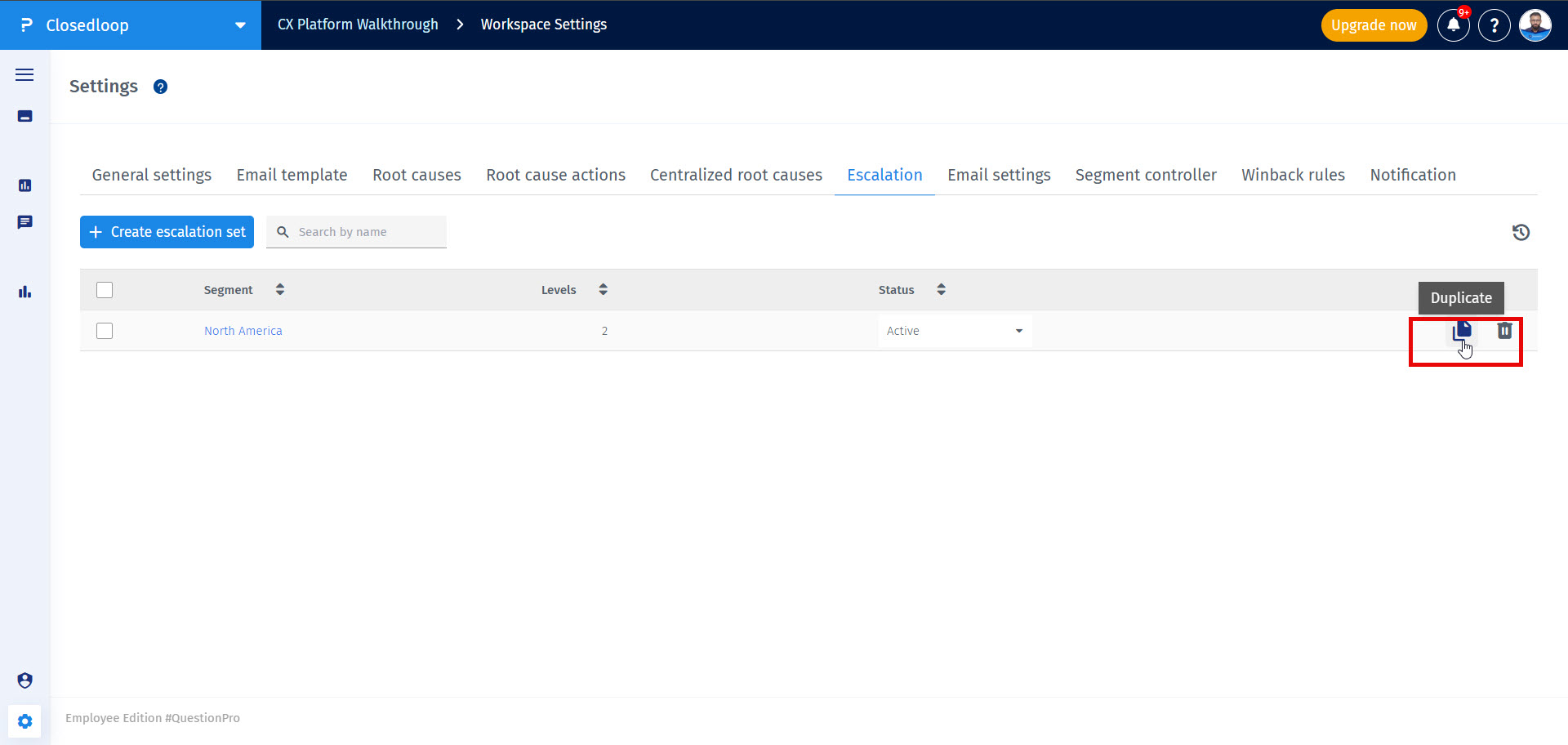
- Copy and Delete options are shown on the right side when you hover on any escalation set
- You can also perform bulk actions by selecting multiple sets
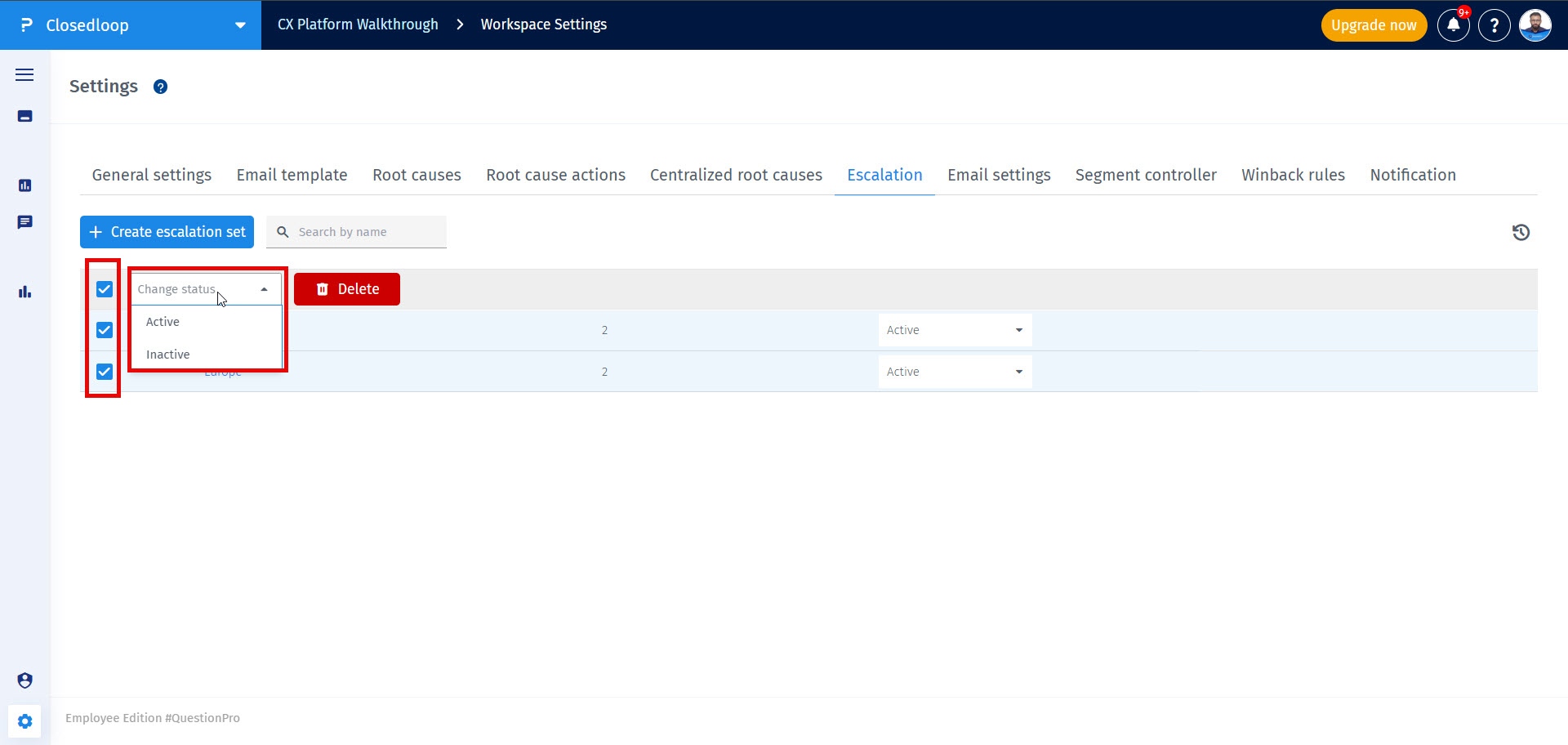
You can create only 1 escalation set for each Segment. Each esclation set can have a maximum of 5 levels
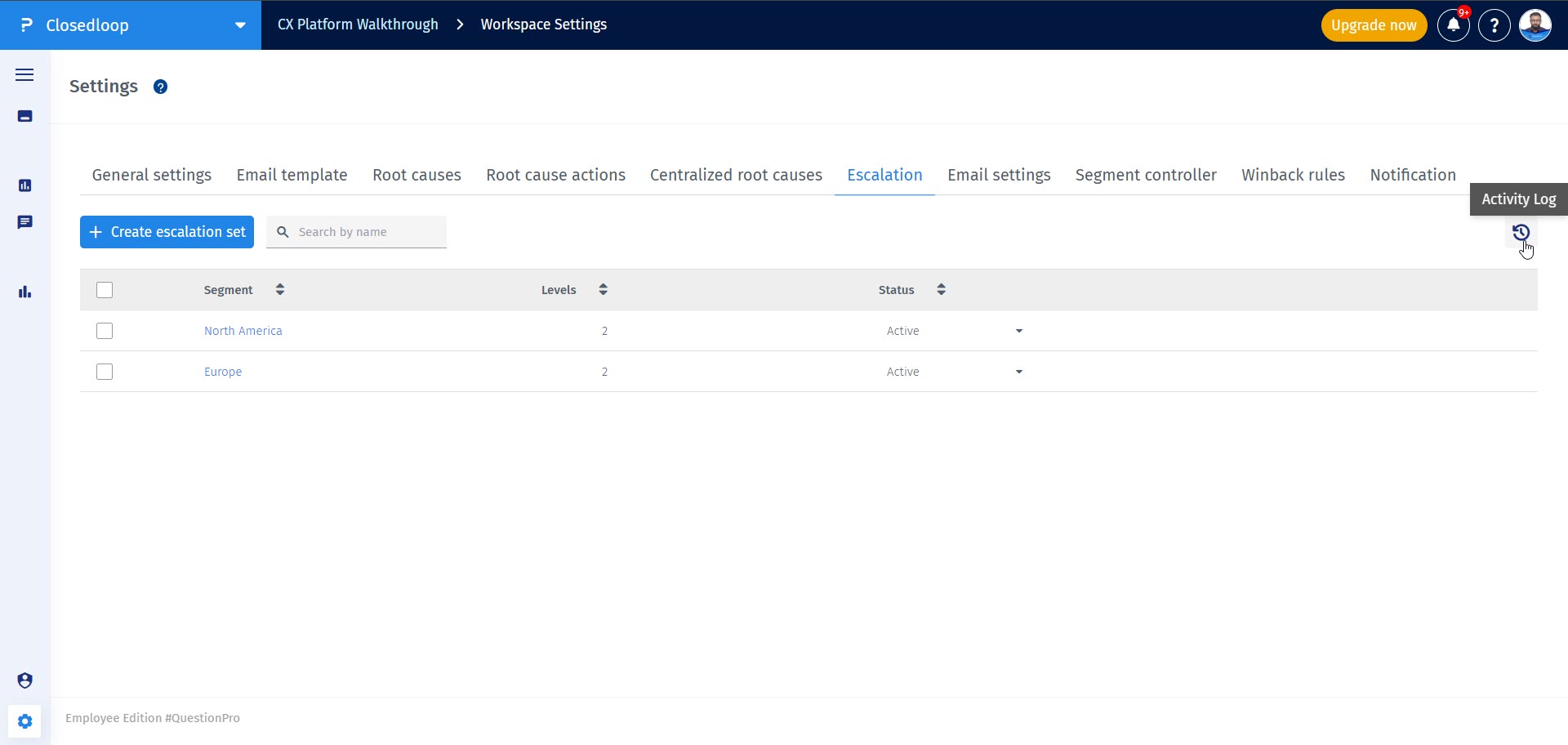
Yes, you can use the Activity logs icon next to the Segment filter to access the activity logs.
A ticket is eligible for automatic escalation only if it has not yet been resolved. When the configured escalation time is reached, the system compares the time elapsed since the ticket was created with the escalation threshold defined in the escalation setup. If the ticket remains unresolved and the elapsed time is equal to or greater than the configured escalation time, the system automatically triggers the escalation. For example, if the escalation rule is configured for 2 hours, a ticket that remains unresolved for 2 hours or more from its creation time will be automatically escalated.